



Automated pipeline to generate short-form video content with AI voiceover, karaoke-style subtitles, and optional publicity pauses. Outputs both 16:9 (YouTube) and 9:16 (TikTok/Reels/Shorts) formats from a single script file.
Click the images to watch the full video on YouTube:
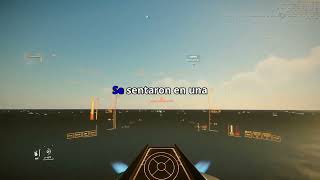
ClipForge is built for speed, scalability, and automation. Instead of manually editing videos, syncing audio, and adding subtitles, ClipForge turns the entire workflow into a single reproducible pipeline.
- Fully automated: from script to final video in one command
- Multi-format output: generate 16:9 and 9:16 simultaneously
- Karaoke-style subtitles: optimized for retention and engagement
- Modular pipeline: rerun only the steps you need
- Batch-friendly: designed to scale content production
- Minimal setup: simple scripts, no heavy frameworks
- Input a script with voice tags.
- Generate AI audio with Kokoro TTS.
- Split a background gameplay video to match audio length.
- Crop to 9:16 and 16:9 then merge audio into both video formats.
- Transcribe with Whisper.
- Burn karaoke subtitles into both videos.
- Optionally insert a publicity pause in the middle of both videos.
- Python 3.10+
- Docker (for Kokoro TTS)
- ffmpeg + ffprobe (must be in PATH)
- Python packages:
openai-whisper,requests
pip install openai-whisper requestsEverything lives in the root folder. The only subfolder is source_video/ for the background video.
/
├── config.py                    # All shared settings
├── generate_video.sh            # Main pipeline runner. RUN THIS.
├── script.txt                   # Your video script with voice tags (you provide this)
├── useful_prompts.txt           # Prompts to generate and translate scripts
│
├── audio_local_api.py           # Step 1 — generate audio with Kokoro TTS
├── audio_velocity.py            # Step 2 — adjust audio speed
├── subtitles_transcription.py   # Step 3 — transcribe audio, generate .ass subtitles
├── video_split.py               # Step 4 — split background video to audio length
├── video_crop.py                # Step 5 — crop video to 9:16
├── video_audio_track.py         # Step 6 — merge speech audio into video
├── subtitles_burn.py            # Step 7 — burn subtitles into both video formats
│
├── publicity_pause.py           # Optional — insert a pause clip in the middle
├── video_format.py              # One-time — format the source background video
├── clear.py                     # Utility — delete all generated files
│
└── source_video/
    ├── original_video.mp4              # Your raw background video (you provide this)
    ├── original_video_formatted.mp4    # Created by video_format.py
    └── splitting_fragment.mp4          # Auto-managed rolling fragment, created automatically
Download a gameplay video (Minecraft, GTA, Subway Surfers, etc.) and place it at source_video/original_video.mp4. Then run:
python video_format.py --input source_video/original_video.mp4 --output source_video/original_video_formatted.mp4This only needs to be done once per source video. The formatted file is reused for every new video you produce.
Create script.txt using voice tags:
<voice name="am_adam">Welcome to the channel. Today we talk about nuclear energy.</voice>
<voice name="af_bella">Is it actually safe?</voice>
<voice name="af_echo">That's a great question. Let's find out.</voice>
See the Voices section below for available voice names.
Open config.py and adjust what you need:
AUDIO_SPEED    = 1.3     # playback speed of the audio (1.0 = normal)
LOUDNESS_LUFS  = -14     # -14 for YouTube/TikTok, -16 for podcasts
SUB_Y          = 540     # subtitle vertical position (540 = center, 960 = bottom)
HIGHLIGHT_COLOR = r"\1c&H0000FF&" # karaoke highlight color (ASS BGR format)bash generate_video.shThis runs all steps in order and produces:
final_with_subs.mp4— 16:9 video with subtitlesfinal_with_subs_916.mp4— 9:16 video with subtitles
You can comment the publicity pause lines inside generate_video.sh to skip this step.
You can also use the publicity_pause.py script wihtout the wraper bash script:
python publicity_pause.py --video_path final_with_subs.mp4 --pause_path publicity_pause.mp4
python publicity_pause.py --video_path final_with_subs_916.mp4 --pause_path publicity_pause_916.mp4
Place your pause clip at publicity_pause.mp4 (16:9) and publicity_pause_916.mp4 (9:16) before running. The pause is inserted at the halfway point.
python clear.pyThis deletes all intermediate and output files so you can start fresh for the next video. The script file and source video are not deleted but you can add them to the list.
You can run any step independently if you want to re-generate only part of the pipeline:
python audio_local_api.py           # regenerate audio
python audio_velocity.py            # re-apply speed change
python subtitles_transcription.py   # re-transcribe (slow — runs Whisper)
python subtitles_burn.py --video_path video_temp_synced.mp4 --output final_with_subs.mp4Kokoro voices follow a naming pattern: [language][f/m]_[name]
af_= American English Femaleam_= American English Malebf_= British English Femalebm_= British English Maleef_= Spanish Femaleem_= Spanish Male
| Voice | Style |
|---|---|
af_bella |
Warm, expressive |
af_sarah |
Clear, neutral narrator |
af_sky |
Young, bright |
af_nicole |
Soft, conversational |
af_nova |
Confident, professional |
af_heart |
Friendly, warm |
af_jessica |
Energetic |
bf_emma |
British, natural |
bf_isabella |
British, elegant |
| Voice | Style |
|---|---|
am_adam |
Deep, authoritative |
am_echo |
Clear, neutral |
am_eric |
Conversational |
am_liam |
Young, casual |
am_michael |
Steady, professional |
bm_george |
British, formal |
bm_lewis |
British, casual |
| Voice | Style |
|---|---|
ef_dora |
Clear, young female |
| Voice | Style |
|---|---|
em_santa |
Older male, warm |
em_alex |
Young male, neutral |
To get the full current list of voices available in your running Kokoro instance:
curl http://localhost:8880/v1/audio/voices
The ASS format uses BGR (Blue-Green-Red), not RGB. To convert a standard hex color, reverse the byte order: #RRGGBB → &HBBGGRR&.
| Color | ASS code |
|---|---|
| Red | &H0000FF& |
| White | &HFFFFFF& |
| Yellow | &H00FFFF& |
| Blue | &HFF0000& |
| Green | &H00FF00& |
| Pink | &HFF00FF& |
Use this prompt to take any story or script in English and get a ready-to-use script.txt with Spanish narration, voice tags, and a TikTok hook.
Prompt (paste into ChatGPT, Claude, etc.):
Traduce la historia al español, también vas a corregir el estilo para que se escuche bien como una historia narrada con estilo cinematográfico, utiliza un vocabulario de español latino neutral. Si hay partes de la historia que puedan ser confusas durante la narración tienes la libertad de reescribirlas pero deben mantener la idea original, o sea no cambies la historia solo cambia el fragmento y que mantenga coherencia con el resto de la historia.
Vas a diferenciar personajes ya que va a ser narrado por un TTS que puede identificar tags para las voces. Para el texto del narrador vas a encerrar el texto en
<voice name="em_alex"></voice>, y para los diálogos de personajes secundarios puedes utilizar<voice name="ef_dora"></voice>o<voice name="em_santa"></voice>. El TTS que utilizo solo tiene esas 3 voces: em_santa (masculino), ef_dora (femenino), em_alex (masculino). Debes mantener coherencia entre los personajes y las voces que les asignas, no cambies la voz que utiliza un personaje o perdería coherencia y sería difícil de entender. Puedes repetir voces para diferentes personajes ya que entiendo que son muy pocas; también puedes modificar levemente la historia para cuando te quedes sin voces para los personajes.Añade un gancho fuerte antes de que inicie la historia para que el espectador se enganche al video ya que es para un video de TikTok.
Al final escribe un título para el video de YouTube.
Contributions are welcome! Please:
- Fork the repository
- Create a feature branch (git checkout -b feature/amazing-feature)
- Commit your changes (git commit -m 'Add amazing feature')
- Push to the branch (git push origin feature/amazing-feature)
- Open a Pull Request