
Aura is an open source platform for secure collaboration across the entire software development lifecycle. This repo is for the native desktop application that's built on Electron; it runs on Windows, Mac, and Linux.
Originally created as "electron-mattermost" by Yuya Ochiai.
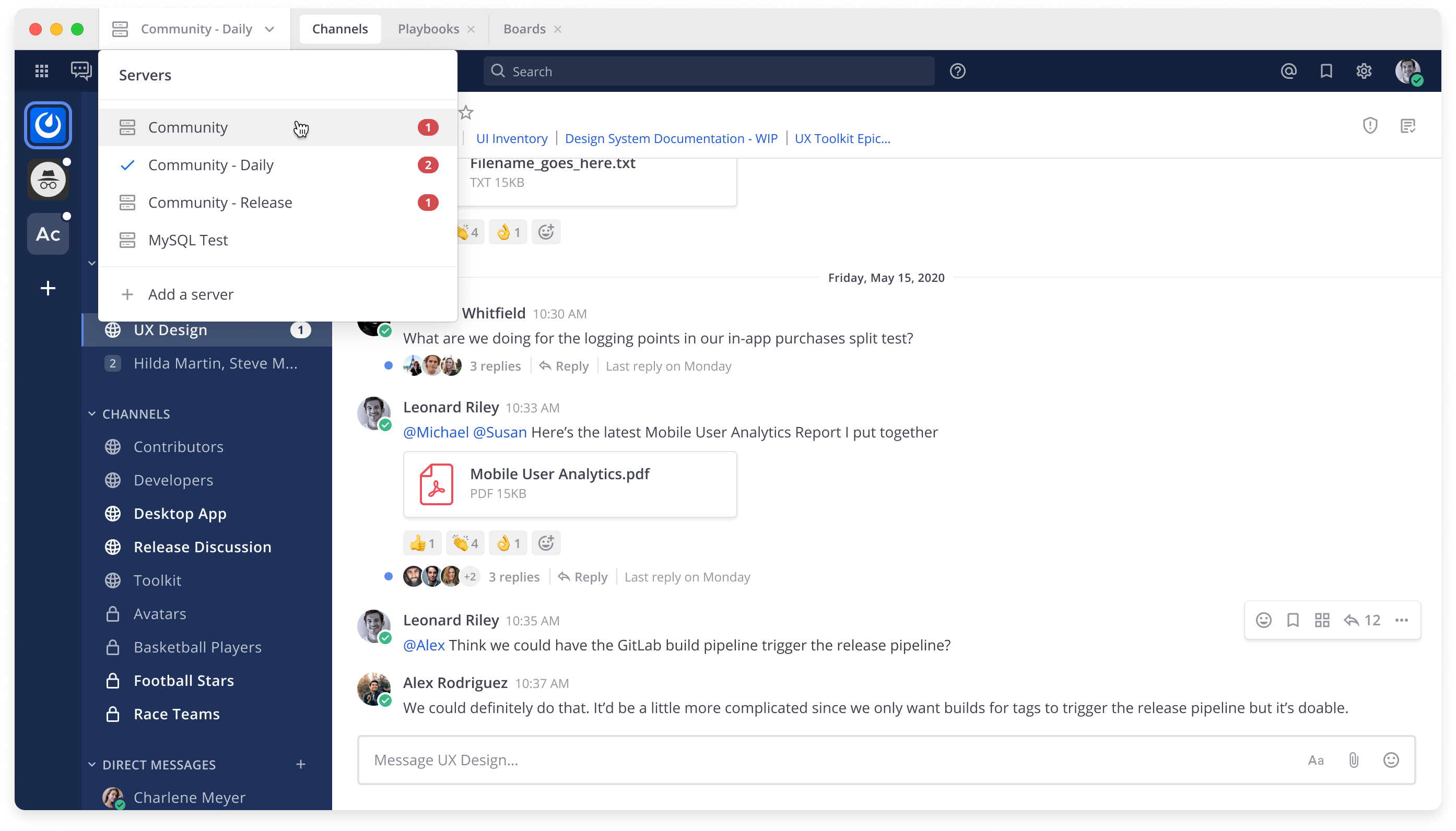

- Server dropdown for access to multiple servers
- Dedicated tabs for Channels, Boards and Playbooks
- Desktop Notifications
- Badges for unread channels and mentions
- Deep Linking to open Aura links directly in the app
- Runs in background to reduce number of open windows
Detailed guides are available at docs.mattermost.com.
- Download a file from the downloads page or from the releases page.
- Run the installer or unzip the archive.
- Launch Aura from your Applications folder, menu, or the unarchived folder.
- On the first launch, please enter a name and URL for your Aura server. For example,
https://mattermost.example.com.
You can show the dialog from menu bar.
Configuration will be saved into Electron's userData directory:
%APPDATA%\Auraon Windows~/Library/Application Support/Auraon OS X~/.config/Auraon Linux
A custom data directory location can be specified with:
Aura.exe --args --data-dir C:\my-mattermost-dataon Windowsopen /Applications/Aura.app/ --args --data-dir ~/my-mattermost-data/on macOS./mattermost-desktop --args --data-dir ~/my-mattermost-data/on Linux
Our docs provide a guide on how to customize and distribute your own Aura Desktop App, including how to distribute the official Windows Desktop App silently to end users, pre-configured with the server URL and other app settings.
Our developer guide has detailed information on how to set up your development environment, develop, and test changes to the Desktop App.