3. Encryption
Odilon does not encrypt objects by default. In order to store data encrypted you have to initialize the encryption service. The initialization process must be run only once, before starting using encryption:
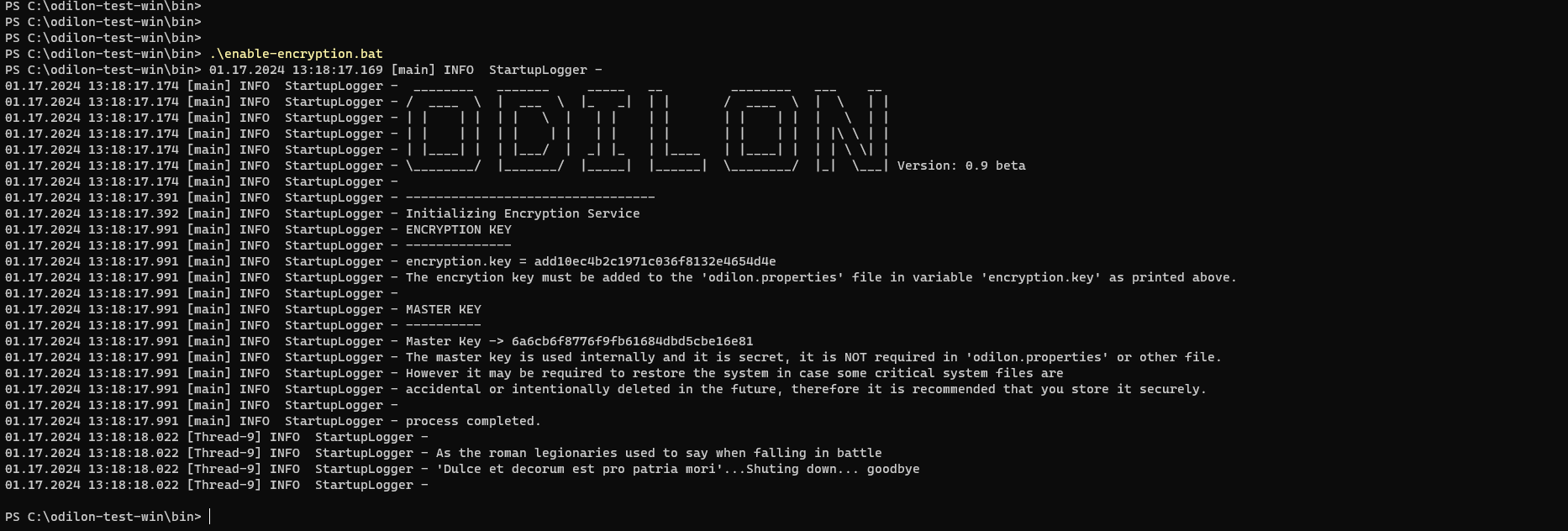
Shutdown Odilon and execute the script ./bin/enable-encryption.sh (Linux) or .\bin\enable-encryption.bat (Windows).
Odilon will generate two AES keys: encryption key and master key.

The encrytion key is a String of 56 characters that must be added to the 'odilon.properties' file in variable 'encryption.key'. Example:
encryption.key = 317da5604b9bedeeac0602e1165a9ddfff5aaa534adb9f31f0967c77The master key is String of 32 characters, it is used internally and secret, it is NOT required in 'odilon.properties' or anywhere else. However it may be required to restore the system in case some critical system files are accidental or intentionally deleted in the future, therefore it is recommended that you store it securely. example
Master Key -> 6a6cb6f8776f9fb61684dbd5cbe16e81enable-encryption.bat screenshot in Windows
The next step is to edit the file odilon.properties:
# The encryption key is provided by Odilon when initializing the encryption service using the
# enable-encryption.sh (Linux) or enable-encryption.bat (Windows) script.
encryption.enabled = true
encryption.key = 317da5604b9bedeeac0602e1165a9ddfff5aaa534adb9f31f0967c77
and start Odilon normally.
In case the encryption key is compromised or lost it is possible to generate a new encryption key. To generate a new encryption key You will need the server's master key, just execute the script (in ./bin directory):
rekey-encryption.bat -m masterkey
./rekey-encryption.sh -m masterkey
Example (Windows):
.\rekey-encryption.bat -m 663480aab0a93a1459d91a649cf12408
The script will generate a new encryption.key that has to be added into the odilon.properties file, replacing the old encryption.key.