Maximizing KV-Cache Reuse While Minimizing Network Latency in Cross-Region LLM Load Balancing.
Create a Python virtual environment in the benchmark directory:
cd benchmark
python3 -m venv .venv
source .venv/bin/activate
pip install -r requirements.txt
cd ..- Install golang
- Clone this repo
- Build gotoni from source
go build -o gotoni- Setup an account on Lambda.ai and run:
export LAMBDA_API_KEY=your_token_hereEmail atoniolo76@gmail.com to get a Lambda.ai API key for testing
- Run
./gotoni availableto see available Lambda instances and./gotoni launchto check out instances
- Note: Instances from at least three separate regions are required for Gorgo's TTFT improvement (or two if running GORGO-proxy)
- Run
./gotoni cluster setup, which handles sglang installation, mistral-7b download, and the gotoni binary deployment for load balancer processes. Uses all currently running Lambda.ai instances on your account.
The repository includes preprocessed WildChat datasets:
benchmark/wildchat_guidellm.jsonl- 8,893 prompts with location mappingsbenchmark/wildchat_location_lookup.json- 8,117 unique location entries
Available profiles: poisson, sweep, constant, concurrent, throughput
Start the geo-routing proxy and run GuideLLM benchmarks:
# Start geo-routing proxy (routes by user location from WildChat)
cd benchmark
python geo_proxy.py --port 9000 &
cd ..

# Run GuideLLM benchmark
guidellm benchmark \
  --target http://localhost:9000/v1 \
  --profile poisson \
  --rate 5 \
  --max-seconds 60 \
  --data ./benchmark/wildchat_guidellm.jsonl \
  --data-column-mapper '{"text_column": "prompt"}'
Results, including metrics like TTFT and Throughput, are saved to guidellm_results/.
Note #1: Update cluster node IPs in geo_proxy.py (lines 40-44) to match your deployment.
Note #2: Between benchmarks, run gotoni cluster flush-cache to clear both KV-caches and LB prefix trees, otherwise prefix-tree and GORGO will behave like least-load.
Switch between routing strategies (gorgo, prefix-tree, least-load):
./gotoni cluster restart-lb --strategy prefix-tree --max-concurrent 50--max-concurrent sets the maximum requests forwarded per instance (higher = more parallelism, lower = stricter queueing).
Create traces of per-gpu request queueing/forwarding/processing. Before benchmarking, start the tracing service with:
./gotoni cluster stop-traceOnce benchmark is complete:
./gotoni cluster stop-traceView in perfetto.dev:
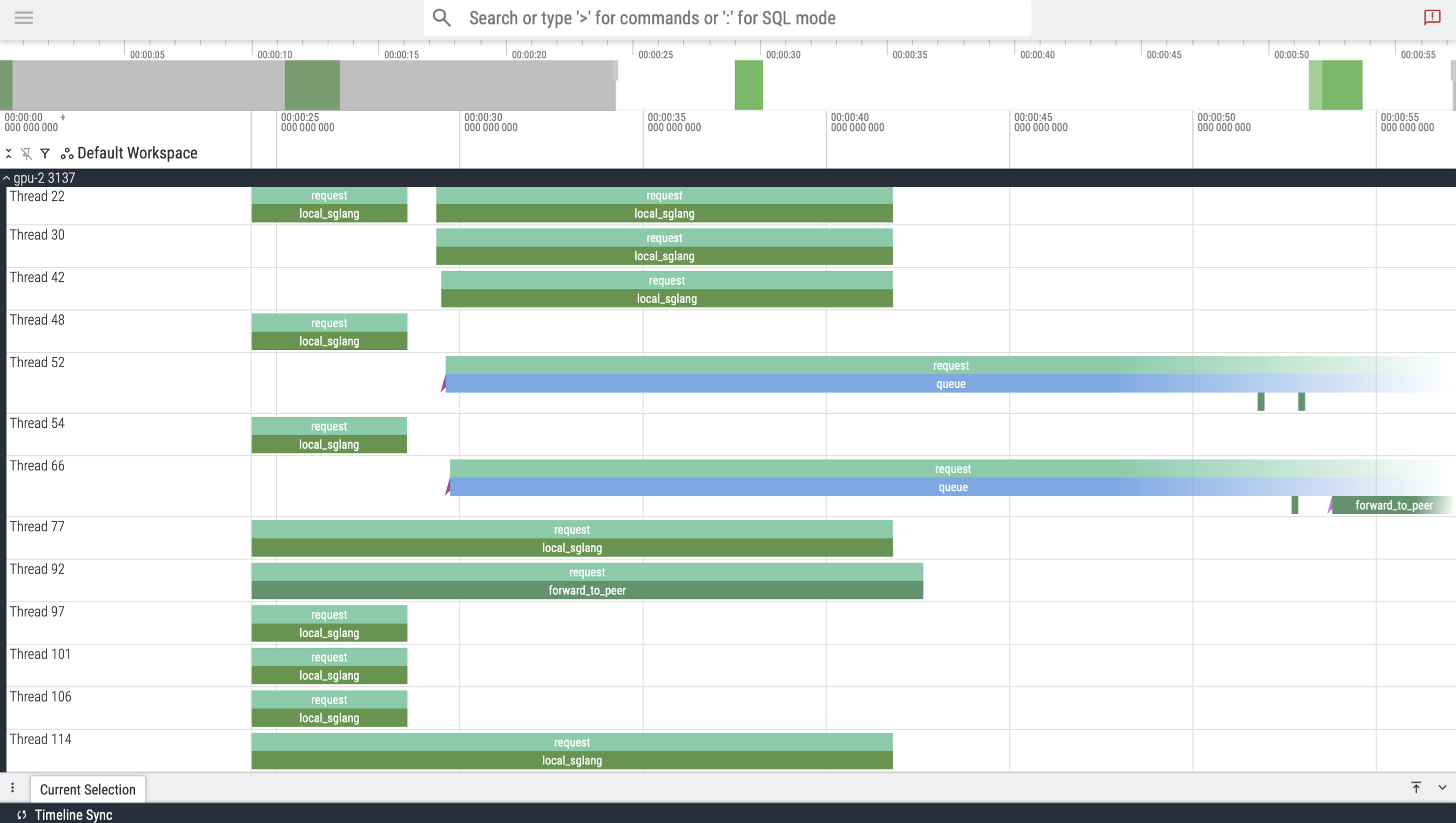
Fine-tune GORGO's cost calculation by editing pkg/config/constants.go:
-
DefaultGORGORunningCostFactor($\hat{q}_s$ in paper) - Weight for running requests' prefill cost (default: 0.5)- Lower = running requests weighted less in cost calculation
-
DefaultGORGOMsPerToken($t_p$ in paper) - Prefill time per token in ms (default: 0.094)- Measured cold-start prefill rate on your hardware
-
DefaultSGLangMaxRunningRequests- Max concurrent requests per SGLang instance (default: 10)- Controls when requests queue (triggering the routing policy)
After changes, rebuild and redeploy: go build -o gotoni && ./gotoni cluster upload && ./gotoni cluster restart-lb
After benchmarking completes, results are saved to guidellm_results/ (benchmark metrics).
View the per-gpu trace in benchmark_results/.
- Time to First Token (TTFT): First token generation latency (lower is better)
- Throughput: Requests completed per second
- Average Latency: Total request latency across all nodes
The centralized proxy (./gotoni proxy) routes requests using GORGO with queue + running request tracking for ALL instances and not just the local server.
# Deploy proxy to a cloud instance
./gotoni proxy deploy west_2 --listen-port 9000
./gotoni proxy --remote west_2 status

# Manage servers
./gotoni proxy --remote west_2 clear-cache # clears *mirrored* prefix tree, not actual KV-cache on instances

# Benchmark through proxy (replace IP with your instance's IP)
guidellm benchmark --target http://146.235.219.131:9000/v1 --profile poisson --rate 5 --max-seconds 60
Running this benchmark without the geo_proxy.py will send all requests to the proxy, which will then run the GORGO forwarding policy (cache + latency aware).
./gotoni proxy prefix-stats
Prefix Tree Stats:
  Nodes:               257
  Leaves:              165
  Max depth:           17374
  Avg depth:           670.55
  Avg branching:       2.78
  Avg prefix length:   409.49
  Total server refs:   173
  Unique servers:      3