Repository files navigation [](https://www.codefactor.io/repository/github/mindstellar/osclass )
[](https://travis-ci.com/mindstellar/Osclass )


[](https://github.com/mindstellar/Osclass/releases/latest )

# Osclass by Mindstellar
#### A free and open source script by Mindstellar
### What is Osclass?
Osclass is a free and open script to create your advertisement or listings site. Best features: Plugins, themes,
multi-language, CAPTCHA, dashboard, SEO friendly.
### How to install Osclass?
To install Osclass you need to follow these easy steps:
***
1. Download the latest zip package of Osclass from [GitHub Release](https://github.com/mindstellar/Osclass/releases ) and
unpack it in your web-server root, i.e. `public_html` directory.
2. Execute the Osclass installation script by accessing index.php `oc-includes/osclass/install.php` from your browser:
* If you’ve installed it in the domain’s root directory, you’ll have to go to: `http://example.com/index.php` or
directly to **http://example.com/oc-includes/osclass/install.php**
* If you’ve installed it in a subdirectory inside the domain, classifieds, for example, go to: `http://example.com/classifieds/index.php` or directly to `http://example.com/classifieds/oc-includes/osclass/install.php`
This will lead you to osclass inbuilt installer.
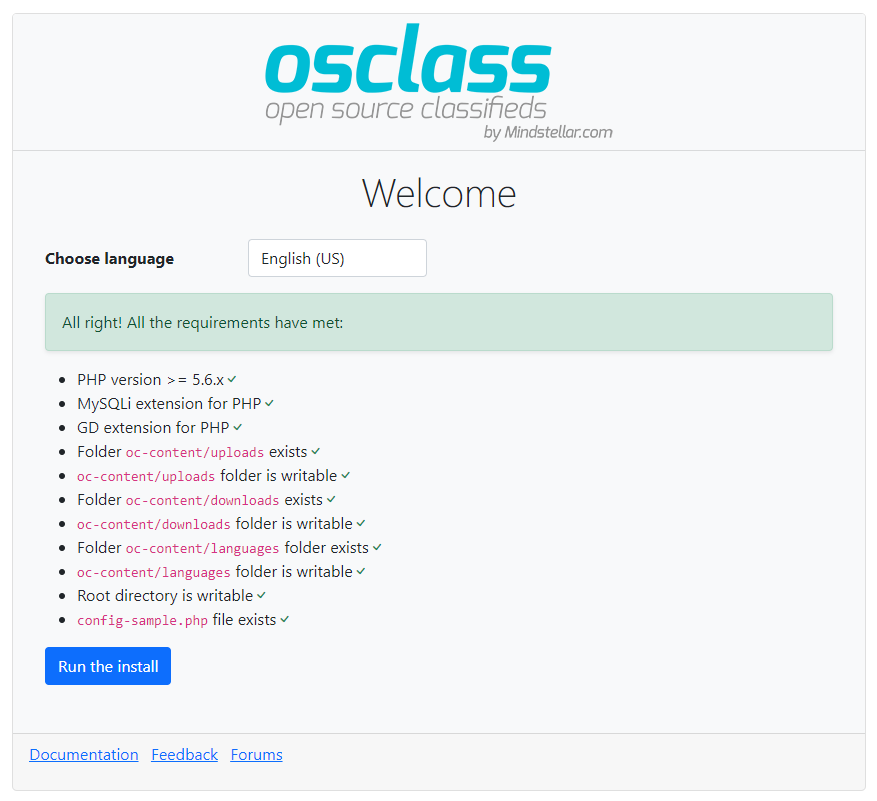
3. Follow Osclass installer instructions:
* #### Step 3.1
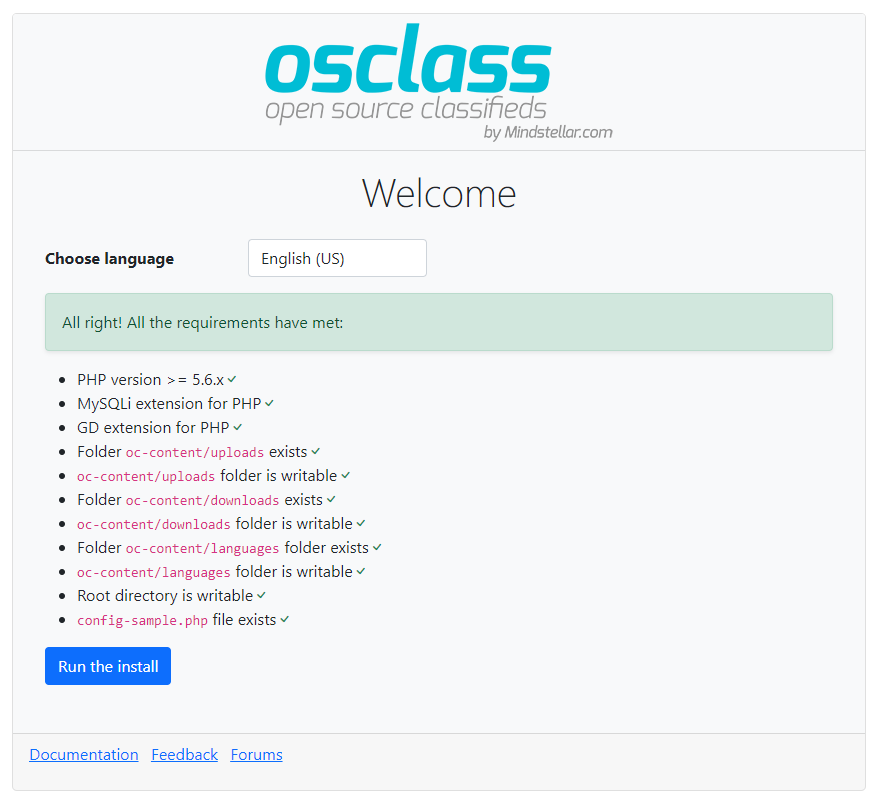
Make sure the server has the required permissions to write in the files and directories specified. This will allow you to create a basic configuration file as well as upload images, documents, etc.
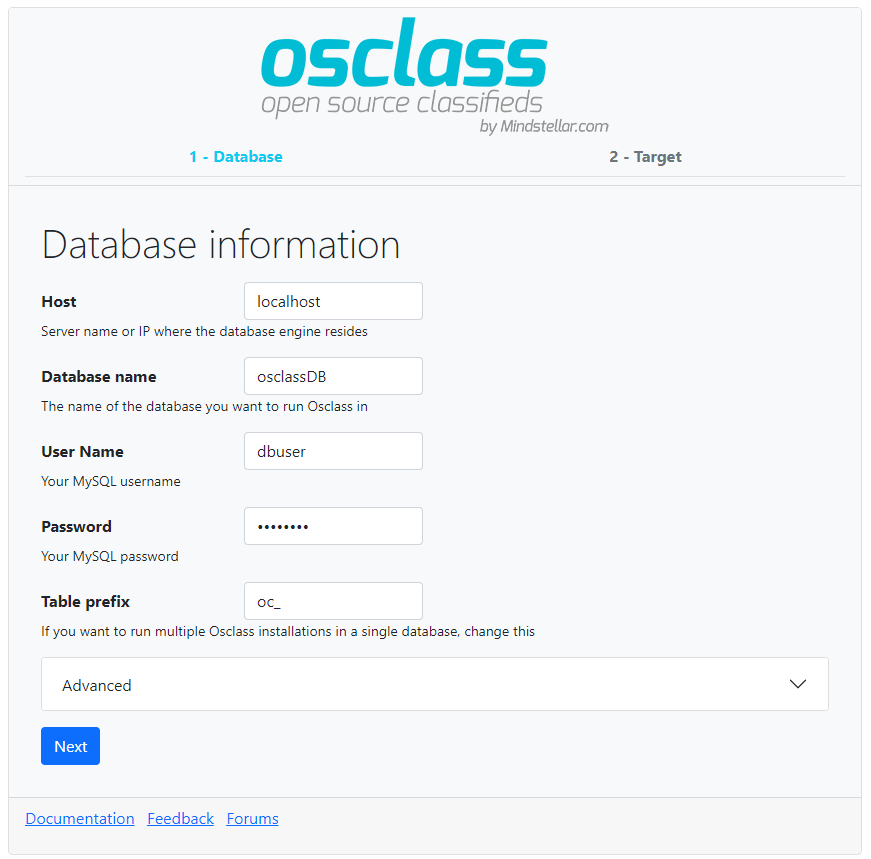
* #### Step 3.2
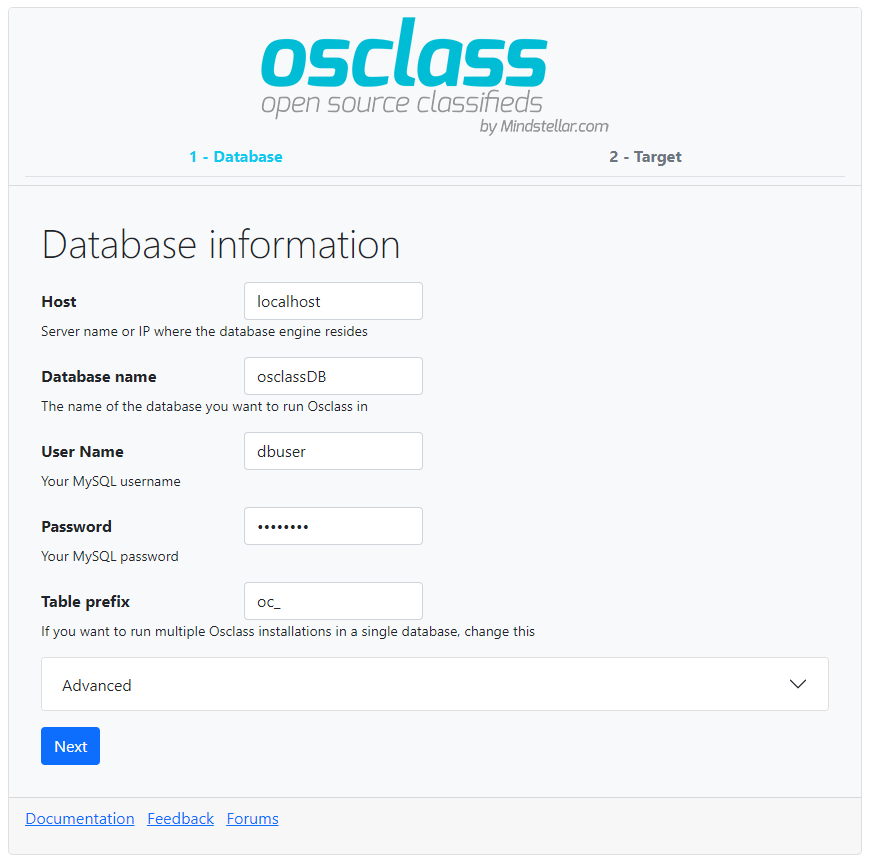
Add your access details to the database. If you haven’t created it yet, the installer will ask for another account with permissions that will allow to do it for you.
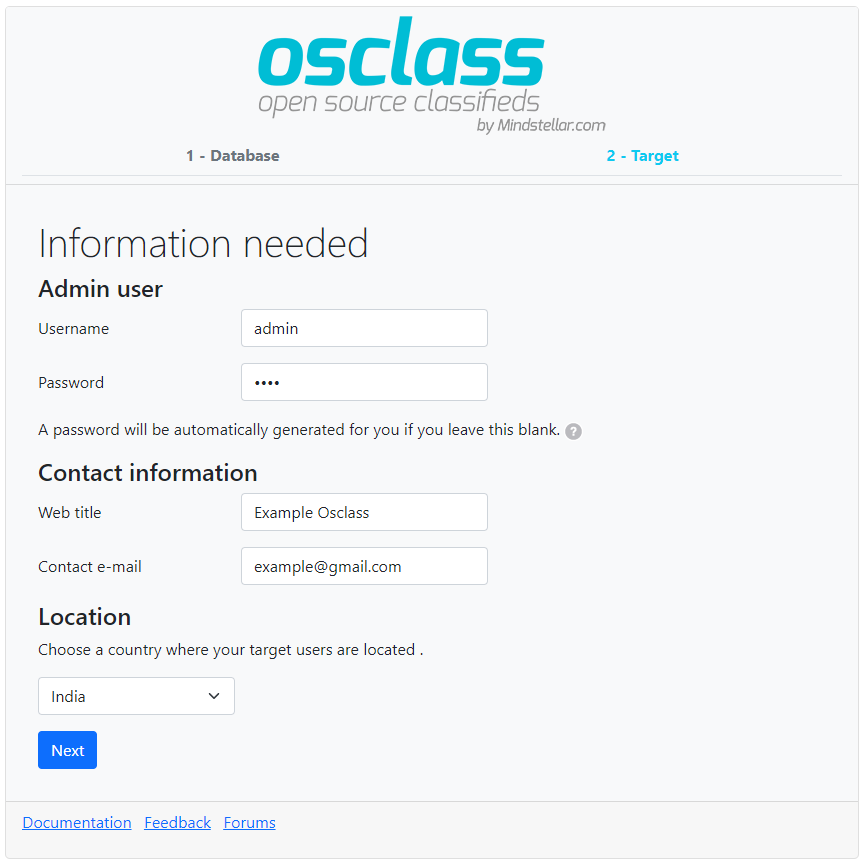
* #### Step 3.3
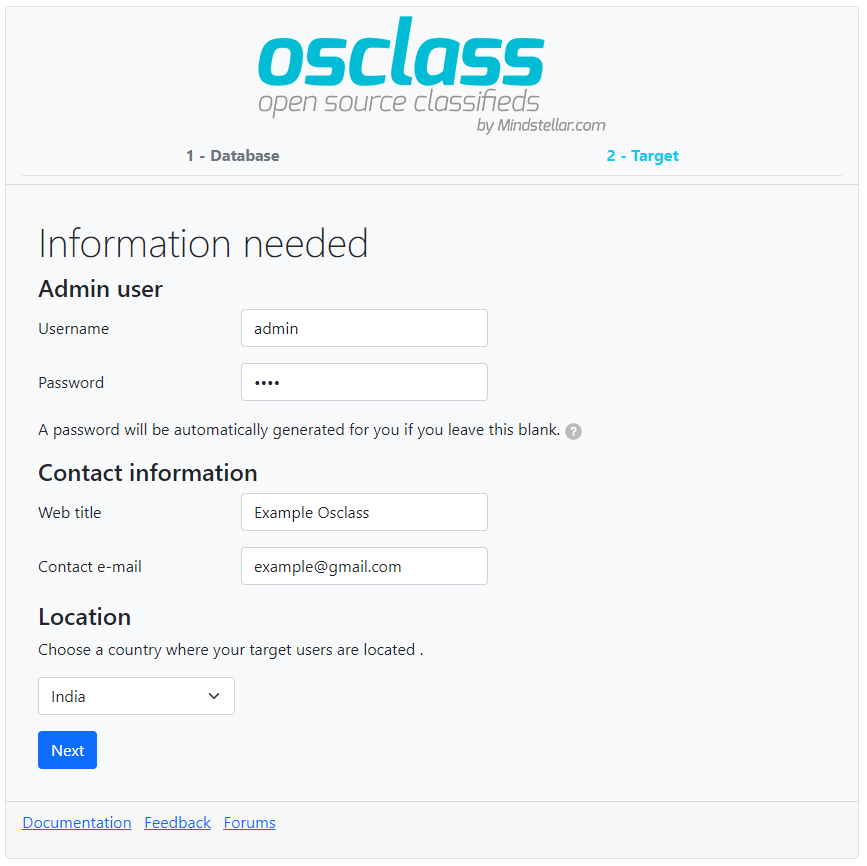
Add the basic installation details and select your classifieds site’s country.
* #### Step 3.4

Installation finished. Use the automatically-generated password to access your admin panel (example.com/oc-admin).
### How to get the latest version?
Checkout our [GitHub Release](https://github.com/mindstellar/Osclass/releases ) section to get latest version of osclass.
Do not use master branch for your deployment, it may include untested code. Only use zip file provided in our release section.
### Run osclass locally using Docker #
First Clone the repository and the submodules.
```
$> git clone --recursive git@github.com:mindstellar/Osclass.git
```
Dependencies:
* Docker engine v1.13 or higher. Your OS provided package might be a little old, if you encounter problems, do upgrade. See [https://docs.docker.com/engine/installation](https://docs.docker.com/engine/installation)
Once you're done, simply `cd` to Osclass directory and run `docker-compose up -d`. This will initialise and start all the containers, then leave them running in the background.
* #### Services exposed outside your environment ##
You can access your application via **`localhost`**, if you're running the containers directly. nginx and mailhog both
respond to any hostname, in case you want to add your own hostname on your `/etc/hosts`
Service|Address outside containers
------|---------
Webserver|[localhost:5000](http://localhost:5000)
PhpMyAdmin web interface|[localhost:5001](http://localhost:5001)
MySQL|**host:** `localhost`; **port:** `5002`
Mailhog web interface|[localhost:5003](http://localhost:5003)
* #### Hosts for osclass docker environment ##
You'll need to configure osclass to use enabled services:
Service|Hostname|Port number
------|---------|-----------
php-fpm|php-fpm|9000
MySQL|mysql|3306 (default)
Memcached|memcached|11211 (default)
SMTP (Mailhog)|mailhog|1025 (default)
* #### Docker compose cheatsheet #
**Note:** you need to cd first to where your docker-compose.yml file lives.
* Start containers in the background: `docker-compose up -d`
* Start containers on the foreground: `docker-compose up`. You will see a stream of logs for every container
running.
* Stop containers: `docker-compose stop`
* Kill containers: `docker-compose kill`
* View container logs: `docker-compose logs`
* Execute command inside of container: `docker-compose exec SERVICE_NAME COMMAND` where `COMMAND` is whatever you
want to run. Examples:
* Shell into the PHP container, `docker-compose exec php-fpm bash`
* Open a mysql shell, `docker-compose exec mysql mysql -uroot -pCHOSEN_ROOT_PASSWORD`
### Pull Request
Want to help create a pull request from you clone, just make sure of few things
* Never target master-branch
* Target develop branch if you want to merge your fixes.
* Request a feature branch if your pull request make major changes in our project or if you really need one.
* Create a new issue before making any pull request.
### Support
For any support related query, please visit our official support forum.
* [Osclass Discourse][support-forum]
### Installation Guide
* Visit our documentation : https://docs.mindstellar.com/osclass-docs/beginners/install
### Project info
* Documentation: [Documentation][documentation]
* License: [Apache License V2.0][license]
[documentation]: https://docs.mindstellar.com/
[support-forum]: https://osclass.discourse.group
[original-code]: https://github.com/osclass/Osclass
[code]: https://github.com/mindstellar/Osclass
[license]: http://www.apache.org/licenses/LICENSE-2.0
# rec
About
No description, website, or topics provided.
Resources
License
Stars
Watchers
Forks
You can’t perform that action at this time.
](https://travis-ci.com/mindstellar/Osclass)