Pocketfi is an all-in-one personal finance app designed to help you keep track of your finances in one place. It provides a comprehensive set of features that allows you to track your expenses, income, and debts, as well as view your spending trends and manage your bills.
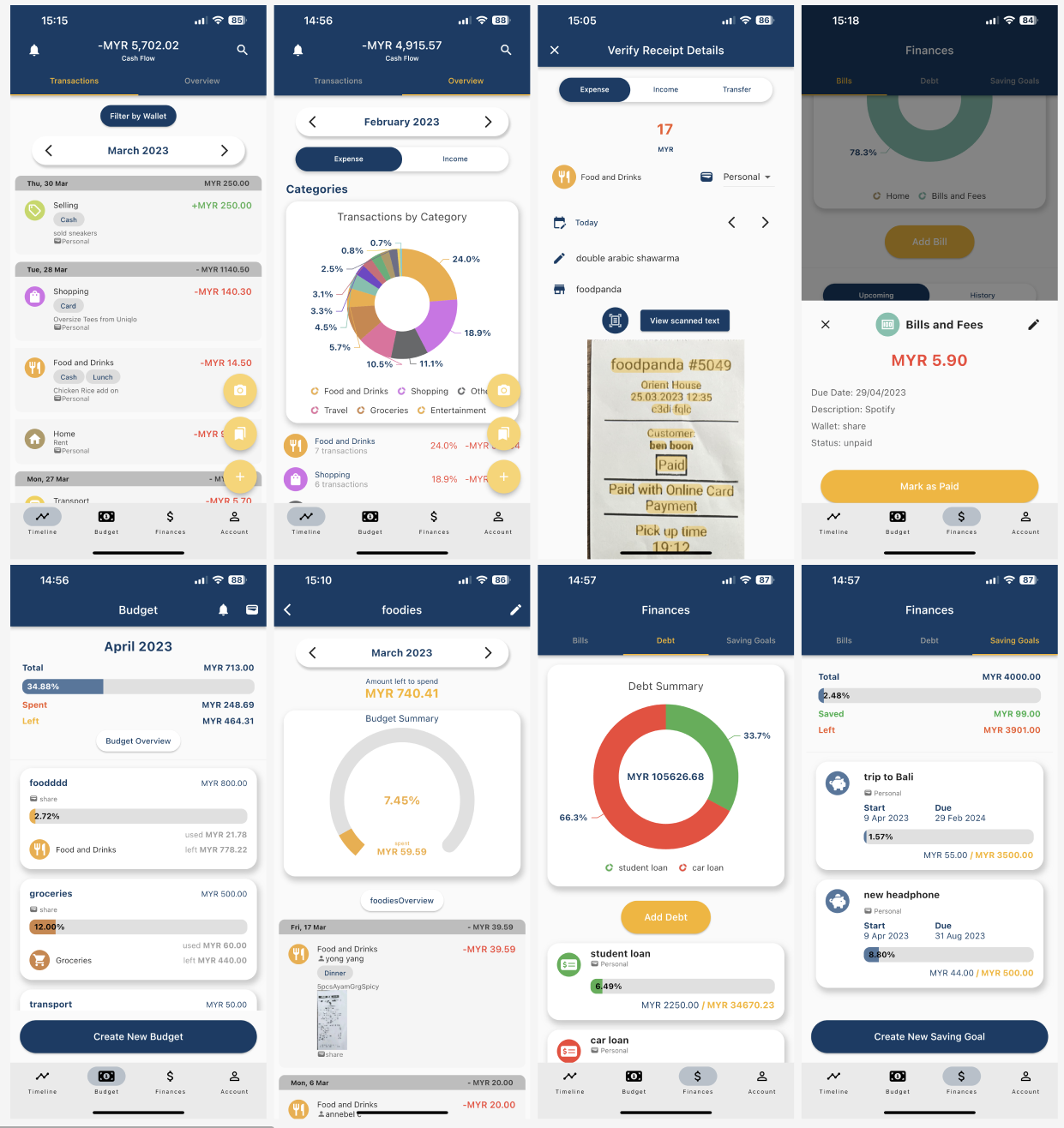
- Track expenses and income: Add transactions and categorize them into different categories for easy tracking.
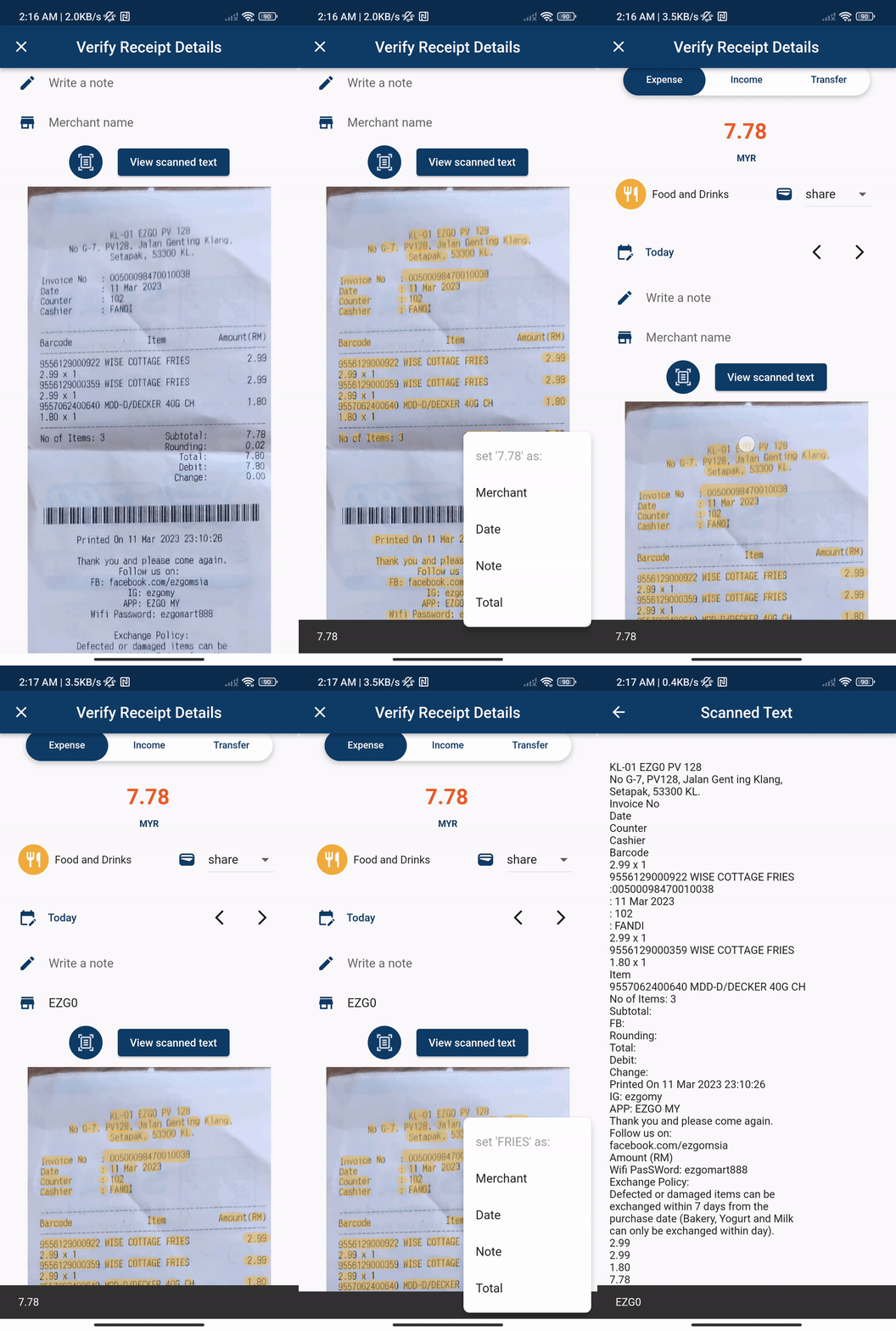
- Receipt scanning: Scan receipts to keep a digital record of your expenses.
- Create bookmarks: Add frequently used transactions as bookmarks for quick access.
- View expenditure overview: See an overview of your expenses and income on the home screen.
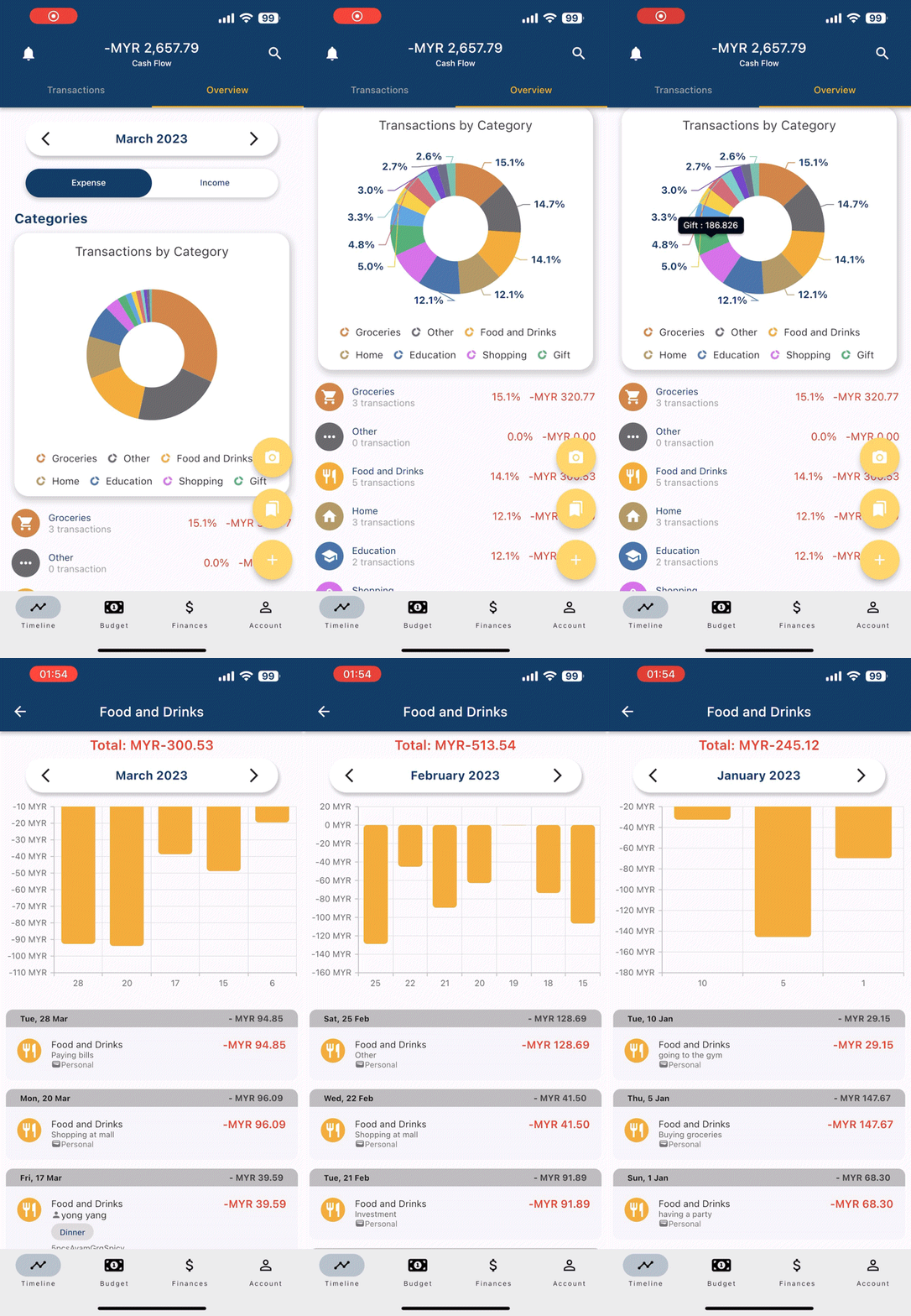
- Category breakdowns: View your expenses and income categorized by category for easy analysis.
- Spending trends: Analyze your spending trends over time to better manage your finances.
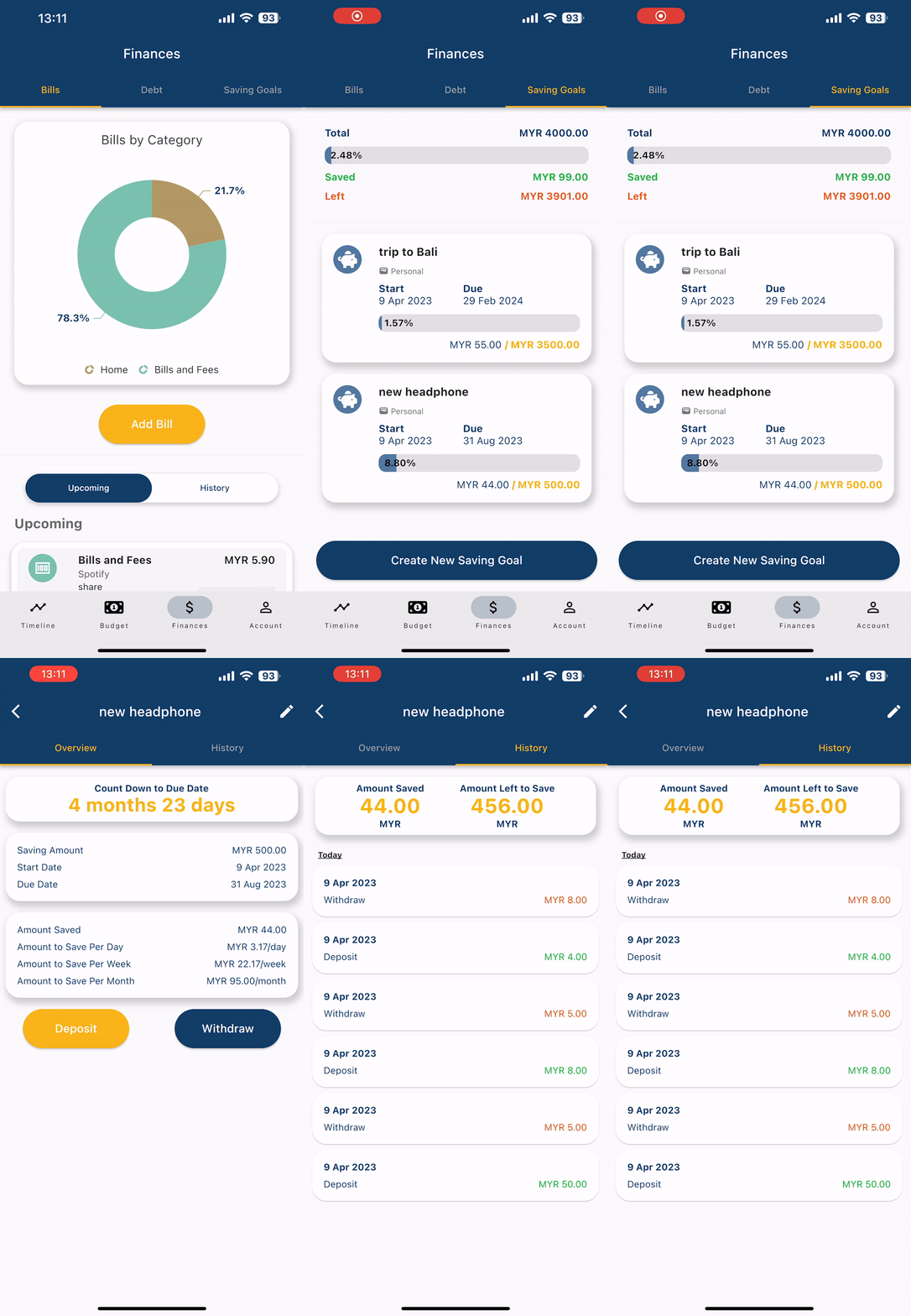
- Manage bills: Keep track of your bills and their due dates, and receive notifications when they are due.
- Share wallets: Share a wallet with another user to manage joint expenses.
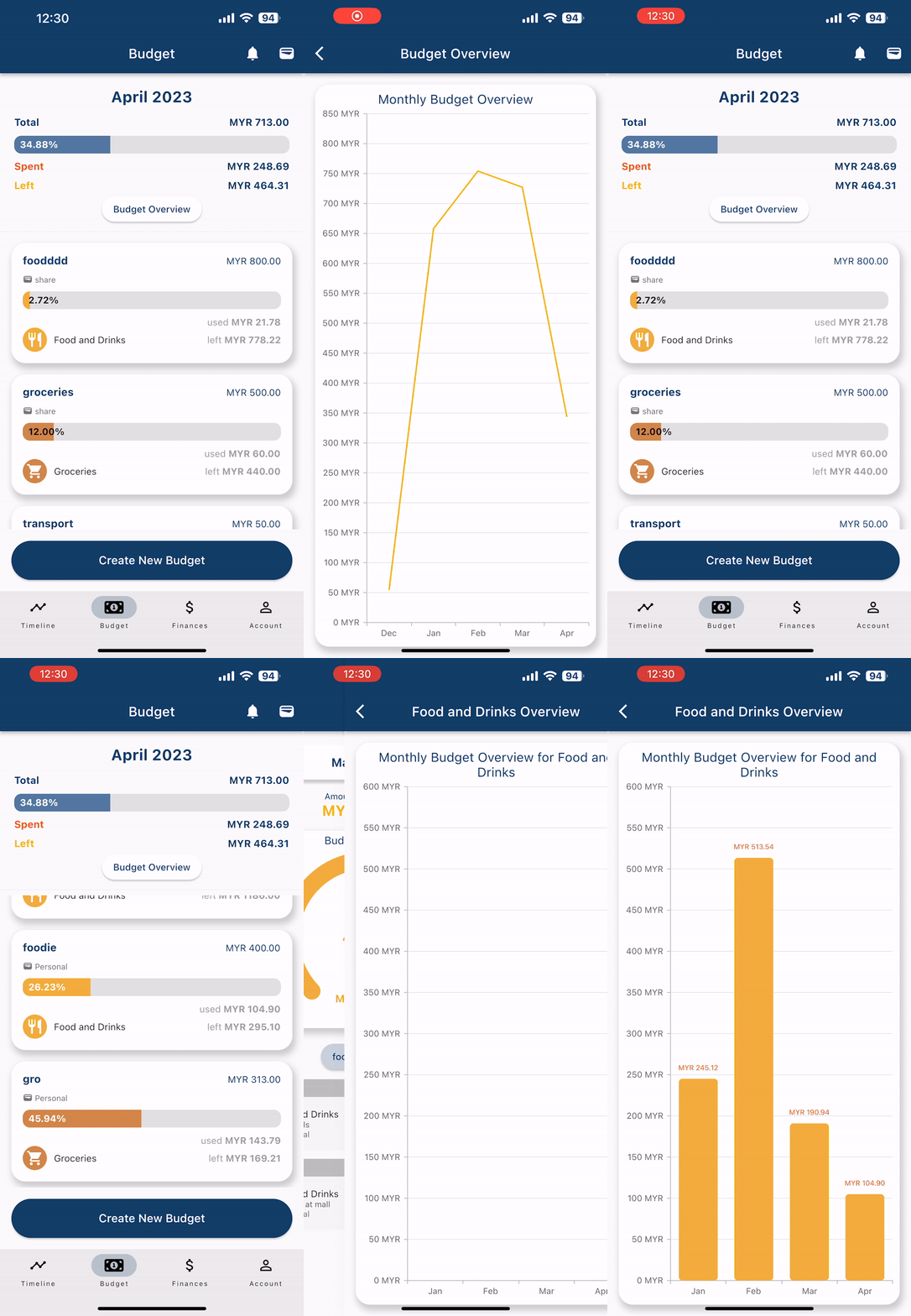
- Set budgets: Set budgets for different categories and view monthly breakdowns and category breakdowns to help you stay on track.
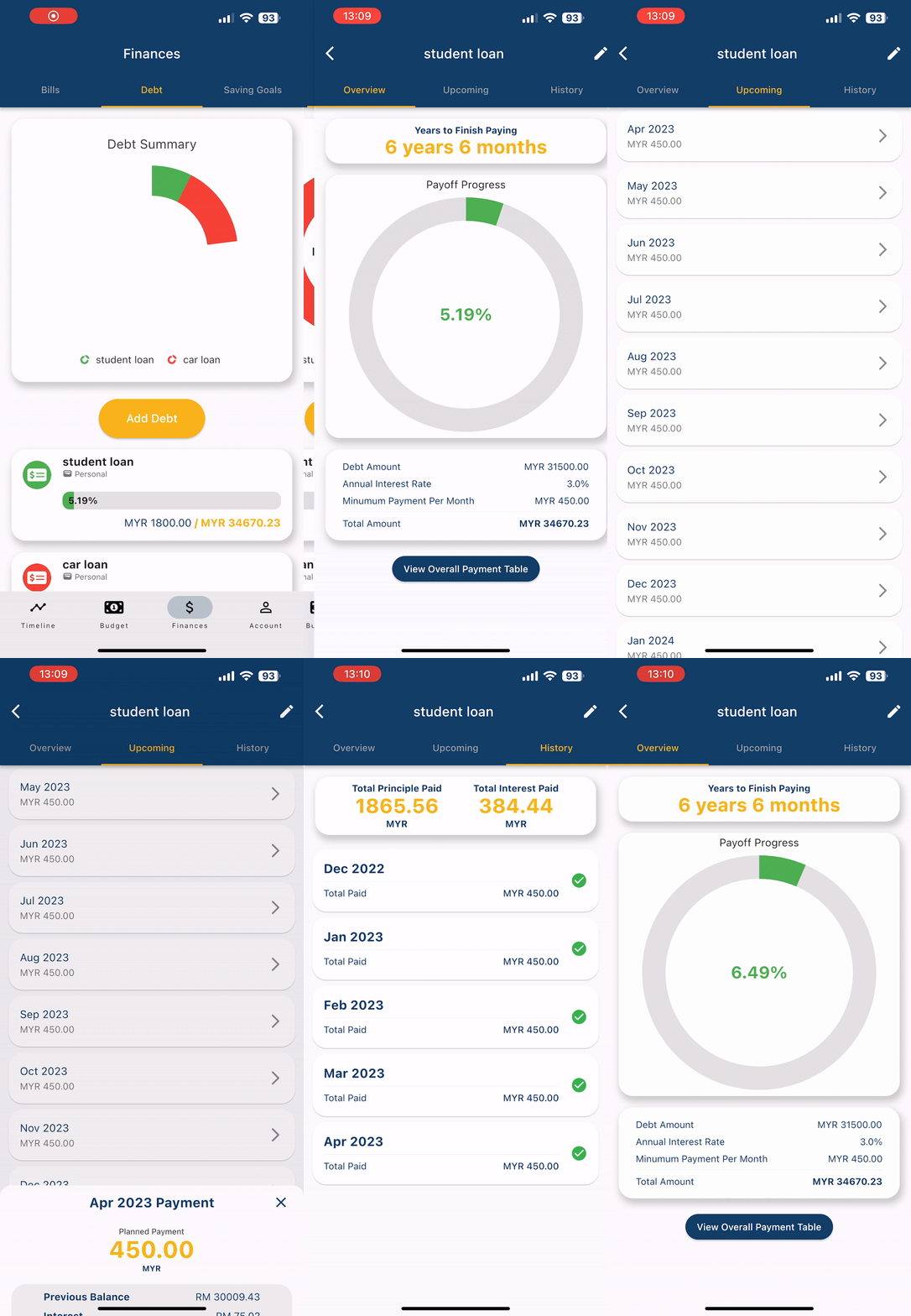
- Track debts: Track your debts and see your payoff progress.
- Visualize savings: Use the virtual piggy bank to visualize your savings progress.
- Riverpod 2.0 is utilized as the state management tool for the project, providing a simple and efficient way to handle state.
- Each feature folder in the project follows a similar architecture pattern, consisting of four folders: application, data, domain, and presentation.
To get started with Pocketfi, simply clone or download this repository and attach your own Firebase project. Once you have set up your Firebase project, you can connect it to the app and start running on your machine.
Here's how to set up your Firebase project:
Go to the Firebase Console and create a new project.
Add an Android app to your project and follow the instructions to download the google-services.json file.
Copy the google-services.json file into the android/app/ directory of the app.
In the Firebase console, enable Authentication, Firestore, and Cloud Storage for the project.
Run `flutter pub get` and run the project.
If you find any bugs or have suggestions for new features, feel free to submit an issue or pull request on our GitHub page. We welcome any contributions to help improve the app.
Pocketfi is licensed under the MIT License.