
🌈✨ Code like it's 2085 - with style! ✨🌈
🎮 Crafted with cyberpunk love by @BuckedUnicorn 🎮
⚡ Standard VS Code theming at its finest ⚡



⚡ The ONLY synthwave theme you need - with electric vibes and standard VS Code theming! ⚡
Transform your coding experience into a neon-soaked cyberpunk adventure 🚀
This is a standard VS Code theme based on the synthwave-x-fluoromachine theme family. This version uses only official VS Code theming APIs and doesn't require any custom extensions or modifications.
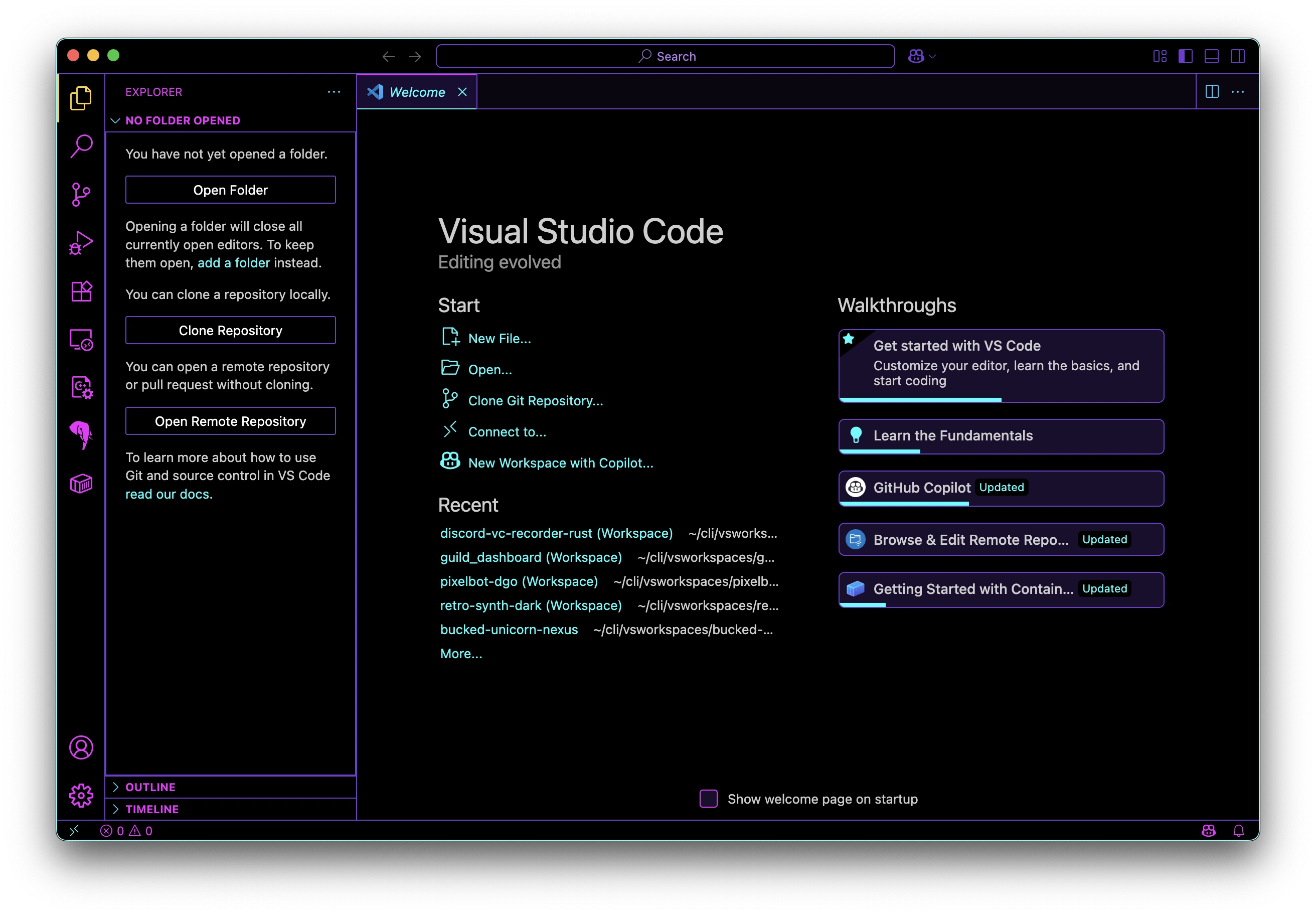
Retro synthwave colors and aesthetic
Tired of boring themes? Ready to code like it's 2085?
Unlike other synthwave themes that require complex setup, Retro Synth Dark gives you:
⚠️ Complex Setup: Require admin/sudo access to modify VS Code core files- 💥 Fragile: Break with every VS Code update
- 🎛️ Dependencies: Need custom extensions and code injection
- 🚷 Unsupported: Use unofficial modification methods
- 🏗️ API Compliant: Uses only official VS Code theming APIs
Retro Synth Dark now includes five carefully crafted variants, each optimized for different coding experiences. Below are screenshots for each theme:
- Palette: Deep purple and black background with electric cyan, magenta, and vibrant red highlights.
- Best For: High-energy coding, data visualization, and anyone who loves a high-contrast, vibrant aesthetic.
- Vibe: A tribute to the awesome Market Monkey Terminal by Anthony De Meulemeester (@anthdm on X). It's a liquidation heatmap for your code!
- Eye Strain: High contrast and high energy.
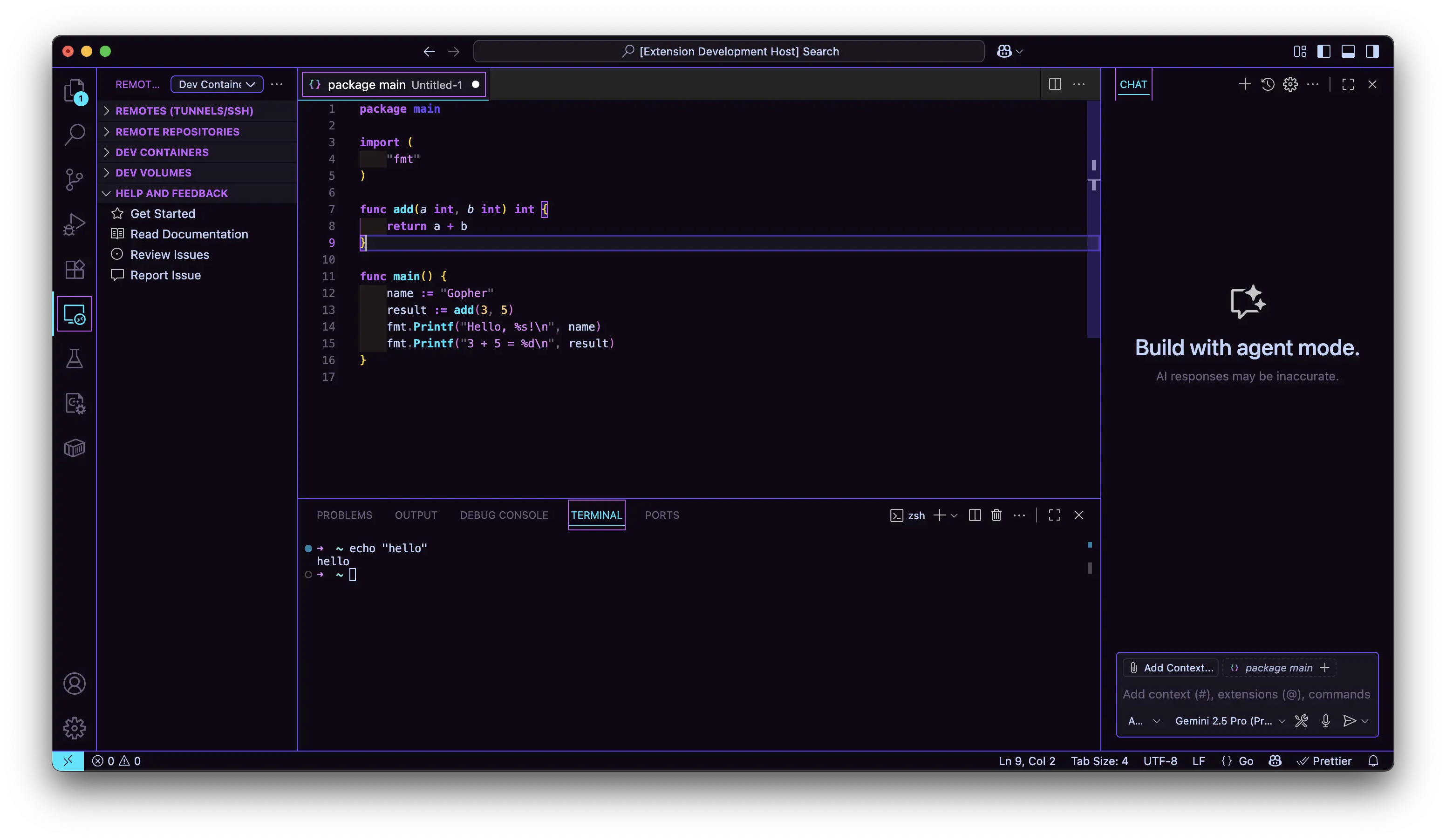
- Palette: Deep purple backgrounds with orange/gold highlights and hot pink accents
- Best For: Creative coding sessions and long-form development
- Vibe: Miami sunset meets synthwave - vibrant yet comfortable
- Eye Strain: Low - warm colors reduce blue light exposure
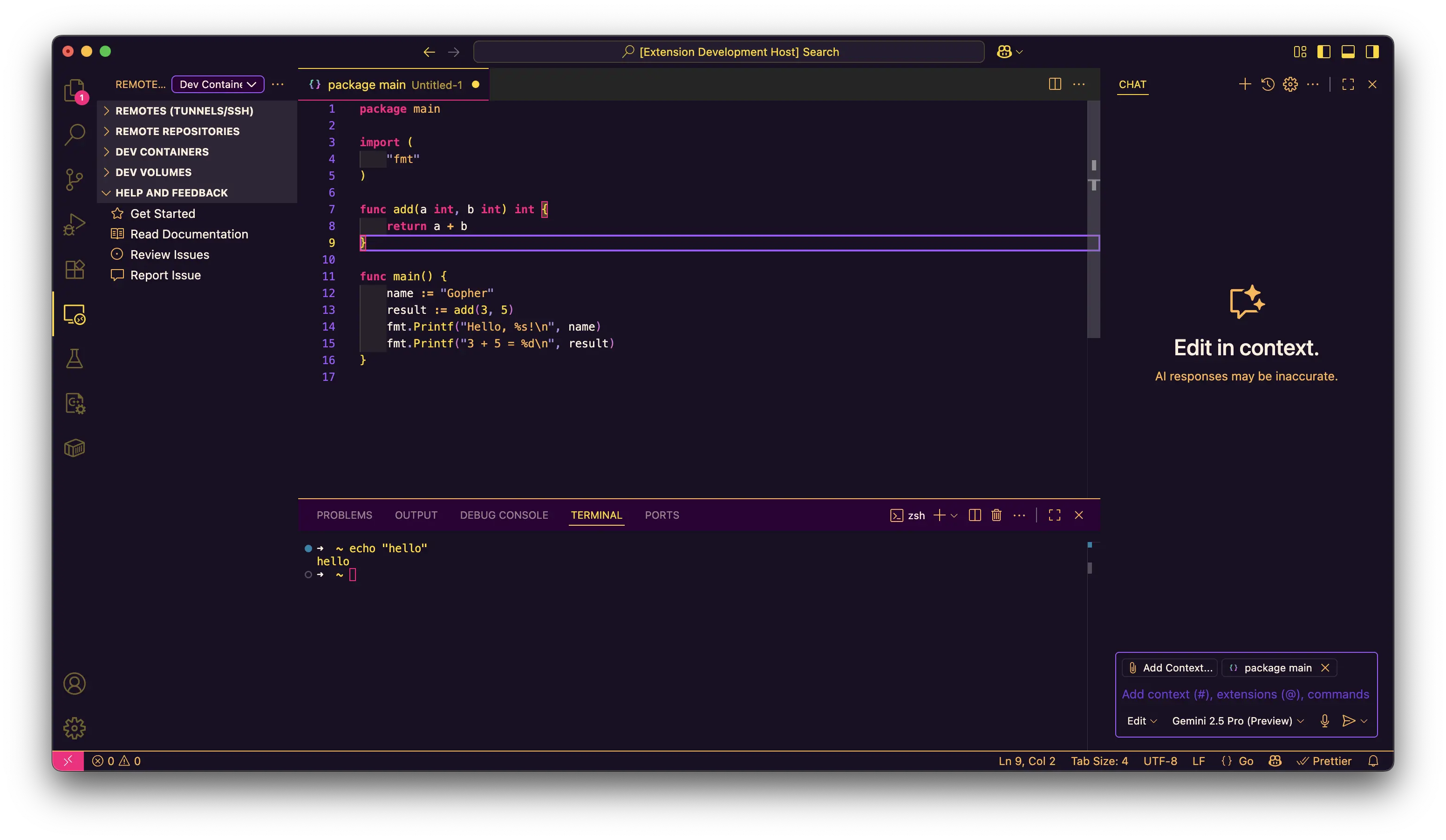
- Palette: Deep navy backgrounds with royal blue highlights and gold accents
- Best For: Extended coding sessions and professional environments
- Vibe: Elegant cosmic synthwave with starlit cyberpunk aesthetics
- Eye Strain: Minimal - cool blues and careful contrast optimization
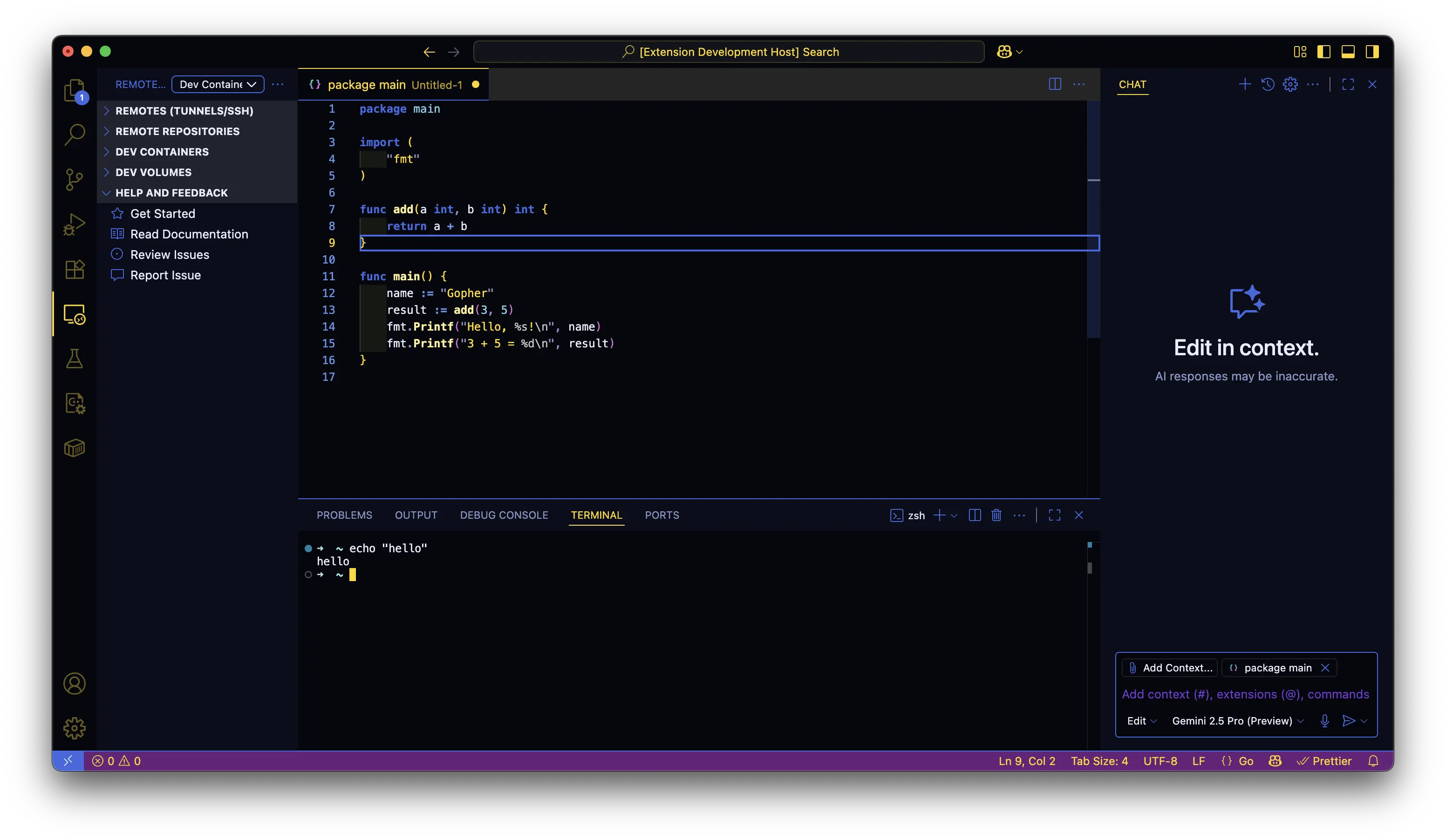
- Palette: Pure black backgrounds with synthwave-matrix fusion of neon green, electric magenta, cyan, and yellow
- Best For: Cyberpunk immersion with synthwave aesthetics, high-contrast debugging, and matrix-style coding
- Vibe: High-contrast Matrix terminal meets 80s synthwave - authentic cyberpunk with retro flair
- Syntax: Comprehensive token coverage with language-specific optimizations for Python, TypeScript, React, CSS, and more
- Eye Strain: Optimized high contrast - vivid synthwave colors for enhanced focus and code clarity
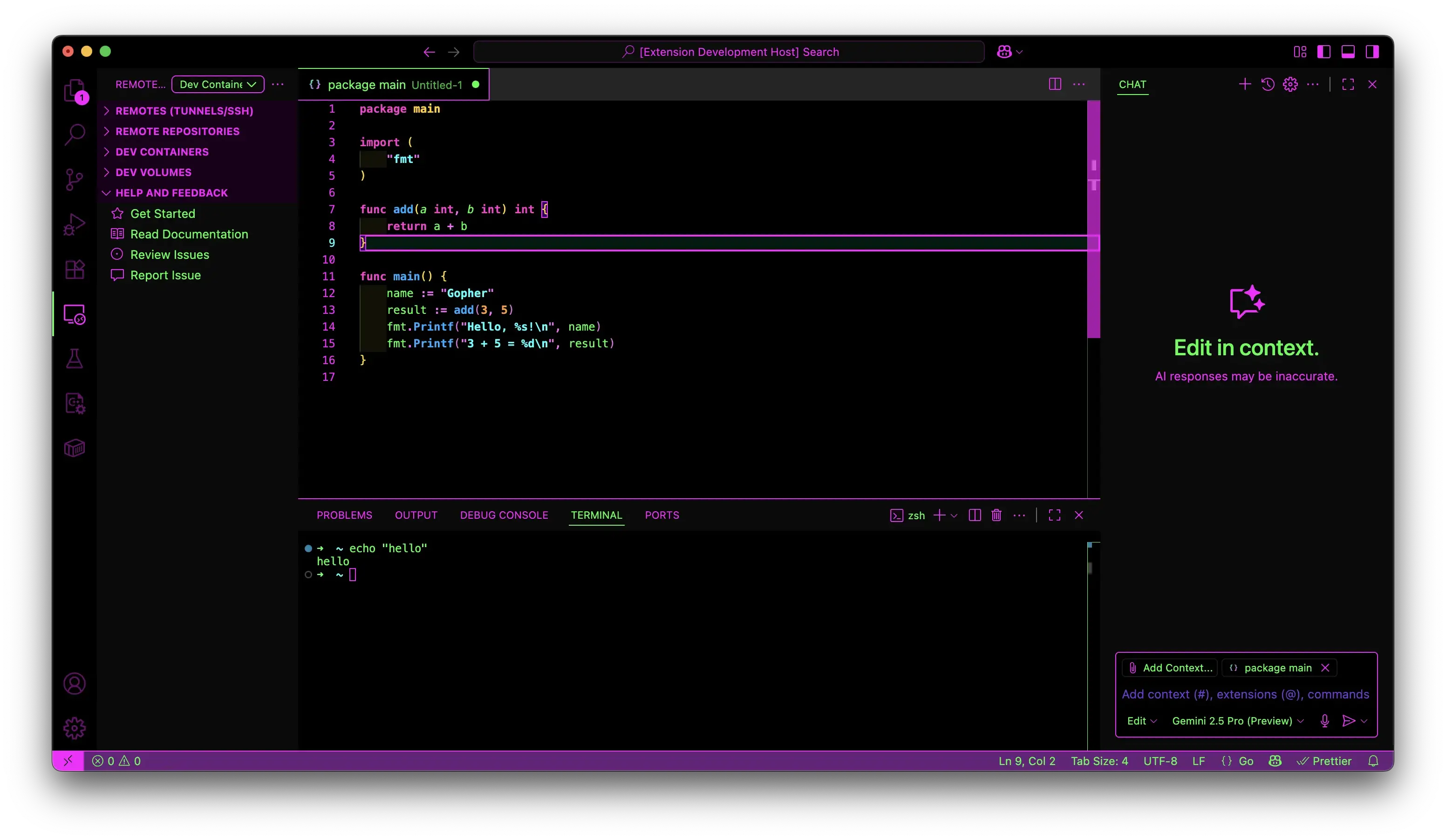
- Palette: Dark purple backgrounds with cyan highlights and magenta accents
- Best For: General development and the classic synthwave experience
- Vibe: Pure 80s synthwave with neon cyberpunk elements
- Eye Strain: Low - balanced contrast with retro appeal
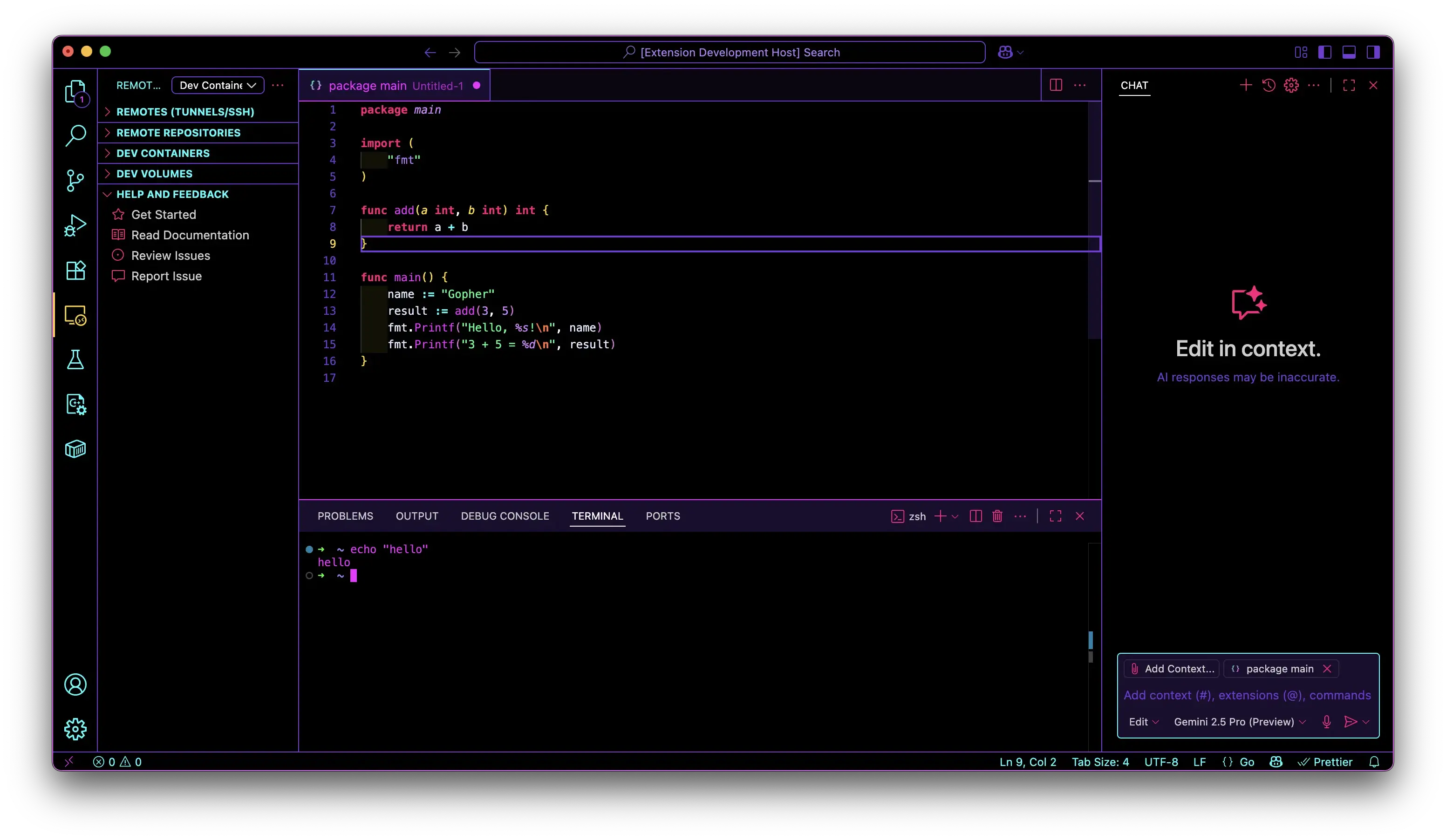
Each theme is built on research-backed principles for optimal developer experience:
- 🎯 Flow State Optimization: Colors chosen to maintain focus without distraction
- 👁️ Eye Strain Reduction: Careful luminance control and contrast ratios
- 🔍 Pattern Recognition: Distinctive syntax colors for quick code comprehension
- ⚡ WCAG Compliance: All text meets accessibility standards for readability
- 🔄 Update Resistant: Designed to work with VS Code updates
- ⚡ Instant: Simple marketplace installation
✅ 🔒 Standard Install: Official VS Code marketplace installation
✅ ⚡ Lightning Setup: Install in 10 seconds, coding in 11
✅ 🔄 Update Resistant: Designed to work with VS Code updates
✅ 🌈 Electric Colors: Neon purples, cyans, and magentas that pop
✅ 👁️ Eye Comfort: High contrast with carefully tuned brightness
✅ 🖥️ Full Coverage: Editor, terminal, UI - everything themed
✅ 🎯 Git Integration: Color-coded version control that actually helps
✅ 🔍 Enhanced Search: Find/replace with neon highlights
✅ 📊 Smart Errors: Warning/error states that catch your attention
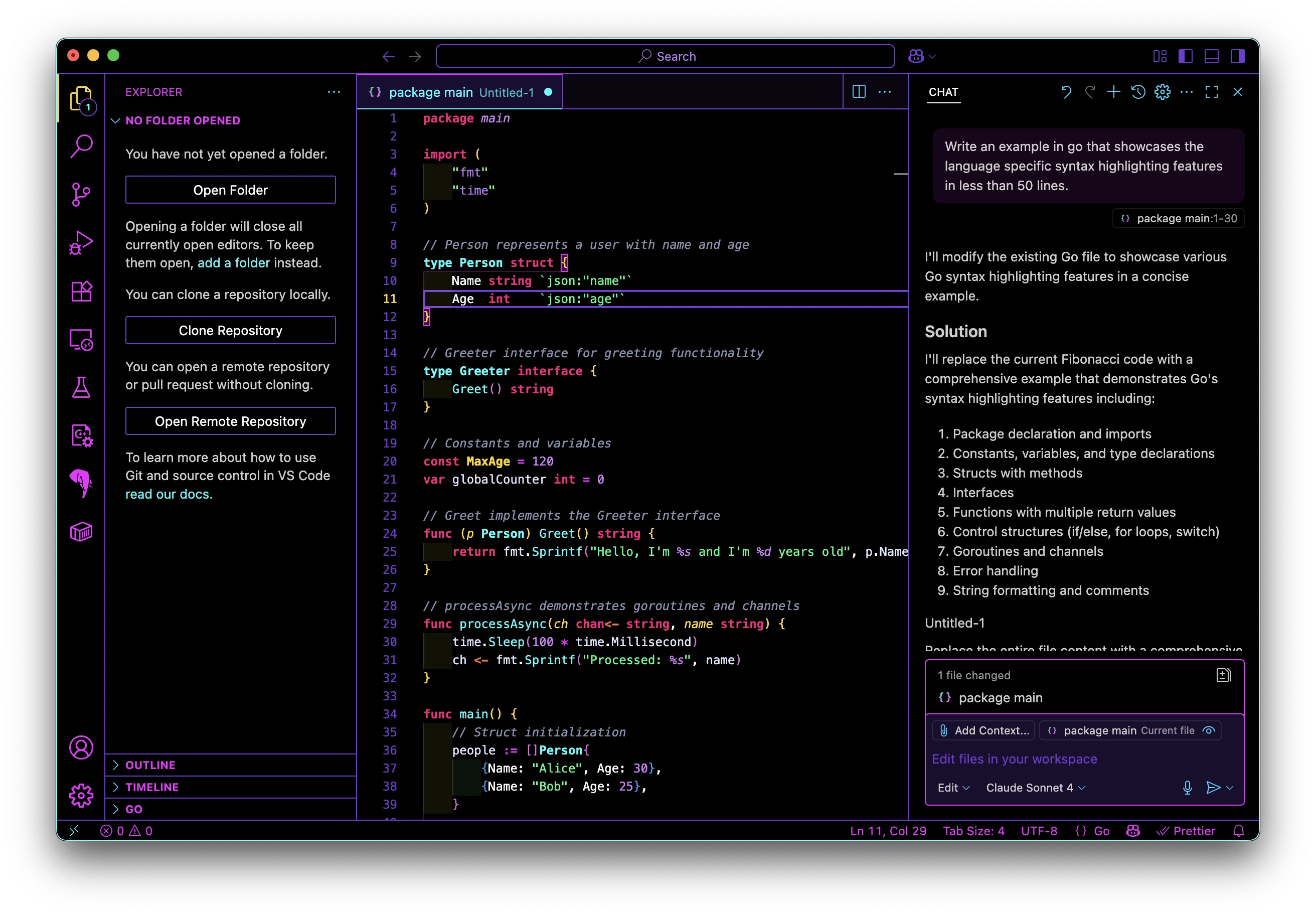
🎮 Your code editor just became a time machine to the neon future 🎮
No complex setup. Standard VS Code installation. Just pure cyberpunk coding bliss:
- Open VS Code Extensions (
Ctrl+Shift+XorCmd+Shift+X) - Search "Retro Synth Dark"
- Click Install
- Select theme:
Ctrl+Shift+P(orCmd+Shift+P) → "Preferences: Color Theme" → "Retro Synth Dark"
- Open Command Palette (
Ctrl+Shift+PorCmd+Shift+P) - Type "Preferences: Color Theme"
- Select "Retro Synth Dark"
- Download the
.vsixfile from GitHub Releases - Open VS Code
- Press
Ctrl+Shift+P(orCmd+Shift+P) - Type "Extensions: Install from VSIX..."
- Select the downloaded
.vsixfile
🎨 Complete the Look:
- Set the recommended file icons:
Ctrl+Shift+P(orCmd+Shift+P) → "Preferences: File Icon Theme" → "Sweet VSCode Icons" (by EliverLara)
- Choose a synthwave font from our recommendations below
🎉 That's it! You're now coding in the cyberpunk future.
Primary:     #100814 (Deep Purple/Black Background)
Secondary:   #1a1423 (Deeper Panel/Widget)
Accent 1:    #00e5ff (Electric Cyan)
Accent 2:    #c45eff (Neon Magenta)
Accent 3:    #ff5572 (Hot Red/Pink)
Accent 4:    #ffcb6b (Warm Yellow)
Highlight:   #6a4bff (Violet)
Text:        #c0d5ff (Cool Light)
Primary:     #1a1025 (Deep Purple Background)
Secondary:   #2d0036 (Darker Purple)
Accent 1:    #ffb347 (Sunset Orange)
Accent 2:    #ffd700 (Gold)
Accent 3:    #ff0080 (Hot Pink)
Highlight:   #a259ff (Purple)
Text:        #ffeedd (Warm Cream)
Primary:     #05070f (Deep Navy Background)
Secondary:   #0a0d1a (Medium Navy)
Accent 1:    #4169e1 (Royal Blue)
Accent 2:    #ffd700 (Gold)
Accent 3:    #87ceeb (Sky Blue)
Highlight:   #6495ed (Cornflower Blue)
Text:        #e8ecff (Cool White)
Primary:     #000000 (Pure Black Background)
Secondary:   #0a0a0a (Deep Matrix Dark)
Accent 1:    #00ff41 (Matrix Green - Variables/Functions)
Accent 2:    #ff00ff (Electric Magenta - UI/Types/Operators)
Accent 3:    #00ffff (Electric Cyan - Strings/Properties)
Accent 4:    #ffff00 (Neon Yellow - Classes/Constants)
Accent 5:    #ff0066 (Hot Pink - Keywords/Tags)
Accent 6:    #ff6600 (Orange - Regex/Special Values)
Accent 7:    #00ffaa (Teal - Parameters/Special Cases)
Accent 8:    #666666 (Gray - Comments/Subdued Elements)
Highlight:   #ffffff (Pure White - Escapes/Emphasis)
Text:        #00ff41 (Matrix Green)
Primary:     #000000 (Pure Black Background)
Secondary:   #1a0d2e (Dark Purple)
Accent 1:    #00ffff (Electric Cyan)
Accent 2:    #f222ff (Hot Magenta)
Accent 3:    #743ad5 (Deep Purple)
Highlight:   #40e0ff (Bright Cyan)
Text:        #e0e6ff (Cool Light)
Take your cyberpunk setup to the next level:
{
  "workbench.colorCustomizations": {
    "minimap.background": "#00000000",
    "tab.inactiveBackground": "#0c0e14"
  },
  "editor.fontLigatures": true,
  "editor.cursorBlinking": "smooth",
  "editor.cursorSmoothCaretAnimation": "on"
}🏆 The Cyberpunk Trinity (Our Top Picks):
-
JetBrains Mono ⭐ BEST OVERALL
- Perfect ligatures, excellent readability
- Free, open-source, designed for coding
"editor.fontFamily": "JetBrains Mono"
-
Fira Code ⭐ LIGATURE KING
- Most comprehensive ligature support
- Great for functional programming
"editor.fontFamily": "Fira Code"
-
Cascadia Code ⭐ MICROSOFT'S FINEST
- Built for Windows Terminal & VS Code
- Excellent for C# and .NET development
"editor.fontFamily": "Cascadia Code"
🎮 Retro Specialist Fonts:
- Victor Mono - Cursive ligatures for that authentic retro feel
- Operator Mono - Premium choice with italics that pop
- Dank Mono - The indie developer's dream font
💡 Pro Tip: Enable ligatures with any of these fonts for the ultimate synthwave coding experience!
Want your file explorer to look as neon as your code?
Sweet VSCode Icons by EliverLara – The perfect match for Retro Synth Dark! Vibrant, colorful, and totally cyberpunk.
How to set the icon theme:
- Open Command Palette (
Ctrl+Shift+PorCmd+Shift+P) - Type
Preferences: File Icon Theme - Select
Sweet VSCode Icons(by EliverLara)
Love the theme? Help us make it even more epic:
- 🐛 Found a bug? Open an issue
- 💡 Have ideas? Start a discussion
- ⭐ Star the repo to show your support
- 🐦 Share on Twitter with @BuckedUnicorn
- 🔀 Fork & PR to contribute code - see our Contributing Guide
- 💬 Join our Discord! Click here to chat & connect
💜 Made with love for the coding community 💜

Standing on the shoulders of giants - Original synthwave theme pioneers:
- Synthwave '84 by @robbowen - The original synthwave VS Code theme
- Fluoromachine by @fullerenedream - Neon color palette inspiration
- Monokai Charcoal by @74th - High contrast methodology
- Synthwave x Fluoromachine by @webrender - Color combination concepts
- Epic animations variants by @thecodemonkey and @coltwillcox - Animation inspiration
- Fixed animations by @weswigham - Technical approaches
What makes Retro Synth Dark unique: We reimagined synthwave theming from the ground up, creating a completely new theme that's simple, stable, and stunning using only standard VS Code APIs.
- Market Monkey Terminal by Anthony De Meulemeester — Massive inspiration for the Heatmap variant.
- Site: https://marketmonkeyterminal.com/?ref=buckedunicorn
- GitHub: https://github.com/anthdm
- X (Twitter): https://x.com/anthdm
MIT License - Free to use, modify, and distribute.
🎨 Logo & Branding: Copyright © 2025 BuckedUnicorn. All rights reserved.
👨💻 Created by: BuckedUnicorn
🐦 Follow: @BuckedUnicorn
⭐ Star: GitHub Repo
🌈✨ Code like it's 2085 - safely! ✨🧬
🎮 Crafted with cyberpunk love by @BuckedUnicorn 🎮
⚡ No admin rights harmed in the making of this theme ⚡