Customizable guitar fretboard view for iOS, tvOS and macOS with CoreGraphics.
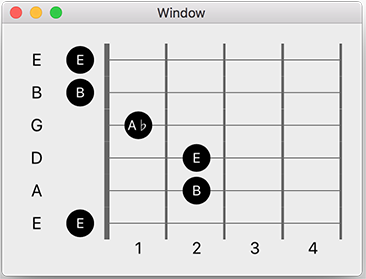
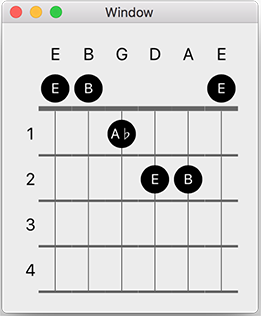
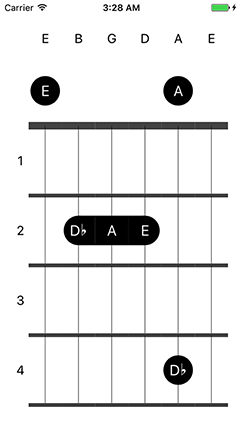
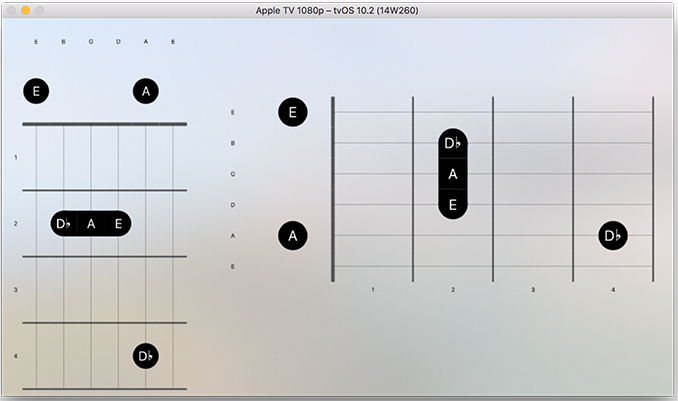

- Swift 4.0+
- iOS 8.0+
- tvOS 9.0+
- macOS 10.9+
use_frameworks!
pod 'Fretboard'
Create a FretboardView, subclass of UIView with code or from storyboard.
Fretboard uses MusicTheory library to render scales, chords or notes.
You need to select/unselect notes, chords or scales on fretboard property of your FretboardView instance.
let chord = Chord(type: ChordType(third: .major), key: Key(type: .a))
fretboardView?.fretboard.select(chord: chord)

let scale = Scale(type: .major, key: Key(type: .e, accidental: .flat))
fretboardView?.fretboard.select(scale: scale)

let note = Pitch(key: Key(type: .a), octave: 2)
fretboardView?.fretboard.select(note: note)

fretboardView?.fretboard.unselect(note: note)
fretboardView?.fretboard.unselectAll()
You could also set isChordModeOn property to true, if you want the render only lowest pitch on a string.
I recommend 3, 4 or 5 frets to use that feature.
Fretboard has a neat tuning property which is a FretboardTuning protocol, lets you define strings and their represented notes on fretboard.
It has a bunch of premade tunings in GuitarTuning, BassTuning and UkeleleTuning enums.
Also, you can define custom tunings with CustomTuning struct with custom string count as well.
let tuning = CustomTuning(
  strings: [
    Pitch(key: Key(type: .g), octave: 2),
    Pitch(key: Key(type: .d), octave: 2),
    Pitch(key: Key(type: .a), octave: 1),
    Pitch(key: Key(type: .e), octave: 1)
  ],
  description: "My Custom Tuning")
fretboardView?.fretboard.tuning = tuningYou could render fretboard either horizontal or vertical with direction property on fretboard of type FretboardDirection.
freboardView?.fretboard.direction = .horizontal
freboardView?.fretboard.direction = .verticalYou could render any range of fretboard with startIndex and count properties on fretboard.
startIndex is the starting fret and 0 is open string, defaults 0.
count is the fret count and defaults 5.
You could change the line widths and colors of frets and strings.
You could change the colors of fret numbers, string names, notes from code or storyboard.
Rendering note names on pressed notes and optional.
Also rendering fret numbers and strings names are optional too.
See the properties of FretboardView.
There is also a scroll view you can use in your iOS/tvOS/macOS apps that you can scroll your fretboard inside it. It has a FretboardView instance you can customize your fretboard directly.
@IBOutlet weak var scrollView: FretboardScrollView?
scrollView?.fretboardView.fretStartIndex = appState.fretStartIndex
scrollView?.fretboardView.fretCount = appState.fretCount
scrollView?.fretboardView.fretboard.tuning = appState.tuning.tuningThis library is used in my iOS/tvOS app FretBud, check it out!
