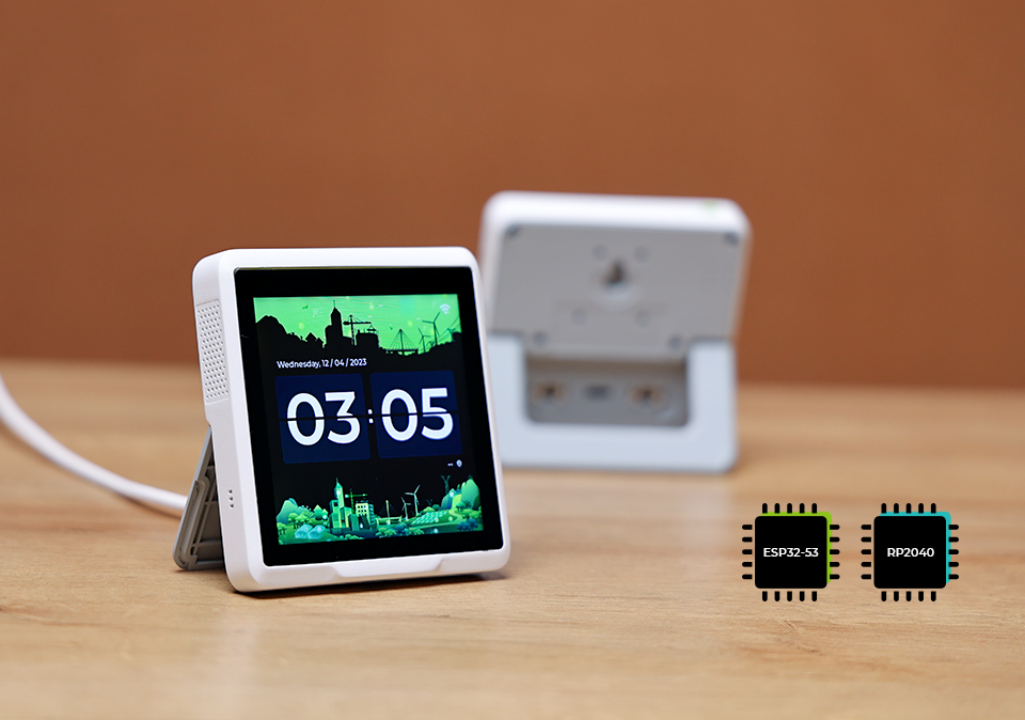
A custom firmware turning the SenseCAP Indicator D1S into a personal home automation dashboard — inspired by the Elgato Stream Deck concept.


The SenseCAP Indicator D1S is a 4-inch touch screen device powered by an ESP32-S3 dual-core MCU, with built-in CO2, tVOC, temperature and humidity sensors, Wi-Fi, Bluetooth, and two Grove connectors.
SenseDeck is a custom firmware for this device that turns it into a compact, always-on home automation panel. It is built on top of the official Seeed firmware and adds a set of custom screens for lights control, server monitoring, URL launching, weather, and traffic — all swipeable from a central clock screen, without touching any original Seeed functionality.
Navigation:
- Swipe LEFT / RIGHT to move between screens
- Swipe UP from Clock → Custom Settings
- Swipe DOWN from Clock → Default Settings
Screens in [] are optional and can be individually disabled from the Custom Settings → Screens tab.
Clock ↔ [Sensors] ↔ [Hue] ↔ [LocalServer] ↔ [Launcher] ↔ [Weather] ↔ [Traffic] ↔ (back to Clock)
| Screen | Type | Description |
|---|---|---|
| Clock | Original | Date & time with NTP sync and CET/CEST timezone |
| Sensors | Original | Live CO2, tVOC, temperature and humidity readings |
| Hue Control | Custom | Toggle ON/OFF + brightness slider for 4 Philips Hue lights |
| LocalServer Dashboard | Custom | CPU, RAM, disk, uptime, load avg; top Docker containers; service status |
| Launcher | Custom | 4 configurable buttons to open URLs on Mac |
| Weather | Custom | Current conditions + hourly forecast + next 3 days via OpenWeatherMap |
| Traffic | Custom | Estimated travel time + delta vs normal + green/yellow/red indicator |
| Custom Settings | Custom | Tabbed config screen — accessible via swipe UP from Clock |
| Default Settings | Original | Device Wi-Fi and display settings |
Does not require SenseDeck Proxy on Mac
Toggle ON/OFF and adjust brightness (0–100%) for 4 configurable Philips Hue lights. Polling every 5 seconds via local Hue Bridge (HTTPS, self-signed cert accepted).
Does not require SenseDeck Proxy on Mac
Current conditions (temperature, feels-like, description, humidity, wind speed), hourly forecast (3 slots), and next 3 days (icon, max/min temp) via OpenWeatherMap free tier. Data fetched directly from OWM over HTTPS. Refresh every 30 seconds; polling every 10 minutes.
Requires SenseDeck Proxy on Mac
Real-time CPU, RAM, disk usage, load average and uptime via Glances REST API. Top 3 Docker containers by RAM via Beszel. Service UP/DOWN status via Uptime Kuma.
Requires SenseDeck Proxy on Mac
4 configurable buttons (2×2 grid) that open URLs on a Mac via a local Python proxy. Labels and URLs fully customizable.
Requires SenseDeck Proxy on Mac
Estimated travel time from a configured origin to destination, delta vs baseline (normal traffic), and a green/yellow/red indicator via Google Maps Distance Matrix API.
Tabbed configuration screen accessible via swipe UP from Clock (outside the horizontal rotation). Tabs: Hue, Server, Proxy, Weather, Traffic, Screens. All values editable on-device and persisted to NVS. Full configuration also available via the proxy Web UI at http://<mac-ip>:8765/config/ui.
The SenseDeck Proxy is a lightweight Python script that runs on your Mac (port 8765). It is only required for screens that depend on services the firmware cannot reach directly.
What it provides:
- Uptime Kuma — compact JSON status endpoint for the LocalServer Dashboard
- Beszel Docker stats — top 3 containers by RAM for the LocalServer Dashboard
- Launcher — opens URLs in your browser on Mac when a button is tapped on the device
- Traffic — fetches travel time from Google Maps Distance Matrix API and returns a compact response
- Config Web UI — centralized configuration at
http://localhost:8765/config/ui(dark theme, 3-column layout)
The proxy is not required for Hue Control, Weather, or the built-in sensor screens, which connect directly to their respective services.
Built with ESP-IDF, LVGL 8.x, FreeRTOS on ESP32-S3. See SETUP.md for build instructions.
MIT — cerocca