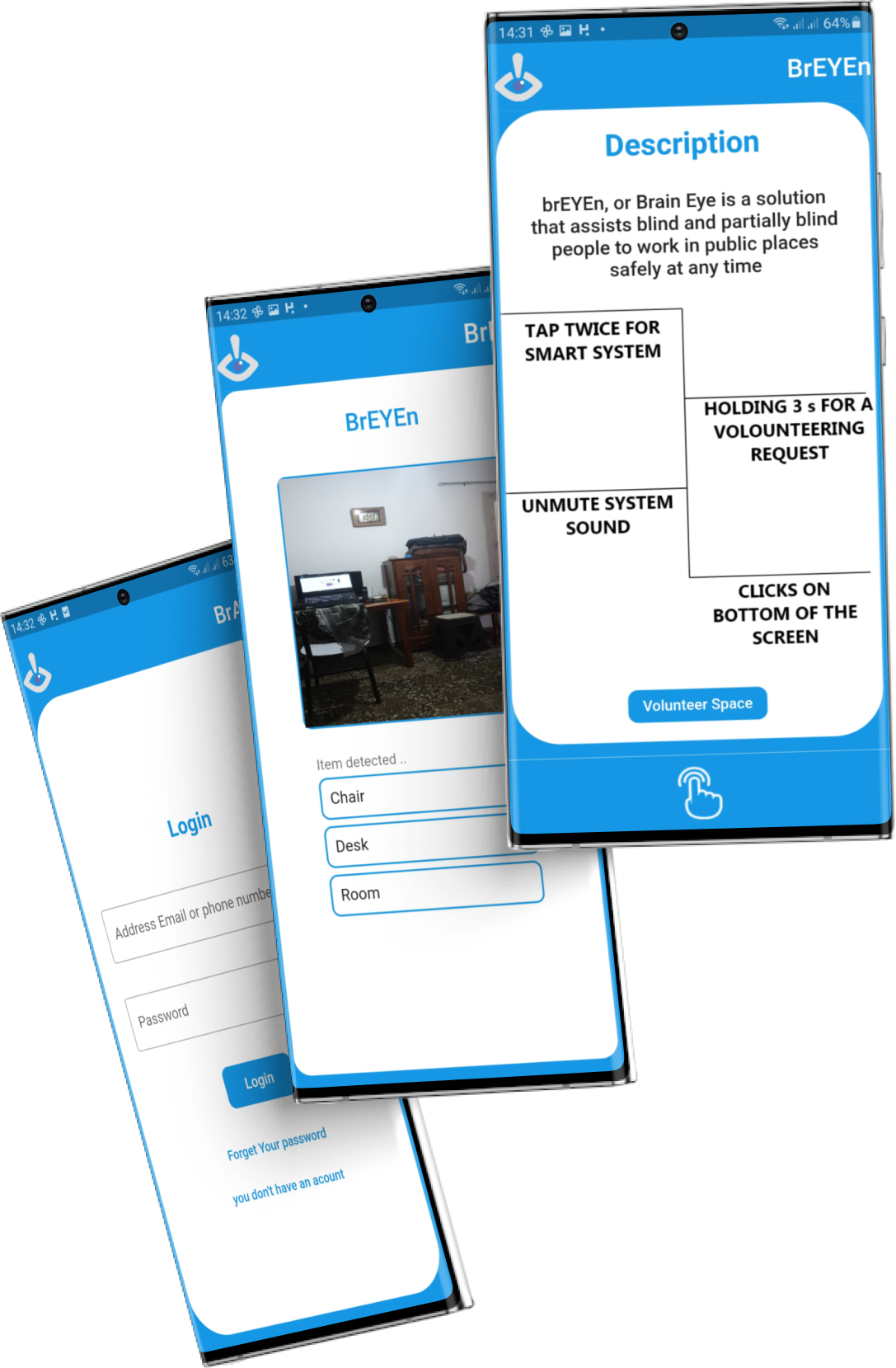
BrEYEn is a mobile application developed during the Devfest21 Algiers hackathon. It empowers blind individuals by using the camera of smart glasses to detect objects and describe them to the user, enabling them to perform daily tasks with greater independence.
- Object Detection: BrEYEn utilizes Google ML Kit to detect objects in the environment.
- Audio Descriptions: The application provides audio descriptions of detected objects to the user.
- Smart Glasses Integration: Seamlessly connects with smart glasses to enhance the user's daily life.
- Empowering Independence: Helps blind individuals perform tasks and navigate their surroundings more confidently.
- Flutter: A versatile framework for building natively compiled applications for mobile, web, and desktop.
- Google ML Kit: Google's machine learning library for mobile applications, used for object detection.
To get started with BrEYEn, follow these steps:
- Clone this repository to your local machine.
- Ensure you have Flutter installed. If not, you can install Flutter here.
- Navigate to the project root folder.
- Run
flutter pub getto install the required packages. - Build and run the application using
flutter run.
You can install BrEYEn on your mobile device as follows:
- Download the latest release from the Releases page.
- Install the application on your mobile device following the provided instructions.
- Launch the BrEYEn application on your mobile device.
- Connect it to your smart glasses, if available.
- Point your device's camera at objects to receive audio descriptions.
- Use BrEYEn to enhance your independence and perform daily tasks.
Contributions to BrEYEn are welcome! If you'd like to contribute, please follow these guidelines:
- Fork the repository.
- Create a new branch for your feature or bug fix.
- Make your changes and ensure that the code is well-documented.
- Open a pull request describing your changes.
This project is licensed under the MIT License. You are free to use, modify, and distribute this software.