As a speaker coordinator, I would like to empower Speakers with the ability to view and edit their talk submissions, yet provide me the control I need to review and publish their edits.
I'm working on a PR that would allow users to view their talk submissions and then submit update drafts to them. This will allow speakers and admins to review the diff of changes. Admins can then choose to approve the changes, which would sync the changes to the live.
The User workflow will work something like this:
- A speaker submits a talk proposal as before
- Upon submission, the user is redirected to a list of their talk submissions. This would include the talk that they just submitted, plus any previous submissions.
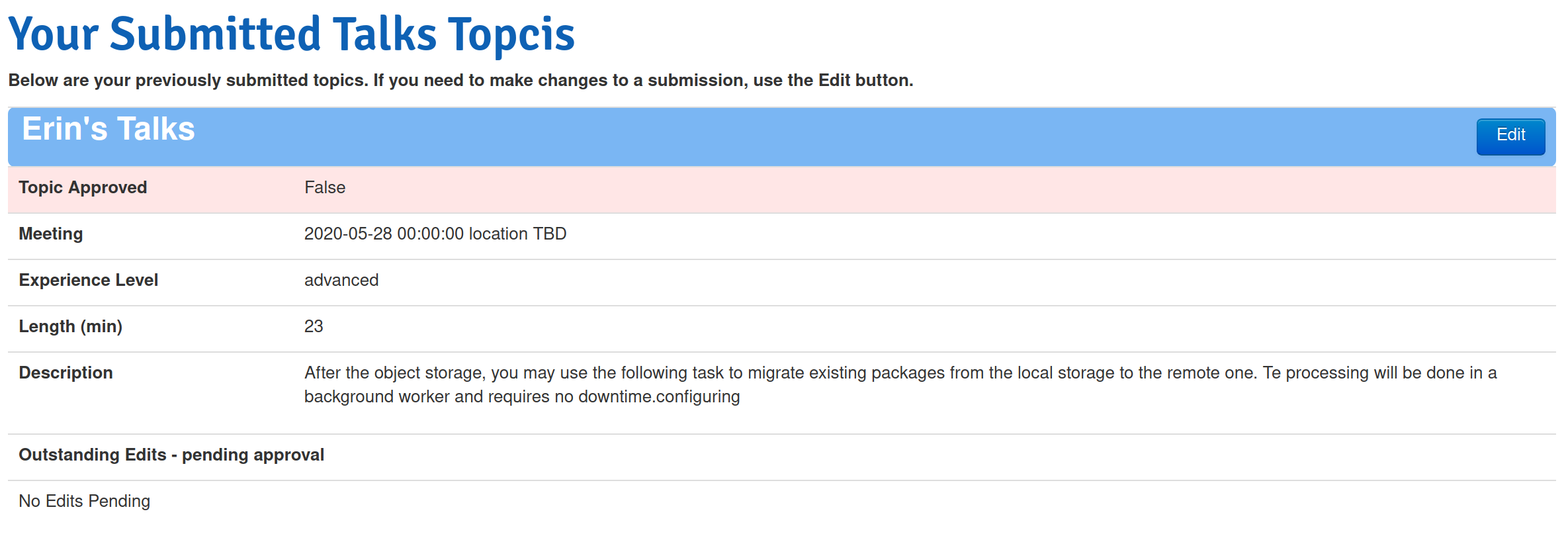
- The user has the option to edit their talk submission. We will expose the Title, Meeting, Audience Experience Level, Length, Public Description, Slides Link, and Private Submission Notes fields to them.
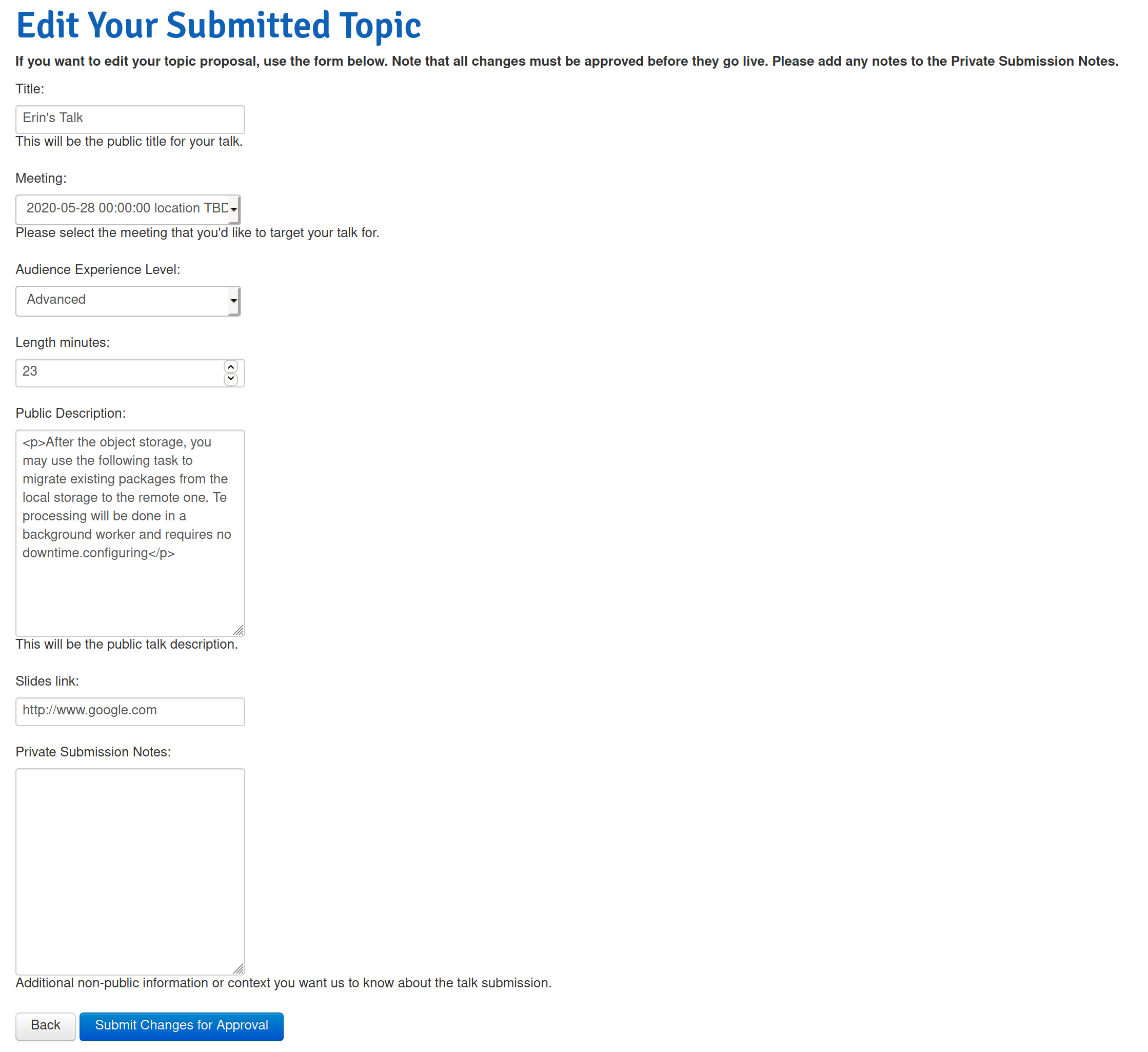
- Upon making edits and clicking the "Submit Changes for Approval" button, an email will be sent to and admin with a draft of the changes. The user will be redirected back to their talk submissions list and they will see their pending edits.
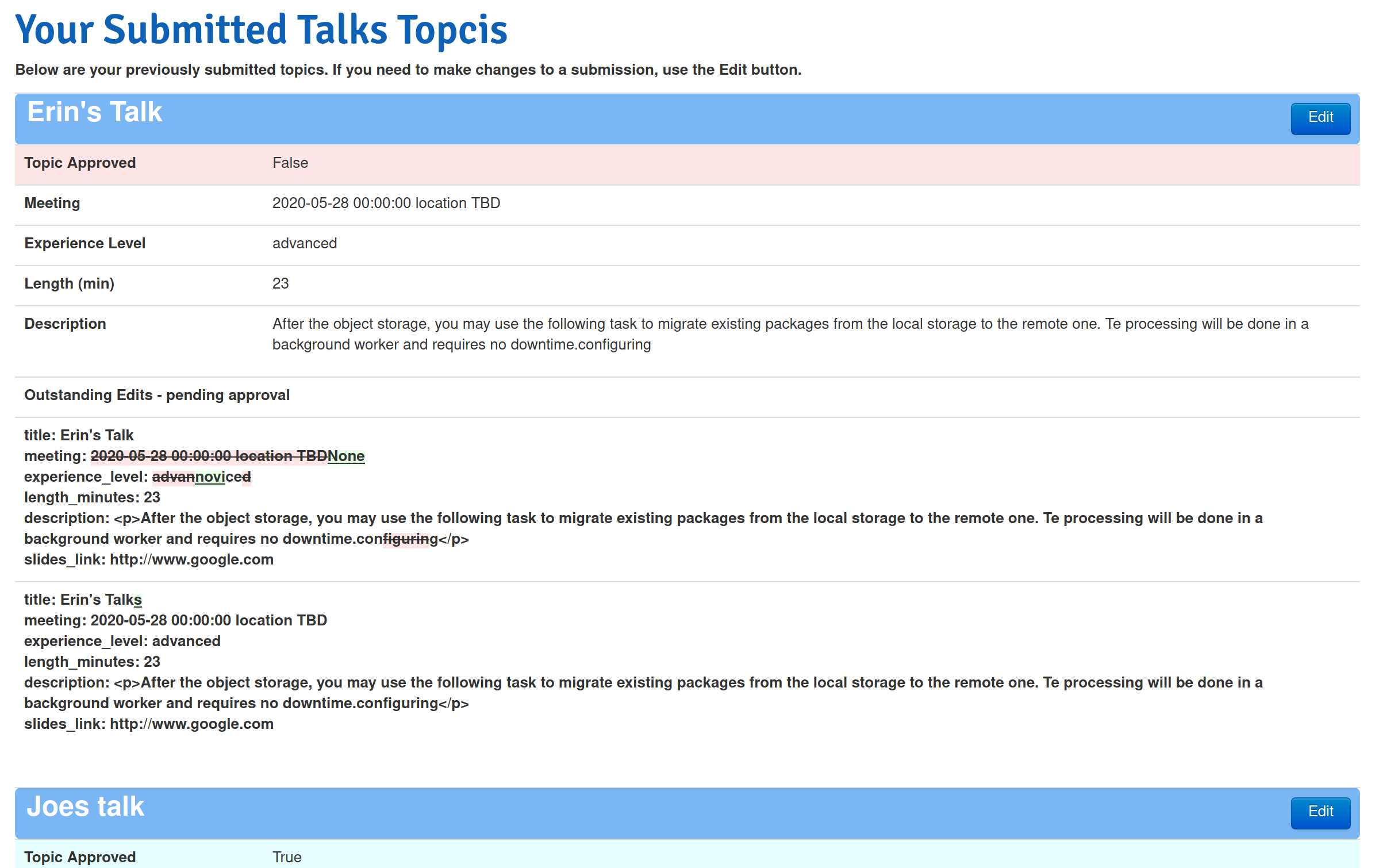
Then, the admin workflow will work like this:
- When the user submits a talk, an email will be sent to the admin for approval (as we do today). The admin can approve the talk in the Django admin as before.
- If the user submits edits to their talk, an email will be sent to the admin with a link to the edits draft page.
- Or an admin can go to the topic in the Django Admin. There is now a Drafts button. It will be yellow if there are outstanding un-applied drafts.

- Upon clicking the Drafts button, the admin will see one or more end user-submitted drafts.
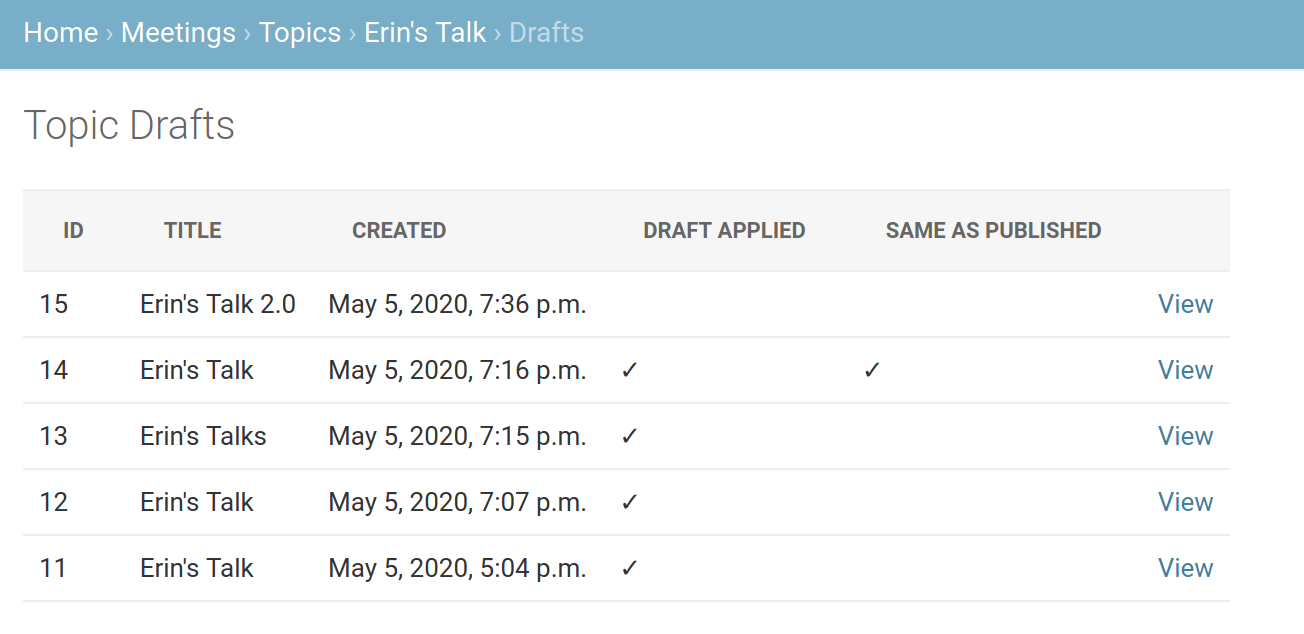
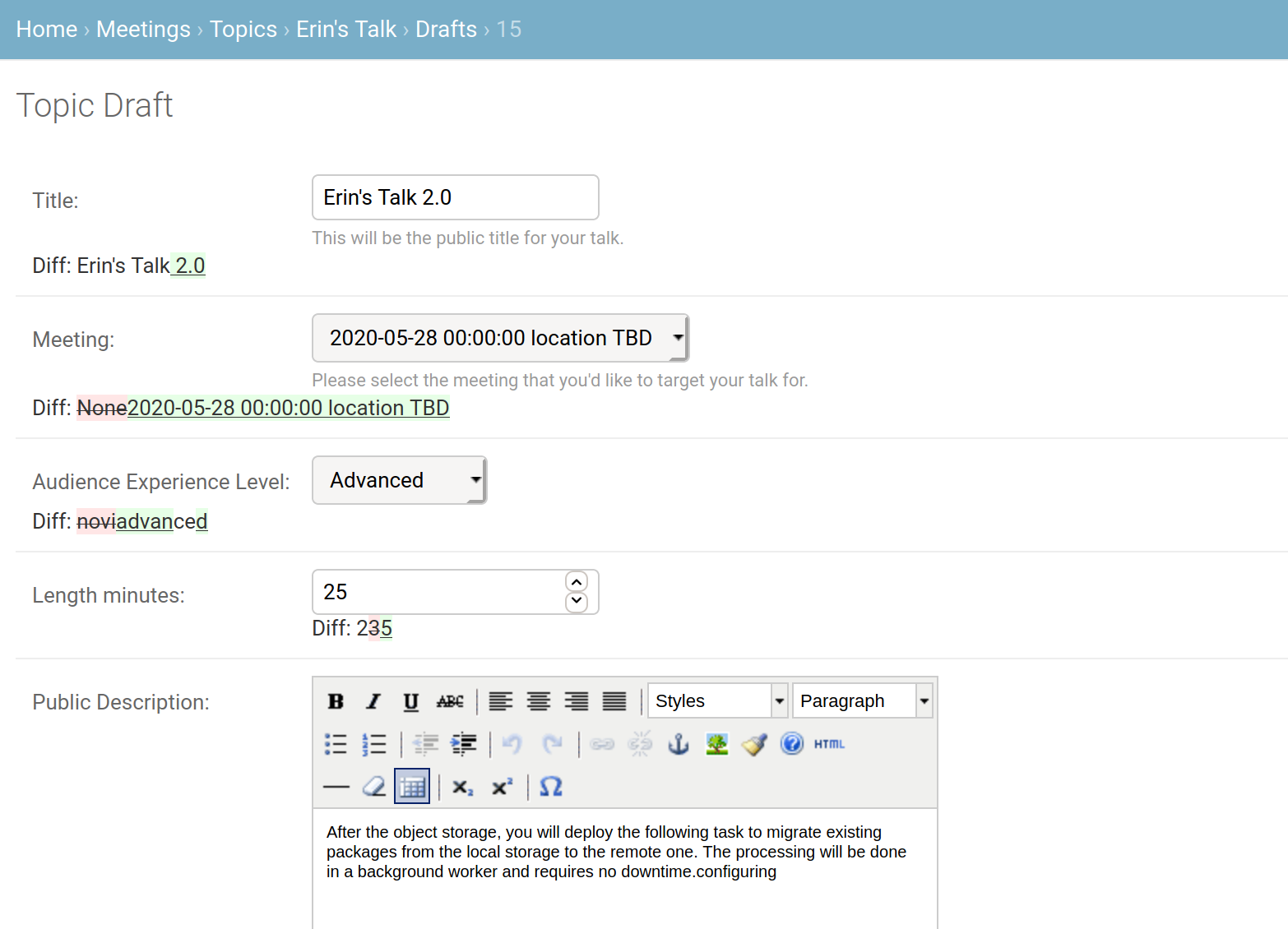
- The admin can view the draft and either save the draft, or apply the draft
...
...

- If the draft is applied, the draft will be synced over to the topic. The admin user will be redirected back to the Admin Topic detail page.
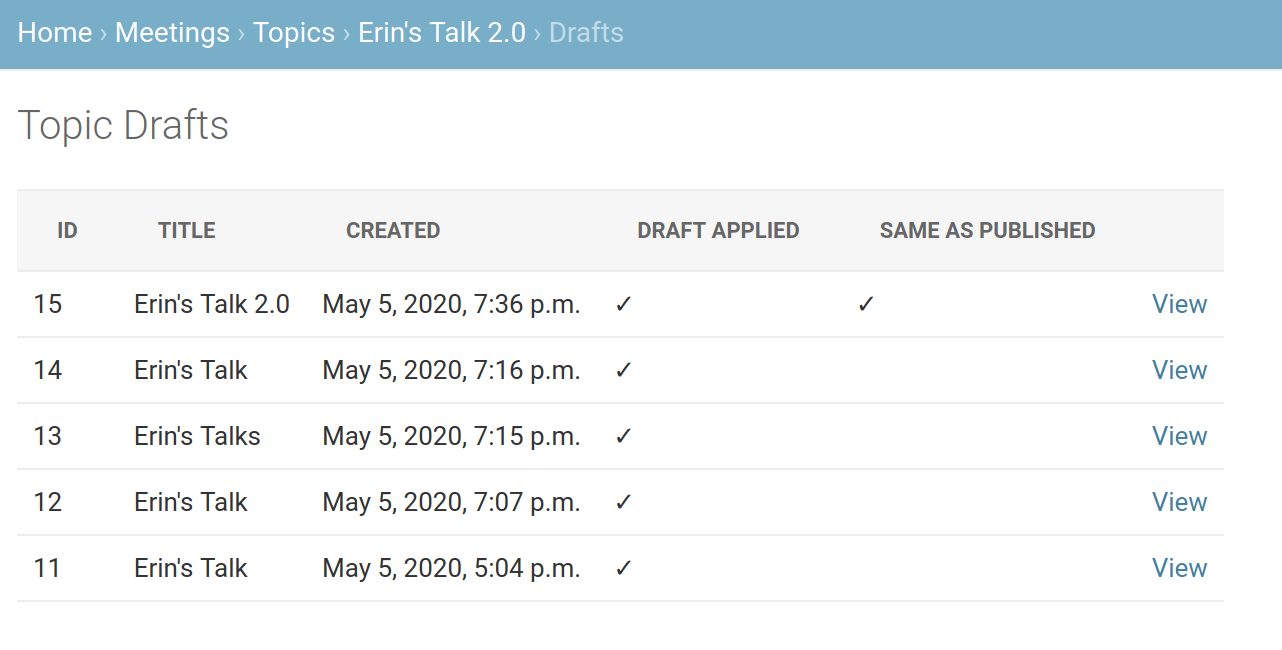
- On the draft list page, the draft will show up as applied.

As a speaker coordinator, I would like to empower Speakers with the ability to view and edit their talk submissions, yet provide me the control I need to review and publish their edits.
I'm working on a PR that would allow users to view their talk submissions and then submit update drafts to them. This will allow speakers and admins to review the diff of changes. Admins can then choose to approve the changes, which would sync the changes to the live.
The User workflow will work something like this:
Then, the admin workflow will work like this:
...
...