Mod2 2108 FE
- Install + Setup
- Abstract
- Architecture
- Technologies
- Contributors
- Wins
- Challenges + Improvements
- Project Specs
To navigate the website live, a server download is required.
- Download the necessary server and API here
- Cd into the
serverdirectory. - In the command line, run $npm start
Then:
- clone this repo: here
- On the command line, type: $ npm install
- On the command line, type: $ npm start
- Visit (http://localhost:8080/) in your browser.
- The project spec & rubric can be found here
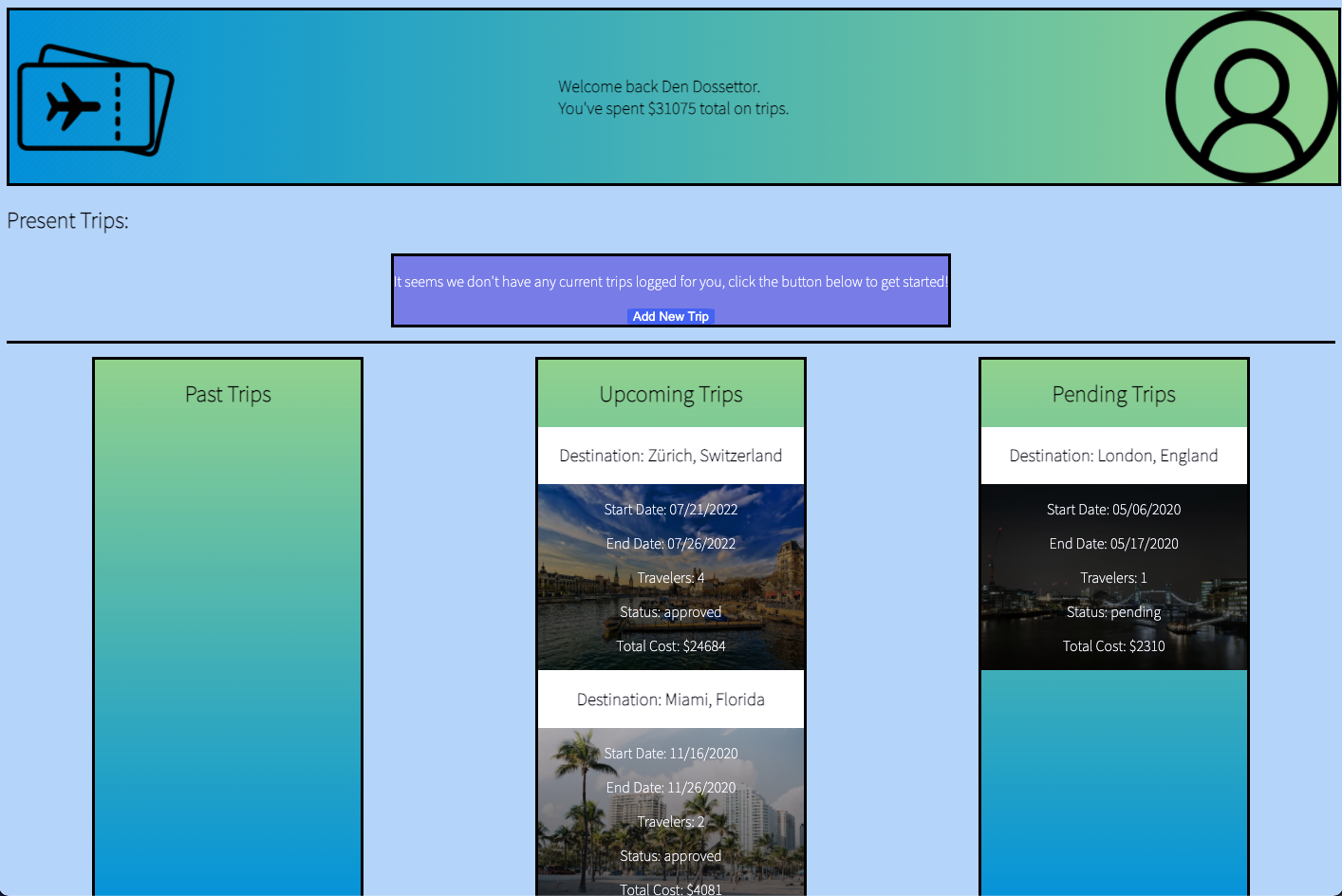
This project is designed as a Web Dashboard for a user to track their travels and vacations. On page load, the user is prompted to log in. Once the user enters the correct username and password, the user is loaded into their specific dashboard for Boarding Pass.
LOG-IN USERNAME AND PASSWORD:
username: traveler50 (where 50 is the ID of the user)
password: travel
If there are trips that are presently happening, these trips are shown in the top portion of the website near the welcome message and the logo. Otherwise, the user's trips get sorted into the columns at the bottom half of the page based on their approval status, and based on whether they are past or upcoming trips.
Boarding.Pass.-.Logging.In.mov
Once logged in, a user can also log new trips that they would like to take in the future. They will need to hit the "Add New Trip" button on the page, which will display a pop up modal window, which the user can use to submit their own trip request. When the user is choosing their destination, they will actually see an estimated cost displayed to them that takes into account the destination, the number of travelers, and the duration of the trip. Once the user clicks "Finish" here, the user's trip will automatically appear in the "Pending" column. (this is because the trip has not been approved by a travel agent yet!)
Boarding.Pass.-.Add.New.Trip.mov
The goal of this project was to build a dashboard that displays different user data, using OOP as a principle design choice, and to work with the Fetch API to request and post new data to a local server, and display that data on the DOM.
This application has a handful of classes - traveler, trip, and trip repository. We were given three main API endpoints to fetch data from: a list of travelers, a list of trips, and a list of destinations.
In designing my project, I chose to house most of my information and methods in the trip repository class (trip-repo.js). On page load, I perform my fetch calls, and instantiate my data accordingly. The trip repository class holds all of the trip and destination data, and generally does all of the heavy lifting in terms of separation of data and calculating costs, etc.
- Javascript
- CSS HTML
- Atom / VSCode
- Git Version Control / GitHub
- Webpack node package
- day JS node package
- Micro Modal js node package
- Google Chrome or Web Browser of User's Choice
- Mac OS Terminal/Command Line
- Colgan Meanor
- Project Specific Accountabilibuddies that helped review code and approve pull requests: - Nate Krocker - David Tran
- Successfully REQUESTED and POSTED data into project from Fetch API calls!
- Successfully used array iterator methods to calculate values from large data sets
- Successfully implemented ES6 function syntax, as well as ES6 import/export syntax working across various files.
- Successfully used dayjs and micro-modal npm packages to aid in construction of DOM and calculation of data across various dates.
- Successfully divided my CSS/SCSS into multiple files.
- I was initially very challenged by planning my data architecture. I was relieved to hear most of my mentors tell me that ultimately this doesn't matter to much, and that I should focus on crafting a data architecture that makes sense for me. In the end, I'm happy with the way I organized my data. It made working in this project not as hard as it could have been.
- I had a very challenging time with Fetch API calls. I think that was the theme of the project for me, was timing my Fetch calls properly so that I was receiving the data properly, posting the data properly, and not throwing insane errors in the dev console. This challenge haunted me all the way to the final day of the project that it was due. On the last day, I elected to re-write my fetch calls altogether in an effort to have new trips posted on the DOM as soon as they were submitted by the user. I am thankful that I was able to achieve this.
- I really enjoyed the process of having various friends from the cohort review my code. It was so helpful for me to hear feedback from my peers about my project, and even helped guide me away from some of my own instincts in service of better options! I was challenged by this though, because I don't think I was able to give nearly as much constructive feedback to my peers as they were to me. I'm so thankful for all their help though, and I hope I was any small amount of help to them.