Mod3 2108 FE
- Install + Setup
- Abstract
- Architecture
- Technologies
- Contributors
- Wins
- Challenges + Improvements
- Project Specs
To navigate the website live, a server download is required.
- Download the necessary server and API here
- Cd into the project's main directory.
- The server will run on port 3001.
- In the command line, run $node server.js
Then:
- clone this repo: here
- On the command line, type: $ npm install
- On the command line, type: $ npm start
- The app will run on port 3000.
- Visit (http://localhost:3000/) in your browser.
- The project spec & rubric can be found here
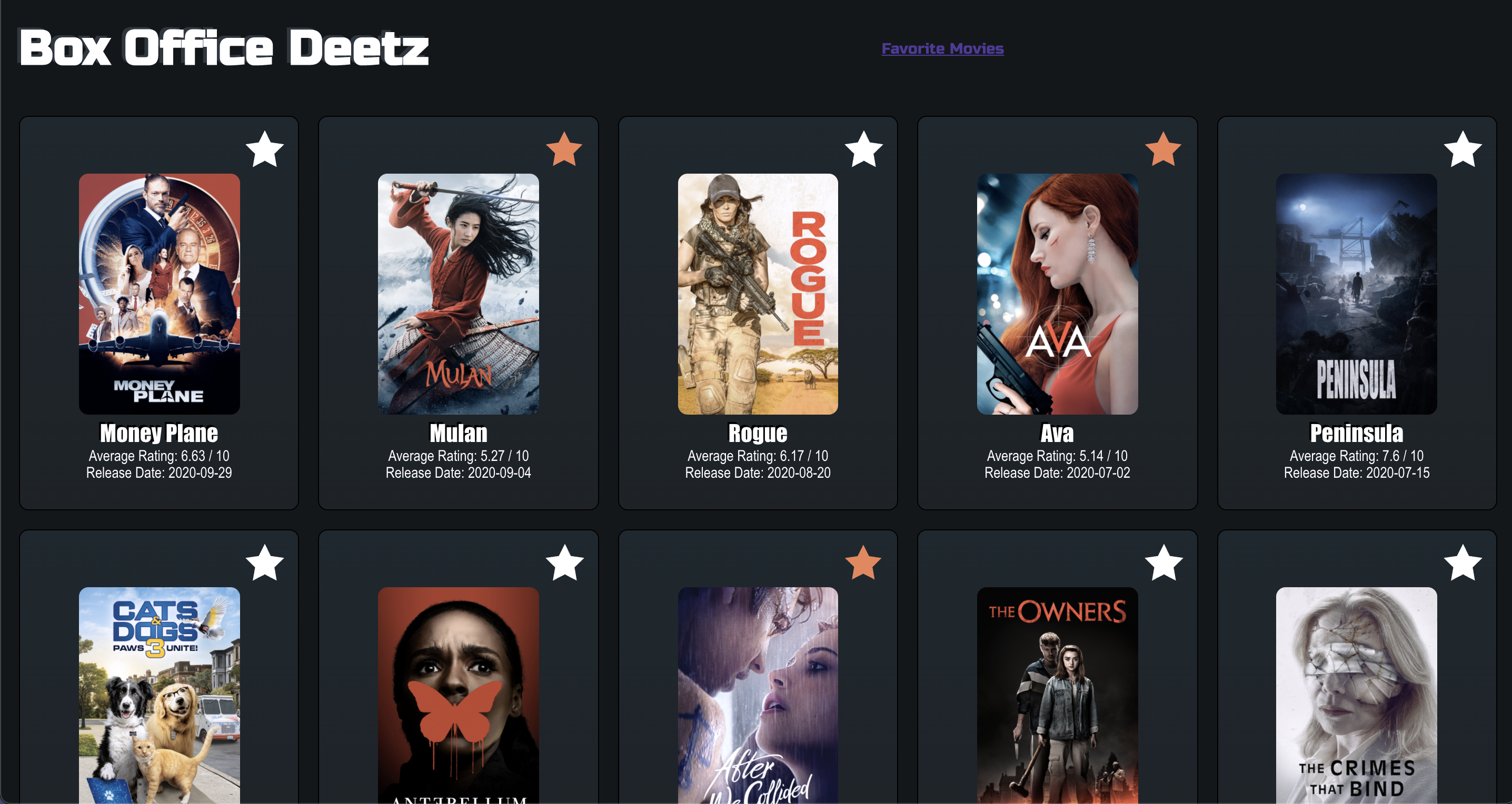
This project is definitely not Rotten Tomatoes or IMDB. This is Box Office Deetz - a movie information app that allows the user to browse from a selection of movies, view details for these movies, and favorite specific movies to save to a 'Favorites' page.
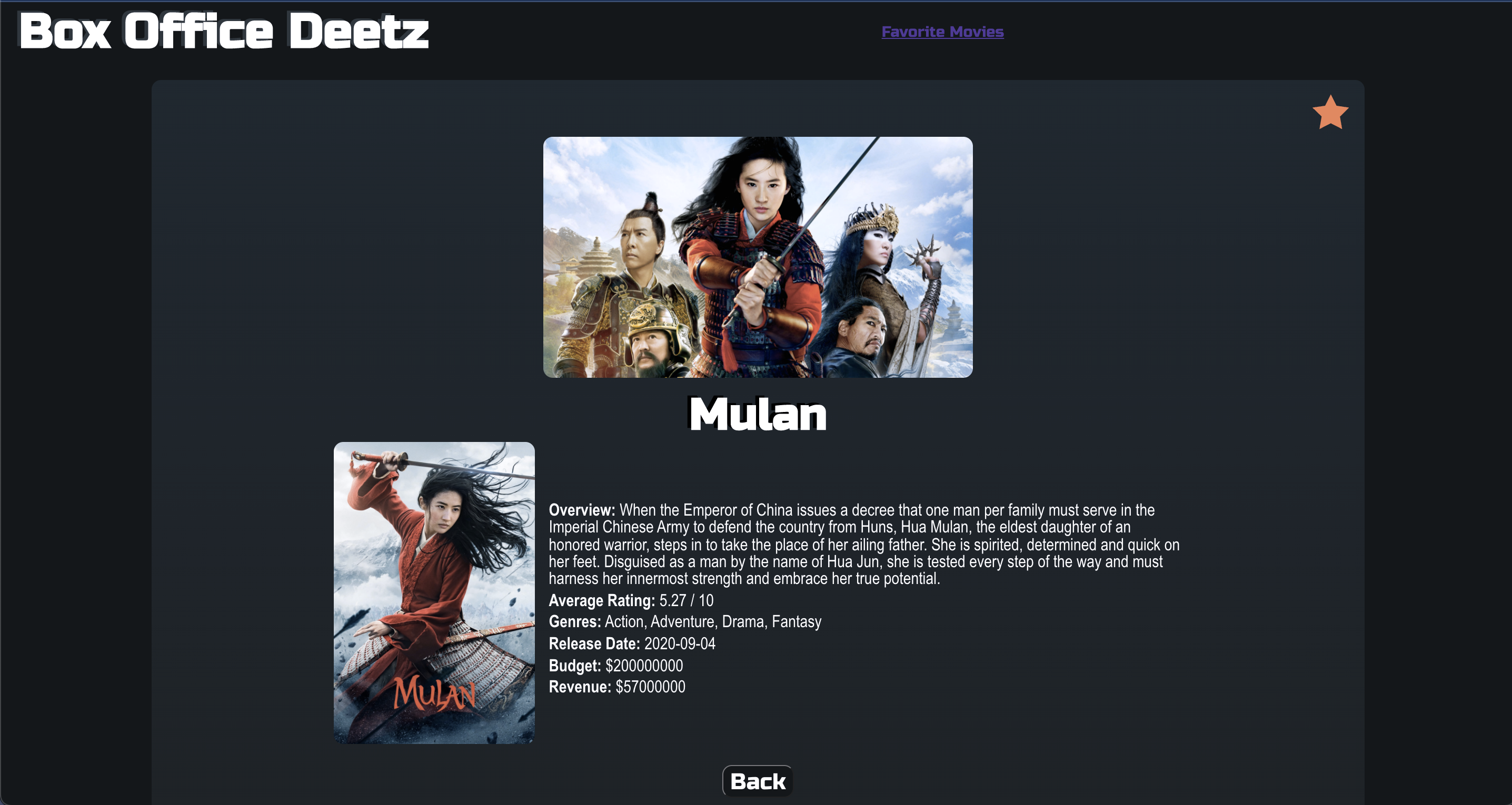
From the home page, a user can browse the list of available movies and can click on a specific movie's poster to view more details about that movie, or can click on the star icon on the top right of the card to 'Favorite' or 'Unfavorite' that movie. The user is also able to 'Favorite' or 'Unfavorite' movies directly from the movie details page.
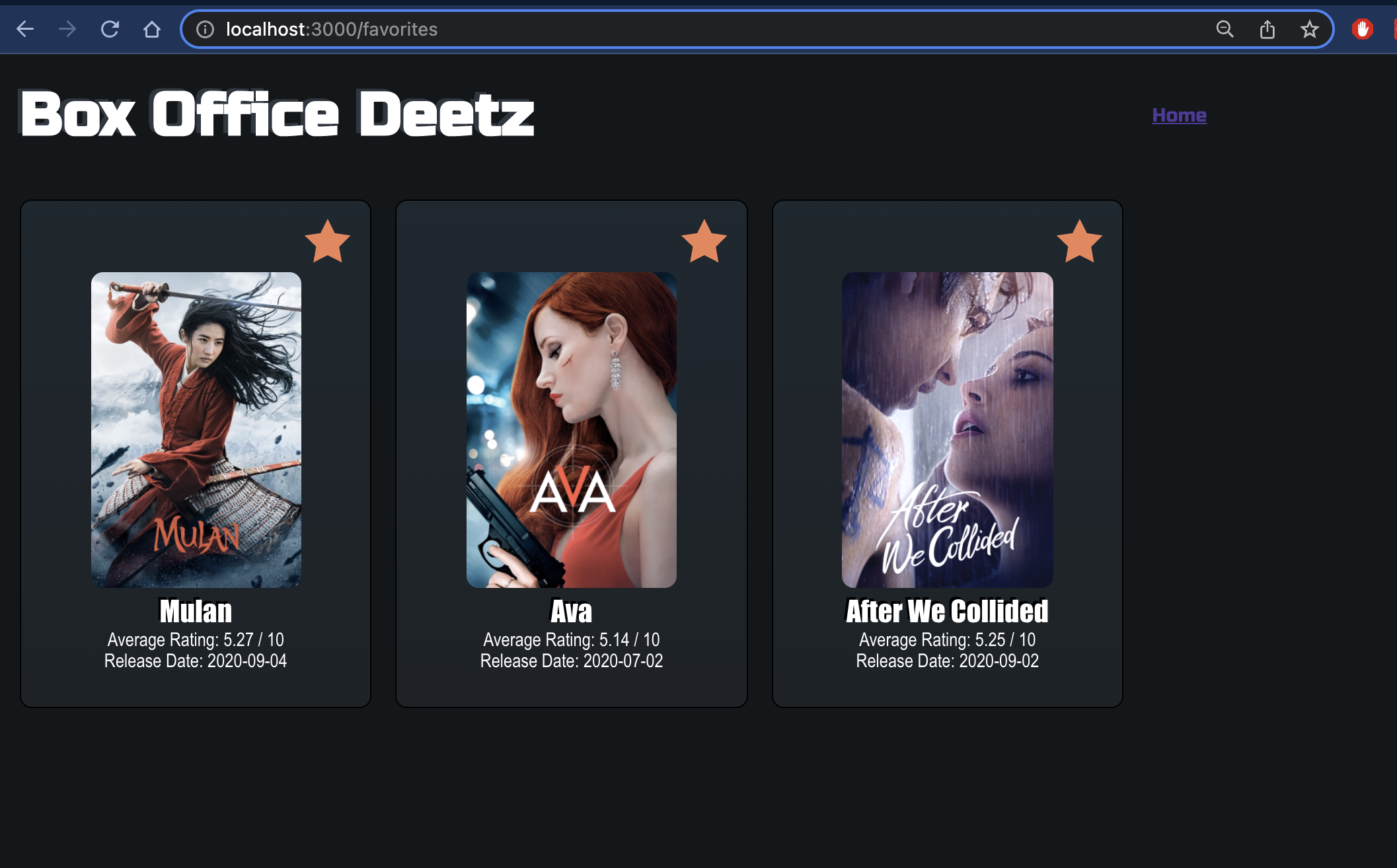
The user has access to a 'Favorites' page, where any movies that have been favorited by the user will appear. This information is stored in the express server, which allows the user the ability to refresh the page, or leave and browse back again, and the same movies favorited during their session will remain favorited. NOTE: Disrupting connection to the express server will disrupt the ability to use the application, and the server must be restarted in order to continue browsing the app.
Favoriting a Movie
Favorite.Movie.mov
Unfavoriting Movies
Screen.Recording.2021-12-13.at.8.47.32.PM.mov
The goal of this project was to build an application using the React Framework, using functional and class based components to keep the DOM updated with the data model / state of the application. This project was created using the 'creat-react-app' npx command line, and built out from there.
The initial data for Box Office Deetz is pulled from a deployed Heroku server provided by our instructors at Turing - found HERE
The data pulled from the heroku server is then saved in State to App.js, and passed down via props as necessary to children components. In addition to the Heroku server, data can be pulled from and POSTED to an express server / API built specifically for Box Office Deetz, by our own team.
When a user clicks the star to favorite a movie, a POST request is sent to the API to save the movie in the list of favorites that the API holds. When the user unfavorites a movie, a delete request is sent to the API to remove that specific movie's ID from the API's data. Any time a new page loads in the application, the app gets all the current favorite data from the API to ensure that the movie's shown as favorited or unfavorited are kept up to date.
- React Framework
- React Router
- Cypress Testing Framework
- Javascript
- CSS HTML
- Atom / VSCode
- Git Version Control / GitHub
- Google Chrome or Web Browser of User's Choice
- Mac OS Terminal/Command Line
- Successfully built a functional application using the React Framework
- Successfully implemented life-cycle methods such as componentDidMount in class based components.
- Successfully implemented React Router to paths to Home and Favorites, and create dynamic URL paths based on the ID of a given movie for the movie details pages.
- Successfully implemented Cypress Testing to cover the front end user experience and UI flow in our application.
- Successfully created an express server to hold onto Favorites Data for our app, and run along side our application.
- Lots of styling wins in this project
- One of our initial challenges in this project was that we had originally conceived of our Movie Details component/page as a Modal Window that popped up on the DOM. We ran across some complications with this choice when it came time to implement React Router to allow us to view different components at different paths. The issue here lied with the rendering of the details component as a modal window at a given path, and then also rendering the regular home page concent BEHIND the modal. In order to proceed with router, we decided to refactor the movie details component here to show as a regular page that is separate from the main/home page. This allowed us to have a much easier time configuring our Router tool and setting dynamic paths for details components based on the ID of the movie being selected.
- For the final iteration of the project, we were tasked with a free choice of a new feature to implement to the application. Taking a cue from the spec, we decided to implement a Favorite Movie functionality to the app, that was built on top of a small express API. This was a huge challenge for us, that we weren't sure would be a viable path forward, but it allowed us to gain valuable experience in building our own API to help service the data model of our application. The moment that we successfully posted and received data inside our app, from the API, was magical.
- The implementation of Cypress Testing was a completely new challenge for both of us during this project. We had experience in TDD using Mocha and Chai in previous modules at Turing, but we got a great crash course in end-to-end and integration testing. Stubbing network requests and creating fixtures for cypress intercept proved to be our biggest hill to climb here, but once we figured out the correct syntax and rules, we were very quickly able to sketch out the rest of our testing for our user flows.