

- Forking a repository
- Cloning a fork
- Making and pushing changes
- Making a pull request

Some basic Git commands are:
git status
git add
git commit
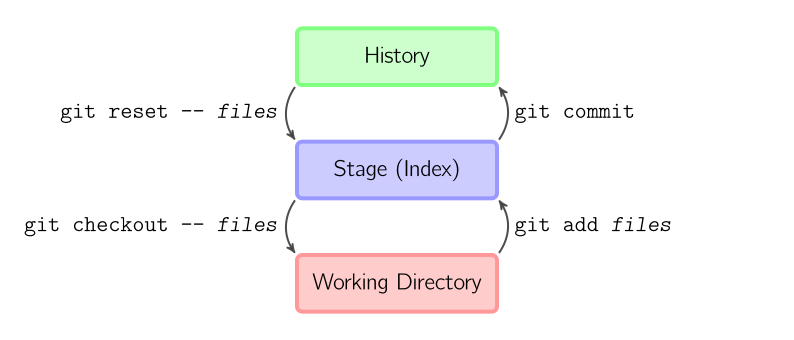
when you have made all your changes
- write in terminal
black .
git add file_name - add file to stage(index)
git add . - add all changes or new files to stage(index)
git commit -m 'your commit message' - create commit (create point in history project)
where -m says that you want to leave a message to commit
git commit -am 'your commit message' - create commit (create point in history project)
where -am means you want to add all changed files to the commit, use this instead of git add if you have no new files, only changed
git push - pushing your commit in your fork repository
all command in one line ->
git add . && git commit -m "your text" && git push
To do so, head on over to the repository on GitHub where your project lives.
You'll see a banner indicating that your branch is one commit ahead of main.
Click Contribute and then Open a pull request.
GitHub will bring you to a page that shows the differences between your fork and the PythonTasks repository.
anddddddd fan