
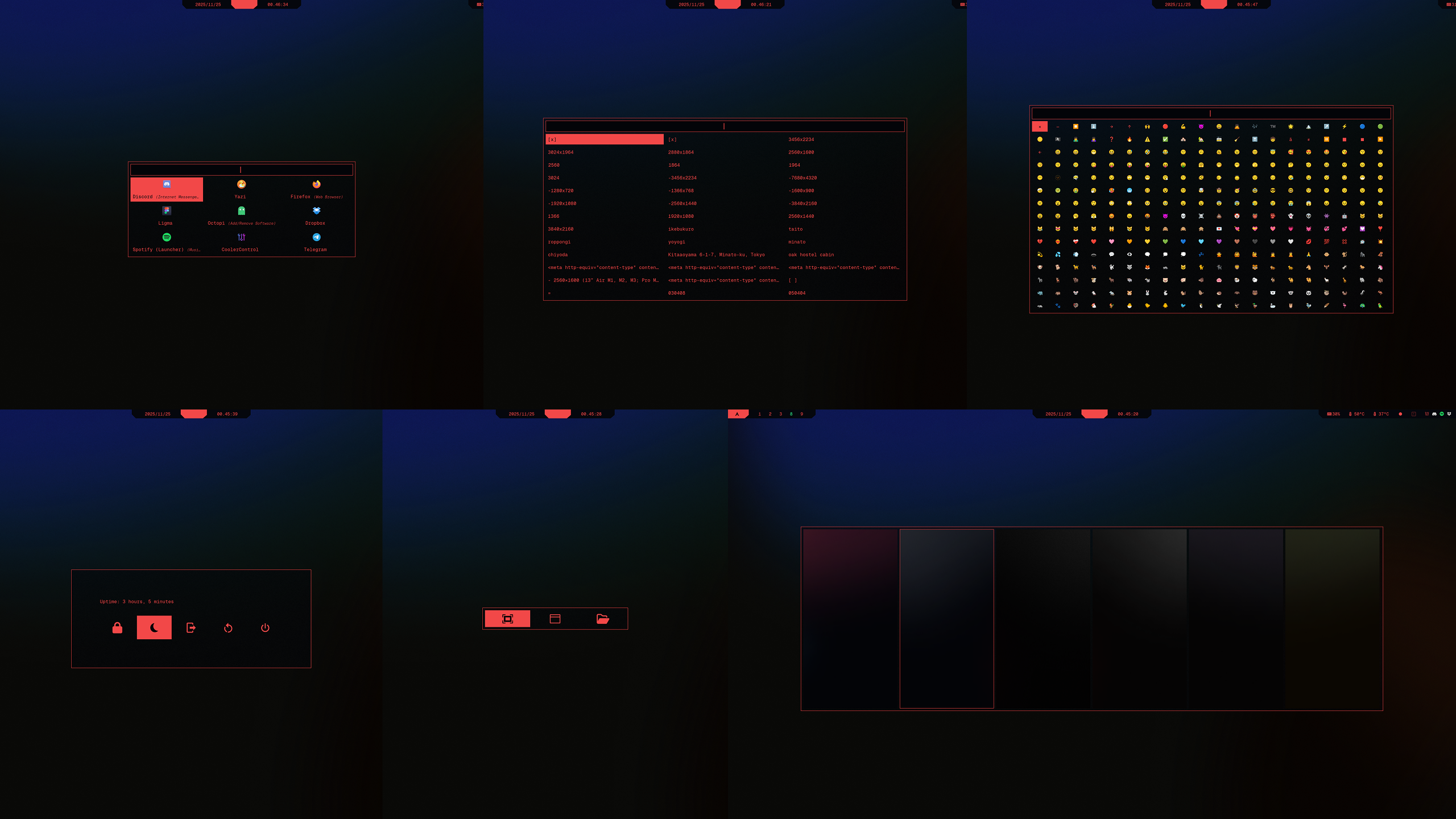
rofi ↗ (top-left to bottom-right: launcher, clipboard, emoji; powermenu, screenshot menu, wallpaper switcher)
![WARNING] For Wallpaper switcher to work as intended, you need latest hyprpaper.
CTRL + SUPER + Wlaunches the Wallpaper switcher,ENTERconfirms the selection. If the selected wallpaper gets stuck, you can reset the timer by repeatedly selecting the wallpaper again.
- Make sure Geist Mono Nerd Font is installed, you can do that from terminal with:
curl -L https://github.com/ryanoasis/nerd-fonts/releases/latest/download/GeistMono.zip -o GeistMono.zip
mkdir -p ~/.local/share/fonts
unzip GeistMono.zip -d ~/.local/share/fonts/GeistMono
fc-cache -fv- Make sure hyprland is installed:
sudo pacman -S hyprlandand cybrcore theme is applied - Make sure swaync is installed:
sudo pacman -S swaync - See Installation Guide if you're coming from cybrdots and haven't set up prerequisites yet
- rofi Github | Arch Wiki
git clone --depth=1 --filter=blob:none --no-checkout https://github.com/cybrcore/cybr-rofi.git && cd cybr-rofi && git sparse-checkout init --cone && git sparse-checkout set rofi && git checkout main && mv rofi ~/.config/ && cd ~ && rm -rf cybr-rofi↑ Unsure what this does? Explanation
ls -R ~/.config/rofiYou should see: config.rasi, launcher.rasi, style.rasi, theme/, scripts/
Make all scripts executable:
chmod +x \
  ~/.config/rofi/scripts/clipboard/clipboard \
  ~/.config/rofi/scripts/emoji/emoji \
  ~/.config/rofi/scripts/keybindings/keybindings \
  ~/.config/rofi/scripts/powermenu/powermenu \
  ~/.config/rofi/scripts/screenshot/screenshot \
  ~/.config/rofi/scripts/screenshot/screenshot_selection \
  ~/.config/rofi/scripts/wallpaper/wallpaper \
Expected file structure
~/.config/rofi/
├── config.rasi             # main settings
├── style.rasi              # visual styling
├── theme/
│   └── cybrcore.rasi       # global style settings
└── scripts/                # graphical elements
    ├── clipboard
	│   ├── clipboard
	│   └── style.rasi
    ├── emoji
	│   ├── emoji
	│   └── style.rasi
	├── game-launcher
	│   └── style.rasi
	├── keybindings
	│   └── keybindings
	├── powermenu
	│   ├── powermenu
	│   └── style.rasi
	├── screenshot
	│   ├── screenshot
	│   ├── screenshot_selection
	│   ├── screenshot-style.rasi
	│   └── style.rasi
	└── wallpaper
	    ├── style.rasi
        └── wallpaper
notify-send "Notification" "Basic notification body text, medium length"
notify-send -u low "Low priority" "Priority: Low"
notify-send -u normal "Normal priority" "Priority: Normal"
notify-send -u critical "Critical" "Critical notification!"