
Modern web interface for managing Svix (Webhooks as a Service), designed for quick and clear control of your applications, endpoints, and sent messages.
This application serves as a replacement or supplement to the standard Svix dashboard. It offers:
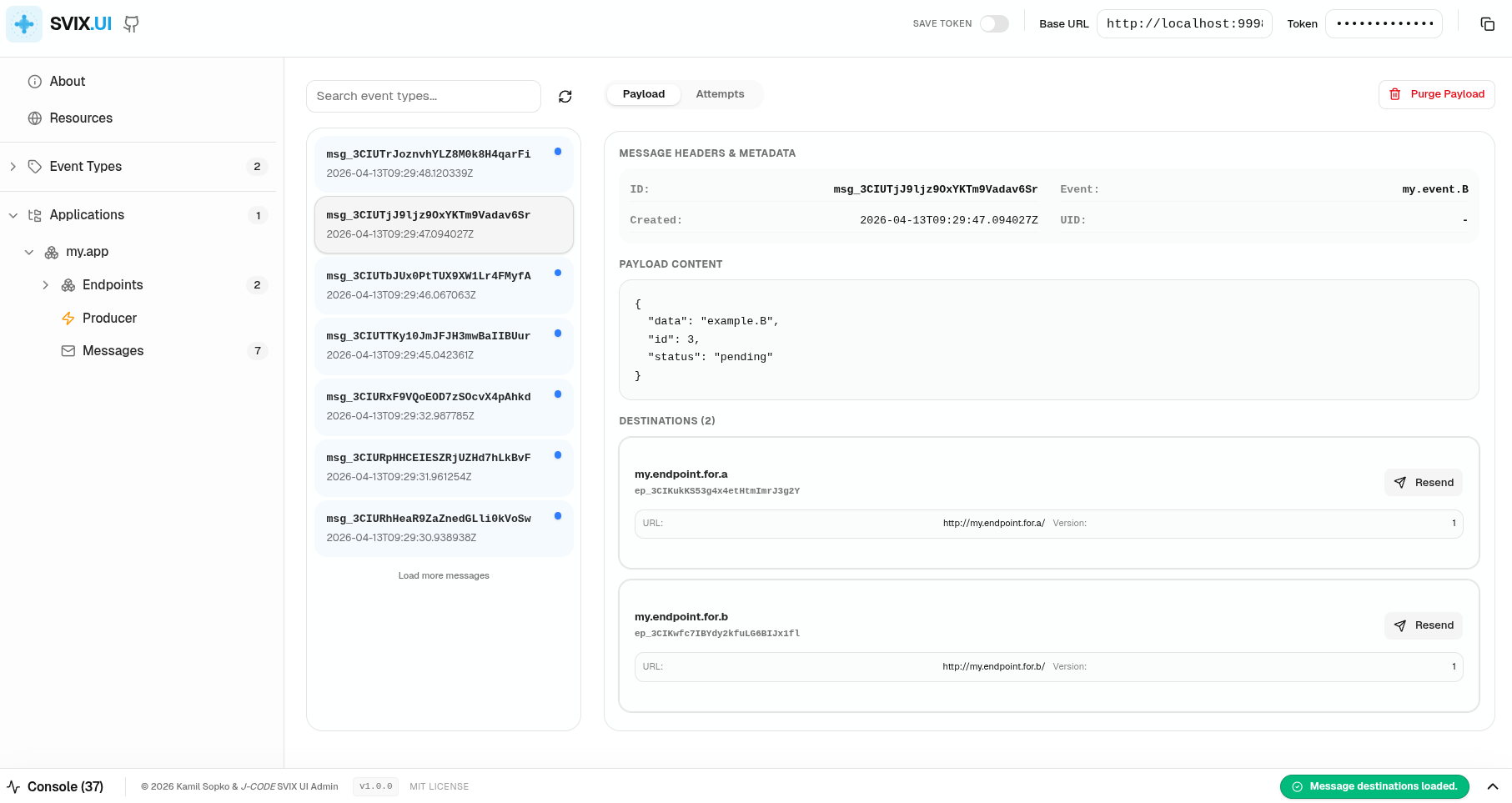
Messages: Quick overview of messages.
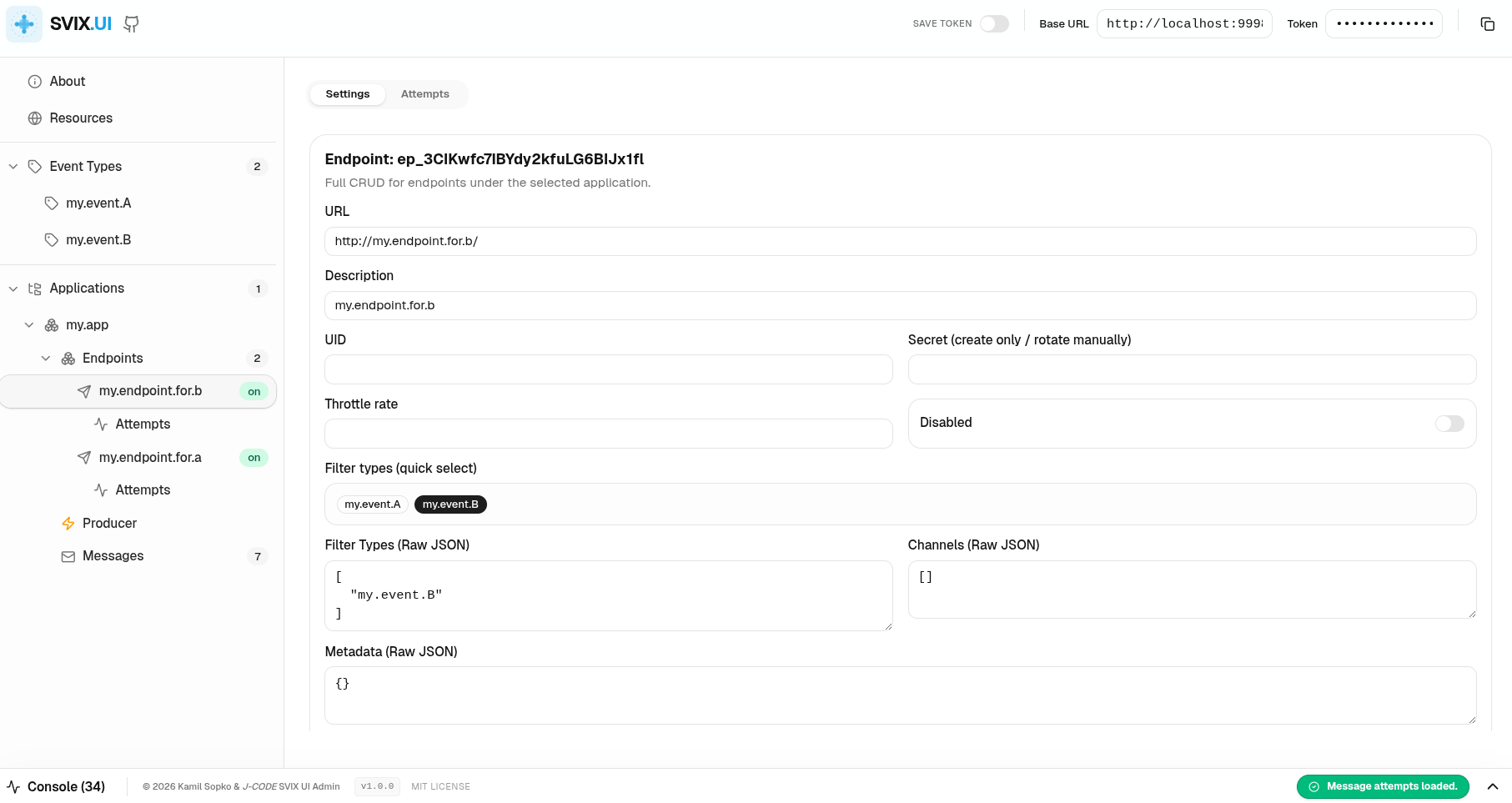
Messages: Quick overview of endpoint.
- Application Management: Overview and editing of applications within your Svix account.
- Event Type Management: Defining and viewing the types of events your applications send.
- Endpoint Operations: Setting up URLs, event filters, and channels for delivering webhooks.
- Message and Attempt Tracking: Detailed view of each sent message, its payload, and the history of delivery attempts to individual endpoints.
- Interactive API Console: Integrated console for monitoring all outgoing requests to the Svix API in real-time.
- Resend & Debugging: Ability to resend messages to specific endpoints directly from the interface.
This project was created and developed as a test project for the Junie agent by JetBrains. It serves to demonstrate the capabilities of the AI agent in creating and modifying complex frontend applications (React, TypeScript, Tailwind CSS, Vite).
- GitHub Repository: cz-jcode/svix-ui
- Svix API Documentation: svix.com/docs
- OpenAPI Specification: The project includes
openapi-svix.json(Svix API v1.1.1), which can be used for generating API clients or as a reference.
This project is built and tested mainly against the public svix-server image (the self-hosted version). It has not been tested against the official Svix Cloud portal (SaaS). While it uses standard API calls, some features or authentication methods specific to the portal might behave differently.
For a quick start with the entire Svix stack (Postgres, Redis, and Svix Server) along with this UI, you can use the docker-compose.yml file.
docker compose upThe UI will be accessible at http://localhost:8080.
When running with the provided docker-compose.yml, you can generate an Auth Token by running:
docker compose exec svix svix-server jwt generate | sed 's/^Token (Bearer): //'Copy the output and paste it into the "Auth Token" field in the UI.
docker build -t svix-ui .
docker run -p 8080:80 svix-ui
Then open http://localhost:8080 in your browser.
npm install
npm run devThe application requires your Svix server URL (default http://localhost:9001) and an Auth Token. These settings are stored in your browser's localStorage for future use.
Important
Token Storage: By default, the Auth Token is not stored in localStorage for security reasons. You can enable persistent token storage using the "Save Token" switch in the application header. The Base URL is always saved.
Warning
Security Note: Passing the SVIX_TOKEN via environment variables or storing it in localStorage can be insecure in shared or public environments. Ensure that only authorized users have access to the environment where this UI is running.
You can also pre-configure these values at runtime when running the Docker container using environment variables:
docker run -p 8080:80 \
  -e SVIX_BASE_URL=https://api.svix.com \
  -e SVIX_TOKEN=your_token_here \
  -e SVIX_SAVE_TOKEN=true \
  svix-ui