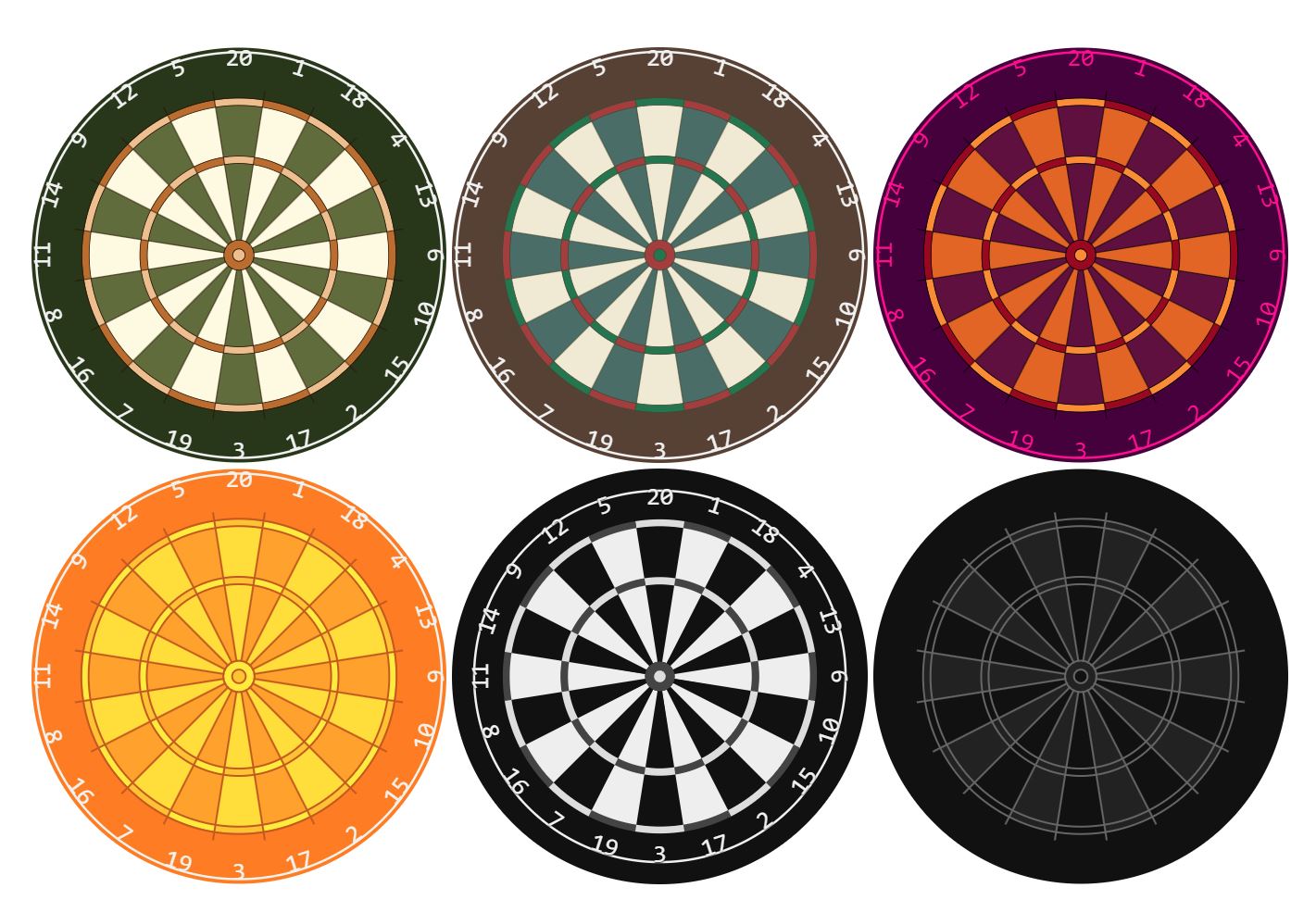



This webcomponent follows the open-wc recommendation.
 Storybook Documentation
- Demo - For a live demo visit the Storybook docs
- Tutorial and walkthrough on Medium
🎨 HTML Canvas Render using HTMLCanvas
🍦 Vanilla Web Component Export as a dependency-free vanilla web component, usable with just HTML, CSS, and JS
#️⃣ Typescript Written in Typescript
🌈 Styles Offer fully customizable styling. Where possible use CSS to control customized settings
🧾 Support CSS props CSS properties like padding, margin, filters, etc., should affect the element as expected
🔎 Pan & Zoom Support ability to zoom in and change center point of the board
🌐 Accessibility Implement accessibility recommendations. WCAG, WAI-ARIA
🕹️ Interactivity Support user interactivity features including touch input, hover, selection, highlighting, and clicking.
npm i @dartbot/dartboard<script type="module">
import '@dartbot/dartboard/dartbot-dartboard.js';
</script>
<dartbot-dartboard></dartbot-dartboard>To scan the project for linting and formatting errors, run
npm run lintTo automatically fix linting and formatting errors, run
npm run formatTo execute a single test run:
npm run testTo run the tests in interactive watch mode run:
npm run test:watchTo run a local instance of Storybook for your component, run
npm run storybookTo build a production version of Storybook, run
npm run storybook:buildFor most of the tools, the configuration is in the package.json to reduce the amount of files in your project.
If you customize the configuration a lot, you can consider moving them to individual files.
npm startTo run a local development server that serves the basic demo located in demo/index.html
- Styles
- Customize w/ CSS
- Show wire
- Wire shadow
- Wire blur
- Wire offset
- Wire overhang
- Wire inset
- Show numbers
- Support standard CSS props
- Padding
- Margin
- Filters
- Transformations
- Zoom
- Resize
- Hits
- Alt board setups
- Events
- Hover
- Click
- Select
- Drag
- Touch
- Pan and Zoom
- Props
- Mouse
- NPM publish
- Build badges
- Accesibility
- Performance
- Export as image
- Unit tests
- Rotate board to match pi
- Demo pages