Repository navigation
Problem with the zotpick-scannable-cite app #27
Description

This almost works for me. Sorry, I'm no coder but here goes:
Using Zotero 5.0.96.1 (latest), Scrivener 3.2.2 (latest), M1 Mac Big Sur 11.2.2 (latest).
The zotpick-scannable-cite applescript (launched from the menu bar, for example) works perfectly but the app doesn't. I've tried the freshly downloaded version of the app from github and also tried saving the applescript as an application using Script Editor. I have pointed Scrivener to it (command-y in citation preferences). The app launches, brings Zotero to the front and I can choose a reference. When I click OK, it just sends me back to Zotero proper. It doesn't switch back to Scrivener and enter the citation. I've been into Security and Privacy System Preference and addressed all the permissions, I think, as I had a few errors reports initially: not allowing key strokes etc.
The pandoc for Scrivener app seems to work fine.
This might be user error so apologies if this is the case.
Activity
ronaldroy commentedon Mar 7, 2021
Plot thickens.
I tried the older version and it worked once. Then it reverted to keystrokes not being allowed. It's like it needs to be removed and added back in Security and Privacy after each use.
Jmuccigr commentedon Mar 7, 2021
No clue if this is it, but sometimes I find that having an app launched by an indirect method doesn’t trigger the right security warning. Maybe run the AppleScript directly and see if you get prompted to allow it? Or is it sitting unchecked in the Security pref pane?
ronaldroy commentedon Mar 7, 2021
The applescript works fine on its own, triggered indirectly or directly. It's the app that's not right and I've gone through all the variations of Security settings, I think. It's all checked in the pref pane. No big problem really. I've set up a shortcut (using a Quick Action in Automator) to launch the applescript, which achieves the same thing.
Jmuccigr commentedon Mar 8, 2021
I meant to run the app form of the script directly.
Jmuccigr commentedon Mar 8, 2021
OK, I tried this myself (not a Scrivener user). I downloaded the app, set the Zotpick AppleScript app as my citation manager, and tried to insert a citation with cmd-Y. The Zotpick dialog popped up fine and I could select a work. Then I got the security query which I ok'ed.
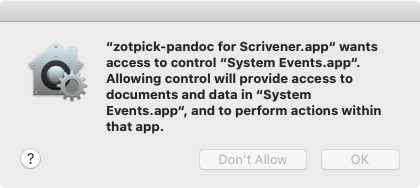
Then I got a message saying the app wasn't authorized to do keystrokes, but immediately under that was another security dialog that sent me to the Security prefs pane to check off the app in the accessibility section.
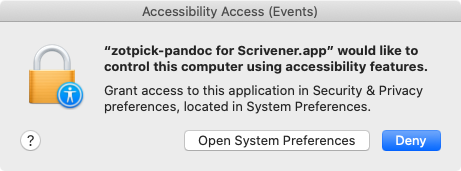
After I did this, I went back to Scrivener, and tried to insert another citation. It worked fine. Quit it. Re-opened, and inserted another citation with no problem.
ronaldroy commentedon Mar 8, 2021
Yes, I did all that too. And actually the pandoc script and app work as they should. It's just the scannable cite app that doesn't work. It just sends me back to Zotero instead of inserting the citation. No error reports or popups.
Dmw-pixel commentedon Mar 9, 2021
I had the same problem as Ronaldroy. I fixed it by doing two things.
(So the line setting appName now reads:
set appName to "Scrivener"
Hope this help.
ronaldroy commentedon Mar 9, 2021
Thanks, I've tried that and get the following dialogue:
Problem
Could not get the name of the frontmost application.
However, after clicking OK, the script runs properly.
So, I just removed the line:
display alert "Problem" message "Could not get the name of the frontmost application."
error number -128
Saved as an app and all seems to work now.
Is this a bad idea? I've never written an applescript or any code for that matter. I'm pretty good at copy and paste though!
ronaldroy commentedon Mar 9, 2021
What's strange to me is that the original applescript works perfectly but when saved as an app, it stalls in Zotero.
Dmw-pixel commentedon Mar 9, 2021
Jmuccigr commentedon Mar 11, 2021
@Dmw-pixel The scrivener app does just that, it sets the appName to "Scrivener". If you're seeing it set the app name to frontmost app, you're not using the Scrivener-specific version. I see that there's no scannable-cite version for Scrivener, so if that's what you mean, I've just posted one!
Let me know how it goes, please.
Dmw-pixel commentedon Mar 11, 2021
ronaldroy commentedon Mar 12, 2021
I be stoopid. Where is it?
Jmuccigr commentedon Mar 13, 2021
In the code section.
EDIT: Oh, wait, you're right. It didn't get uploaded to the server. Hmmm. Let me look at that. I'm guessing it's a stupid git mistake I'm making.