The Userinterface
Only one user at a time should be able to control a partition or create and edit partitions. To achieve this, the user right management from the django framework is used.
To use the interface every user needs an account. User creation is done through the standard django admin page. To use this one first needs to create a superuser by using the following command in the project folder:
python3 Django/ECS_GUI/manage.py createsuperuser
and follow the prompted instructions.
Do not use the superuser as a regular user!(only to create and edit users)
To create user access the admin page by using the following link: https://<serveraddress:port>/admin/.
Click on adduser, type in a name and password and click on continue editing. At user Permissions add
- GUI | pcamodel | can take control: to allow the user to take control of partitions
- GUI | ecsmodel | can take control: to allow the user to take control of the ecs
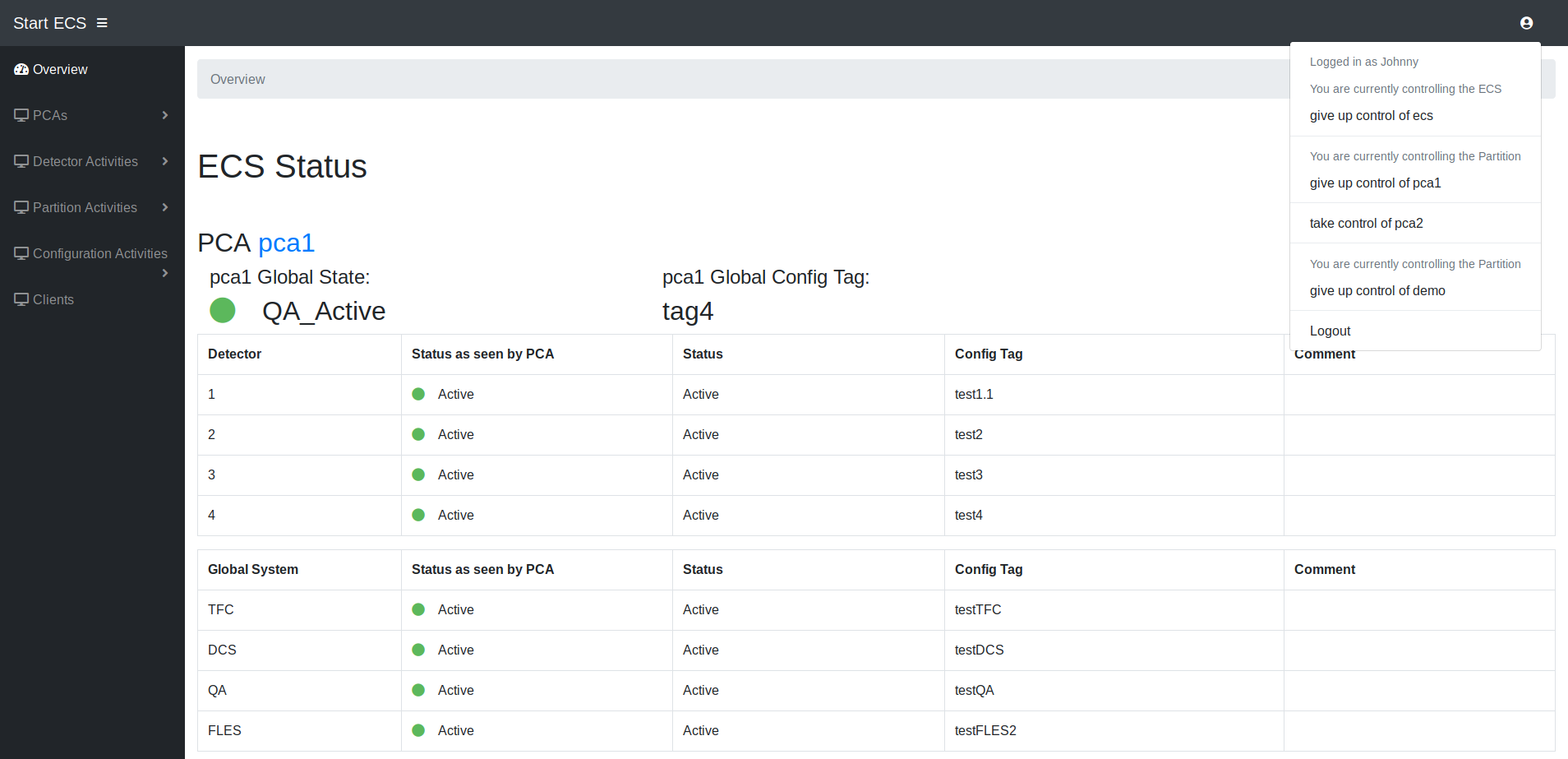 After the login the user is redirected to the index page. At the index page all partitions and subsystem states are listed.
With a click on the icon in the right left corner one can logout or take control of a partition or the ecs. If another user is currently in control of a partition or the ecs it will be displayed there.
The left frame shows the navigation bar. Only elements for which the user has the appropriate rights will be shown.
At the buttom all log messages from PCAs and ECS are shown
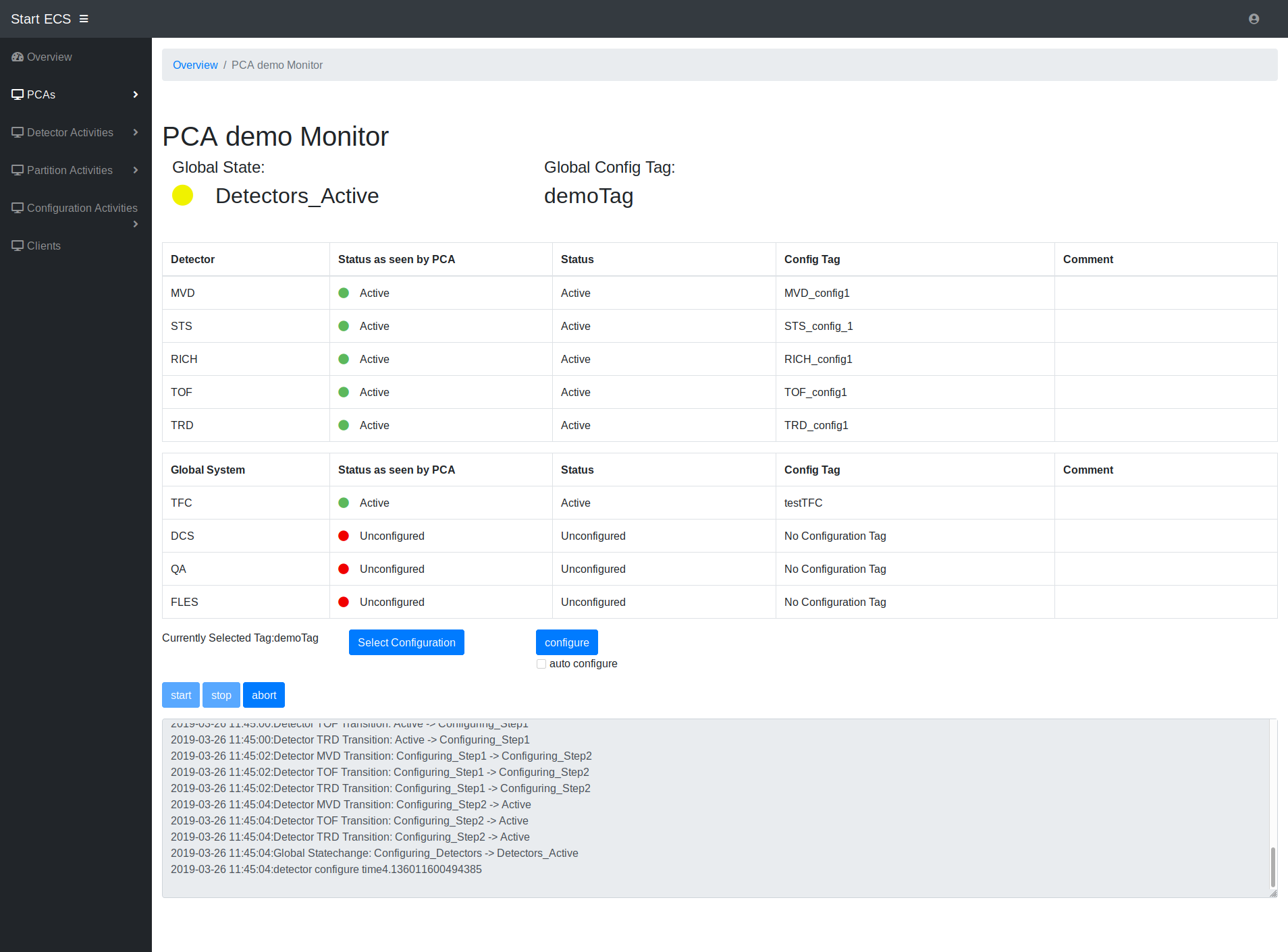 At the pca page user can see the current status of the partition and control (if he or her has the rights to do so).
The control buttons at the bottom are only shown if the user has the control right. Buttons for actions which are unavailable in the current PCA state are deactivated.
Before the configuration the user must select a configuration. With a click on the "select configuration" button a new control window will be displayed where the user can select configurations for the subsystems. A set of subsystem configurations can be saved a new global tag for the PCA. When the user clicks on the configure button the PCA will configure the next subsystem in the global state machine hierarchie. With the "auto configure" option selected the PCA will automatically continue configuring the partitions subsystems until it is ready for data taking.
The abort button resets the whole partition the unconfigured state.
the start and stop button start and end the data taking. A data taking can only be started if all subsystems are configured.
In the logbox only log messages from the current PCA are shown.
The possible detector actions on ECS level are adding,deleting and moving between partitions. The pages for the actions can be selected from the navigation bar if the user has the ECS right.
For creating a new detector the user has to enter the needed information for the controller agent. This includes an id for the detector, address and ports.
For moving a detector the user has to select a from and to partition. From the from partition several detectors for movement to the to partition can be selected.
If an error occurs during the detector movement the state before the movement will be restored. The user can select to ignore the error and force the moving, which should only be done with great caution. The force moving option can for example be used if a controller agent can't be reached, the informing of the agent will then be skipped. Detectors can only be moved, if both partitions are in a non configuring state. Detectors can also be assigned to no partition by selecting the partition "unmapped detectors".
Action pages for partitions are deleting and adding of partitions. Both actions work basically the same as for detectors. Like with detector actions the user also needs the ECS control to perform these actions.
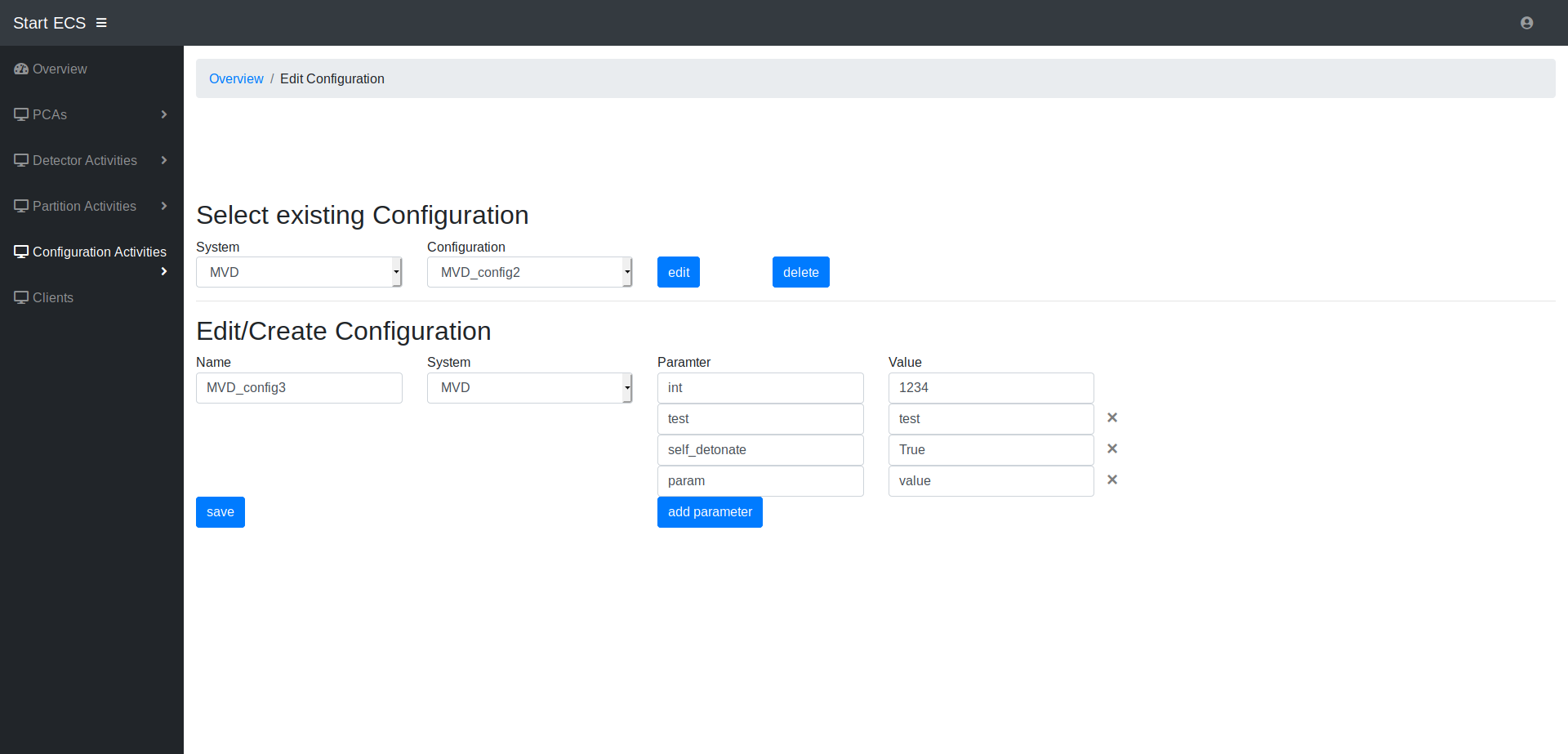 Configuration actions include creating/editing/deleting new subsystem configuration and global configuration tags.
The user can create new configurations for subsystems. An old configurations can be selected for edit or an entirely new one can be created. A subsystem configuration tag includes a set parameters with assigned values.
A set of Subsytem configuration can be assigned to a global tag. These global tags can also be created from scratch or edited from an existing tag.