A VS Code / VSCodium extension that connects to a remote dev machine over SSH — identical to open-remote-ssh in look and feel — with one under-the-hood upgrade: remote terminals are backed by tmux, so they persist and can be re-attached from any machine.
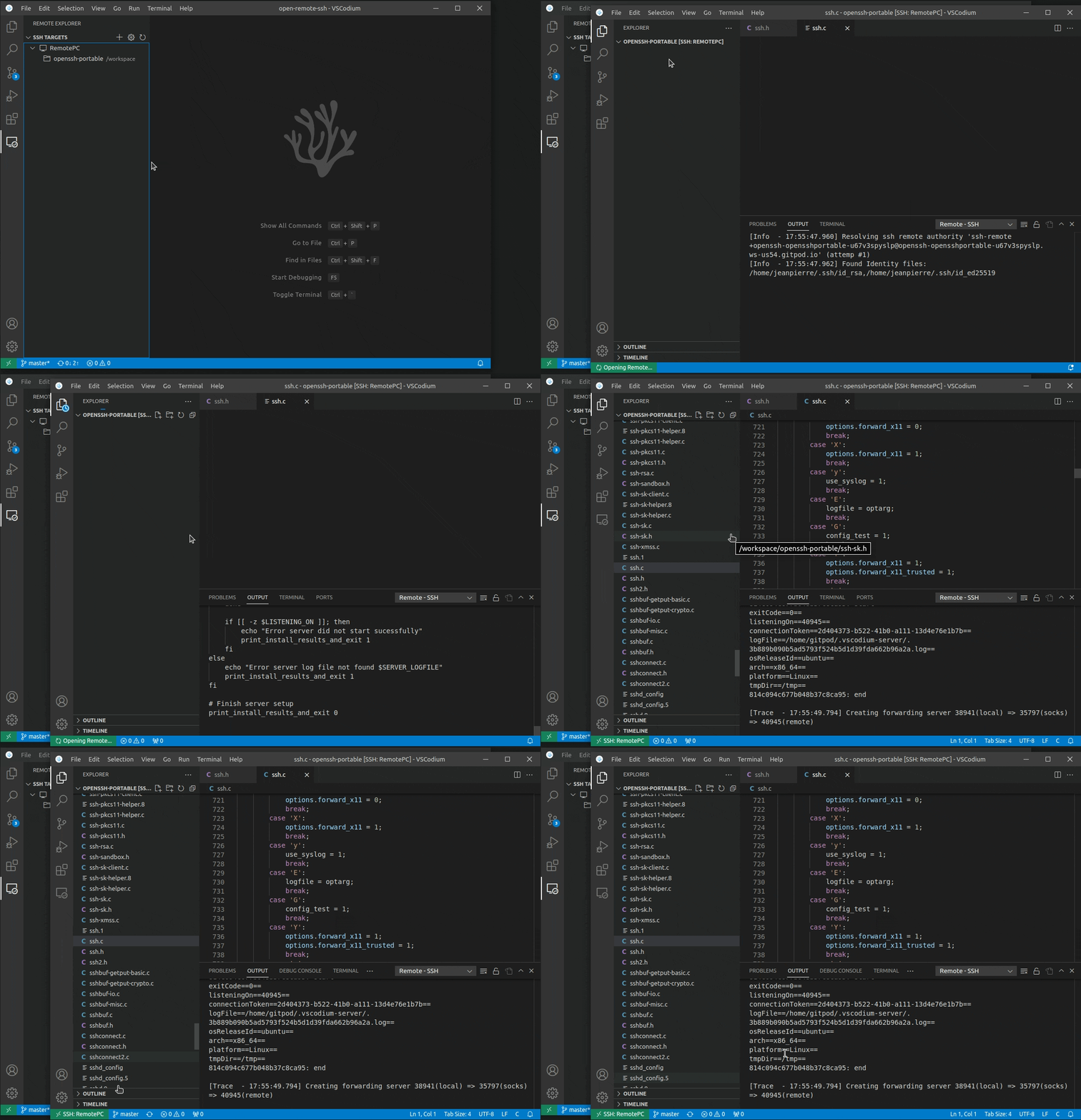
You work across a PC, a laptop, and a VPS that's the actual dev environment.
Close the PC, open the laptop, and land back in the same terminals — same
scrollback, same running processes (a long Claude Code task, a build, a
migration) — regardless of which client connected last or whether the network
dropped in between.
With stock open-remote-ssh, a remote terminal's lifetime is coupled to the client/session that opened it: closing the window, switching machines, or a vscode-server restart can take a running task down with it. This fork moves that lifetime into a tmux server on the remote — a process no client owns — so terminals and the work inside them outlive any one connection.
Scope is terminals only. Editing, file changes, saving, extensions, and
port forwarding already reconnect fine (the vscode-server persists) — this
fork doesn't touch that path. It's invisible: no tmux commands, no tmux UI,
same connect flow as open-remote-ssh. See
docs/idea/why.md for the full motivation and
docs/idea/persistence-model.md for the
honest technical picture (below).
Releases ship as a .vsix on the
Releases page
(not yet on Open VSX or the VS Code Marketplace).
- Download
open-remote-ssh-tmux-<version>.vsixfrom the latest release. - Optionally verify it against the published
.sha256:sha256sum -c open-remote-ssh-tmux-<version>.vsix.sha256 - In VS Code / VSCodium: Command Palette →
Extensions: Install from VSIX…→ pick the downloaded file. - VSCodium < 1.75 and VSCode-OSS also need the extension enabled in
argv.json— see Activation below. - Fully close and reopen the remote window. This extension resolves the
remote authority, so a newly installed build only takes effect on a fresh
resolve —
Developer: Reload Windowalone is not always enough.
npm run package # produces open-remote-ssh-tmux-<version>.vsixBump the version before reinstalling. Installing a
.vsixwhose version matches the already-installed one is frequently a silent no-op — you keep running the old code while believing you upgraded. Either bumpversioninpackage.json, or uninstall the extension first.
The extension is a UI extension (extensionKind: ["ui"]): it runs on your
local machine, not the remote. Do not expect to find it in the remote's
extension list. To confirm the tmux layer engaged, open
Remote-SSH: Show Log and look for:
Tmux terminal layer wired successfully
tmux terminals: 1 re-attached, 0 reclaimed, 0 adopted, 0 pruned
If instead you see Tmux wiring failed: …, the layer is off and terminals fall
back to plain shells — see Troubleshooting.
- Remote host: tmux ≥ 2.6 for tmux-backed persistent terminals on Unix-like remotes (Linux, macOS). Detected automatically on connect — if tmux is missing or too old, the extension logs why and falls back to plain (non-persistent) terminals; the base SSH connection is never blocked.
- Windows remotes: tmux is Unix-only. Windows remotes get stock, non-persistent terminals — same as upstream open-remote-ssh — and nothing else about the connection changes.
- Everything in upstream's SSH Host Requirements and Requirements below still applies (this fork changes terminals only, not the SSH/server-install path).
| Setting | Default | Description |
|---|---|---|
remote.SSH.tmux.enabled |
auto |
auto enables tmux-backed terminals on Unix-like remotes and disables on Windows; on requires tmux (fails if unavailable); off disables the feature entirely. |
remote.SSH.tmux.reapOnConnect |
true |
Automatically clean up empty/dead tmux sessions when connecting to a remote. Keeps hand-off deterministic — no zombie session graveyard. |
remote.SSH.tmux.historyLimit |
50000 |
Maximum scrollback lines retained per tmux terminal. |
remote.SSH.tmux.setDefaultProfile |
true |
Make "Persistent Shell" the default profile so a plain New Terminal is persistent. This writes terminal.integrated.defaultProfile.<platform> at Workspace scope — into .vscode/settings.json inside your remote folder, which is a tracked file in your repo and is shared with anyone else who opens it. Set to false to leave your settings alone and pick the profile from the terminal dropdown instead. |
All other settings (remote.SSH.* for SSH config, server install, agent
forwarding, etc.) are unchanged from upstream open-remote-ssh.
Press Ctrl+Alt+V (Cmd+Alt+V on macOS) with a terminal focused to paste a screenshot from your local clipboard into the remote terminal.
The problem it solves: your clipboard lives on your laptop, but the tool that needs the image — Claude Code, say, being asked to fix a visual bug in a webapp — runs on the server. Nothing bridges the two. So the image is written to the remote and its path is pasted, which is all a CLI tool needs.
- Images land in
~/.cache/open-remote-ssh-tmux/images/on the remote, created and verified0700before the first byte is written. Screenshots routinely contain tokens and session cookies, so they are kept inside the user's own home rather than anywhere under world-writable/tmp(which through 1.1.3 they were — see the 1.2.0 entry in CHANGELOG.md). - Transfer goes over the already-open remote connection
(
vscode.workspace.fs) — noscp, no second channel, no daemon. - The path is sent as a bracketed paste (
ESC[200~ … ESC[201~), so a TUI receives it as pasted text rather than keystrokes. Without this, Claude Code can trigger completion or submit early on the incoming path. - Progress appears in the status bar only if the upload takes longer than ~300 ms, so the common case stays silent.
- Images older than 48 hours are swept on each connect, scoped to that one
directory (
-maxdepth 1 -type f -name '*.png'). - If there is no image on the clipboard, the keybinding falls through to an ordinary text paste — it never swallows a normal paste.
No local setup is required. Readers are tried in order, fastest first:
| Local OS | Tried first (silent) | Fallback |
|---|---|---|
| Windows | PowerShell (built in) | editor panel |
| macOS | pngpaste (brew install pngpaste) |
editor panel |
| Linux | wl-paste (Wayland), then xclip (X11) |
editor panel |
If no native reader is installed — or the platform has none — the extension opens a small panel that reads the clipboard through the editor itself. That panel runs locally even though the workspace is remote, so it sees your real clipboard; it closes as soon as it has the image and hands focus back to the terminal. If the editor blocks reading the clipboard without a keypress, the panel asks you to press Ctrl+V once.
The panel only ever appears when the clipboard holds no text, so pasting an ordinary command never opens anything.
If the image can't be delivered you get an error — the feature does not fail
silently. Open Remote SSH (tmux) in the Output panel logs which readers ran.
tmux moves terminal lifetime off the client — it does not make the network
connection itself seamless. A dropped connection still needs a reconnect (fast,
but not invisible); that's the piece a transport like mosh would solve, and it
was deliberately left out — see
docs/idea/decision-mosh-vs-tmux.md.
The full breakdown of what survives today vs. what tmux fixes is in
docs/idea/persistence-model.md.
v1.0.0 was validated against a real rig — two isolated VSCodium clients driving
two Docker remotes over real SSH, with every remote-side assertion read back
over an independent connection. 19 of 21 acceptance rows pass, including every
row covering the two hard invariants (invisible UX, no zombies) and the full
multi-client hand-off model. Full results:
results-2026-07-24.md.
Two rows are not fully closed, and are listed here rather than glossed over:
- Windows remotes are untested end-to-end. The platform gate is confirmed to engage (a Windows remote takes the PowerShell install path and skips the tmux probe entirely, so it should behave exactly like upstream open-remote-ssh), but no real Windows SSH target was available to observe a full connect + terminal parity.
- Long-lived TUI redraw after reattach was not visually confirmed. That a backgrounded process and its scrollback survive a full close/reopen is verified, as is session adoption across machines — but the specific "a redrawing full-screen TUI repaints correctly on reattach" observation is still outstanding.
Reports on either are welcome in Issues.
Everything below was found in real-world use after the v1.0.0 acceptance run, and all of it ships in v1.1.0 — most of it the same shape: a plausible assumption the code held that reality did not.
The 1.0.x numbers in brackets are development builds, never published — they
record when each bug was introduced or fixed during the iteration between v1.0.0
and v1.1.0. v1.0.0 and v1.1.0 are the only releases.
-
The tmux layer never wired at all (v1.0.0). A fallback provider and the real provider both registered on the
tmuxprofile id; VS Code permits one per id and throws on the second. The throw was swallowed, so every terminal silently fell back to a plain shell and no tmux session was ever created. Registration now has a single owner (src/tmux/profileRegistration.ts). -
Reopening a window abandoned your work (through v1.0.2). VS Code keeps a closed window's pty alive for its reconnection grace (3h by default), so the tmux client stays attached. Reconciliation read that as "another machine holds this" and handed out a fresh empty terminal instead. Ownership is now decided by the client-local mapping, and our own stale client is evicted with tmux
-D(src/tmux/slotState.ts). -
The scroll wheel cycled shell history (through v1.0.2).
mousewas never set, so tmux left mouse reporting off and the wheel became arrow keys. The 50k-line scrollback existed but was reachable only via tmux's own keybindings — a leaked tmux UI. Nowmouse on, withset-clipboard onso drag-select still reaches the local clipboard over OSC52. -
PageUp recalled the previous command (through v1.1.1). The same bug as the wheel, one input device over: tmux binds nothing to PageUp, so the key reached the shell and readline's stock
/etc/inputrcran history-search-backward — PageUp "scrolled" the command above, not the screen. Fixed in v1.1.2: PageUp enters copy mode already paged up, and PageDown pages back and leaves copy mode by itself at the bottom. v1.1.3 narrowed when the keys are taken — v1.1.2 handed them back only on the alternate screen, which took PageUp away from Claude Code, an Ink TUI that draws on the normal screen. The keys are now the terminal's only at a bare shell prompt;claude, a REPL, vim, less and htop all keep them. -
Terminal options were silently ignored (pre-1.0.0).
set-option -t <name>needs a trailing colon; without itstatus/history-limitnever applied. -
historyLimitwas a complete no-op (through v1.0.3). tmux readshistory-limitwhen a pane is created, andnew-sessioncreates the pane before any chainedset-optionruns — so every terminal sat on tmux's 2000-line default whileshow-optionsreported 50000. Confirmed on six live sessions. The global option is now set beforenew-sessionand restored with-guimmediately after, leaving the user's tmux server unchanged. -
A window reload could disable restore (through v1.0.3).
onDidCloseTerminalfires for four different reasons (TerminalExitReason: Shutdown, Process, User, Unknown) and all of them were treated as an explicit user close, writing a tombstone. Tombstoned slots are skipped by both restore and adoption, so a reload could silently stop terminals coming back. Only a real user close counts now. -
Closing a terminal left an unreachable session behind (through v1.0.5). A user-closed terminal was "tombstoned": the slot was skipped by both restore and adoption while its tmux session kept running on the remote. It survived every reload, nothing would ever show it again, and
tmux lswas the only place it existed — the exact zombie this fork promises not to create. Closing a terminal now kills its session, as it does in stock open-remote-ssh; only a window close or reload detaches. Sessions stranded by an older version are adopted back on the next connect. -
"Wants to relaunch the terminal to contribute to its environment" (through v1.0.5). The resolver rewrote
SSH_AUTH_SOCKon every resolve, and any change to an extension's environment contribution marks already-open terminals stale. Upstream never sees this — its terminals don't survive a reconnect — but here the warning landed on live tmux terminals, where relaunching is precisely the action that throws the session away. The write is now diffed and skipped when nothing changed (src/common/envCollection.ts). -
Pasting a screenshot did nothing on Windows (v1.0.5). The reader was
Get-Clipboard -Format Image, which exists only in Windows PowerShell 5.x and returns$nullfor the DIB that Win+Shift+S puts on the clipboard. It also ran without loading its assembly or requesting an STA apartment, both of which the clipboard API needs. Windows now uses[System.Windows.Forms.Clipboard]::GetImage()with both stated explicitly. The Linux reader was broken too (xclipwas passed an-outflag it does not have, and Wayland had no reader at all), and every failure was silent. -
macOS remotes never got the default profile (through v1.0.3). VS Code derives
terminal.integrated.defaultProfile.<suffix>from the remote OS, and the suffix was hardcoded tolinux— so on a Mac remote the layer wired correctly but "New Terminal" still opened a plain shell. -
One failed terminal aborted the whole reconcile (through v1.0.3).
createTerminalis documented to throw; a throw skipped every remaining session and thepersist()after the loop, discarding mapping state for sessions still alive on the remote. -
Split layouts were thrown away on every reload (through v1.0.6). Terminals were created with
isTransient: true, which opts them out of VS Code's terminal persistence — on the reasoning that tmux owns lifetime, so VS Code should keep its hands off. It owns the session, but that same persistence layer is what restores split and group layout, so every split came back as a flat row of tabs. Terminals are no longer transient: VS Code revives them and restores the layout with them. -
Reviving a window created empty duplicate sessions (v1.0.8 only). The first attempt at the above assumed VS Code replays a revived terminal's stored
shellArgs. It does not — it calls the profile provider again, with no indication that this is a revive rather than a user pressing "New Terminal". Answering that with a freshly allocated slot minted a brand-new tmux session per revived terminal: two restored tabs plus two empty ones, every restart. Restore no longer creates terminals up front; it queues the sessions that want one and lets VS Code's revive claim them, so the layout comes from VS Code and the sessions from here. -
A reload still produced duplicate terminals (through v1.0.9). The queue above was closed on a fixed 2.5 s timer, and the two things it was ordering are unrelated: the queue is final when our remote probes finish, while VS Code revives when the workbench finishes restoring — seconds later on a real remote, bounded by nothing observable. Field log: the drain opened both survivors as plain tabs at +2.5 s, then the revive arrived at +4.8 s, found an empty queue and minted two brand-new sessions with the restored split layout wrapped around them. Four tabs, two unsplit and two split. Nothing was orphaned — every tab held a live session — but a duplicate is a duplicate, and raising the timer would only move the goalposts. The wait now ends on evidence: every queued slot either claimed through the profile provider or observed in the window (a reload inside the reconnection grace reconnects the pty without asking for a profile). The timer survives only as a backstop for a revive that genuinely never comes — see
REVIVE_DEADLINE_MS. -
Races that could cost a session (through v1.0.8). Three, all reachable: concurrent profile requests (exactly what a multi-terminal revive issues) could both take the same slot, because the claim was recorded after an
await; reopening a just-closed terminal could letnew-session -Arace the still-in-flightkill-sessionand lose the new session; and overlappingworkspaceStatewrites could leave the older snapshot on disk. The mapping is the only record of which session belongs to which slot, so losing it strands live work. -
A network blip could wipe the slot mapping (through v1.0.8). The
has-sessionprobe reported "gone" when the command could not be delivered, so a dropped channel pruned every mapping one slot at a time — the exact failure thelist-sessionsguard was written to survive. An undeliverable probe is now "unknown": the mapping is kept and nothing is opened onto a session that could not be confirmed.
- A sleeping machine's terminals are not adopted for up to 3 hours.
Hand-off works when the other machine's window is closed: its sessions go
detached and the next machine adopts them. Closing a laptop lid is
different — the window never closed, so the remote pty (and the tmux client
inside it) survives for
VSCODE_RECONNECTION_GRACE_TIME, 3 h by default, and those sessions still read as attached. They are deliberately left alone until that expires: adopting them would mean stealing from a machine that may be seconds from waking up, and re-attaching a session someone else holds mirrors keystrokes into their terminal. Closing the window (rather than the lid) hands off immediately. - Split layout is restored, but which session lands in which pane is not guaranteed. VS Code restores the arrangement and asks for sessions in its own order; they are handed out lowest-slot-first. With several terminals in a split, a session can come back in a different pane than it left.
- Two windows on the same workspace, on the same machine, will fight over
slots. The slot mapping lives in
workspaceState, which both windows share, so the second reads the first's live terminals as its own stale ones and reclaims them with tmux-D. Use one window per workspace per machine.
You can connect to a running SSH server on the following platforms.
Supported:
- x86_64 Debian 8+, Ubuntu 16.04+, CentOS / RHEL 7+ Linux
- ARMv7l (AArch32) Raspbian Stretch/9+ (32-bit)
- ARMv8l (AArch64) Ubuntu 18.04+ (64-bit)
- IBM Z (s390x) Debian 13, RHEL 8+, Ubuntu 22.04+, SLES 15+
- macOS 10.14+ (Mojave)
- Windows 10+
- FreeBSD 13+ (Requires custom serverDownloadUrlTemplate setting)
- DragonFlyBSD (Requires manual remote-extension-host installation)
Configuration
Your SSH server's configuration needs to have the following setting:
AllowTcpForwarding yes
Activation
NOTE: Not needed in VSCodium since version 1.75
Enable the extension in your argv.json
{
    ...
    "enable-proposed-api": [
        ...,
        "developerz-ai.open-remote-ssh-tmux",
    ]
    ...
}
which you can open by running the Preferences: Configure Runtime Arguments command.
The file lives at:
| Platform | Path |
|---|---|
| Linux | ~/.vscode-oss/argv.json |
| macOS | ~/.vscode-oss/argv.json |
| Windows | %USERPROFILE%\.vscode-oss\argv.json (e.g. C:\Users\<you>\.vscode-oss\argv.json) |
The publisher id must match exactly — developerz-ai.open-remote-ssh-tmux.
A typo here fails silently: the extension installs and appears enabled, but
proposed APIs stay unavailable and remote resolution never starts.
Restart the editor (not just reload) after editing argv.json.
Alpine linux
When running on alpine linux, the packages libstdc++ and bash are necessary and can be installed via
running
sudo apk add bash libstdc++All diagnostics live in one place: Remote-SSH: Show Log (Command Palette), or
the Remote - SSH output channel. The tmux layer logs a line per slot on every
connect, carrying the observed state and the resulting action, e.g.
tmux reconcile: 2 slot(s) to resolve, 2 session(s) on remote
tmux slot 0: mapped=yes tombstoned=no open=no attached=yes windows=1 -> restore-takeover (ours but held by a stale client — reclaiming with -D)
tmux slot 1: mapped=no  tombstoned=no open=no attached=yes windows=1 -> skip (attached by another client — no steal)
tmux terminals: 0 re-attached, 1 reclaimed, 0 adopted, 0 pruned
| Symptom | Cause | Fix |
|---|---|---|
| Terminals are plain shells; no tmux sessions on the remote | The layer never wired. Log shows Tmux wiring failed: … or nothing tmux-related. |
Confirm argv.json (above), then fully close and reopen the remote window. |
| "Persistent Shell" is in the picker but opens a normal shell | The default profile points elsewhere, so New Terminal bypasses tmux. |
Set "terminal.integrated.defaultProfile.linux": "Persistent Shell", or clear your existing default so the extension can set it. |
| Reopening a window gives an empty terminal while previous work seems lost | Fixed in 1.1.0. VS Code keeps a closed window's pty alive for its reconnection grace (3h), so the tmux client stays attached and v1.0.0 refused to reattach. | Upgrade. Your work was never lost — tmux ls on the remote still shows the session; 1.1.0 reclaims it automatically. |
| Scroll wheel cycles shell history instead of scrolling | Fixed in 1.1.0 (mouse on was never set). |
Upgrade. |
| PageUp recalls the previous command instead of scrolling | Fixed in 1.1.2 (nothing was bound to the key, so the shell got it and readline ran history-search-backward). | Upgrade. |
| PageUp scrolls the terminal instead of reaching Claude Code (or another TUI) | Fixed in 1.1.3. 1.1.2 gave the key back only to alternate-screen apps; Claude Code draws on the normal screen. | Upgrade. The keys are now intercepted only at a shell prompt. |
| Splits are not restored after a restart | Fixed in 1.1.0. v1.0.0 marked terminals isTransient, which opted them out of VS Code's layout persistence. |
Upgrade. |
The extension never hides state from you — everything is plain tmux:
tmux ls                                                   # sessions (code-<hash>-<slot>)
tmux list-clients -F "#{client_tty} -> #{client_session}" # who is attached
tmux list-panes -a -F "#{session_name} #{pane_current_command}"
Session names are code-<sha1_12(host + " " + workspacePath)>-<slot>, so each
project on each host gets its own namespace and one session per terminal tab.
Closing the window (or reloading) detaches and the session stays alive — that
is the hand-off. Closing a terminal tab kills its session, exactly as in stock
open-remote-ssh. Empty leftovers are collected by the reaper on the next connect.
OpenSSH supports using a configuration file to store all your different SSH connections.
To use an SSH config file, run the Remote-SSH: Open SSH Configuration File... command.
If you are using VSCode-OSS instead of VSCodium, you need some extra steps to make it work.
Modify the following entries in the plugin settings:
"remote.SSH.serverBinaryName": "codium-server",
"remote.SSH.serverDownloadUrlTemplate": "https://github.com/VSCodium/vscodium/releases/download/${version}${release}/vscodium-reh-${os}-${arch}-${version}${release}.tar.gz",
"remote.SSH.serverVersion": "latest",
"remote.SSH.serverValidation": "force",
VSCodium versions have an extra release part that do not have equivalent for VSCode-OSS.
So leaving serverVersion to the default "match" will fail.
The plugin will install the latest release of VSCodium if serverVersion is set to "latest".
If you need to match the VSCode-OSS version, set serverVersion to "closest", to
automatically fetch the last release of VSCodium for this version.
You can look for the release numbers associated with your VSCode version in the release page. For instance, for VSCode version "1.96.0", the (last) VSCodium release number is "24352".
You can also set serverVersion to a specic version (e.g. "1.116.0") or a specific
version-release (e.g. "1.116.02821").
If the local and remote VSCodium versions don't match, which will be the case on VSCode-OSS,
remote server validation needs to be bypassed. Setting serverValidation to "force" will
modify the commit of the remote server to make it match the local VSCode commit.
If serverValidation is set to "skip", the remote server will skip checking that the commits
match. This option is working only if the remote VSCodium version is >=1.120.
Starting with VSCodium version 1.99.0, the release number is not separated from the version by a dot . anymore.
Therefore serverDownloadUrlTemplate needs to be filled with the new scheme (as shown above).
Before 1.99.0, the old scheme needs to be used:
"remote.SSH.serverDownloadUrlTemplate": "https://github.com/VSCodium/vscodium/releases/download/${version}.${release}/vscodium-reh-${os}-${arch}-${version}.${release}.tar.gz",
This extension is a fork of
jeanp413/open-remote-ssh, which
does all the heavy lifting of resolving the ssh-remote authority, installing
the VS Code server, and running the remote session over SSH. This fork keeps
that entirely intact and adds tmux-backed persistent terminals on top. All
credit for the SSH/server-install foundation goes to the upstream project and
its contributors.