Zero cloud sync. Fernet encryption. Local-first by design. Python 3.10+.


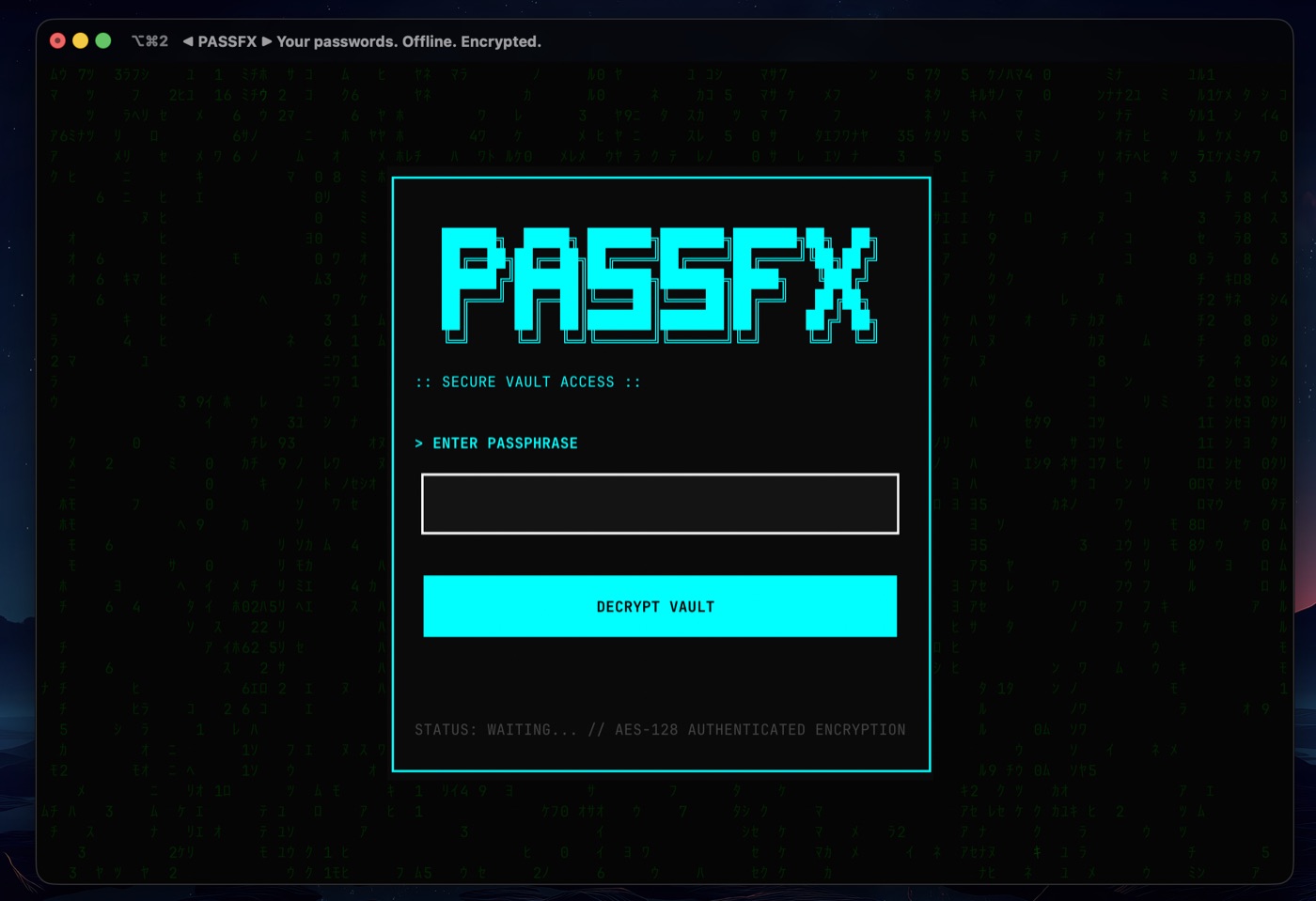
I don’t trust password managers. So I built one.
I built PassFX because every password manager I tried eventually asked me to do something I fundamentally disagree with: upload my most sensitive secrets to someone else’s servers and trust that they’ll never screw it up.
Cloud sync is convenient — and it dramatically expands your attack surface. Accounts can be breached. Infrastructure can be compromised. Companies can be acquired, hacked, or quietly change their incentives. None of that makes your passwords safer.
PassFX takes a different approach.
Your vault lives entirely on your machine. It never touches a network. There are no accounts to create, no servers to trust, no recovery emails, and no silent background sync. If someone wants your passwords, they need physical access to your computer and your master password.
This is not a missing feature.
This is the threat model.
PassFX is for developers and security-minded users who would rather accept responsibility for their own security than outsource it to a company whose business model depends on trust.
If you’ve ever thought “I should stop reusing passwords, but I don’t want to give all my credentials to a startup,” you’re in the right place.
Secure Vault Storage
- Email and password credentials
- Credit card details (number, CVV, PIN, expiry)
- Phone numbers with PINs
- Environment variables and API keys
- 2FA recovery codes
- Encrypted notes for everything else
Strong Cryptography
- Fernet authenticated encryption (AES-128-CBC + HMAC-SHA256)
- PBKDF2-HMAC-SHA256 key derivation with 480,000 iterations
- 256-bit random salts generated via Python's
secretsmodule - No custom crypto implementations (we read the rules)
A Terminal Interface That Does Not Hate You
- Built on Textual with full keyboard and mouse support
- Modal dialogs, searchable lists, and responsive layouts
- Cyberpunk aesthetic because security tools should not look like tax software
Clipboard Safety
- Automatic clipboard clearing after 15 seconds
- Because "accidentally pasting your database password into Slack" is a story no one wants to tell
Password Generation
- Strong random passwords with configurable length and character sets
- XKCD-style passphrases for when you need to remember something
- PIN generation for numeric codes
- Strength estimation via zxcvbn to reject weak choices before they happen
Local-First Design
- Zero network code
- Zero cloud sync
- Zero recovery mechanisms (by design, not by accident)
- Your data lives at
~/.passfx/and nowhere else
PassFX requires Python 3.10 or higher. If you do not have Python installed, see the Getting Started Guide for step-by-step installation instructions.
Via pip (recommended):
pip install passfxVia Homebrew (macOS/Linux):
brew tap dinesh-git17/passfx
brew install passfx
From source:
git clone https://github.com/dinesh-git17/passfx.git
cd passfx
pip install -e .passfxOn first run, you will be asked to create a master password. This password is the only thing standing between an attacker and your data, so make it count:
- Minimum 12 characters
- At least one uppercase letter
- At least one lowercase letter
- At least one digit
- At least one special character
If you forget this password, your data is gone. This is not a bug. This is the entire security model.
| Key | Action |
|---|---|
Tab / Shift+Tab |
Move between fields |
Enter |
Select or submit |
Esc |
Go back or close dialogs |
q |
Quit (auto-locks vault) |
a |
Add new entry |
e |
Edit selected entry |
d |
Delete selected entry |
c |
Copy to clipboard |
For the full manual, see the User Guide.
Security is not a feature. It is a constraint that shapes every decision.
Stolen Vault File: An attacker who copies vault.enc from your disk still needs your master password. With 480,000 PBKDF2 iterations and a 256-bit salt, brute-forcing that password is computationally expensive. "Password123" will still fall quickly, but a proper master password will not.
Clipboard Snooping: Copied credentials are automatically cleared after 15 seconds. If you forget to clear them manually, PassFX does it for you.
Shoulder Surfing: Passwords are masked in the UI by default. The terminal does not echo your master password during entry.
Accidental Leaks: All credential types have __repr__ methods that show [REDACTED] instead of actual values. You cannot accidentally log or print a password to stdout.
Concurrent Corruption: File locking prevents multiple PassFX instances from writing to the vault simultaneously.
Crash-Time Corruption: Atomic writes ensure the vault is either fully saved or not saved at all. Power loss mid-write does not corrupt your data.
Compromised System: If an attacker has root access to your machine while PassFX is running, they can read memory, log keystrokes, or just wait for you to unlock the vault. No password manager can protect against a fully compromised host.
Forgotten Master Password: There is no recovery mechanism. No hint system. No reset email. If you forget your master password, your data is cryptographically inaccessible. Keep a backup of your password somewhere secure (paper in a safe, encrypted file on a separate device).
Weak Master Password: PBKDF2 slows down brute-force attacks, but a password like "password123" or "correcthorsebatterystaple" will still be cracked eventually. The strength of PassFX is directly proportional to the strength of your master password.
Physical Access While Unlocked: If someone walks up to your computer while the vault is unlocked and you are not there, they have access to everything. Auto-lock helps (default 5 minutes), but it is not a substitute for locking your screen.
Your master password is the single point of failure. PassFX does not store it, does not hash it to disk, and cannot recover it. The encryption key is derived from your password using PBKDF2 with 480,000 iterations and a unique salt.
If you use "hunter2" as your master password, all the cryptography in the world will not save you.
For the complete threat model, read SECURITY.md.
PassFX is built in layers, with security boundaries that prevent UI code from directly touching cryptographic operations.
+------------------+
|   Entry Points   |  cli.py, __main__.py
+------------------+
         |
+------------------+
|    App Layer     |  app.py (Textual application)
+------------------+
         |
+------------------+
|     Screens      |  login, main_menu, passwords, cards, notes, etc.
+------------------+
         |
+------------------+
|      Utils       |  clipboard, generator, strength, io
+------------------+
         |
===================   <- Security Boundary
         |
+------------------+
|    Core Layer    |  crypto.py, vault.py, models.py, exceptions.py
+------------------+
         |
+------------------+
| Platform Security|  File permissions (Unix modes, Windows ACLs)
+------------------+
         |
+------------------+
|   File System    |  ~/.passfx/vault.enc, ~/.passfx/salt
+------------------+
Core Layer contains all cryptographic operations and vault management. It has zero dependencies on UI code and can be tested in complete isolation.
Screens and Utils handle user interaction and convenience features. They call into Core but never implement security logic themselves.
Platform Security enforces file permissions (0600 for files, 0700 for directories) across Unix and Windows.
Key architectural decisions:
- Atomic Writes: All vault saves use temp file, fsync, atomic rename. No partial writes possible.
- Salt Integrity: Salt hash is cached at unlock and verified before every save. Detects tampering and symlink attacks.
- File Locking: Cross-platform locking (fcntl on Unix, msvcrt on Windows) prevents concurrent access corruption.
- Rate Limiting: Failed unlock attempts trigger exponential backoff, persisted to disk to survive restarts.
For the complete architecture documentation, see ARCHITECTURE.md.
Trust is not built on marketing copy. It is built on tests that fail when security invariants are violated.
| Component | Target |
|---|---|
core/crypto.py |
100% |
core/vault.py |
100% |
core/models.py |
95% |
utils/generator.py |
95% |
| Overall | 90% |
Unit Tests: Pure function testing with no I/O. Validates cryptographic operations, data models, and utility functions in isolation.
Integration Tests: Full vault workflows using real cryptography (not mocked). Create, unlock, add credentials, lock, unlock again, verify data integrity.
Security Tests: Threat model validation. Passwords never logged. Plaintext never written to disk. File permissions enforced. Symlink attacks detected.
Regression Tests: Security parameters locked in with exact equality checks. Changing PBKDF2 iterations from 480,000 to 479,999 fails the build. This is intentional.
Edge Case Tests: Corrupted files, permission errors, concurrent access, disk full scenarios. PassFX should fail safely, not silently.
- Passwords are excluded from all log output at DEBUG, INFO, and WARNING levels
- Vault files contain zero plaintext passwords, card numbers, CVVs, or PINs (verified via binary inspection)
- Salt files contain only high-entropy random bytes
- File permissions match expected values on every write
- Exception messages never include sensitive data
- Constant-time comparison is used for password verification (timing attack prevention)
- No
pickleorrandommodule usage in security-critical code - PBKDF2 iterations are exactly 480,000 (not "at least")
The test suite is the specification. If a security property is not tested, it is not guaranteed.
Run the tests yourself:
pip install -e ".[dev]"
pytest tests/ --cov=passfx --cov-report=html
For the complete testing documentation, see tests/README.md.
Different readers need different information. Here is where to go:
I am new to password managers and terminals
- Start with the Getting Started Guide for a beginner-friendly walkthrough
- This guide assumes no programming knowledge and explains everything step-by-step
I want to use PassFX day-to-day
- Start with this README for installation
- Read the User Guide for detailed usage instructions
- Keep the keyboard shortcuts handy
I want to understand the security model
- Read SECURITY.md for the complete threat model
- Review the test suite in
tests/security/for verified security properties - Check ARCHITECTURE.md for security boundaries
I want to contribute code
- Read CONTRIBUTING.md for development setup and quality gates
- Review CLAUDE.md if you use AI assistants (this is mandatory)
- Check
pyproject.tomlfor tooling configuration
I want to understand how it works
- Read ARCHITECTURE.md for system design
- Browse
passfx/core/for the cryptographic implementation - Read the test files for executable specifications
I want to report a security issue
- Follow the process in SECURITY.md
- Use GitHub Security Advisories for private disclosure
- Do not open public issues for security vulnerabilities
Contributions are welcome from developers who take security seriously.
The quality bar is high. This is a password manager, not a todo app. Every line of code that touches credentials is security-critical.
Before you submit a PR:
- Run the full test suite and verify it passes
- Run
ruff check passfx/for linting - Run
mypy passfx/for type checking - Run
bandit -r passfx/for security audit - Ensure pre-commit hooks are installed and passing
What we expect:
- Tests for all new functionality (security-critical code requires 100% coverage)
- Type hints on all functions and methods
- No
print()statements in production code - No logging of sensitive data under any circumstances
- Conventional commit format
What we will not accept:
- PRs that reduce PBKDF2 iterations
- PRs that add network functionality
- PRs that implement password recovery
- PRs that use
picklefor serialization - PRs that use
randominstead ofsecrets
Read CONTRIBUTING.md for the complete guidelines.
If you use an AI assistant for coding, you must have it read CLAUDE.md first. This is not optional.
PassFX is built by people who believe security tools should be accessible to everyone. We welcome contributors at all experience levels.
The project follows a code of conduct that can be summarized as: be excellent to each other.
Everyone was once the person who did not know what PBKDF2 stood for. Questions are welcome. Condescension is not.
For the complete community guidelines, read CODE_OF_CONDUCT.md.
To report conduct issues: conduct@dineshd.dev
PassFX is intentionally not a password manager for everyone.
It does not sync.
It does not have a mobile app.
It does not have a browser extension.
It will not nag you about password rotations or scan the internet for leaks.
All of that is by design.
I built PassFX to do one thing well: store your credentials locally, encrypt them properly, and then get out of your way. No accounts. No servers. No hidden behavior. Just code you can read and data you control.
If you want a password manager that “just works” across every device with minimal thought, there are plenty of good options out there — and you should use one of them.
But if you want a password manager where every line of code touching your secrets is open, auditable, and backed by tests that treat security guarantees as non-negotiable, then PassFX might be what you’ve been looking for.
Your passwords belong to you.
Not to a company.
Not to a cloud.
Not to anyone else.
Keep your master password strong. Keep your backups current. And remember: the best security isn’t the most convenient or the most marketed — it’s the kind you actually understand and choose to use.
Built by Dinesh.
If you find a security issue, please report it responsibly via SECURITY.md.