
Congratulations on your first role as Data Engineer!. You are just hired at a US online retail company that sells general customer products directly to customers from multiple suppliers around the world. Your challenge is to build-up the data infrastructure using generated data crafted to mirror real-world data from leading tech companies.
- ETL/ELT Job Creation using Airflow
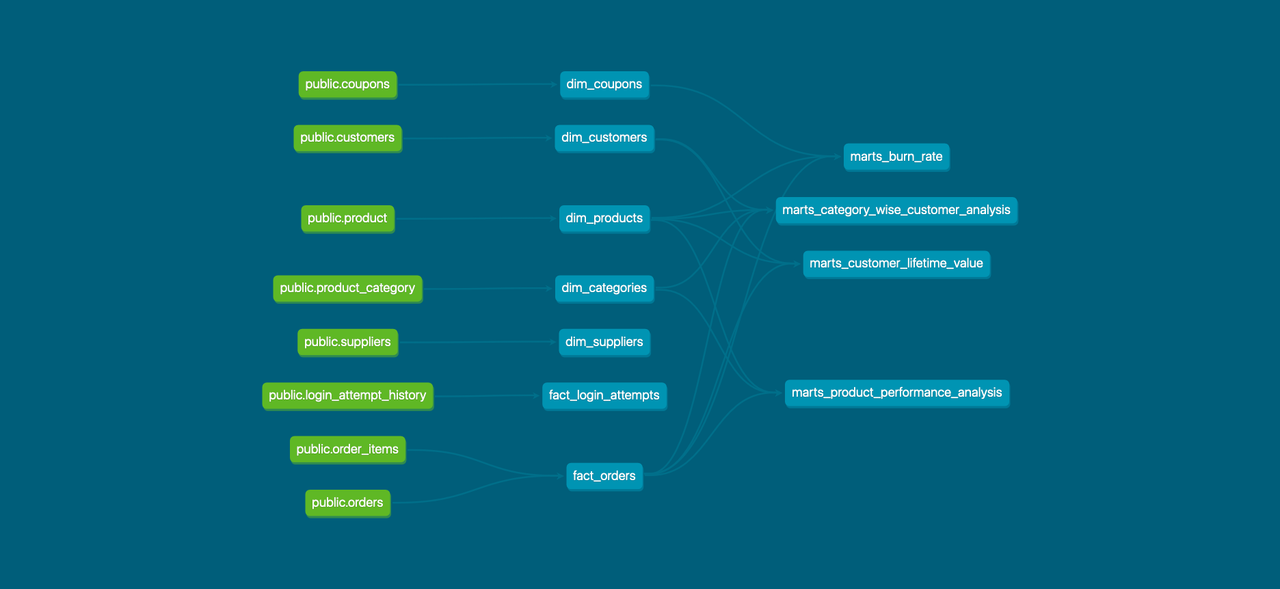
- Data Modeling in Postgres
- Dashboard Creation with Data Visualization
- Craft a Presentation Based on Your Work
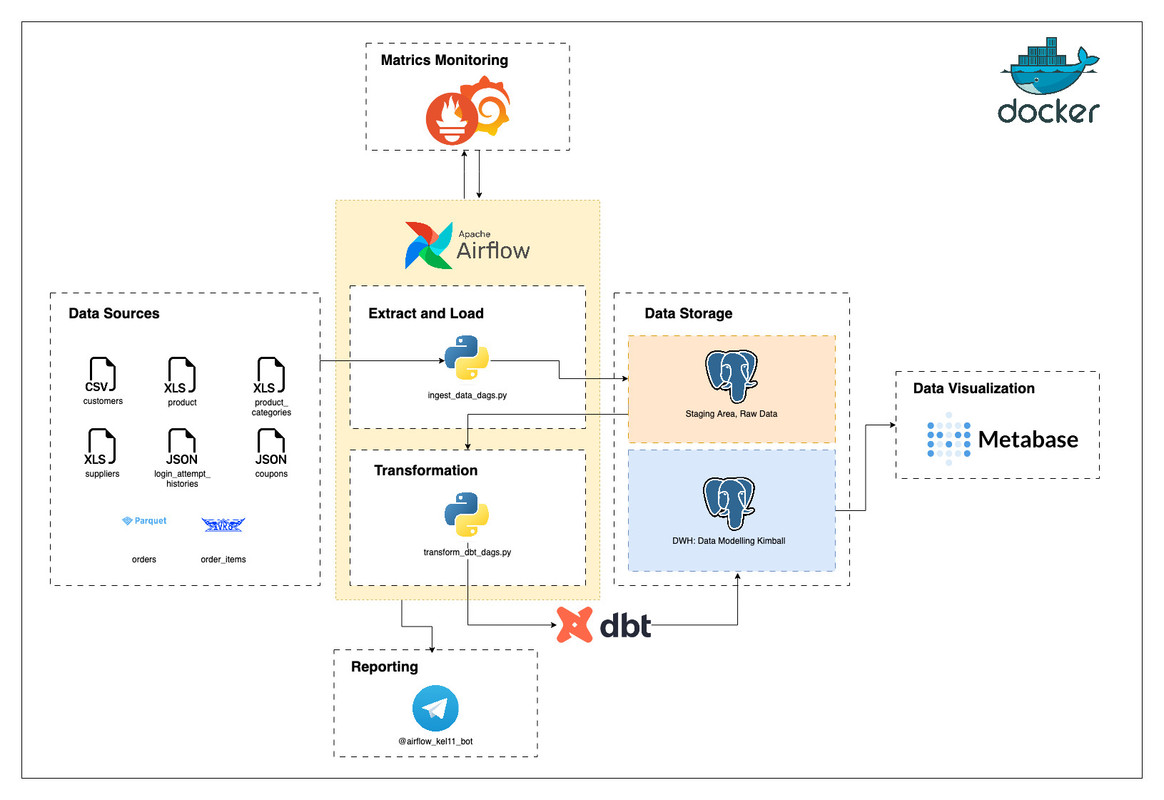
Details

- Containerization - Docker, Docker Compose
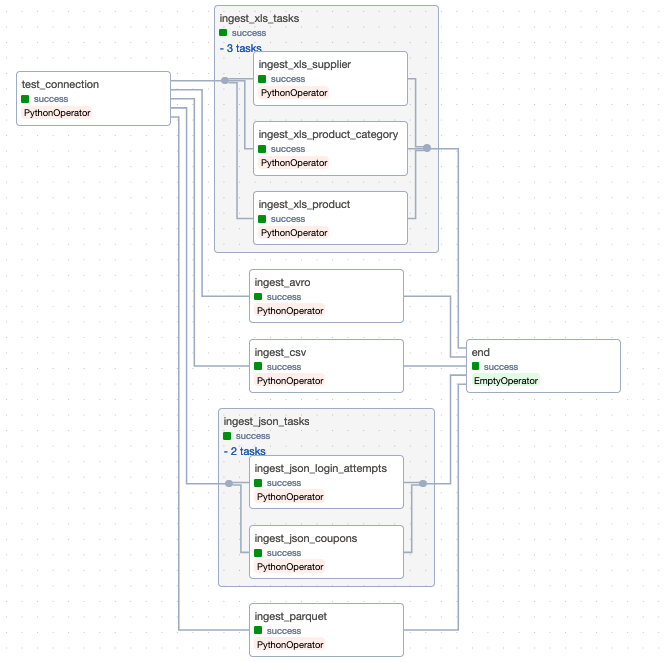
- Workflow Orchestration - Airflow
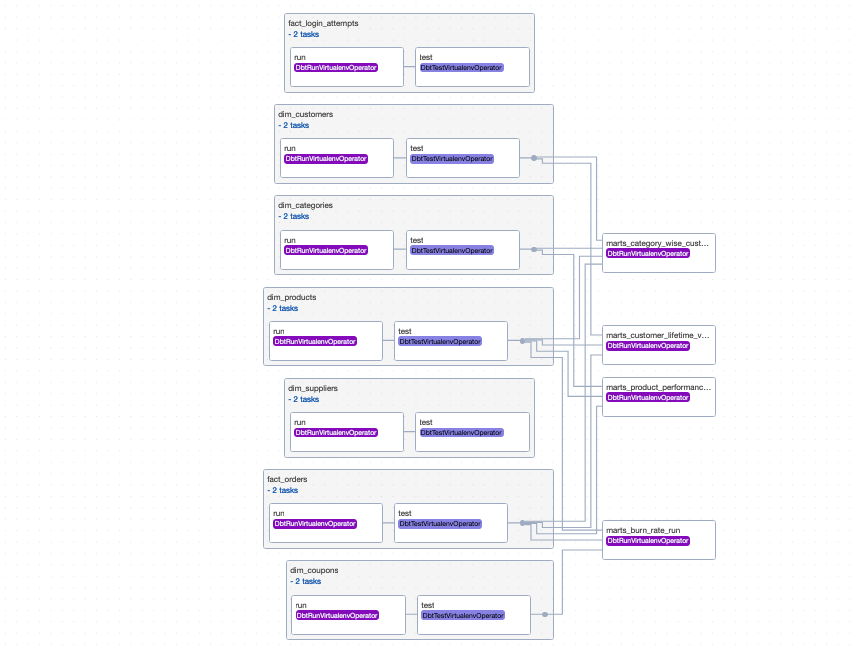
- Data Transformation - dbt
- Data Warehouse - Postgresql
- Data Visualization - Metabase
- Metrics Monitoring - Grafana Prometheus
- Language - Python
.
├── README.md
├── dags                                  # for airflow dags
│   ├── dbt                               # dbt models used for data warehouse transformations
│   ├── ingest_data_dags.py
│   ├── test_dags.py
│   ├── transform_dbt_bash_dags.py
│   ├── transform_dbt_cosmos_dags.py
│   └── utils                             # utils for main files
├── data                                  # data source, generated data
├── docker                                # for containerizations
├── final_deliverables                    # ppt, docs, png, etc here
├── grafana
├── makefile
├── prometheus
├── requirements.txt                      # library for python
└── scripts
└── .env                                  # secret keys, environment variables
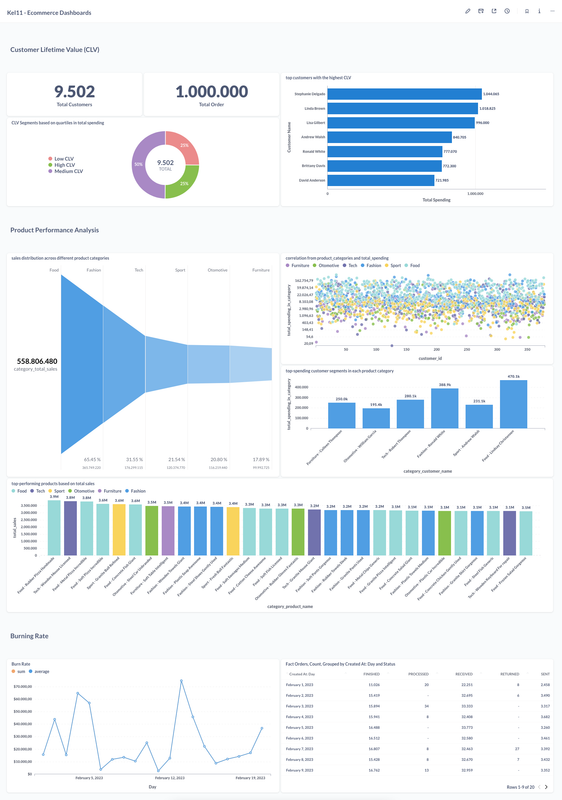
- Customer Lifetime Value (CLV), Identify high-value customers and understand spending patterns. This helps in tailoring marketing strategies and improving customer retention.
- Product Performance Analysis, Highlight top-performing products and categories. Use this data to manage inventory effectively and plan product development strategies.
- Burning Rate, It measures the rate at which a company is spending its capital.
- Customize the .env files, change the TELEGRAM_TOKEN and TELEGRAM_CHAT_ID
- In order to spin up the containers, first you have to build all the Docker images needed using
make build
- Once all the images have been build up, you can try to spin up the containers using
make spinup
- Once all the containers ready, you can try to
- Access the Airflow on port
8081 - Access the Metabase on port
3001, for the username and password, you can try to access the .env file - Access the Grafana Dashboards on port
3000, for the username and password, you can tryadminandpassword - Access the Prometheus on port
9090 - Since we have 2 Postgres containers, you can use
dataeng-warehouse-postgrescontainer as your data warehouse and ignore thedataeng-ops-postgrescontainer since it is only being used for the opetrational purposes
- Access the Airflow on port
- Run the DAGs, from Ingest Data DAG, and then Data Transformation with DBT
- Customize your visualization on Metabase
- Done!