Releases: doshidak/Max
v0.9.2

Details
- Recompiled for 64-bit
- macOS Catalina (10.15) is supported!
- Warning: Not all frameworks may have been properly converted to support 64-bit (except for LAME). Please open an issue if you find a specific format to not work as expected.
- Redesigned Metadata Inspector
- The Metadata and Album Art drawers have been combined into a single window
- Redesigned hi-res icon
Disclaimer: Many features remain untested (besides
wav⭢mp3conversions). Use at your own risk!
Additionally, this is an unofficial version of the Max app. This version is not endorsed by Stephen F. Booth or anyone else on the original Max development team.
Note: The internal update system has been removed (since it doesn't make sense to be updating to an official version from an unofficial one). Unfortunately, downloading newer versions on this repo will be the only way to update for now. If there's a bug that you or someone requested a fix for, check back once in awhile to see if a new version is available. Otherwise, there's no reason why you couldn't keep using this version :)
Installation Instructions
- Download
Max-0.9.2-24-20191202.zipbelow. - Extract the
zipfile and placeMax.appinto your/Applicationsfolder (⇧⌘A in Finder). - Right-click on the app and click Open (Figure 2).
- The app won't open if you double-click on it due to Gatekeeper preventing un-notarized apps from running (Figure 1).
- When the dialog appears letting you know that the app is from an unidentified developer, click Open (Figure 3). You will only need to do this once (you can open the app by double-clicking on it or searching for it via Spotlight after this point).
- The precompiled app is available for your convenience. If you're paranoid (or your environment does not allow you to run unsigned apps), you can always compile it from source yourself :)
- If you don't see any visible windows when you first open the app, click on "Max" from your dock and select
File>Convert Files...at the top (Figure 4). - ???
- Profit!
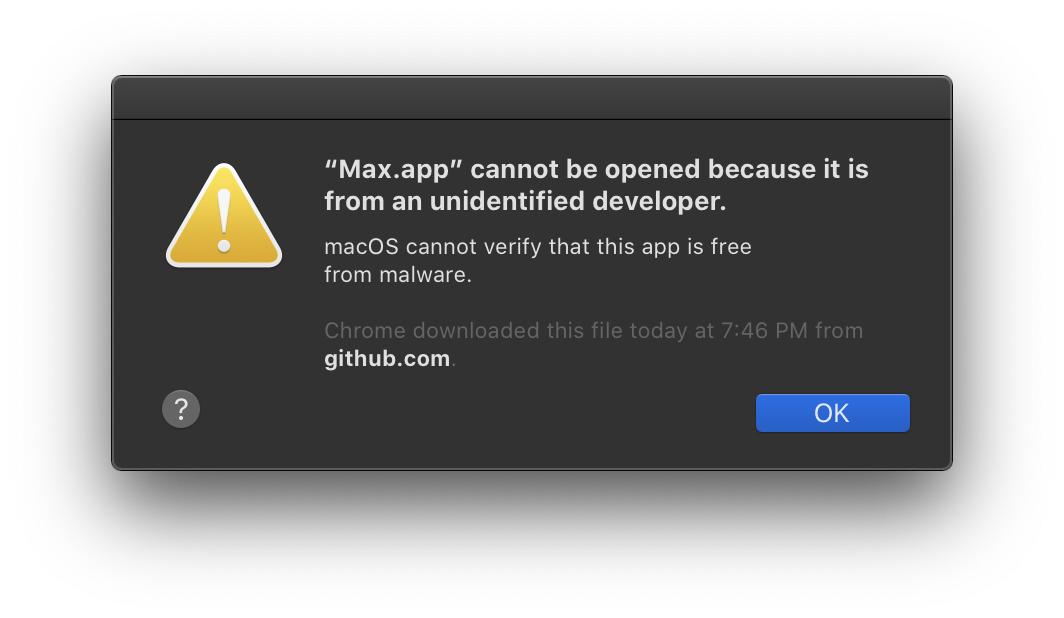
Figure 1. What happens if you try to open the app for the first time.
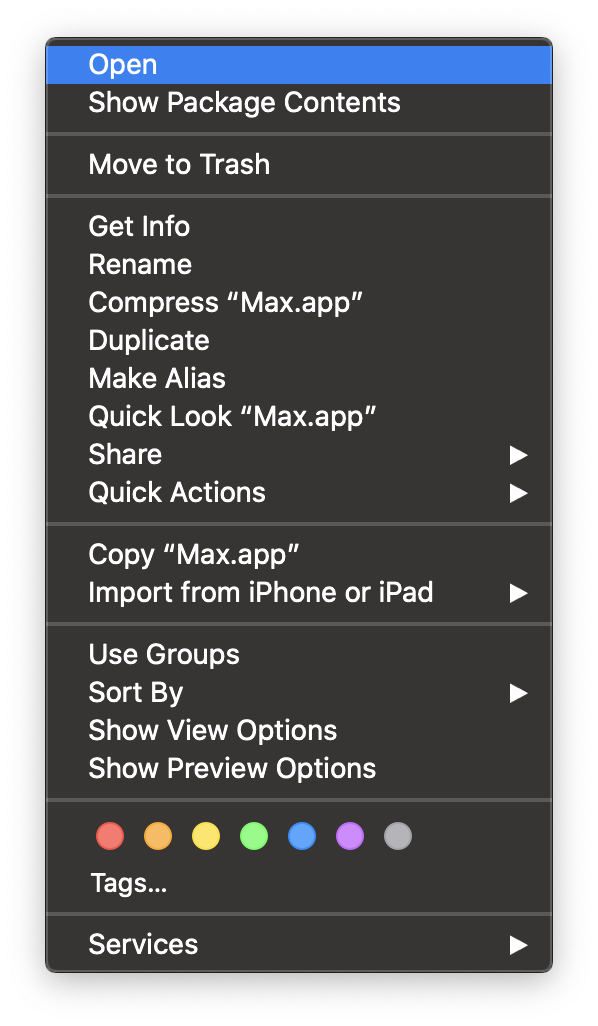
Figure 2. Right-click on Max and select Open.
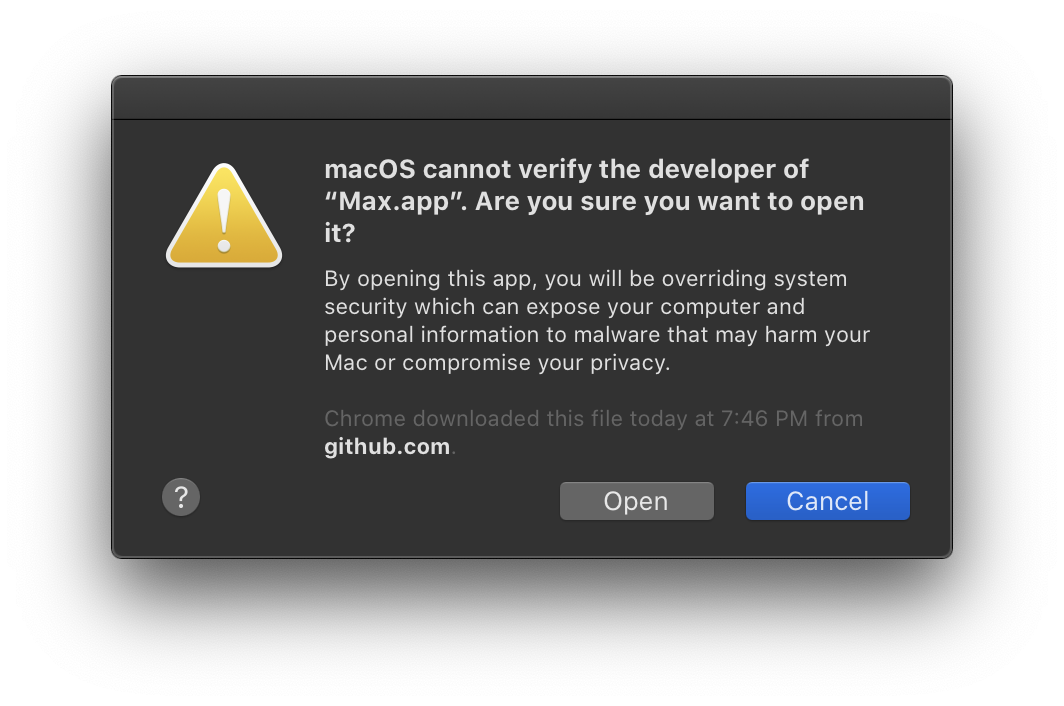
Figure 3. Overriding the Gatekeeper unidentified developer warning.
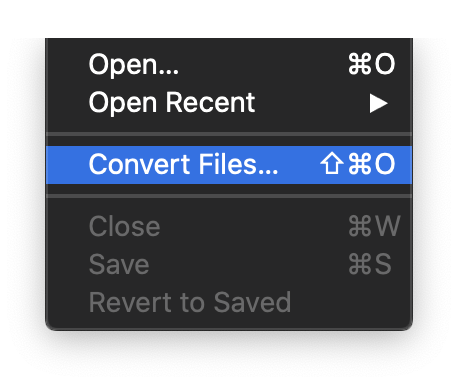
Figure 4. Opening the File Conversion window.
Update (Oct 25, 2019): If the app immediately crashes even after following the above steps, check out this issue for a possible solution.
Update (Nov 27, 2019): Found the cause of the immediate app crash and I was able to fix it (hooray!)... hopefully. It worked fine on the 3 Macs I've tested the new build on (all running macOS Catalina 10.15.1), one of which was a clean installation.
I've updated the download in this release with the new build (
24). You can verify if you have the new build by opening the app and it doesn't crash. Also, you can go toMax>About Maxat the top and see the build next to the version number in parentheses (0.9.2 (24)).If you're on build
23and you've managed to get it working, you can stay on that build since no new features were added in this build (but stay tuned for those!).Thanks to everyone who submitted bug reports, they helped a lot! :)
Update (Dec 2, 2019): I removed the download for now due to another codesigning issue explained in issue #9. I'll upload a fixed version soon. Thanks for your patience while I get this sorted out!
Update (Dec 2, 2019): A new codesigned version with a self-signed certificate was uploaded. Hopefully this is the last time I have to deal with codesigning issues. But as always, feel free to open up another issue if it still doesn't work for you.