This repository contains the assembly code for a Snake game implemented as a final project for the EE-208 course. Developed on an ATmega128L microcontroller, the game is displayed on an 8x8 LED matrix and features multiple control modes.
- Demo Video
- Project Overview
- Features
- Hardware Requirements
- Game Controls
- File Structure
- How to Run
- Authors
Watch a demo of the game in action:
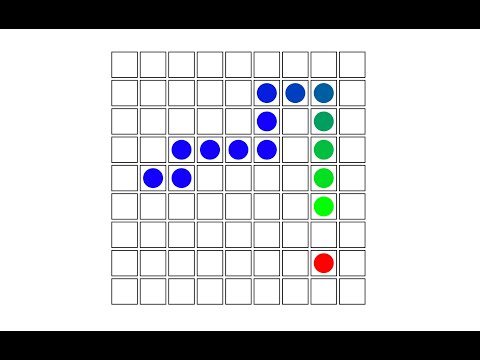
The Snake game is displayed on an 8x8 LED matrix with the current score shown on an LCD screen. The game features two control modes:
- Motion Control using an infrared distance sensor
- Remote Control using an IR remote
A high score is saved to EEPROM, allowing it to persist across power cycles.
- Game Controls: Control the snake via hand motions or a remote.
- Score Display: Current and high score displayed on the LCD.
- Game Speed Adjustment: Change the difficulty by adjusting the speed of the snake.
- Persistent High Score: High score saved to EEPROM.
- User-Friendly LED Indications: LEDs indicate game status and snake direction.
- ATmega128L Microcontroller
- 8x8 LED Matrix
- LCD Screen
- Infrared Distance Sensor
- IR Remote Control
- Push Buttons
- Button 0: Restart the game
- Button 1: Toggle between control modes
- Button 2: Decrease game speed
- Button 3: Increase game speed
- Motion Control: Hand movements determine the direction.
- Remote Control: Control the snake with directional buttons on the remote.
- main.asm: Main file handling setup and interrupt routines.
- snake_logic.asm: Contains game logic for snake movement and collisions.
- input_drivers.asm: Drivers for distance sensor and IR remote.
- lcd.asm: Code for displaying score on LCD.
- matrix_driver.asm: Handles communication with the LED matrix.
- my_macros.asm: Custom macros for common operations.
- Set up the hardware as per the connections listed in the project documentation.
- Flash the assembly files to the ATmega128L microcontroller.
- Power up the system to start the game.
- Axel Barbelanne
- Elio Wanner