flex+grid#12
Conversation


 svvald
left a comment
svvald
left a comment
svvald
left a comment
There was a problem hiding this comment.
Decent work in general, but there are some points that could be improved.
Widget displays correctly in all browsers but I have outlined some minor issues when it is placed in column:
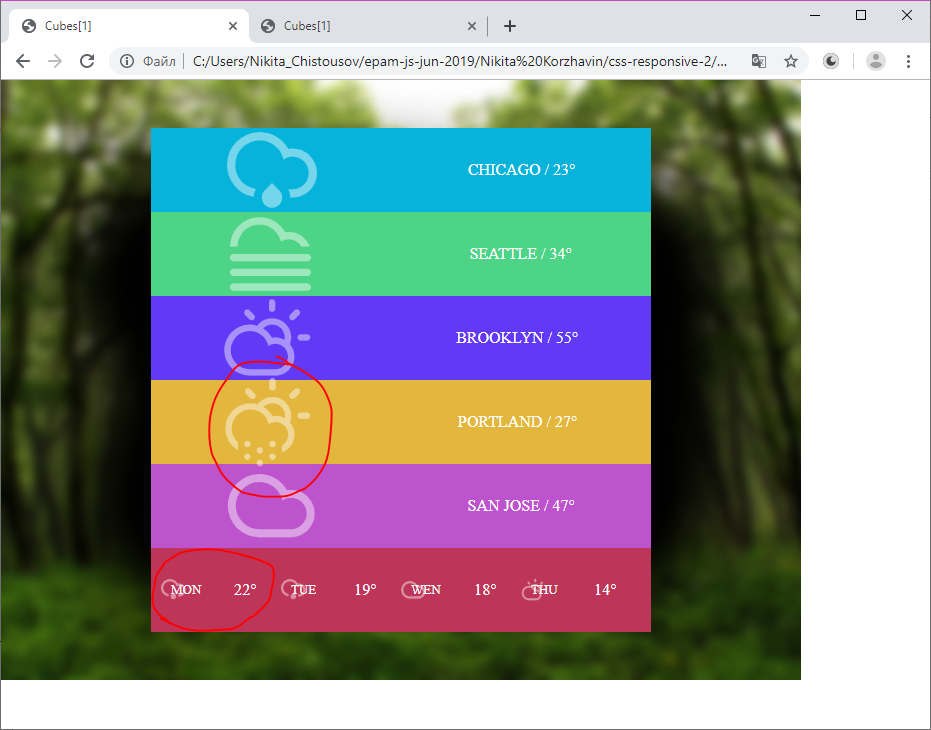
Also it would be great if it will be stretched to fullscreen.
| <article class="widget"> | ||
|
|
||
| <div class="widget__card card card_bg-color_06b3db"> | ||
| <div class="card__img card__img_size_l card__img_opacity"> |
There was a problem hiding this comment.
Actually I don't understand which CSS methodology you are trying to use. You name classes like in BEM but concatenate them together like in OOCSS which make the class property verbose.
There was a problem hiding this comment.
I tried to use bem.
Can you give an example how this block of code should be named correctly (in bem)?
There was a problem hiding this comment.
Also in your widget picture i see that font didn't load. (on my pc it loaded)
How can i make it work on yours? (Remembering that this font can be loaded only through css file)
There was a problem hiding this comment.
I'd name it something like widget__card_lightblue and widget__card-img_large_opaque. Yes, it seems quite long but it is correct according to BEM. Note that there are several modifications of BEM specification but the general idea stays the same.
I don't insist on renaming everything here it's just an advice for you to understand principles of different CSS methodologies.
There was a problem hiding this comment.
As for fonts it seems the problem that font source doesn't have valid SSL certificate so my browser couldn't access it.
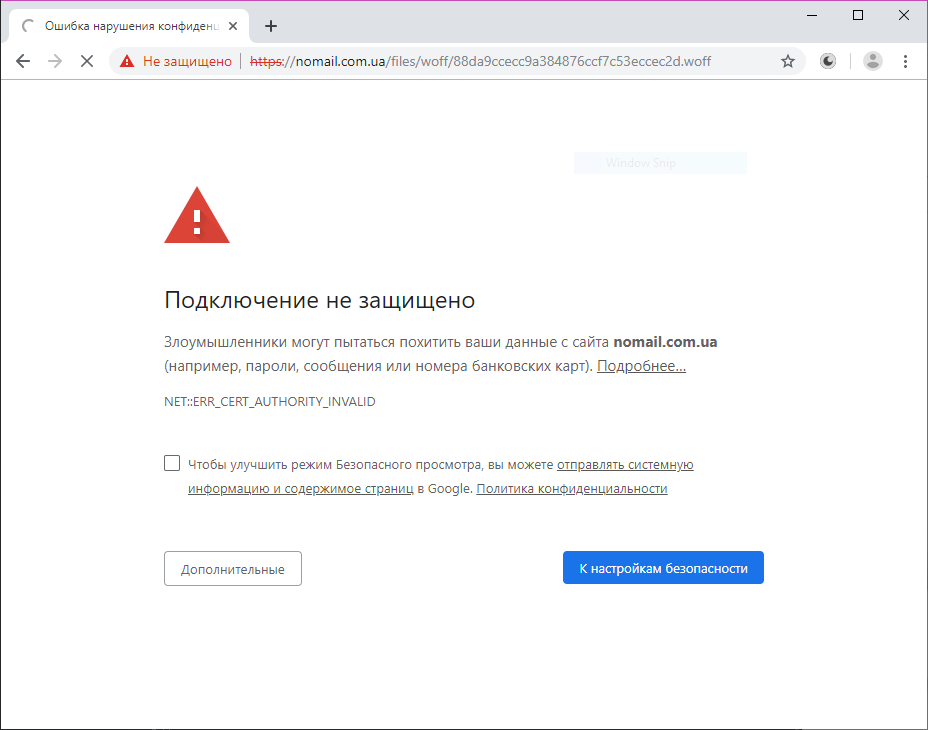
It is better to use some trusted and well-known host e.g. Google Fonts
Also that's why I recommended to use fallback fonts in the previous task :)
There was a problem hiding this comment.
I'd name it something like
widget__card_lightblueandwidget__card-img_large_opaque. Yes, it seems quite long but it is correct according to BEM. Note that there are several modifications of BEM specification but the general idea stays the same.I don't insist on renaming everything here it's just an advice for you to understand principles of different CSS methodologies.
I finally understood where problem lies! I thought that card is block which is situated in another block (widget)!
So this is my mistake ) Thanks
There was a problem hiding this comment.
As for fonts it seems the problem that font source doesn't have valid SSL certificate so my browser couldn't access it.
It is better to use some trusted and well-known host e.g. Google Fonts
Also that's why I recommended to use fallback fonts in the previous task :)
Ok.
In this part of hw i added fallback, so we are good here
|
|
||
| <div class="widget__card card card_bg-color_6139f6"> | ||
| <div class="card__img card__img_size_l card__img_opacity"> | ||
| <img src="./images/cloud-sun.svg" alt="CS" /> |
There was a problem hiding this comment.
CS is not very meaningful alt for the image. Remember that user should be able to understand it if the picture won't load.
| min-width: 25px; | ||
| } | ||
|
|
||
| .card__img_opacity { |
There was a problem hiding this comment.
I'd call it opaque since modifier name is rather adjective than noun.
| justify-content: flex-end; | ||
| } | ||
|
|
||
| .card_bg-color_06b3db { |
There was a problem hiding this comment.
These classnames are meaningless. You'd better to name them somehing like .card_bg-lightblue.
| @media (min-width: 992px) { | ||
| .bg1 { | ||
| background: url('./images/bg_1.png') no-repeat; | ||
| height: 600px; |
There was a problem hiding this comment.
Why do you use fixed height and width for instead of stretching everyting to fullscreen? It is crucial in terms of responsiveness.
There was a problem hiding this comment.
To say the truth I thought that that background isn't necessary part of the widget and so i didnt't pay much attention to its look
so i' ll fix that

2 participants


No description provided.