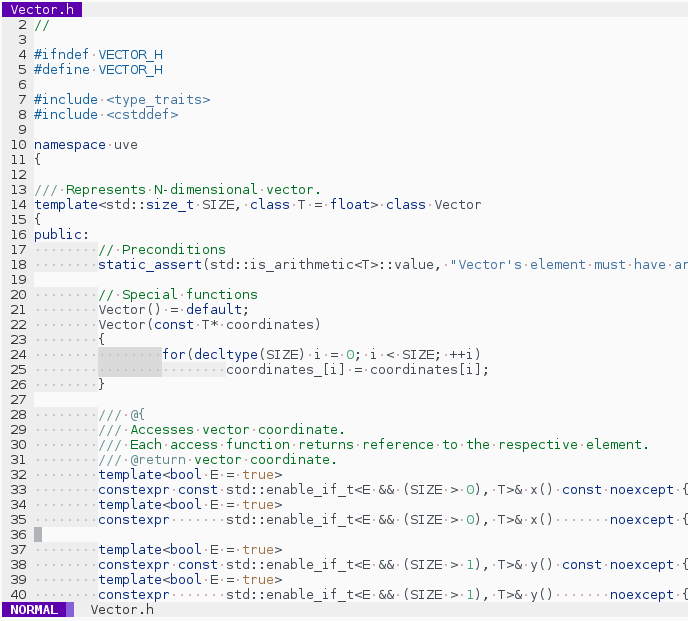
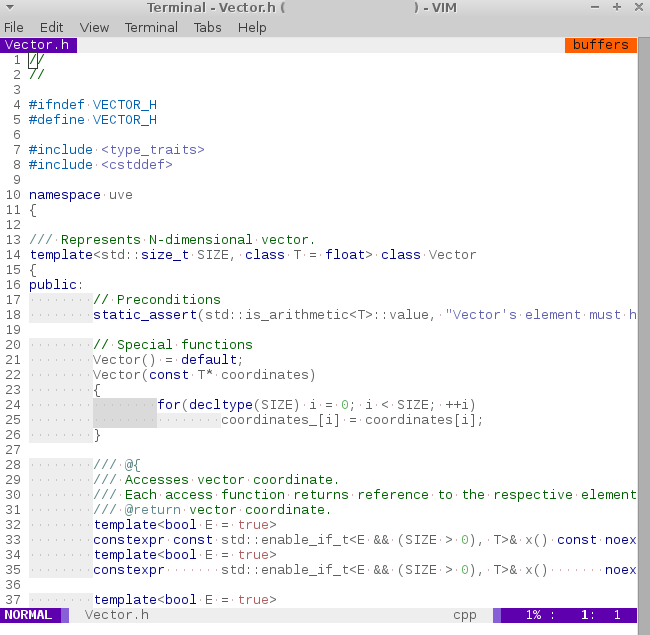
In order to install this color scheme:
-
on GNU+Linux, copy colors/aurora.vim to ~/.vim/colors/aurora.vim -
on Windows, copy colors/aurora.vim to C:/Users/YOUR_USERNAME/vimfiles/colors/aurora.vim
To load this scheme in Vim, use command
:colorscheme aurora
or add the following line to your vimrc file:
colorscheme aurora
In order to use this scheme with vim-airline plugin (https://github.com/bling/vim-airline), you can
- copy vim-airline/autoload/airline/themes/aurora.vim file to your vim-airline directory.
To load this scheme in vim-airline, add the following lines to your vimrc file:
let g:airline_theme = 'aurora'
This color scheme is compatible with vim-indent-guides plugin (https://github.com/nathanaelkane/vim-indent-guides). To enable scheme colors for indent guides, add the following lines to your vimrc file:
" Enable indent guides and let coloscheme specify custom colors for them
let g:indent_guides_enable_on_vim_startup = 1
let g:indent_guides_auto_colors = 0
This colorscheme is distributed under the Boost Software License, Version 1.0. See accompanying file LICENSE_1_0.txt or copy at (https://www.boost.org/LICENSE_1_0.txt).