An implementation of Mapbox's Polylabel algorithm in Blender's node-based visual scripting system Geometry Nodes, for finding the pole of inaccessability of an arbitrarily shaped polygon to use it as its visual center.
Centroids, even when weighted, can fall outside of the polygon, so if we want to place, say, a flag in the visual center of a country on a map, we need something better. Algorithm does it by overlaying a grid on top of the shape, then continually subdividing only the promising ones into smaller grids until it finds the optimum point with the biggest circle radius.
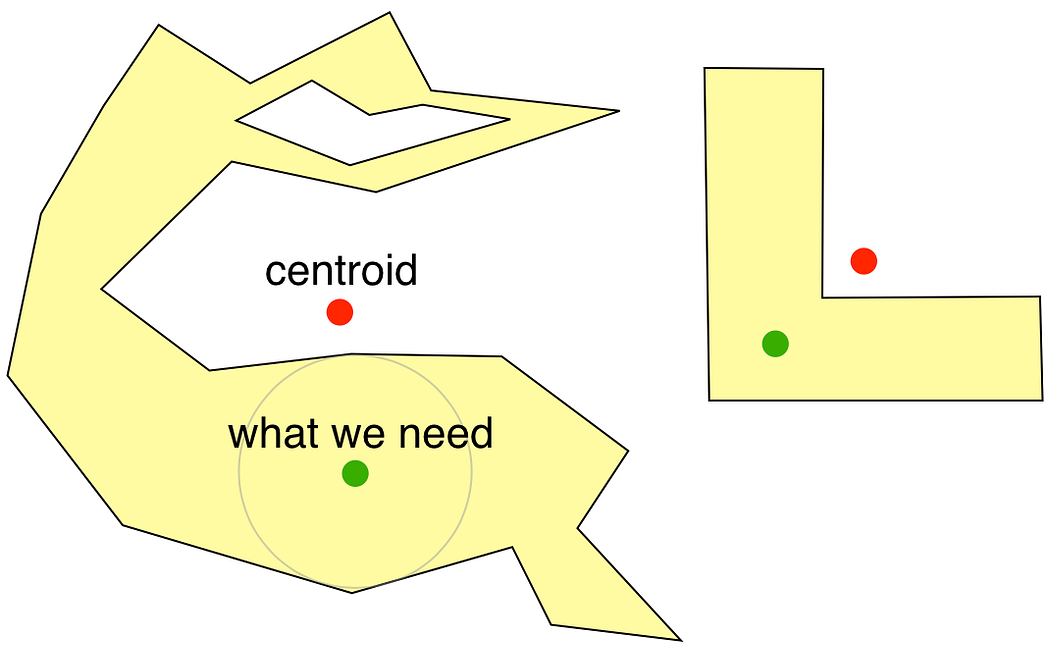 |
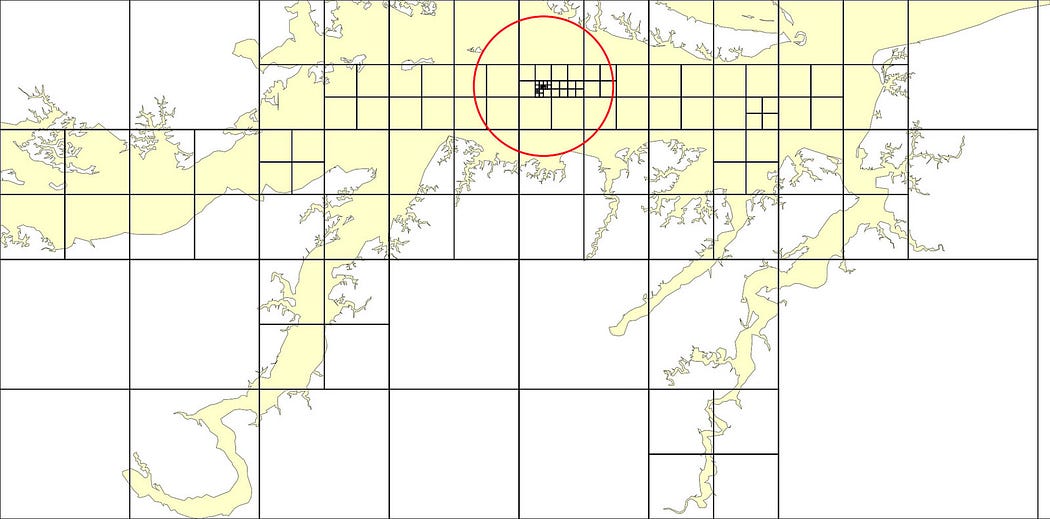 |
|---|

The main 'engine' to calculate the visual center of a single 2D polygon:

The original assumes a flat polygon on a 2D canvas. Since this is Blender, I had to also create a simple wrapper modifier that enables it to work with multiple 3D mesh islands at once. This wrapper orients any mesh island along the global Z first (rotating the mesh so its average normal is looking upwards) before flattening it, applying the 2D visual center finding operation, then returning the mesh to its original shape and position (alongside debugging elements like a biggest-distance circle, a center marker cone etc):


The multi-mesh-island 3D wrapper:

- Append or link the nodetree 'FA Visual Center 3D' from the provided .blend file. File is done in v5.0.1
- You can just append the 2D engine by choosing 'FA Visual Center 2D' instead, but the 3D version already includes that, and can handle 2D geometry anyways.
- You can also run Twista's (see Sources at the end) python port from the Text Editor. It can only handle 2D polygons and places the result sphere at Z=0.
- There's a 'step-by-step' explanation of the setup inside the 2D node group (as an orange annotation frame).
- Since we don't have heaps/priority queues in Geometry Nodes, we have to set a manual iteration limit. Having to go through every cell again and again every iteration means we're inevitably slower. Setting Initial Resolution to "1" (a single bounding box cell), Iteration Precision to "0" (no aggressive pruning) and setting Max Iterations to a high number (around 250 covers most scenarios) comes closest to replicating the original.
 |
 |
 |
|---|---|---|
| 2D Node Group in GN Editor | 3D Wrapper in GN Editor | 3D Wrapper used in modifier panel |
- Geometry: The polygon. One single, continous mesh island surface is assumed. Holes and bridge edges (edges dividing the surface into smaller areas) are gracefully handled by the nodetree.
- Mode: ISLANDS/OBJECT: 'Islands' computes visual centers of all mesh islands of a given geometry separately, 'Object' treats them as a single object and outputs the center with the biggest distance radius only.
- Solver: EXACT/FAST: The Fast Mode uses only the initial grid cell overlay and the weighted centroid. Exact Mode uses the full iterative process.
- Initial Resolution: Controls the Fast Mode overlay grid density/subdivison amount. Big effect when Fast Mode is used, obviously, and a smaller effect on Exact Mode depending on iteration count.
- Iteration Precision: The smallest distance amount used to prune cells in Exact Mode. Bigger values means more aggressive pruning and less... precision.
- Max Iterations: Iteration count for Exact Mode.
- Geometry: Original geometry passthrough + debugging elements
- Visual Center: Pole of inaccessability position as a vector.
- Distance: Radius of the biggest calculated circle that can fit inside the polygon, centered on Visual Center.
- Distance Circle: A circle with its radius set to the 'Best Distance' value, for visualisation.
- Distance Number: A strings curve object displaying the value of 'Best Distance' value, for visualisation.
- Marker Cone: A cone placed at the visual center, for visualisation.
- Cells: All cells and their children used when calculating the visual center, output as points. Initial grid cell points have a radius of 0.05, while children cells have a radius of 0.02. This can be used to separate them later for debugging if wanted.
Mapbox, 2016.07.08 Blog post, Code
Twista, 2017.05.20 Code
You can run the script "Polylabel_Python_Test" (Twista's version modified to work in Blender) from the Text Editor in the Blender file. It will create a sphere empty at the visual center of all selected objects (2D only) with its scale matching the center distance.
Faruk Ahmet, 2026.01.18 BlenderArtists post