
Welcome to the CSE Capstone Project for QuickQuit! This repository serves as the foundation for developing an innovative browser extension aimed at enhancing user safety and convenience.
QuickQuit is a browser extension designed to empower users by providing a quick exit tool for certain situations. It achieves this by:
- Reacting to HTTPS requests from a remote site.
- Modifying the user's browsing history to facilitate efficient task-switching or exit actions.
The extension's mission aligns with creating a safer, more user-centric browsing experience.
This project utilizes the following technologies for development:
- JavaScript: Core functionality and extension scripting. Backend is built with Node.js and Express.js.
- HTML/CSS: Structuring and styling the extension UI and related web components. Bootstrap is used for Responsive design.
- Bash: Scripts for automating development tasks and deployment processes.
You can view the demo video on YouTube:
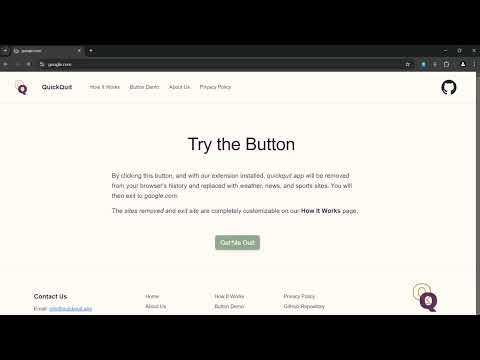
- Quick Exit: Instantly redirects users to a predefined "safe" site.
- Browsing History Management: Deletes or modifies history entries to preserve user privacy.
- Responsive Design: Ensures the extension UI works seamlessly across various devices.
- Secure Communication: Ensure all interactions are via HTTPS.
- Validation: Implement strict validation for all user actions to prevent misuse.
- Performance Optimization: Prioritize efficiency for a smooth user experience.
-
Clone the repository:
git clone https://github.com/fsevkli/QuickQuit.git
-
Navigate to the project directory:
cd QuickQuit -
Run the extension in development mode:
- Load the extension into your browser:
- Open your browser's extensions page (e.g.,
chrome://extensions/). - Enable "Developer Mode."
- Click "Load Unpacked" and select the extension folder.
- Open your browser's extensions page (e.g.,
- Load the extension into your browser:
A clean, user-friendly design aligned with the project’s mission:
-
Color Palette:
- Primary Color: Purple (to represent domestic violence awareness).
- Complementary Colors: Harmonized tones for a visually appealing design.
View the full palette and fonts here.
-
Typography:
- Readability-first with clear, consistent headings and body text.
-
Responsive Design:
- Fully adaptable UI for various devices.
-
Brochure Design:
- Maintains visual consistency with the website and extension.
Preview the brochure on Canva.
- Maintains visual consistency with the website and extension.
- Color Palette & Fonts: Realtime Colors
- Brochure Draft: Canva
This project is licensed under the MIT License.
- Team Name: Quick Quit Team
- Members: Claire, Gunnar, Nathan, Neela, Ryan, Xyann, Yusuf, Zach
Thank you for supporting QuickQuit! If you have any questions, suggestions, or feedback, feel free to open an issue or reach out to us at info@quickquit.app.