Installation
Now there are two ways of getting and installing packstorm. You have the easy simple way which allows you to use the most stable version of the program, and then you have the hard/weird way, which is a little more complicated but will allow you to use the most bleeding edge version of packstorm to the point where you can access new features the moment I implement them. I will be covering both methods in this tutorial but I highly suggest the easy way if you're not very tech savvy.
First, decided whether you wanna just get the program the easy and quick way or if you wanna spend a bit more time getting the bleeding-edge version. Got it? Ok, let's go!
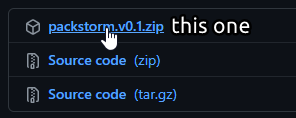
- Go and download the latest version of packstorm. You're looking for a file called something like
packstorm.vX.X.zip
- Open the .zip file and extract everything in it to a folder you can easily find/get to i.e. one on your desktop.
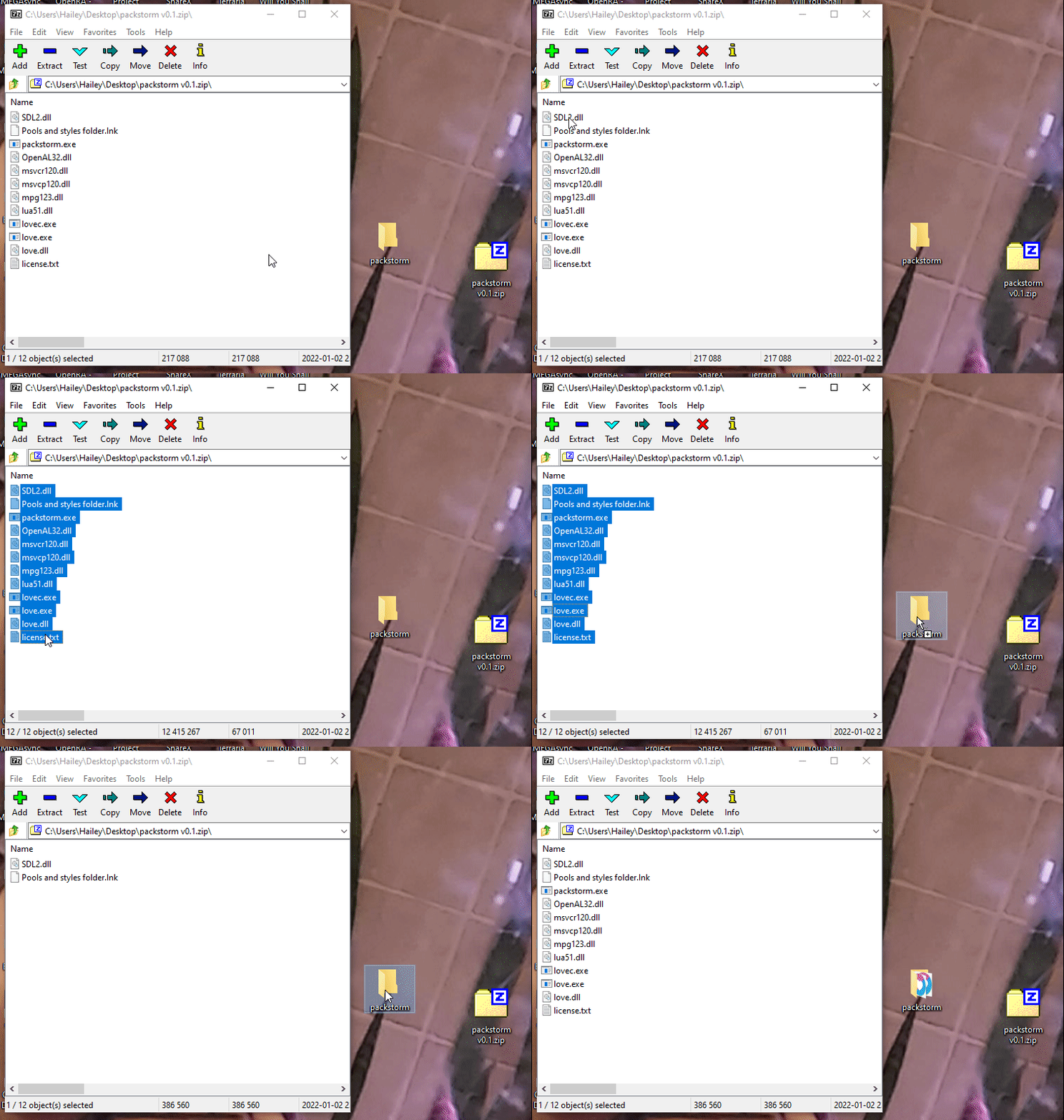
- That's it! Open the program and you're off!
Note: The first time you launch it may or may not take around 10 seconds. This is because the computer doesn't recognize this type of program as the way it's created is a bit funky. This is completely normal though and every launch after that should be really quick.
Coming soon...