This repository conatins all the data of the simquality dashboard (http://dashboard.simquality.de) (https://simquality.de/simquality-test-suite/).
The dashboard itself is based on python and the libraries Plotly (https://plotly.com/) and Dash (https://dash.plotly.com/) and is conceptualized to show all the relevant simulated test case data that has been generated by the SimQuality reserach projekt (https://simquality.de).
All the evaluation and consistency checks are done by the SimQuality Evaluation Script (https://github.com/ghorwin/SimQuality)
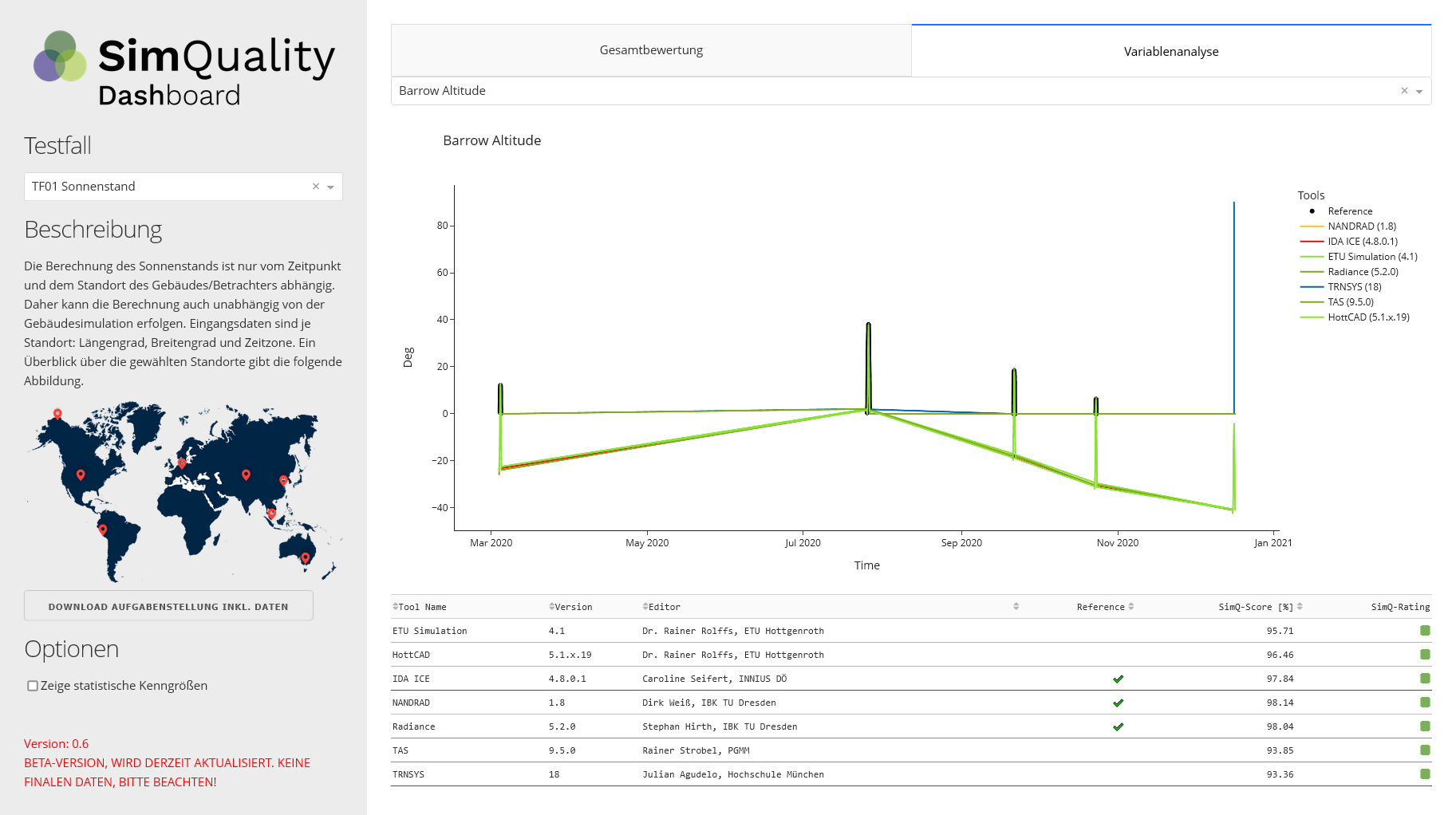
All data in directory dash_data is generated by the SimQuality Evaluation script (https://github.com/ghorwin/SimQuality) and directly shown in Dashboard.
All the data needed to be shown in the plotly diagrams are within the sub-directory of the test case e.g. "TF01-Sonnenstand". Inside this a sub-directory for each variable with the variable name exists.
dash_data:
TF01-Sonnenstand
|- Potsdam Altitude
    |- TRNSYS.ftr - Result data for the test case of the specific tool. Saved in feather format for efficient reading and small data
    |- NANDRAD.ftr
    |- ...
    |- Comment.txt - Contains the markdown text for the 'Erläuterungen'-tab
    |- TestCaseDescription.txt - Contains the text for the short description on the left side
    |- WeightFactors.txt - Contains the data of the table that is printed, if the 'Zeige Evaluierungsdaten' is checked
|- Potsdam Azimuth
|- ...
TF02-SolareLasten Isotrop
...
Results.tsv - Containes all the evaluation data, that is filtered and printed for each test case and variant
Inside the sub-directories all data for a specific tool e.g. TRNSYS is saved in the feather-format (https://pypi.org/project/feather-format/) with the tool Id as its name e.g. "TRNSYS.ftr".
All evaluation data is stored inside the results.tsv file for all test cases and tools. The script is only reading the TSV file at the initialization of the website and afterwards just filters the specific data.
Test Case	Variable	ToolID	Tool Name	Version	Unit	Editor	Fehlercode	Average [-]	CVRMSE [%]	Daily Amplitude CVRMSE [%]	MBE	MSE [%]	Max Difference [-]	Maximum [-]	Minimum [-]	NMBE [%]	NRMSE [%]	R squared [-]	RMSE [%]	RMSEIQR [%]	RMSLE [%]	std dev [-]	Reference	SimQ-Score [%]	SimQ-Rating
01-Sonnenstand	Potsdam Altitude	ETU1	ETU Simulation	4.1	Deg	Dr. Rainer Rolffs, ETU Hottgenroth	0	22.49	2.86	0.47	0.49	0.39	1.01	56.98	-0.03	2.24	1.1	99.81	0.63	3.13	0.07668	14.49	False	97.73	Gold
How to run the Dashboard on my local machine?
All needed libs to run the Dashboard on a local machine are registered inside the requirements.txt and can be installed via pip (https://pypi.org/project/pip/) using the following command (start console inside the project directory):
pip install -r requirements.txt
How to generate a requirements.txt file automatically for a python server?
To do so you can directly use pipenv with the following command (Python 3):
pip3 freeze > requirements.txt