

Work is a self-hosted workspace for Claude Code and Codex, built on Hiver. You define a security perimeter, and let the agent work with full permission.
Generate apps, documents, and skills; browse the web; schedule tasks — all state syncs in real time and persists to blob storage.
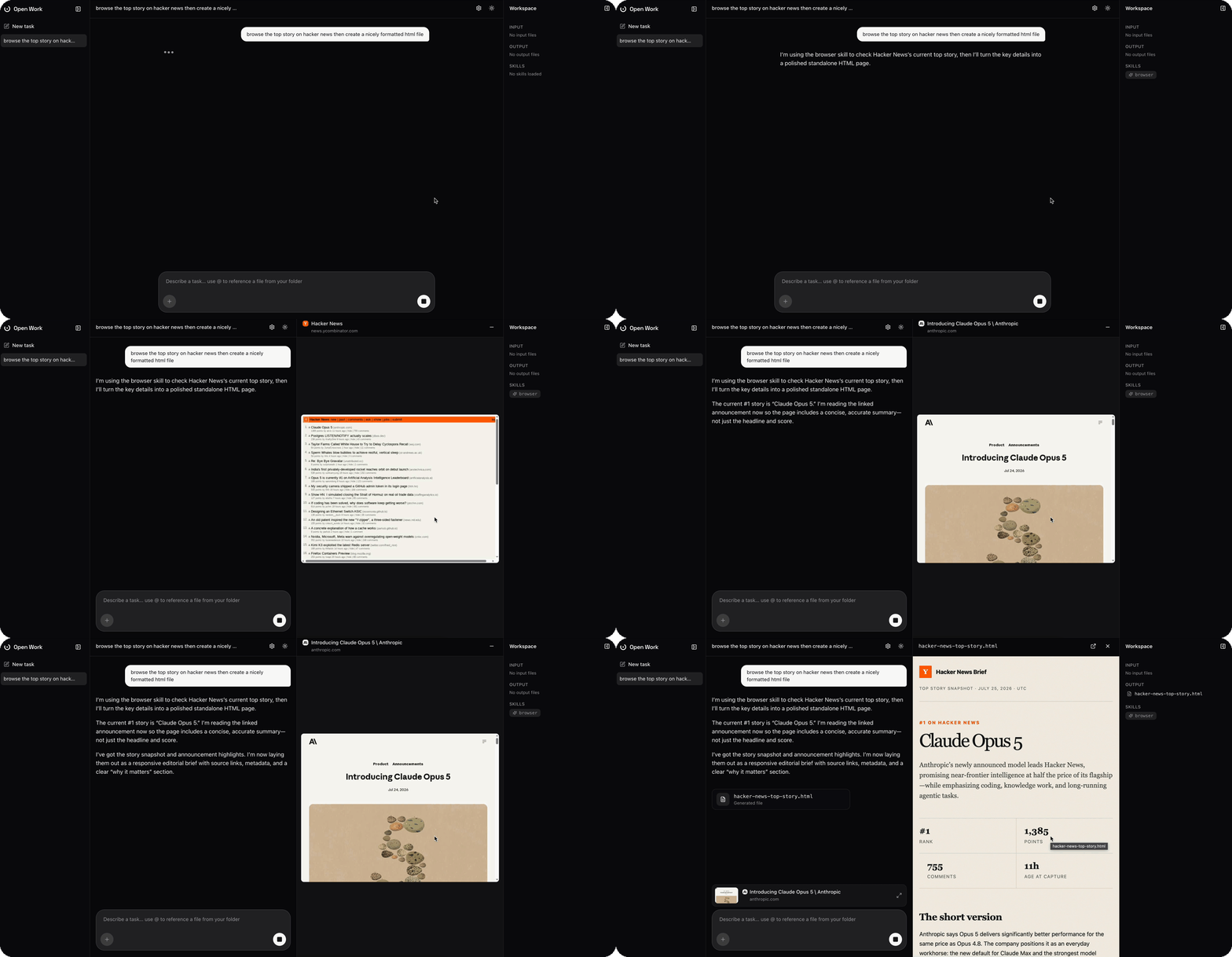
- Starts fast. With warm-boot snapshots in place, an agent and its nested browser starts in ~100ms.
- Persistent, resumable sessions. Each task runs one long-lived
claudeorcodexprocess. - Any model, either provider. Pick Claude or OpenAI; use your existing subscription so no API key charges.
- Library. Access generated apps, documents, and skills.
- Files. Use local files or from the library.
- Apps. Full-stack apps with a real-time data store; agents use the apps directly to get work done and display them to user when visuals are important.
- A real, driveable browser. When the agent uses its browser skill, Work streams the nested sandbox's live page over Chrome DevTools Protocol. Cookies, session, and local storage persist to the user's workspace, stored in blob by default.
- Security perimeter. Define allow/deny list of hosts across all agents, browser and generated apps.
- Live file streaming. Files render progressively as the agent writes them, so HTML and MD display as soon as the first token is generated.
- Debug panel. Settings shows the sandbox's status, lets you ping it, deep-link into the Hiver inspector, and adjust its idle TTL.
- Light and dark mode, smooth streamed markdown rendering, and a ChatGPT-style composer with drag-and-drop attachments.
Work drives two worker orchestrators, each with its own sandbox image and set of selectable models. Picking a model in the composer switches both.
| Orchestrator | Image | Provider key | Models |
|---|---|---|---|
| Claude Code | claude |
Anthropic API key | Sonnet 5, Opus 4.8, Opus 5, Fable 5 |
| Codex | codex |
OpenAI API key | GPT-5.6 Sol, GPT-5.6 Terra, GPT-5.1 Codex, GPT-5.1, GPT-5 Codex, GPT-5 |
The full list, including CLI model ids and default model, lives in
lib/orchestration.ts.
-
Hiver — the runtime every task runs inside. Install the CLI globally:
npm install -g @hiver.sh/cli
-
At least one provider API key (Anthropic and/or OpenAI), entered once in Settings. Keys are stored server-side in the local SQLite database (see below) and never leave it except via the egress override described above.
Start the Hiver stack, then the dev server:
hiver up             # gateway on http://localhost:10000
npm install
npm run dev # http://localhost:3000Work conversation history is stored in sqlite by default, so there's no need to manage a database.
Task and browser sandboxes can resume from a shared base VM-state snapshot, so they start in tens of millisecond.
By default every sandbox's /workspace mount lives on the sandbox's local
disk. Set GCS_BUCKET to back it with a GCS bucket instead, so task files
persist independently of the sandbox host.
Fill in .env.local:
GCS_BUCKET=my-bucket
GCS_PREFIX=work/production   # optional; omit to use the bucket root
GCS_SERVICE_ACCOUNT_JSON={"type":"service_account",...} # optionalGCS_BUCKET— required to enable GCS; leave unset to keep local disk.GCS_PREFIX— optional key prefix within the bucket.GCS_SERVICE_ACCOUNT_JSON— the service account key JSON, as a single line. Omit it to use Application Default Credentials instead (yourgclouduser credentials locally, or the GKE metadata server once deployed on Google Cloud — the natural choice for the Kubernetes deploy below).
To run the Hiver control plane and sandbox pools on a cluster (instead of the
local hiver up stack), use the deploy script — it installs the
Hiver Helm chart against your current
kubectl context and is safe to re-run:
npm run deployment # latest chart versionIt applies deployment/values.yaml, which keeps one
warm pod each for the browser, claude, and codex pools (every other pool
stays at replicas: 0 and launches on demand). Edit that file to change warm
counts, resources, or per-service isolation, then re-run npm run deploy.
Point the app at the deployed gateway by setting its URL in Settings to the
gateway's external address (find it with
kubectl get svc gateway -n hiver -o jsonpath='{.status.loadBalancer.ingress[0].ip}').