A lightweight, menu bar Pomodoro timer for macOS
Official Website • Report Issue • Support Project
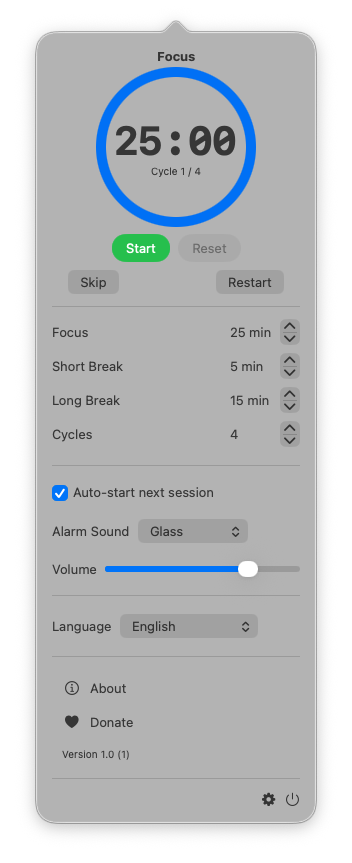
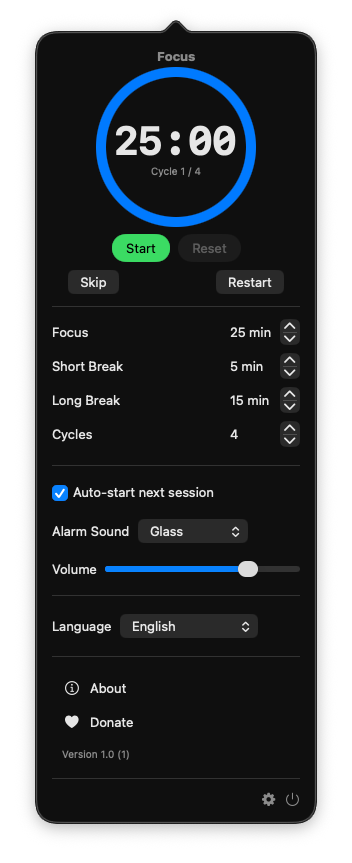
TimeMate is a clean, focused macOS application built around the Pomodoro Technique. Operating entirely from your menu bar, TimeMate helps you maintain deep focus and manage work-rest cycles without cluttering your desktop or Dock.
By alternating focused work sprints (e.g., 25 minutes) with short breaks (5 minutes) and scheduled long breaks, TimeMate promotes sustained concentration while preventing mental fatigue.
- Menu Bar Integration: Access your timer instantly from the macOS menu bar with zero desktop clutter.
- Automated Workflow: Seamlessly cycles between Focus, Short Break, and Long Break sessions.
- Custom Session Durations: Easily adjust timer lengths to fit your personal workflow.
- Automatic Transitions: Automatically switches to breaks to keep you in the flow state.
- Subtle Notifications: Receive gentle alerts when sessions complete without disruptive alarms.
- Full-Screen Break Overlay: Optional immersive break screen that encourages taking genuine rest.
- Keep Mac Awake: Prevents your Mac from going to sleep during active focus sessions.
- Customizable Interface: Control dock icon visibility, notification preferences, and overlay behavior.
- Multilingual Support: Available in both English and Vietnamese.
- Native & Efficient: Built specifically for macOS with minimal system resource usage.
- macOS 13.0 or later
- Xcode 14.0 or later (for building from source)
- Clone the repository:
git clone https://github.com/homielab/timemate.git
- Open the Xcode project:
open src/TimeMate.xcodeproj
- Build and run the project (
Cmd + R) in Xcode.
Contributions, bug reports, and feature requests are welcome. Feel free to open an issue or submit a pull request on the GitHub repository.
If you find TimeMate helpful and would like to support its ongoing development, consider buying a coffee: