A sleek and powerful web app to track your favorite manga, manage reading progress, organize by status, and mark favorites. Built with React and styled using Tailwind CSS v4, this app offers a modern, fast, and intuitive user experience.
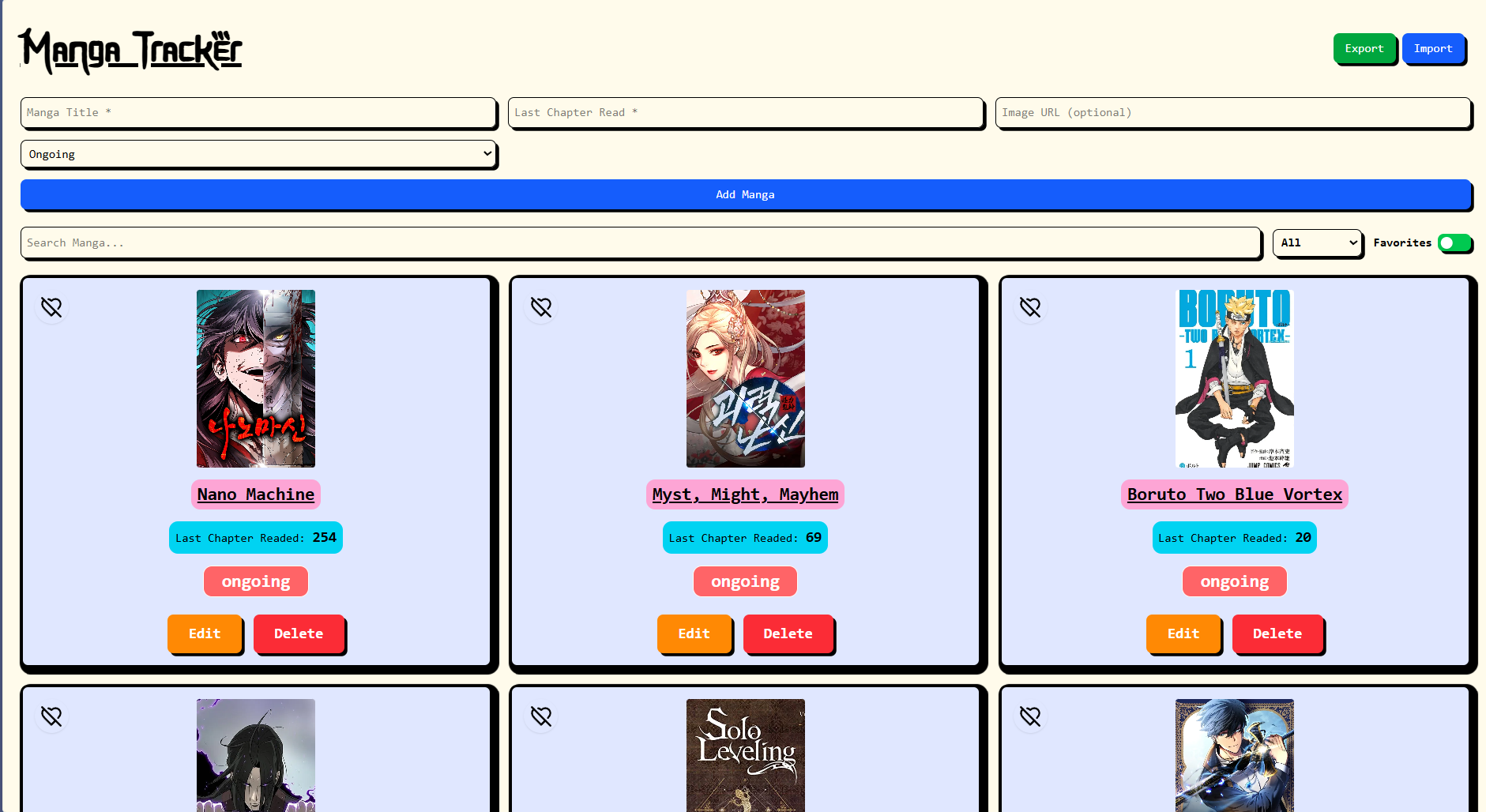
✅ Add manga entries with title, chapter number, status, and optional image
✅ Mark as favorite — visually separated and filterable
✅ Edit or delete manga entries
✅ Confirmation prompt before deletion
✅ Smart form validation with inline error feedback
✅ Filter by status, search by title, and toggle favorites only
✅ Data persistence with localStorage
✅ Export your manga list as JSON
✅ Import manga list back from JSON
✅ Clean dark/light mode toggle
✅ Mobile-friendly responsive design
✅ Toast notifications for all major actions
✅ Polished UI animations and hover effects
- ⚛️ React – Component-based frontend framework
- 💨 Tailwind CSS v4 – Modern utility-first CSS styling
- 🔥 react-hot-toast – For sleek and customizable toast messages
- 💾 file-saver – Enables file download (JSON export)
- 💖 Icons from Lucide React
src/
│
├── components/
│   ├── Header.jsx          # Top navbar with theme and import/export
│   ├── MangaForm.jsx       # Add manga form with validation
│   ├── MangaCard.jsx       # Displays each manga item
│   ├── MangaList.jsx       # Grid layout for all manga cards
│   ├── Filter.jsx          # Search bar and filter toggles
│   └── Footer.jsx          # Footer with author info
│
├── utils/
│   └── imageUtils.js       # Random fallback manga images
│
├── App.jsx                 # Main app logic
└── index.css # Tailwind config & global stylesgit clone https://github.com/your-username/manga-tracker.git
cd manga-trackernpm installnpm run devVisit http://localhost:5173 (or wherever Vite runs) in your browser.
- 💾 Export: Click the Export button to download your manga list as a
.jsonfile. - 📥 Import: Use the Import button to upload a valid
.jsonfile and restore your manga list.
- 🔖 Tag or categorize manga (e.g., Shonen, Romance)
- 📱 PWA support for offline tracking
- 🖼️ Drag & drop cover upload
- 🔄 Sync with an API like MyAnimeList
- 📊 Track read history or statistics