Thank you for taking the time to do our coding challenge. Below you'll find instructions and info on how to complete the exercise.
At Social Construct, we combine hardware and software to deliver better buildings. In the following problem, you'll display a floor plan with certain SoCo parts to the browser according to the functionality specified in the user story.
All of Social Construct's cables, pipes, and assorted in-wall infrastructure live under the floor as part of our raised-floor system. Floorboards sit on top of support structures called "pucks", which come in 3 sizes: 4"x4", 4"x2", and 2"x2".
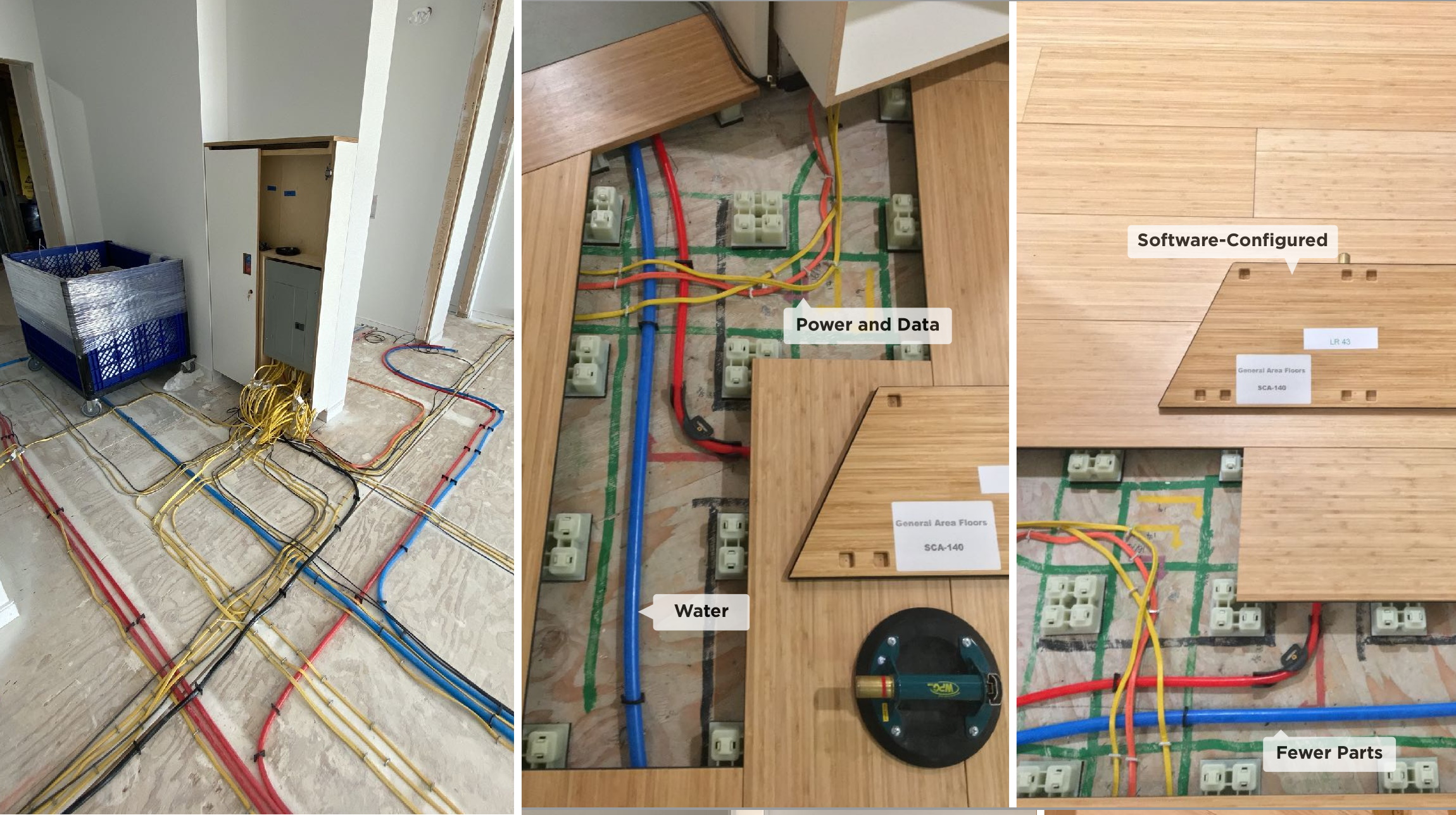

A basic React app has been provided for you. Once you clone this repository, you can run it with npm start. A number of helpful todos are inside index.js and App.jxs to help you get started.
The data you need is inside studio_info.json and floor_info.json
studio_info.json contains the coordinates in WCS for all the rooms, windows, and doors of a sample studio apartment
floor_info.json contains the coordinates in WCS for all floors and pucks of the SoCo flooring system for this sample studio apartment
Both files store coordinates in WCS and as decimal inches in the format of (x,y).
- Fetch floor plan from the provided
studio_info.jsonand SoCo parts fromfloor_info.jsonand format them into client readable results- You are not required to serve this separately from the dev server (i.e.
npm start)
- You are not required to serve this separately from the dev server (i.e.
- Use the returned data to display the floor plan and SoCo assemblies following requirements of the user story below
As a user, I should be able to:
- View the floor plan including:
- room(s) - including closets and bathrooms
- door(s)
- window(s)
- kitchen(s)
- floors and pucks
- View a list of the types of objects included in this floor plan
- List should be in alphabetical order
- List should show the count of each type of objects
- Click on an object type from the list and toggle the visibility of all objects of that type on / off
- Click on an instance of an object on the displayed floorplan and have that objects be highlighted a different color than the rest
Some sample wireframes have been provided for context and visual clarity. They intend to convey functionality more than aesthetics.

We'd like you to use React. On top of that, use whatever front-end libraries you feel comfortable with.
To startup the frontend client run the following command.
npm start - This will start the application for development
npm run build - Will create a production optimised build
npm test - Will run the front end tests
The zip file should be named {yourname}.zip.
Please include the solution.md file explaining what you did and why. This file already includes some follow-up questions.
The zip file should not include the node_modules folder.