Zalpha Decoder is named by combining Zalpha, meaning Alpha + Gen Z, and Decoder.
Zalpha Decoder is a Storyboard-based UIKit iOS app that translates input text into a selected style and target language, while also explaining key expressions.
AI responses are implemented with Firebase AI Logic and Gemini. The app also stores local decode history and saved target-language expressions for later review.
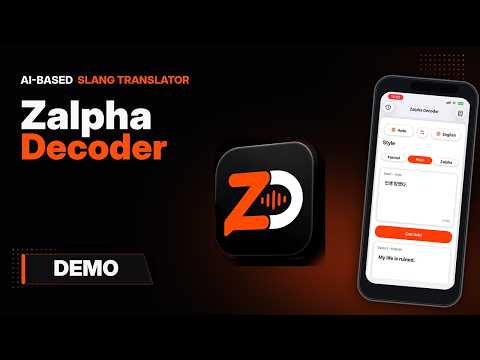
- Decode and translate short text with Firebase AI Logic + Gemini
- Source language:
Auto,English,Korean,Japanese,Spanish,Russian - Target language:
English,Korean,Japanese,Spanish,Russian - Style selection:
Formal,Plain,Zalpha - AI-generated notes for meaningful slang, idioms, meme expressions, abbreviations, and culturally loaded phrases
- Local history storage for up to 50 records
- Saved Slangs screen with search, detail view, generated examples, copy, and delete actions
- Up to 3 generated examples for each saved expression
- Light/dark mode UI and app icon support
| Light | Dark |
|---|---|
 |
 |
The main screen contains the source/target language controls, style selection, input box, decode button, output box, and decode notes area.
| Light Mode | Dark Mode |
|---|---|
 |
 |
After tapping Decode, Gemini returns a style-aware translation and structured decode notes for meaningful expressions.
| Translation Result | Decode Notes |
|---|---|
 |
 |
Successful decodes are saved locally. The history list shows recent input/output summaries, and the detail screen shows the full decode result and notes.
| History List | History Detail |
|---|---|
 |
 |
Decode notes can be saved as target-language expressions. Saved Slangs supports local search, detail view, copy, delete, and example generation.
| Saved Slangs | Saved Slang Detail | Generated Example |
|---|---|---|
 |
 |
 |
| Category | Tech |
|---|---|
| Language |  |
| UI |   |
| AI |   |
| Local Storage |   |
| Localization |  |
ZalphaDecoder/
  AIService.swift                         # Prompt, Gemini request, and response parsing coordinator
  FirebaseAITextClient.swift              # Firebase AI Logic client
  AIServicePromptBuilder.swift            # Decode and example-generation prompts
  AIServiceResponseParser.swift           # JSON response parsing
  DecodeLanguage.swift                    # Supported language options
  TranslationStyle.swift                  # Formal, Plain, Zalpha styles
  ViewController.swift                    # Main decode screen
  HistoryViewController.swift             # Local decode history list
  HistoryDetailViewController.swift       # Decode detail and notes
  SavedSlangsViewController.swift         # Saved slang list and search
  SavedSlangDetailViewController.swift    # Saved slang detail and examples
  Base.lproj/Main.storyboard              # Main storyboard UI
  Assets.xcassets/                        # App assets and app icons
This project requires a local Firebase config file:
ZalphaDecoder/GoogleService-Info.plist
Do not commit the real GoogleService-Info.plist. Use ZalphaDecoder/GoogleService-Info.example.plist as a reference, then download the real file from Firebase Console.
Firebase AI Logic must be enabled in Firebase Console and configured for Gemini.