⚡ Cyber Threat Intelligence Tool for log analysis and IP reputation checking



Test user credentials:
user: test
password: salam123
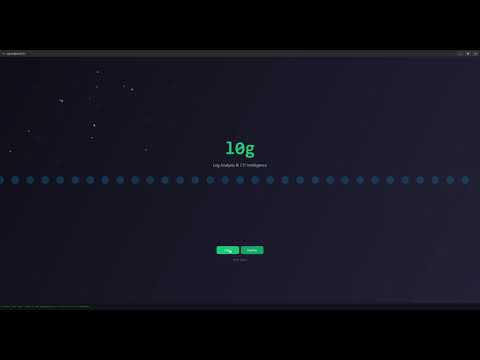
- 🔍 Log Parsing: Apache/Nginx combined, JSON Lines/Array, CSV/TSV
- 📊 Traffic Analysis: per‑IP counters, HTTP methods/statuses, top paths
- 🛡️ CTI Enrichment: VirusTotal + AbuseIPDB integration
- 👤 Multi-user Support: Per‑user API tokens and settings
- 🖱️ Interactive UI: Click any IP for detailed threat intelligence
- 📚 History: View old lookups and reuse cached results
- 📄 Reports: Export Markdown/HTML/TXT/PDF reports
- 🔒 Secure: API keys stored per-user in database
- 🎨 Modern GUI: Dark theme with intuitive interface
C:\Users\Student\Desktop\log_analysis_cti
├── .env                          # user tokens (DO NOT SHARE)
├── .venv/                        # virtual environment (optional)
├── README.md                     # this file
├── src/                          # source code (package)
│   └── log_analysis_cti/
│       ├── __init__.py
│       ├── gui_app.py            # GUI entry (python -m log_analysis_cti.gui_app)
│       ├── main.py               # CLI entry (python -m log_analysis_cti.main)
│       ├── ai_client.py
│       ├── behavior_analyzer.py
│       ├── config.py
│       ├── file_validator.py
│       ├── log_parser.py
│       ├── report_generator.py   # writes to out/reports by default
│       ├── assets/
│       │   └── l0g_dark_green.ico
│       └── cti_apis/
│           ├── __init__.py
│           ├── abuseipdb.py
│           ├── virustotal.py
│           └── cti_manager.py
├── scripts/
│   └── packaging/
│       ├── build_exe.py          # builds using log_analysis_cti.spec
│       ├── log_analysis_cti.spec # PyInstaller spec (points to src/.../gui_app.py)
│       ├── setup.py              # helper setup script
│       └── requirements.txt      # dependencies
└── out/
    ├── build/                    # PyInstaller build artifacts
    ├── dist/                     # LogAnalysisCTI.exe output
    └── reports/                  # generated reports (runtime)
- Go to Releases
- Download
LogAnalysisCTI.exefrom the latest release - Run the executable
- Login with test credentials (below)
- Configure API keys in Settings
# Clone the repository
git clone https://github.com/infat0x/l0g.git
cd l0g

# Install dependencies
pip install -r scripts/packaging/requirements.txt

# Run GUI
python -m src.log_analysis_cti.gui_app

# Or run CLI
python -m src.log_analysis_cti.main <log_file_path>Preferred: Run the EXE build.
- Double‑click:
C:\Users\Student\Desktop\log_analysis_cti\out\dist\LogAnalysisCTI.exe - Login with test account (above).
- Go to Settings → API Keys and paste your tokens.
- Open Log → select a file; click Analyze → click any IP for details.
- Use History to view old lookups; Export reports as needed.
cd C:\Users\Student\Desktop\log_analysis_cti
. .venv\Scripts\Activate.ps1
pip install -U pip
pip install -r .\scripts\packaging\requirements.txt

# GUI
python -m log_analysis_cti.gui_app

# or CLI
python -m log_analysis_cti.main <log_file_path>- Run the application
- Login with test credentials
- Go to Settings → API Keys
- Enter your API keys:
- VirusTotal API Key: Get from virustotal.com
- AbuseIPDB API Key: Get from abuseipdb.com
- AI API Key: Optional, for AI analysis features
Create .env file in project root:
VIRUSTOTAL_API_KEY=your_virustotal_key_here
ABUSEIPDB_API_KEY=your_abuseipdb_key_here
AI_API_URL=https://api.mistral.ai/v1/chat/completions
AI_API_KEY=your_ai_api_key_hereNote: Each user's API keys are stored securely in the database.
- Login with provided test user.
- Open Log → choose format (auto‑detected):
- Combined (Apache/Nginx)
- JSONL/JSON
- CSV/TSV
- Analyze → per‑IP stats + highlight suspicious UAs.
- Click an IP → view VT + AbuseIPDB details.
- History → reuse cached results.
- Export report (MD/HTML/TXT/PDF).
- The EXE is the easiest way to test (no Python setup needed).
- Tokens must be set for enrichment features.
.envis ignored by version control for safety.- Reports are saved under
out/reports/by default.
cd C:\Users\Student\Desktop\log_analysis_cti
python .\scripts\packaging\build_exe.py

# Output:
# - out\dist\LogAnalysisCTI.exe
# - out\LogAnalysisCTI_Standalone\ (ready to share)Contributions are welcome! Please feel free to submit a Pull Request.
- Fork the repository
- Create your feature branch (
git checkout -b feature/AmazingFeature) - Commit your changes (
git commit -m 'Add some AmazingFeature') - Push to the branch (
git push origin feature/AmazingFeature) - Open a Pull Request
This project is licensed under the MIT License - see the LICENSE file for details.
- Keep
.envprivate - Do not share API tokens in screenshots
- Respect VirusTotal/AbuseIPDB usage policies
- Report security issues privately
- Issues: GitHub Issues
- Discussions: GitHub Discussions