Scripts, tools and diagrams to aid in the deployment and installation of Instant Status.
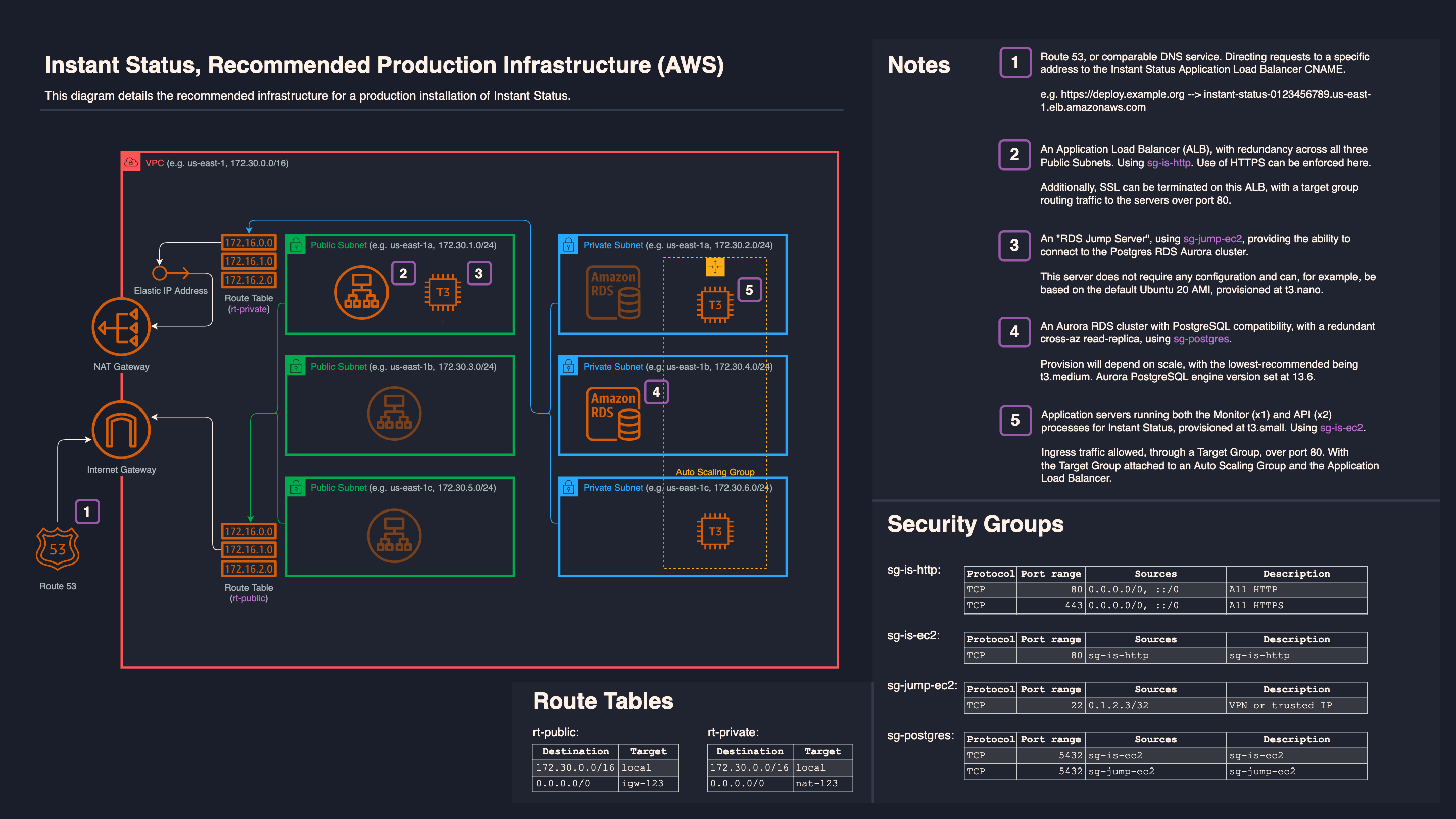
The install-instant-status.sh script can be used to install the Instant Status application on a blank Ubuntu 22 server, after which an image snapshot should be taken and subsequently used to deploy the application itself:
wget -qO /tmp/install-instant-status.sh https://raw.githubusercontent.com/instant-status/deploy/master/install-instant-status.sh && chmod +x /tmp/install-instant-status.sh && /tmp/install-instant-status.shIf Parameter Store (-p, -r) is configured, the script will run without needing any interaction - and therefore can be used as part of automated image building pipelines.
Available flags:
| Flag | Description |
|---|---|
| -v | Install a custom version of Instant Status, defaults to 'master'. This script is only guaranteed to work with Ubuntu Server 22, and the latest release |
| -g | Fetch Instant Status from a custom git repository, defaults to the main repo |
| -p | Use this AWS Parameter Store prefix to fetch configs (appConfig, apiConfig, env) securely, defaults to interactively edit example configs. Regardless of approach, config files inform the application build, and should be considered as 'baked into' any image. If values change, a fresh install/image is recommended |
| -r | Region for AWS Parameter Store, defaults to 'us-east-1' |
E.g. /tmp/install-instant-status.sh -v 'v3.2.1' -g 'https://github.com/instant-status/instant-status.git'
E.g. /tmp/install-instant-status.sh -p '/InstantStatus/app/prod' -r 'us-east-1'