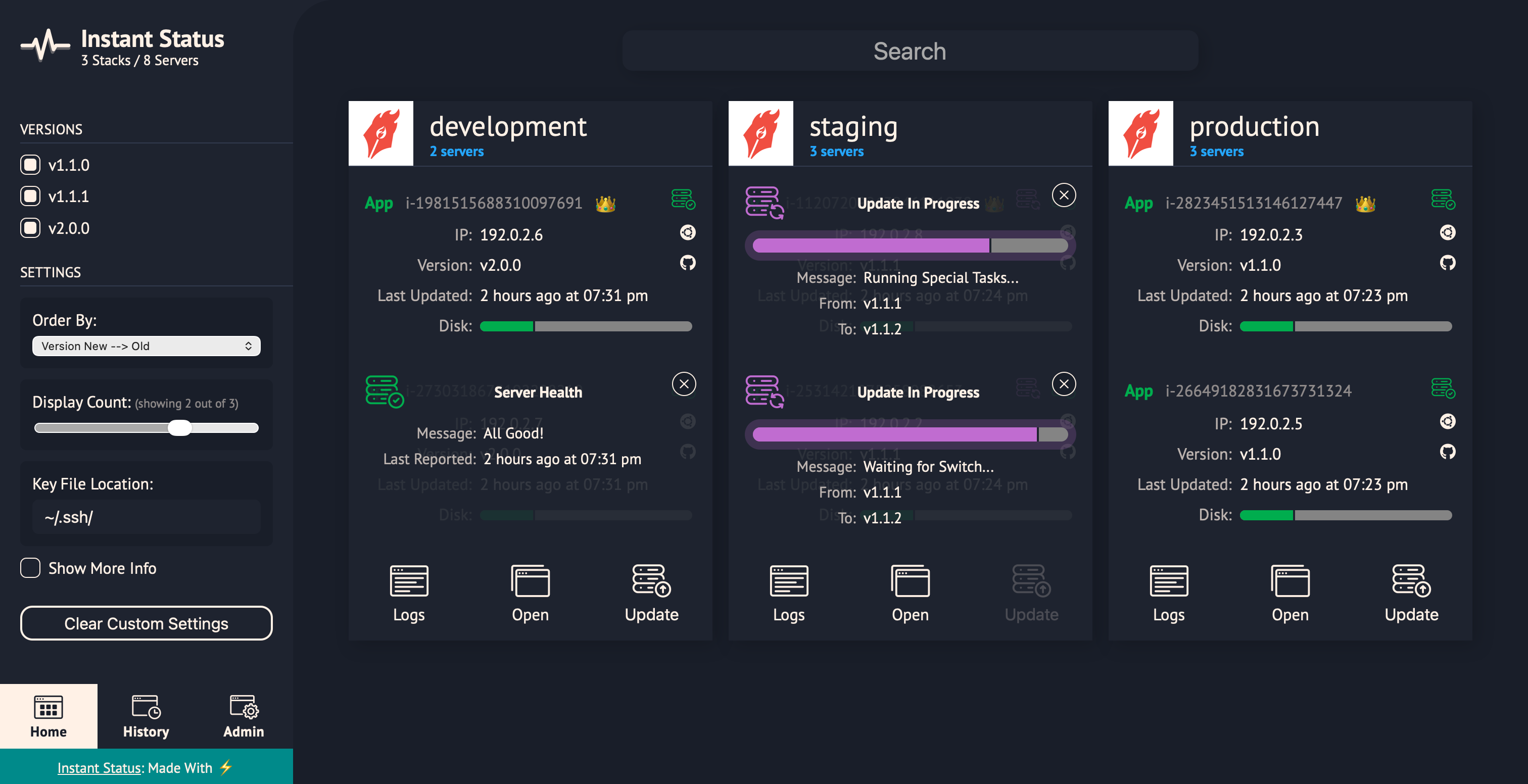
Instant Status is a high-performance server management, update, and monitoring application. Designed for multi-environment SaaS software, and fully cloud-agnostic.
Deploy application updates in under one minute, regardless of the number of servers or environments involved.
The production installation script can be found here.
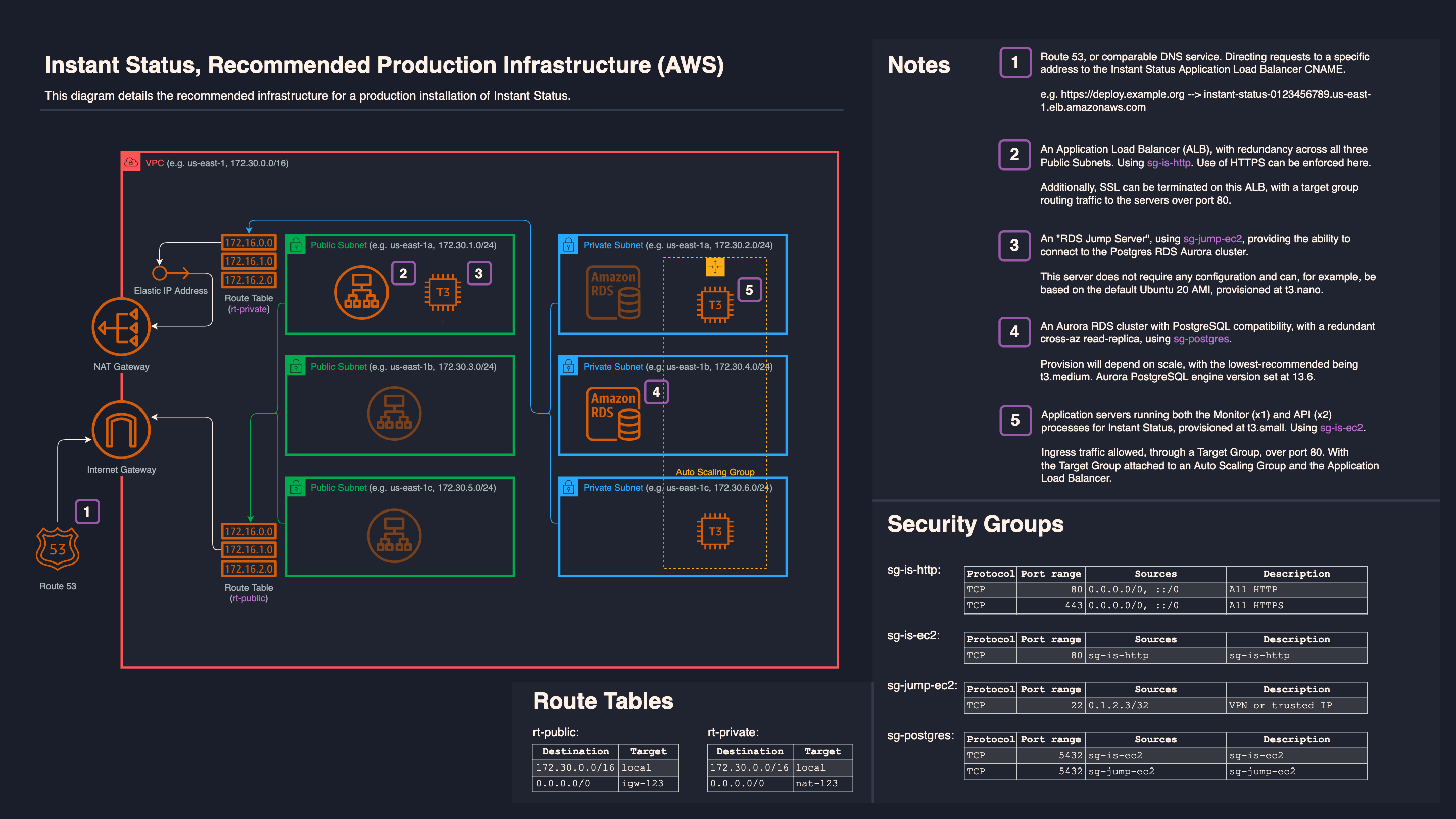
For more information and Infrastructure as Code (IaC) for deploying Instant Status, see the deploy repo.
- Postgres 18
- Node 24
- HTTPS Server/Domain
- NGINX
-
Prepare Database
# Ubuntu
sudo apt install postgresql
# Log in as postgres user
sudo su - postgres -c 'psql -U postgres -d postgres'
-- Create database, role, user and grant
CREATE DATABASE instant_status_db;
CREATE ROLE instant_status_role;
CREATE USER instant_status_user WITH PASSWORD 'randompassword';
GRANT ALL PRIVILEGES ON DATABASE instant_status_db TO instant_status_role;
GRANT ALL PRIVILEGES ON SCHEMA public TO instant_status_role;
GRANT instant_status_role TO instant_status_user;
-
Prepare ENVs
a. Copy ENVs
cp ui/example.appConfig.ts ui/appConfig.ts && cp is-config/src/example.apiConfig.ts is-config/src/apiConfig.ts && cp is-config/.example.env is-config/.env
b. Edit ENVs
vim ui/appConfig.ts is-config/src/apiConfig.ts is-config/.env
-
Install App Dependencies
npm run ci
-
Migrate and seed database
# In is-prisma
npm run db:migrate
npm run db:dev-seed