








The Sentimental Analyzer Pro is a versatile tool that can perform sentiment analysis on different types of data, including text, audio, reviews, and news articles. Sentiment analysis is one of the fastest-growing research areas in computer science, making it challenging to keep track of all the activities in the area. In our project, we aim to achieve our goal of accurately predicting a user's sentiment by analyzing the data provided using different types of input data.
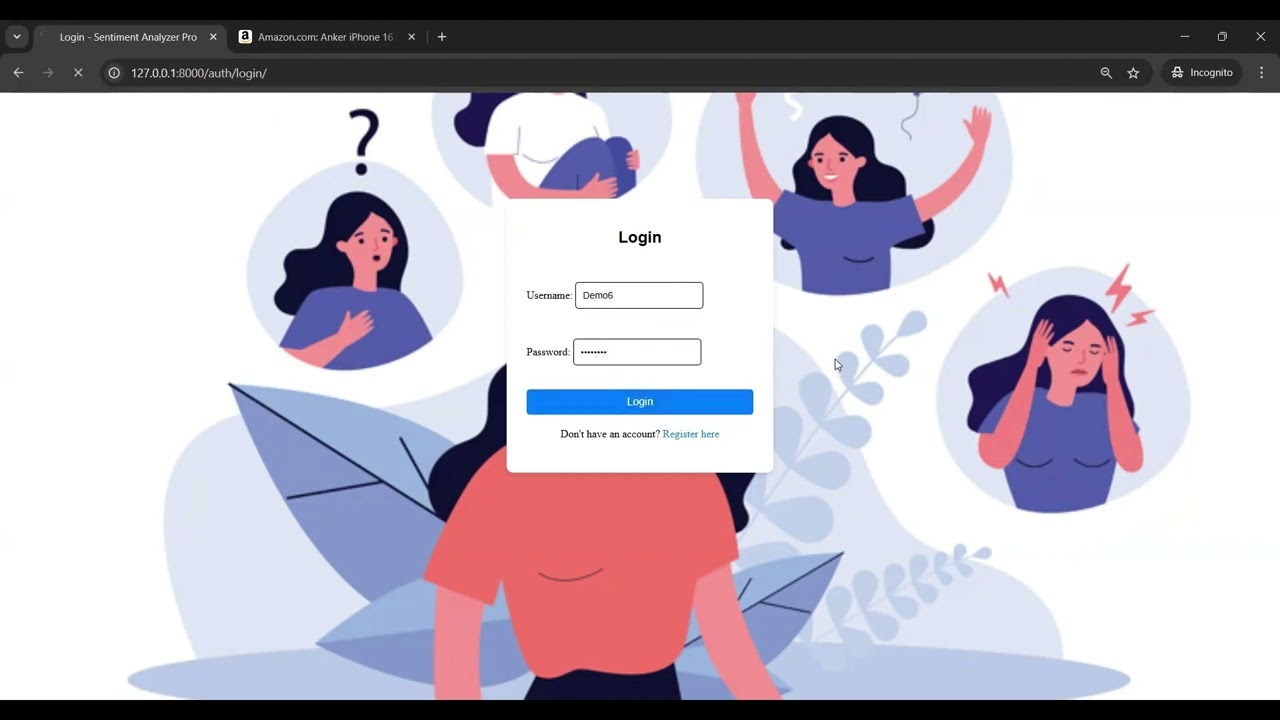
- Introduction
- Sentimental Analyzer Pro Features
- How to use Sentimental Analyzer Pro?
- How to setup local docker?
- Roadmap and Progress
- Case Study
- Contributing to the product
- Connect with us
- Team Members
Sentiment analysis, also known as opinion mining, is the process of determining the sentiment or emotional tone in a piece of text, audio, or other forms of data. It involves identifying whether the sentiment expressed is positive, negative, or neutral.
- Sentiment analysis can help businesses and organizations understand how their customers or users feel about their products, services, or experiences.
- Companies can gauge public opinion about their products or services, track trends, and identify emerging issues or opportunities in the market.
- News agencies and media companies use sentiment analysis to analyze public sentiment towards news articles or events. This helps in generating content that aligns with the interests of the audience.
- Sentiment analysis is used in politics to understand public sentiment towards political candidates, parties, or policies. It is also used to gauge public opinion on social issues.
The Sentimental Analyzer provides the following:
- Comprehensive Insights: Different types of data sources provide diverse perspectives. An all-encompassing tool can provide a more comprehensive understanding of public sentiment.
- Multichannel Data Analysis: In today's world, opinions and sentiments are expressed across various channels, including social media, customer reviews, audio recordings, and news articles. A tool that can analyze these diverse data sources offers a more accurate picture of public sentiment.
- Cost-Efficiency: Instead of using multiple specialized tools, a single tool that can handle multiple data types is cost-effective and streamlines the analysis process.

The complete development was achieved using the following technologies:
- Python3
- Django
- HTML
- CSS
- Scrapy
- Vader Analysis Tool
- Tensorflow
Although HTML and CSS are used for the front end, the users can merge the backend logic with any of the front end frameworks they wish to use such as React, and AngularJS.
| Feature | Description |
|---|---|
| Product Analysis | Sentimental analysis of Amazon product reviews |
| News Analysis | Sentimental analysis of any recent news topic |
| Text Analysis | Sentimental analysis of text input |
| Audio Analysis | Sentimental analysis of audio file |
| File Analysis | Sentimental analysis of text file |
| Live Sentimental Analysis | Sentimental analysis of live recorded audio |
| Facebook Post Analysis | Sentimental analysis of Facebook Post |
| Twitter Post Analysis | Sentimental analysis of Twitter Post |
| Reddit Post Analysis | Sentimental analysis of Reddit Post |
- Clone this project:
git clone https://github.com/jayjoshi1400/Sentimental-Analyzer-Pro.git
-
Make sure you are using Python 3.10 or higher. You can get it here: https://www.python.org/downloads/release/python-3115/
-
Create a Virtual Environment
python3.10 -m venv env
source env/bin/activate
- Add environment variable
For Windows:
set DJANGO_ALLOWED_HOSTS=0.0.0.0,localhost,127.0.0.1
For Linux (Ubuntu) and Max:
export DJANGO_ALLOWED_HOSTS=0.0.0.0,localhost,127.0.0.1
- Install dependencies for the project from the root directory of the project:
pip3 install -r requirements.txt
python -c "import nltk; nltk.download('punkt'); nltk.download('stopwords'); nltk.download('averaged_perceptron_tagger')"
- Install ffmpeg:
For Windows:
winget install ffmpeg
For Linux (Ubuntu):
sudo apt install ffmpeg
For Mac:
brew install ffmpeg
'''
brew install ffmpeg
- Run Django Server migrations manage.py (Note: Make sure you are in root directory of the project.)
python3 .\sentimental_analysis\manage.py makemigrations
python3 .\sentimental_analysis\manage.py migrate
- Run Django Server using manage.py (Note: Make sure you are in root directory of the project.)
python3 .\sentimental_analysis\manage.py runserver
- Next, open your browser and type in
localhost:8000in the search bar to open the user interface of the application.
Now, you are good to go.

To run the frontend tests, use the following command:
python3 sentimental_analysis/manage.py test realworld
To run the backend tests, use the following command:
pytest
-
Start the django server to get to the homepage

-
Facebook Analysis

-
Product Analysis
%20(2).gif)
-
Twitter Analysis

-
Text Analysis

-
Image to Document

-
Reddit Analysis


%20(2).gif)


- Build a docker image from the Dockerfile in the repo
docker build -t sentimental-analysis .
- Run the image
docker run -p 8000:8000 sentimental-analysis
- Next, open your browser and type in
0.0.0.0:8000in the search bar to open the user interface of the application.
- Live Sentiment Analysis Feature inclusion
- News Analysis Feature inclusion
- Fixed and enhanced Amazon Product Analysis
- Unit Tests were written and Test Coverage was improved
☑️ Implement User Authentication to store the login history of each User
☑️ Visualize the sentiment distribution by each user comment for product analysis
☑️ Upgraded news analysis by transitioning from Google Search to Google News scraping, yielding more relevant insights
☑️ UI Improvement for enriching User interaction with the Application
☑️ Enhance the Product Analysis by considering the number of users rated for each Product!
☑️ Documentation Improvement for reflecting project's value accurately
☑️ Addition of Builds and Workflows for better development activities
☑️ Public facing webpage to get feedbacks, Raise and handle issues, Discuss & Grow with enthusiasts and supportive community
☑️ Docker-Ready Deployment for seamless deployment across any platform with our containerized solution
☑️ Intelligent Caching System to reduce redundant API calls
☑️ Intelligent Caching System to reduce redundant API calls
☑️ Process multiple texts simultaneously with our new batch analysis feature
- Advanced Analytics which include emotion detection, comparision tools and auto-generated reports
- Enable users to compare sentiment across different brands or products
- Allow users to train sentiment models specific to their industry or needs
We have done a Case Study for our Sentiment Analysis Project. It can be found here.
To Contribute to our application, please refer to CONTRIBUTING.md
- Want to share your feedback or raise any issue click here
- Need instant help? discuss over community chat to get help from other community members
- Join our mailing list for regular updates
- Join our discord forum for updates or support or discussions. Join Here!
- Or just want to be part of our journey and get to know more about the Sentiment Analyser Pro and its team
- Jay Joshi
- Dinesh Pasupuleti
- Srivardhan Vura
master
This project is a fork of Sentimental-Analyzer-Pro by NehaSJ99.
Forked on: 14 Nov 2024
Original Commit Hash: d11a4871660aa0a26f31764d150c87f2bd5d0586
Note: This is an unfunded, non-profit project created for educational purposes.