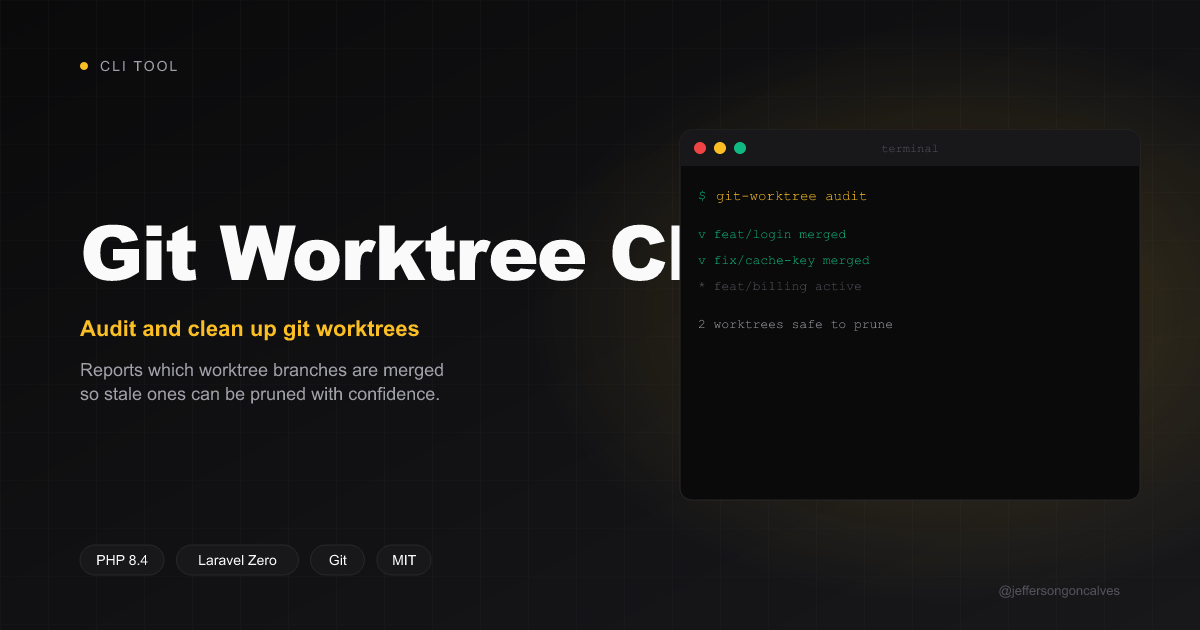
CLI tool to audit git worktrees in a repository and report whether each
worktree's branch has already been merged into the main branch. Includes
a clean command to remove merged worktrees and keep the workspace tidy.
Built with Laravel Zero and modeled on the other CLIs in this monorepo.
- PHP
^8.2 gitavailable onPATH- A git repository with at least one linked worktree
composer global require jeffersongoncalves/git-worktree-cliThe binary git-worktree will be on your PATH as long as Composer's
global vendor/bin is in it.
git clone https://github.com/jeffersongoncalves/git-worktree-cli.git
cd git-worktree-cli
composer install# Audit the current directory (the default command)
git-worktree
# Audit a specific repo
git-worktree check /path/to/repo
# Force a specific main branch (otherwise auto-detected)
git-worktree check --main=develop
# Only show worktree branches that are NOT merged
git-worktree check --only-unmerged# Existing local branch — creates <repo-parent>/<repo>-<branch>
git-worktree add feature
# Branch with a slash — uses the suffix after the last "/"
# (feature/foo → <repo-parent>/<repo>-foo)
git-worktree add feature/foo
# Existing remote branch — auto-tracks origin/<branch>
git-worktree add hotfix/login
# Brand-new branch from the auto-detected main (skip prompt)
git-worktree add my-new-feature --yes
# Custom base ref + custom target directory
git-worktree add my-feat --from=develop --target=/tmp/wt-myfeat
# Skip the network check (use only local refs)
git-worktree add my-feat --no-fetch
# Skip recursive submodule init in the new worktree
git-worktree add my-feat --no-submodules
# Copy untracked files (e.g. .env) from the main worktree into the new one
git-worktree add my-feat --copy=.env --copy=auth.json
# Run setup commands inside the new worktree after creation
git-worktree add my-feat --run='composer install' --run='php artisan key:generate'
# Ignore the per-repo add.copy / add.run config for this run
git-worktree add my-feat --no-configResolution order: existing local branch → existing remote branch (creates a
tracking branch) → new branch from --from or the auto-detected main.
If the repository declares submodules (a .gitmodules file is present), the new
worktree runs git submodule update --init --recursive automatically. Disable
this with --no-submodules.
--copy and --run make a new worktree usable immediately: copy the local
config a fresh checkout lacks (.env, auth.json, signing keys) and run setup
commands (composer install, …). Both can be made persistent per repo via the
add section of the config file (see Per-repo config):
{
    "add": {
        "copy": [".env", "auth.json"],
        "run": ["composer install"]
    }
}# Preview — doesn't touch anything
git-worktree clean --dry-run
# Prompt to confirm, then remove
git-worktree clean
# Skip confirmation + also delete the local branch
git-worktree clean --yes --delete-branch
# Force removal (worktrees with dirty state, branches with -D)
git-worktree clean --yes --delete-branch --force
# Only remove branches directly merged (exclude squash/rebase detection)
git-worktree clean --strict
# Never remove these branches, even if merged (repeatable, globs allowed)
git-worktree clean --protect=develop --protect=release/*
# Ignore the per-repo protected-branches config file for this run
git-worktree clean --no-configSome branches stay merged but should never be cleaned (long-lived develop,
staging, release/*, …). The main branch is always skipped automatically;
protection is for the extra branches you want to keep.
Two ways to protect, combined as a union on every clean run:
- Per-run flag —
--protect=<branch-or-glob>(repeatable). - Per-repo config file — persistent, managed with
config:*commands.
# Add / remove protected branches (exact names or globs)
git-worktree config:protect develop
git-worktree config:protect 'release/*'
git-worktree config:unprotect develop

# Inspect the resolved config (slug, file path, enabled flag, branch list)
git-worktree config:show

# Turn the file off / on without losing its contents
git-worktree config:disable
git-worktree config:enable
The config lives at ~/.config/git-worktree/<owner>-<repo>.json
(honoring XDG_CONFIG_HOME; the slug is derived from the origin remote,
falling back to the directory name plus a short hash when there is no remote):
{
    "protect": {
        "enabled": true,
        "branches": ["develop", "release/*", "staging"]
    }
}
--no-config ignores the file for a single run; config:disable (or
"enabled": false) turns it off persistently. Either way, --protect flags
still apply.
clean removes merged worktrees in bulk; remove targets one by branch name
or path, regardless of merge status:
# Remove by branch name (prompts; refuses if dirty)
git-worktree remove feature/login

# Skip confirmation and also delete the local branch
git-worktree remove feature/login --yes --delete-branch

# Force removal of a worktree with uncommitted changes
git-worktree remove feature/login --force --yes# Basic listing
git-worktree list-worktrees
# Include merge status against the main branch and a clean/dirty flag
git-worktree list-worktrees --statusAfter a worktree directory is deleted manually, git keeps a stale admin record. Clear them:
git-worktree prune            # remove stale records
git-worktree prune --dry-run # show what would be prunedpath prints a worktree's absolute path so your shell can cd into it:
cd "$(git-worktree path feature/login)"Install the gwt helper so gwt cd <branch> changes directory for you:
# bash / zsh — add to ~/.bashrc or ~/.zshrc
eval "$(git-worktree shell-init)"

# fish — add to ~/.config/fish/config.fish
git-worktree shell-init fish | source
Then: gwt cd feature/login. Any other gwt <args> forwards to git-worktree.
git-worktree open feature/login                 # uses $VISUAL, $EDITOR, then "code"
git-worktree open feature/login --editor=sublWhen installed from the released PHAR, self-update from the terminal:
git-worktree self-update          # download and install the latest release
git-worktree self-update --check  # only check, don't install
When installed via Composer, use Composer to update:
composer global update jeffersongoncalves/git-worktree-cliFor each linked worktree (the main worktree and bare repos are skipped) the tool inspects the branch checked out in that worktree and compares it to the main branch:
- If the worktree is detached or on the main branch itself, it is skipped.
- If branch tip equals main tip → same as main.
- If branch tip is an ancestor of main (direct/fast-forward/merge commit) → merged.
- Otherwise
git cherry main branchis used to detect squash/rebase merges — if every commit on the branch has an equivalent patch on main, the branch is considered merged. - Anything else is reported as not merged.
ahead/behind counts come from git rev-list --left-right --count
between the branch and the main branch.
In order of priority:
--main=<name>flag if provided and the ref exists- The remote default branch (
origin/HEAD) - Conventional names:
main,master,develop,trunk
The command fails fast when:
- The target path is not a git repository
- The repository has no linked worktrees (only the main checkout)
- The main branch cannot be resolved
composer install
composer test       # Pest tests + Pint lint
composer lint       # Auto-fix style
composer build      # Build the PHAR into builds/git-worktree
The PHAR is emitted at builds/git-worktree. The build.yml workflow
rebuilds and commits it back to main on every push, using the latest
git tag as the embedded version.
Fresh git repositories used by the test suite are created under
tests/tmp/ (which is gitignored).
- Merge changes to
main— CI builds a freshbuilds/git-worktreeagainst the latest tag and commits it back. - Create a new GitHub release (tag
X.Y.Z, novprefix). - The
publish-phar.ymlworkflow attachesgit-worktree.pharto the release andupdate-changelog.ymlupdatesCHANGELOG.md+version.txt.
The self-update command pulls the PHAR asset from the latest release.