
FlipRSDR is a Flipper Zero external app that captures raw demodulated Sub-GHz pulse/gap timings and streams them to a PC over USB CDC or BLE serial. It is intentionally focused on pulse timing fidelity rather than protocol decoding, and the transport is now bidirectional so a desktop client can also remote-control capture settings.
- Captures ordered pulse/gap durations in microseconds using the firmware async Sub-GHz receive path
- Decodes saved and live captures in the desktop analyzer using lightweight timing-pattern analysis plus multi-burst consensus recovery
- Replays captured signals from the desktop tools back through a connected Flipper using the stored tuned burst frequency for more accurate retransmission
- Supports both the internal Flipper CC1101 and compatible external CC1101 modules
- Detects burst start, burst continuation, and burst end from gap timing and idle timeout
- Preserves the full timing burst locally in buffered modes, including truncation and overflow flags
- Streams the compact
fliprsdrbinary protocol by default, with JSON kept as a debug option - Supports USB CDC on dual-CDC channel
1and BLE serial - Can mirror received RF activity to the Flipper speaker during capture and preview
- Accepts simple remote-control commands over the same USB or BLE link for scan start/stop, frequency changes, and RSSI threshold updates
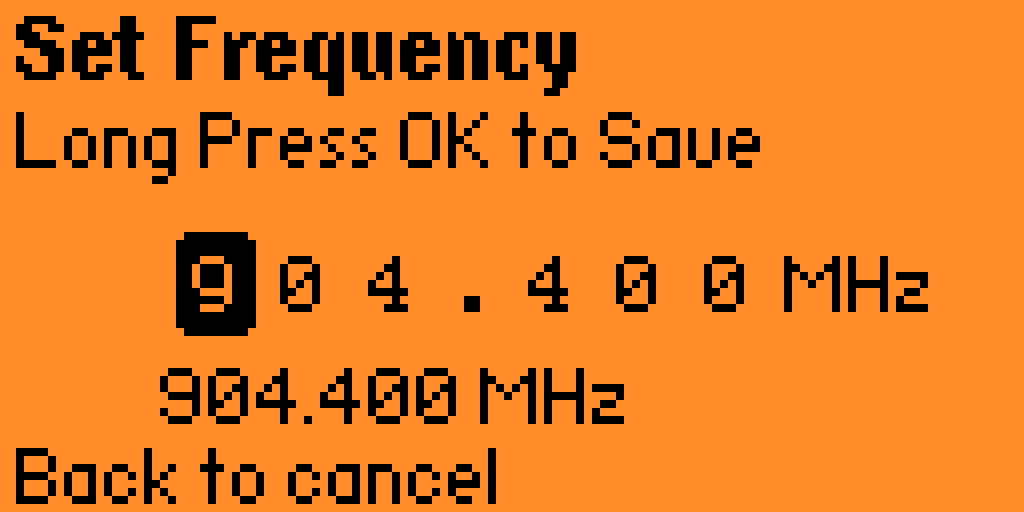
|
|
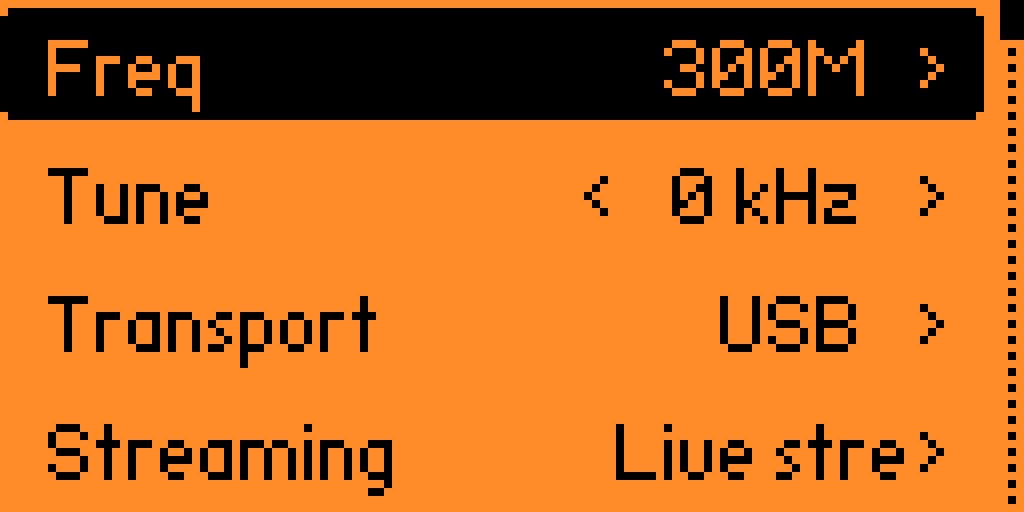
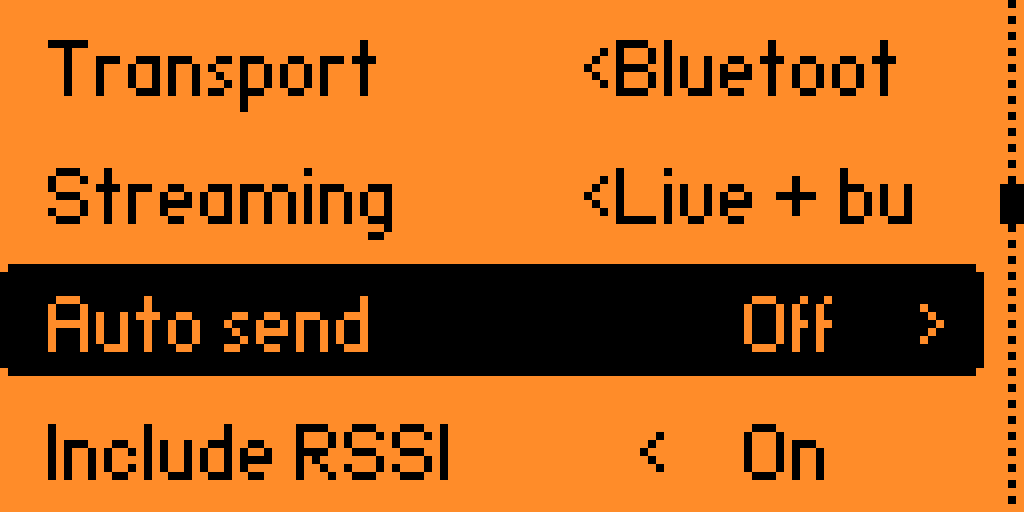
| Frequency menu | Menu page 2 |
|
|
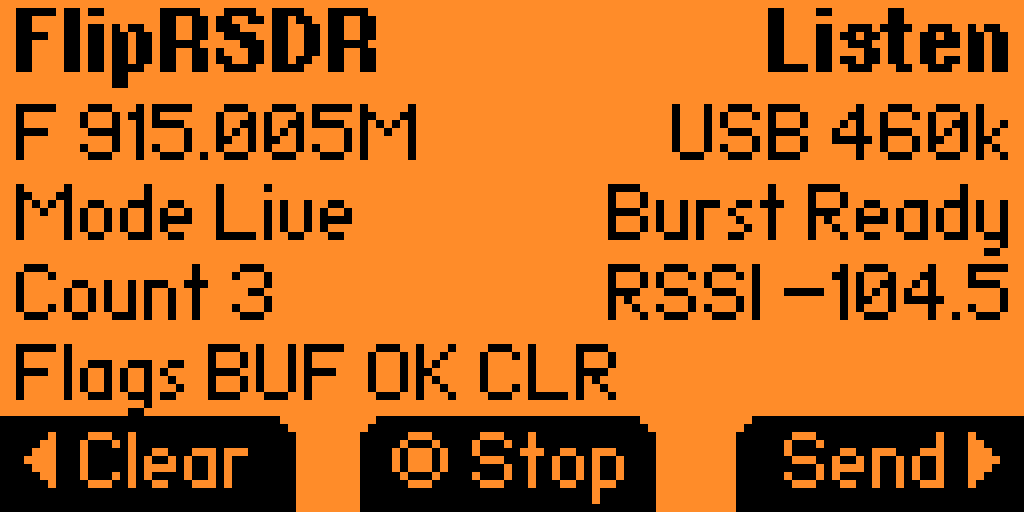
| Scanning screen | Scanning idle |
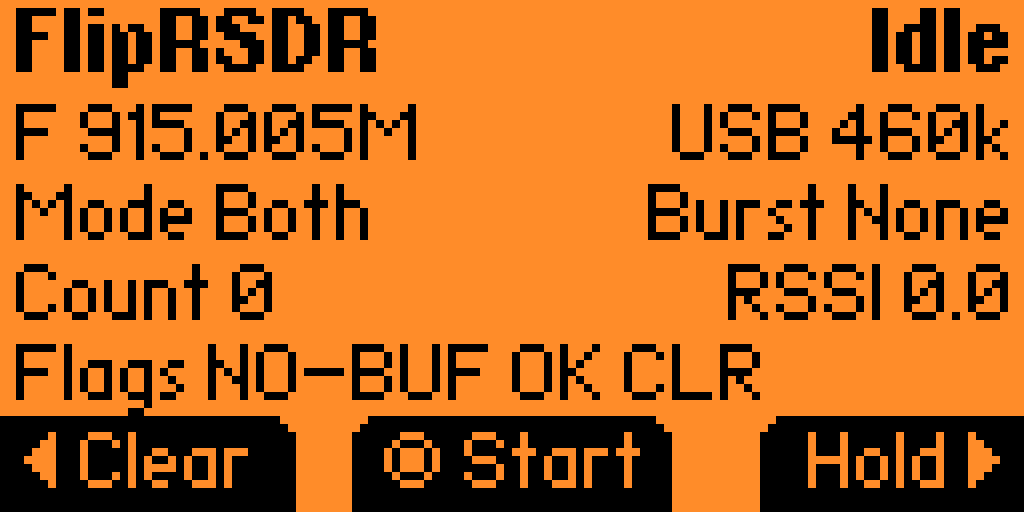
Start CaptureOKstarts or stops listeningLeftclears the buffered burstRightsends the buffered burstBackleaves the screen and stops capture
Signal Preview- Sweeps around the configured center frequency and shows live RSSI activity
- Preview is for inspection only; capture and replay still operate on a single tuned frequency rather than the whole preview span
Left/Rightshifts the center frequency by100 kHzUp/Downshifts the center frequency by1 MHz- If
Audiois enabled, preview uses the same mirrored radio audio path as capture
Settings- Frequency preset
- Frequency fine-tune offset
- Transport
- Protocol format
- Streaming mode
- Auto-send after burst complete
- Include RSSI
- Include timestamp
- Max pulse count
- Capture timeout
- Burst-end gap threshold
- Audio
- Preview band span
- RF module (
InternalorExternal) - Debug send action
About
RF module = Internaluses the built-in Flipper CC1101RF module = Externaluses a compatible external CC1101 connected to the GPIO header- The app now embeds the external CC1101 driver plugin so it is available when building and installing
FlipRSDRby itself - Preview shows the active radio path (
INT,EXT, orEXT?) and reports external open failures on-screen - The external CC1101 path probes multiple expansion GPIO candidates for the module
GDO0data pin instead of assuming a single fixed wiring layout FlipRSDRexternal-radio support is for CC1101-based Sub-GHz modules only; NRF24/Si24R1-style 2.4 GHz boards are not supported by this app
The default serial format is the custom fliprsdr binary protocol defined in fliprsdr_binary_protocol_spec.md. The current implementation uses:
- COBS framing with
0x00delimiters - CRC-16/XMODEM integrity checks
- little-endian metadata fields
- unsigned varints for timing arrays
- packet types
BURST_START,TIMING_CHUNK,BURST_END, andBURST_CAPTURE - optional timestamp fields encoded in microseconds
- optional RSSI fields encoded as signed centi-dBm (
dBm * 100)
Live streaming emits BURST_START, one or more TIMING_CHUNK packets, and BURST_END. Buffered sends prefer a single BURST_CAPTURE packet when the burst fits, and automatically fall back to the segmented live-style sequence for truncated or oversized captures.
JSON remains available as a compatibility/debug option. In either format, first_level is preserved so the PC side can reconstruct the exact pulse/gap ordering even if the first received interval is a gap.
The same transport is also used for inbound remote commands from the PC. Commands are newline-delimited ASCII and are currently:
start_scanstop_scanset_frequency <value>set_rssi_threshold offset_rssi_threshold <-dBm>
set_frequency accepts plain Hz values such as 433920000, integer MHz values such as 433, or decimal MHz text such as 433.920. Remote commands work over both USB CDC and BLE serial.
app/fliprsdr.c- App allocation, view dispatcher, scene manager, and shared refresh helpers
app/fliprsdr.h- Shared enums, constants, settings, burst, and snapshot structs
app/fliprsdr_app.h- Internal app struct, view ids, and custom events
app/settings.c/app/settings.h- Persistent settings using
saved_struct
- Persistent settings using
app/radio.c/app/radio.h- Shared internal/external radio wrapper, audio mirror control, and external CC1101 diagnostics
app/burst_buffer.c/app/burst_buffer.h- Fixed-capacity burst storage with truncation tracking
app/capture.c/app/capture.h- Raw async Sub-GHz receive worker and burst assembly, including storing the actual tuned RX/TX frequency with buffered bursts and replay
app/transport.c/app/transport.h- Shared bidirectional transport thread, backend selection, and command callback dispatch
app/transport_usb.c- USB CDC transport backend
app/transport_ble.c- BLE serial transport backend
app/protocol.c/app/protocol.hfliprsdrbinary encoding plus JSON compatibility formatting
views/capture_view.c/views/capture_view.h- Custom capture status screen that shows the effective capture/replay frequency
views/preview_view.c/views/preview_view.h- Live sweep preview with speaker mirror audio, frequency nudging, and radio diagnostics
scenes/- Menu, capture, settings, and about scenes
application.fam- Flipper manifest
build.ps1- Sync-and-build helper for a local firmware checkout
fliprsdr_protocol.py- Shared Python encoder/decoder used by the receiver and analyzer for
.fliprsdrrecordings and live packet parsing
- Shared Python encoder/decoder used by the receiver and analyzer for
- Raw receive uses
furi_hal_subghz_start_async_rx(...) - The receive preset uses
subghz_device_cc1101_preset_ook_270khz_async_regs - USB streaming uses:
furi_hal_usb_set_config(&usb_cdc_dual, NULL)furi_hal_cdc_set_callbacks(...)furi_hal_cdc_send(...)
- BLE streaming uses:
bt_profile_start(..., ble_profile_serial, NULL)ble_profile_serial_set_event_callback(...)ble_profile_serial_tx(...)
- Remote-control RX uses newline-delimited line input from either transport backend
- The app currently uses the public async raw receive API directly and does not depend on protocol decode paths.
- External module support currently targets CC1101-based Sub-GHz boards and not NRF24/Si24R1 2.4 GHz boards.
- Buffered modes intentionally stop after one completed burst so the last burst can be preserved exactly and resent without being overwritten. This matches the v1 priority of “one complete burst at a time is acceptable”.
TODO: the OOK raw receive preset may need tuning per target signal family or future firmware changes.TODO: USB transport currently assumes dual CDC channel1is the safest user-facing serial endpoint.TODO: BLE transport restores the default serial profile on exit because the public API does not expose the previously active profile template.
Default:
.\build.ps1Preview only:
.\build.ps1 -PreviewSyncSkip build after sync:
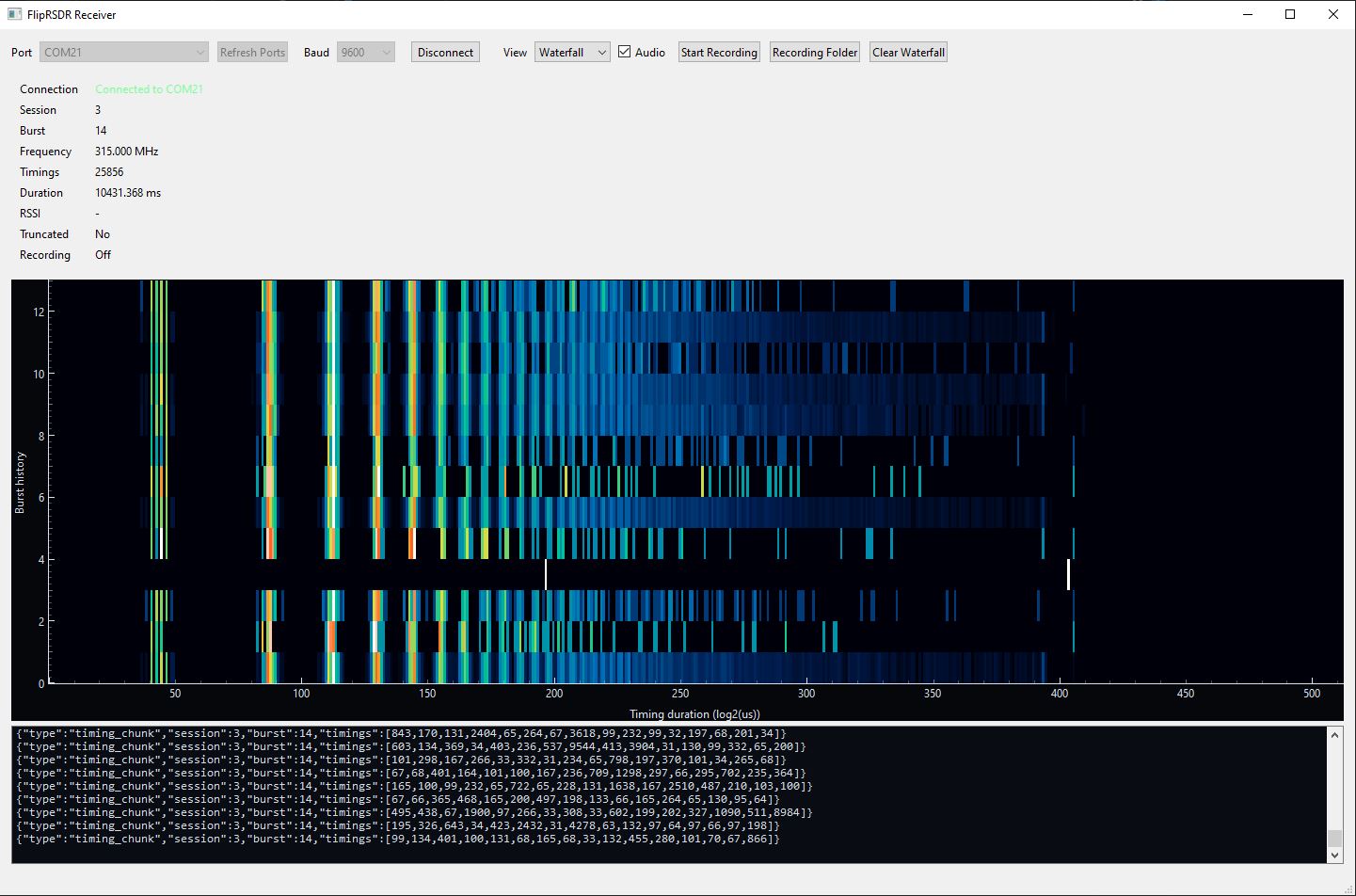
.\build.ps1 -SkipBuildThe Windows desktop companion app lives under receiver/ and is called FlipRSDR Receiver.
- Project path:
receiver\ - Build script:
.\build_receiver.ps1 - Output:
build\FlipRSDR Receiver.exe - Live serial ingest from the Flipper CDC stream
- Supports both
fliprsdrbinary packets and legacy JSON - Waveform view for the current pulse train
- Waterfall view using log-duration bins with SDR-style coloring
- Optional recording of completed bursts to
.fliprsdrbinary files or JSONL - Optional audible playback of completed bursts
- Automatic port refresh while disconnected, plus last-port recall on restart
- Remote control panel for
start_scan,stop_scan,set_frequency, andset_rssi_threshold - Smart replay pipeline for captures that preserve the tuned burst frequency for more accurate retransmission
Receiver notes: The receiver records the burst frequency reported by the Flipper. New captures now preserve the actual tuned frequency returned by the radio, which improves replay accuracy when the hardware snaps to a nearby valid tuning step. The receiver waterfall is timing-based, not RF-frequency-based. It visualizes pulse/gap duration distribution, so it does not show within-band preview offsets.
The receiver can drive the Flipper remotely after connection. The current UI exposes:
- Start/stop scan buttons
- Frequency presets or manual entry
- RSSI threshold presets or
Off
These commands are written back over the open serial connection and apply immediately on the device. If capture is already running, a remote frequency change stops capture, applies the new frequency, and restarts capture automatically.
An Android companion app now lives under android_receiver/ and is called Android Receiver.
- Project path:
android_receiver\ - Build script:
.\build_android_receiver.ps1 - Output:
build\Android Receiver-debug.apk - No Android screenshots yet
- USB serial host support for the working Flipper CDC user port
- BLE serial support with Nordic UART fallback plus generic write/notify discovery
fliprsdrbinary and JSON protocol parsing- Bottom-navigation UI with dedicated Connect, Control, Monitor, and Logs pages
- Live waveform and waterfall views
- Remote commands for
start_scan,stop_scan,set_frequency, andset_rssi_threshold - Optional recording to
.fliprsdror.jsonl - Optional audio playback for completed bursts
The current Android USB flow is tuned around the Flipper dual-CDC layout and only exposes the proven working serial path on Android when multiple USB serial ports are present.
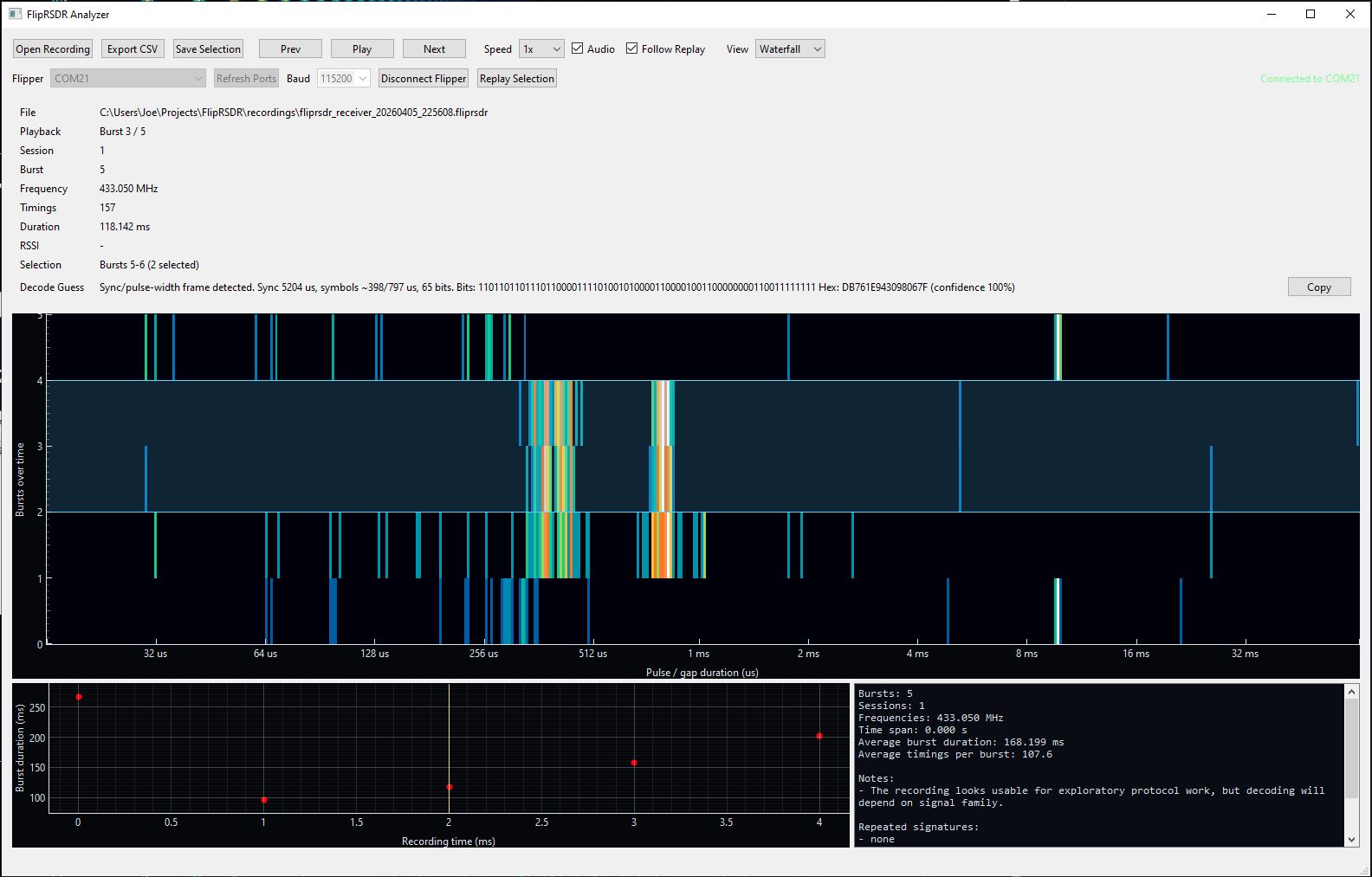
The offline analysis companion app lives under analyzer/ and is called FlipRSDR Analyzer.
- Project path:
analyzer\ - Build script:
.\build_analyzer.ps1 - Output:
build\FlipRSDR Analyzer.exe - Loads saved
.fliprsdrrecordings from the receiver, plus legacy JSONL - Replays bursts over recording time with optional audio playback
- Replays selected signals back to a connected Flipper, tested successfully with a ceiling fan remote
- Shows waveform and a full recording waterfall view
- Highlights repeated timing signatures and likely frame-like bursts
- Attempts a lightweight short/long symbol decode for bursts that resemble simple PWM-style framing
- Uses repeated/duplicate bursts to improve low-confidence decodes and fill in missing bits where the captures agree
Analyzer notes: Replay uses each burst's stored frequency directly. Like the receiver, the analyzer waterfall is timing-based rather than a swept RF spectrum display. When several near-duplicate bursts are present, the analyzer aligns them and applies a consensus decode so uncertain bits in one burst can be resolved from matching captures.