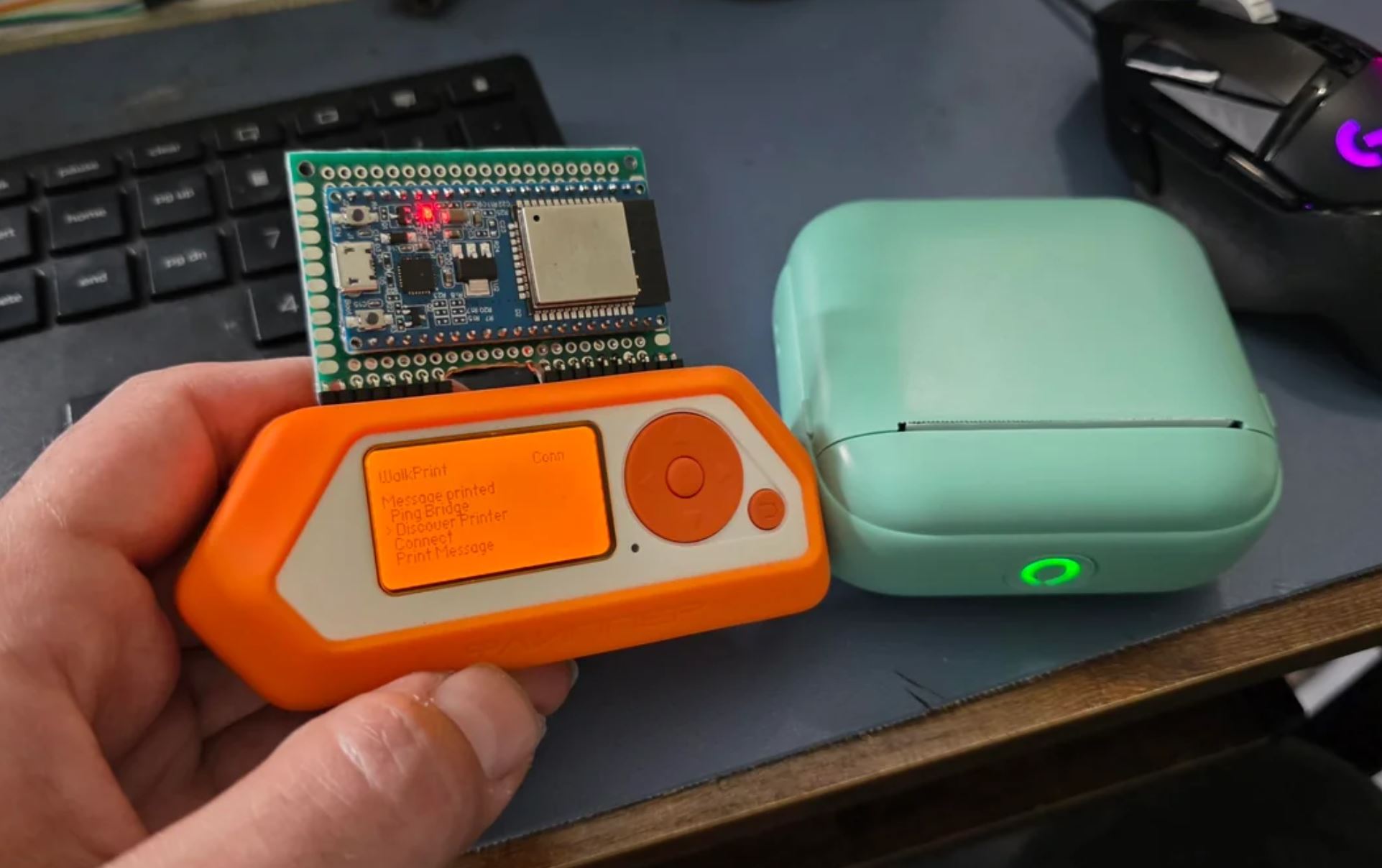
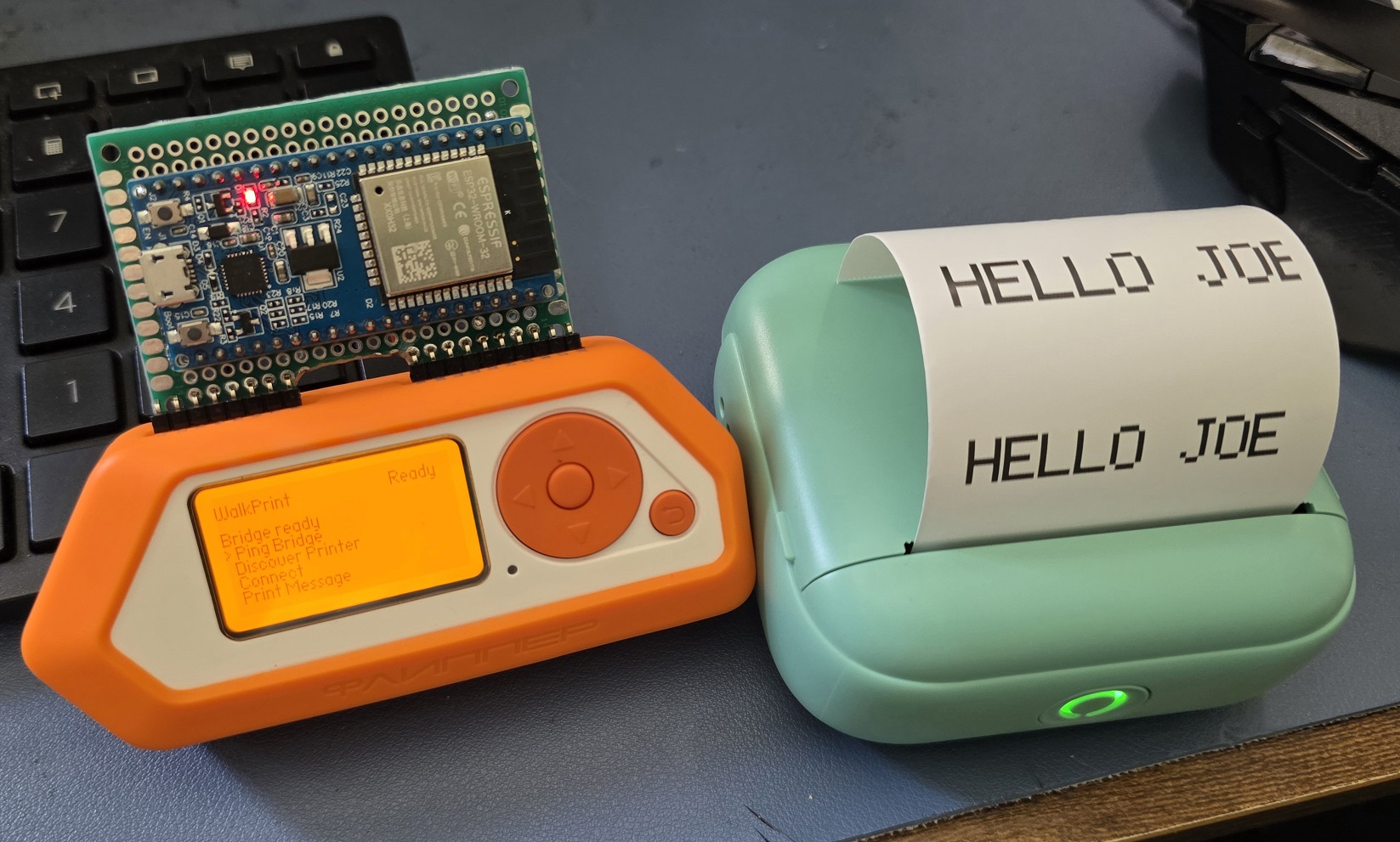
WalkPrint is a Flipper Zero external app for a WalkPrint / YHK-style thermal printer that can print typed messages, .txt files from the SD card, and 384px wide BMP images. It uses a single live path through an external ESP32 bridge instead of pretending the Flipper can talk to a Classic Bluetooth printer on its own.
| Features | Features |
|---|---|
| Print custom typed messages | Print .txt files from the SD card |
Print 384px BMP images from the SD card |
Discover nearby supported printers |
| Generate QR BMPs on-device and save/print them | Generate Code 128 barcode BMPs on-device and save/print them |
| Connect through the ESP32 Classic Bluetooth bridge | Scan Wi-Fi from the bridge |
| Adjust density, font size, spacing, and font family | Save printer address and print settings |
The app talks to an ESP32-WROOM over Flipper USART at 115200 8N1, and the ESP32 handles:
- Classic Bluetooth SPP printer discovery and connection
- raw printer byte transport
- Wi-Fi scan/status helpers
The build scripts prefer your local Momentum firmware checkout when it is present.
- The Flipper app builds cleanly against Momentum and outputs dist/walkprint.fap.
- The app UI now includes printer discovery, Wi-Fi scan, configurable message font size/family settings,
.txtprinting from the SD card, and BMP printing from the SD card. - The live transport in walkprint_transport_live.c uses Flipper header pins
13/14(PB6/PB7) at115200. - The ESP32 bridge sketch lives at esp32_bridge/walkprint_esp32_bridge/walkprint_esp32_bridge.ino.
- The optional WalkPrint Bridge is a PC-side Python script under
bridge/for desktop helpers like image conversion, QR/1D barcode BMP generation, and direct PC printing. It is not required for the Flipper Zero app.
The ESP32 bridge is the practical transport layer for this setup because it can own Classic Bluetooth SPP while the Flipper app stays on a supported UART link.
 |
 |
 |
 |
Files:
- Bridge sketch: esp32_bridge/walkprint_esp32_bridge/walkprint_esp32_bridge.ino
- Bridge notes: esp32_bridge
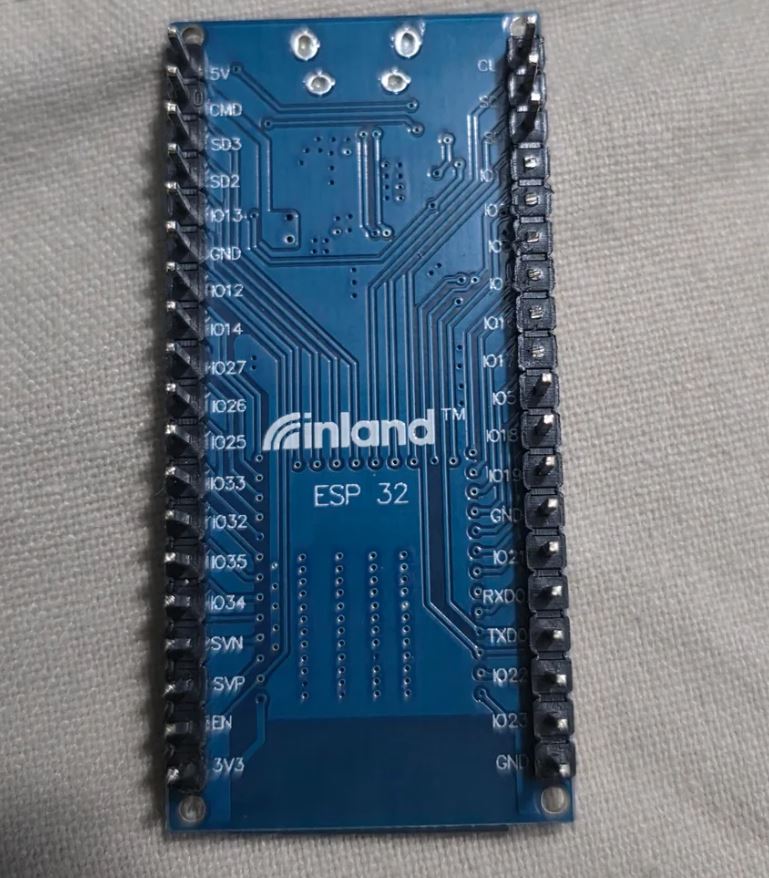
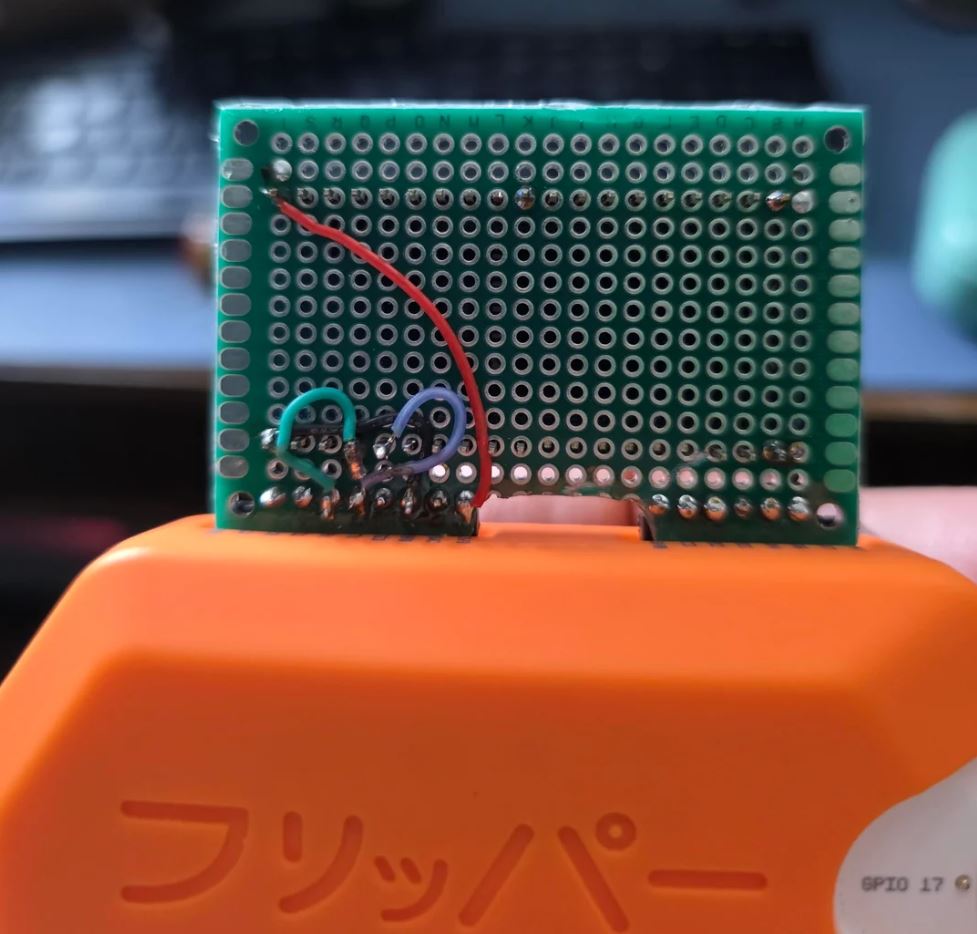
Wiring:
- ESP32
GPIO17TX -> FlipperPB7RX - ESP32
GPIO16RX -> FlipperPB6TX GND->GND
Protocol examples:
PINGBT_SCANBT_CONNECT|25:00:35:00:03:57BT_WRITE_HEX|...WIFI_SCAN
.
|-- .gitignore
|-- README.md
|-- application.fam
|-- app_ui.c
|-- app_ui.h
|-- build.sh
|-- deploy.sh
|-- walkprint_app.c
|-- walkprint_app.h
|-- walkprint_config.h
|-- walkprint_debug.c
|-- walkprint_debug.h
|-- walkprint_protocol.c
|-- walkprint_protocol.h
|-- walkprint_transport.h
`-- walkprint_transport_live.c
Printer-specific placeholders live in walkprint_config.h.
Edit these first:
walkprint_config_init_framewalkprint_config_start_print_framewalkprint_config_end_print_framewalkprint_config_feed_framewalkprint_config_raw_framewalkprint_demo_receipt_lines
export FLIPPER_FW_PATH=/path/to/Momentum-Firmware
./build.sh
Optional:
./build.sh --fw-path /path/to/Momentum-Firmware
./build.sh --fw-path /path/to/Momentum-Firmware --copy
The Windows build script also works directly with your local checkout:
./build.ps1 -FirmwareDir C:\Users\jasammarco.ENG\Projects\Momentum-FirmwareMounted SD card:
./deploy.sh --mount /Volumes/FLIPPERqFlipper CLI:
./deploy.sh- Discover Printer
- Connect
- Print Message
- Print TXT
- Print QR
- Print Barcode
- Print BMP
- Feed Paper
- WiFi Scan
- Settings
- About
The app now shows:
- connection state
- the saved printer address, once discovery or manual entry sets it
- the configured density placeholder
- the configured font size from
1-10 - the selected font family
- the latest bridge discovery or Wi-Fi scan result
- BMP print status for
.bmpfiles selected from storage - generated QR BMP status for Flipper-side save and print
- generated barcode BMP status for Flipper-side save and print
- TXT print status for
.txtfiles selected from storage - persisted settings after the app closes, including printer MAC, message, BMP path, and print options
The desktop bridge now adds:
python bridge/walkprint_bridge.py image <path>to send an image directlypython bridge/walkprint_bridge.py convert-image <path>to generate the printer payload without sendingpython bridge/walkprint_bridge.py make-qr --text "..."to generate a384pxBMP QR code for Flipper-sidePrint BMPpython bridge/walkprint_bridge.py make-qr --input-file path.txtto generate a QR code from a filepython bridge/walkprint_bridge.py make-barcode --text "..."to generate a384pxBMP 1D barcode for Flipper-sidePrint BMPpython bridge/walkprint_bridge.py make-barcode --input-file path.txtto generate a 1D barcode from a filepython bridge/walkprint_bridge.py qr --text "..."to generate and print a QR code directlypython bridge/walkprint_bridge.py barcode --text "..."to generate and print a 1D barcode directly.\bridge\send_image.ps1to select an image with a Windows file picker and send it.\bridge\send_image.ps1 -BmpOnlyto pick only.bmpfiles and send them at the default384pxprint width
- The Flipper talks to the printer through the ESP32 bridge over UART; it does not open the printer's Classic Bluetooth link on its own.
Print TXTreads a.txtfile from the Flipper SD card, keeps line breaks, and prints it across as many text pages as needed. While a multi-page TXT job is running,Backcancels after the current page finishes.Print QRnow generates a QR BMP directly on the Flipper. The app first collects QR text, then asks for the BMP filename, then offersSave + Printthrough the existing BMP confirmation flow. The current on-device encoder uses QR version3-Land accepts up to53characters.Print Barcodenow generates a Code 128 B BMP directly on the Flipper. The app first collects barcode text, then asks for the BMP filename, then offersSave + Printthrough the same confirmation flow. The current on-device encoder accepts printable ASCII and keeps input to24characters so the bars still fit at384px.- The built-in text renderer is best for standard printable ASCII. If a text file uses Unicode art, block characters, or other extended symbols, convert it to an image and use
Print BMPinstead. Print BMPexpects a.bmpfile on the Flipper SD card that is exactly384pxwide. Files with other widths are rejected by the app.- After selecting a BMP, the Flipper now shows a confirmation screen with
OKto print andBackto cancel. Generated QR and barcode jobs reuse the same screen forSave + Print, and the saved file name comes from the filename entered on the Flipper keyboard. The app normalizes spaces to underscores, keeps safe filename characters, and appends.bmpwhen needed. - The new QR and 1D barcode helpers in
bridge/walkprint_bridge.pygenerate384pxBMP files specifically so they can be copied to the Flipper SD card and printed with the existingPrint BMPmenu item. - Use the Arduino IDE to compile and upload the ESP32 bridge sketch, and make sure the partition option matches the included
partitions.csvsetup. - Good next additions for the bridge would be printer status polling, Wi-Fi connect commands, and better paging for larger Bluetooth scan results.