Official Communication Portal for Parents & High Schools






EduConnect is a cross-platform mobile application that serves as the official communication portal between parents and high schools.
This project is built for sharing and learning purposes, demonstrating how to use an AI Virtual Assistant to simplify information exchange, academic tracking, and classroom management.
- Visual Showcase
- Key Features
- Tech Stack
- Project Structure
- Installation and Setup
- Contributing
- License
- Contact
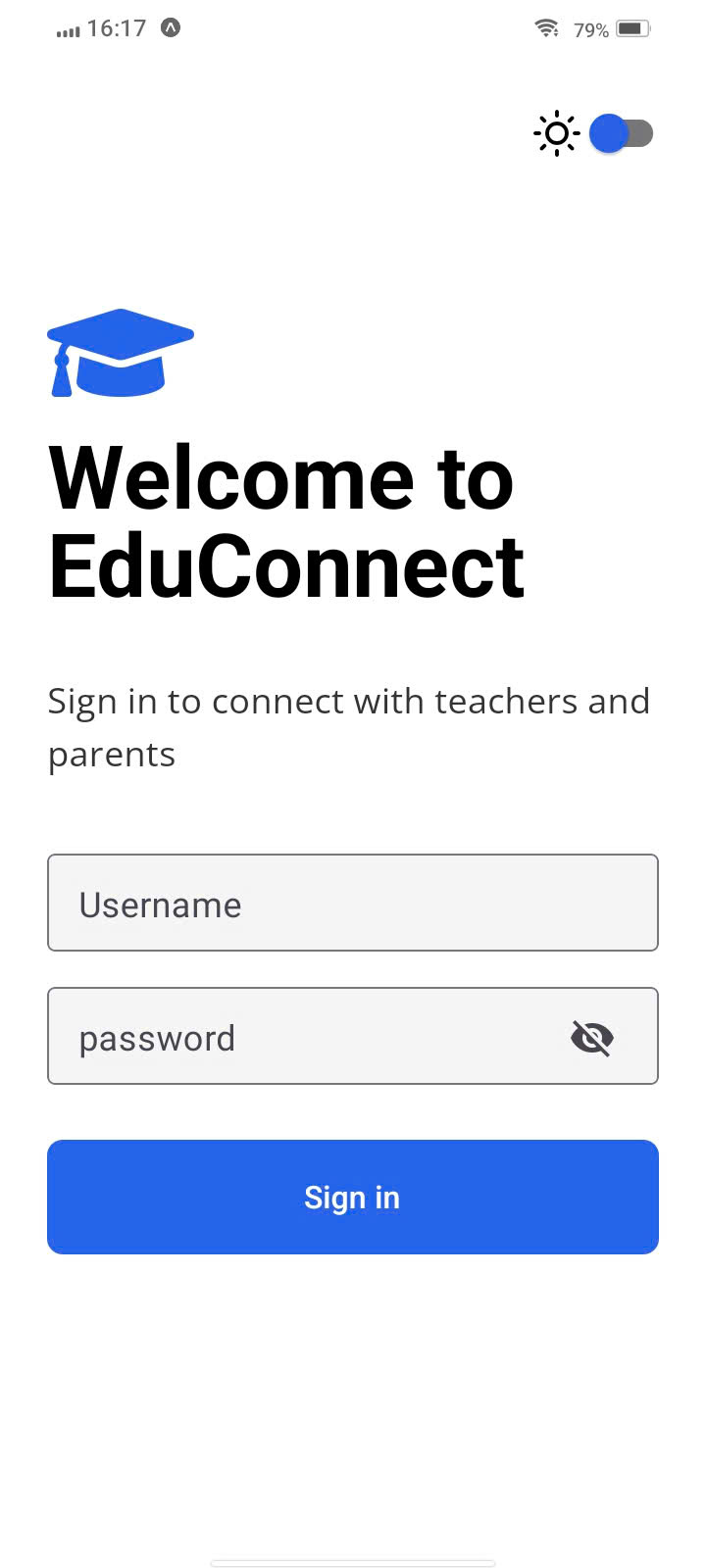
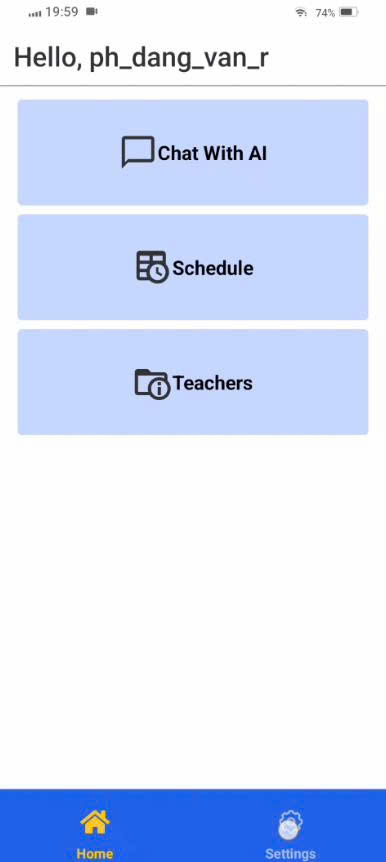
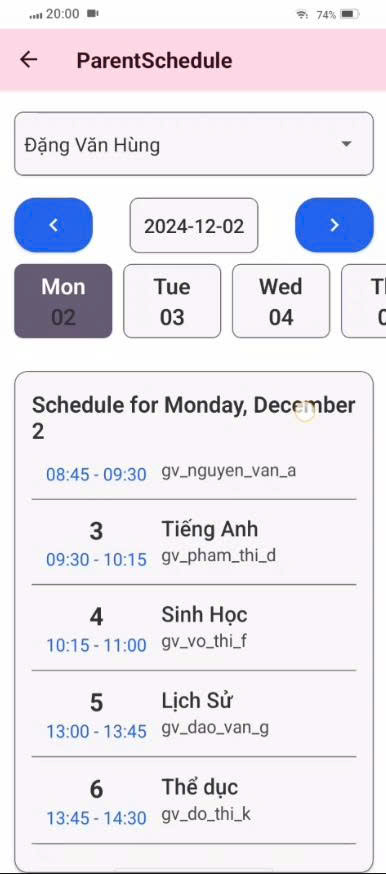
Here are some screenshots of the main features. (You can replace these placeholders with actual images from your project).
| Login Screen | Parent Dashboard | Timetable |
|---|---|---|
 |
 |
 |
The application is clearly segmented by user role:
- Student Tracking: View detailed information, academic progress, and evaluations for their child.
- Timetable & Subjects: Access the class schedule and list of subject teachers.
- AI Virtual Assistant: Ask questions and receive reference information about academic status and school announcements.
- Notifications: Receive real-time push notifications (via Firebase Cloud Messaging) and emails for important updates (reports, urgent announcements).
- Classroom Management: View the list of their homeroom class and other classes they teach.
- Teaching Schedule: Track personal teaching schedules.
- Student Attendance: Take attendance quickly within the app.
- AI-Powered Reports: Use AI to automatically generate student progress reports based on available data.
- Send Updates: Send reports and announcements directly to parents.
- System Management: All administrative roles (managing school info, accounts, general data) are handled via a separate Web Admin Portal.
This project is built with a modern stack, focusing on user experience and scalability:
| Layer | Technology |
|---|---|
| Frontend | React Native |
| Platform | Expo (Managed Workflow) |
| Language | TypeScript |
| Backend Services | Firebase (FCM) |
| Backend (Assumed) | ASP.NET 8 |
edu-connect-mobile/
├── src/
│   ├── api/                    # API integration layer
│   │   ├── auth/              # Authentication APIs
│   │   ├── parent/            # Parent-related APIs
│   │   ├── teacher/           # Teacher-related APIs
│   │   ├── device/            # Device configuration APIs
│   │   ├── axiosConfig.ts     # Axios configuration
│   │   └── index.ts
│   │
│   ├── features/              # Feature modules
│   │   ├── auth/              # Authentication (Login, storage)
│   │   ├── home/              # Home screens (parent, teacher)
│   │   ├── schedule/          # Timetable & schedule
│   │   ├── evaluation/        # Student evaluation
│   │   ├── report/            # Report management
│   │   ├── myClass/           # Class information
│   │   ├── childTeachers/     # Child's teachers (for parents)
│   │   ├── chatbot/           # AI Virtual Assistant
│   │   ├── notification/      # Notifications
│   │   ├── editProfile/       # Profile editing
│   │   ├── setting/           # Settings
│   │   └── splash/            # Splash screen
│   │
│   ├── components/            # Reusable components
│   │   └── CustomTabButton.tsx
│   │
│   ├── constants/             # App constants
│   │   ├── colors.ts
│   │   ├── fonts.ts
│   │   ├── size.ts
│   │   └── theme.ts
│   │
│   ├── context/               # React Context
│   │   └── ThemeContext.tsx
│   │
│   ├── navigation/            # Navigation configuration
│   │   ├── RootNavigator.tsx
│   │   ├── AuthStack.tsx
│   │   ├── MainStack.tsx
│   │   └── BottomTabNavigator.tsx
│   │
│   ├── layouts/               # Layout components
│   │   └── MainLayout.tsx
│   │
│   ├── utils/                 # Utility functions
│   │   ├── authUtils.ts
│   │   ├── date.ts
│   │   ├── fcmManager.ts      # Firebase Cloud Messaging
│   │   └── status.ts
│   │
│   ├── types/                 # TypeScript types
│   │   └── navigation.ts
│   │
│   ├── assets/                # Static assets (images, fonts)
│   ├── App.tsx                # Root App component
│   └── index.ts
│
├── eas.json                   # EAS Build configuration
├── app.json                   # Expo configuration
├── tsconfig.json              # TypeScript configuration
├── babel.config.js            # Babel configuration
├── package.json               # Dependencies
└── README.md
To run this project on your local machine, follow the steps below.
- Node.js >= 20.x
- Expo CLI (globally installed):
npm install -g expo-cli
git clone https://github.com/acnbokhb12/edu-connect-mobile.gitcd mobilenpm installnpx expo start --dev-clientThen, scan the QR code with the Expo Go app (Android/iOS) or your Camera app (iOS).
If you want to quickly test the development build for Android without building it yourself, you can download the latest APK here:
Download APK (Development Build)
This project is open for learning and contribution!
If you'd like to contribute, please follow these steps:
- Fork this project
- Create a new Branch:
git checkout -b feature/NewFeature- Commit your changes:
git commit -m "Add: Some new feature"- Push to your Branch:
git push origin feature/NewFeature- Open a Pull Request
This project is licensed under the MIT License © 2025 acnbokhb12.
You may use this code for learning or project development purposes with attribution.
If you have any questions, feedback, or just want to connect, feel free to reach out:
- Your Name: acnbokhb12
- GitHub: khanhhn-dev
- LinkedIn: https://www.linkedin.com/in/kh%C3%A1nh-hu%E1%BB%B3nh-140166339
Thank you for visiting the project!