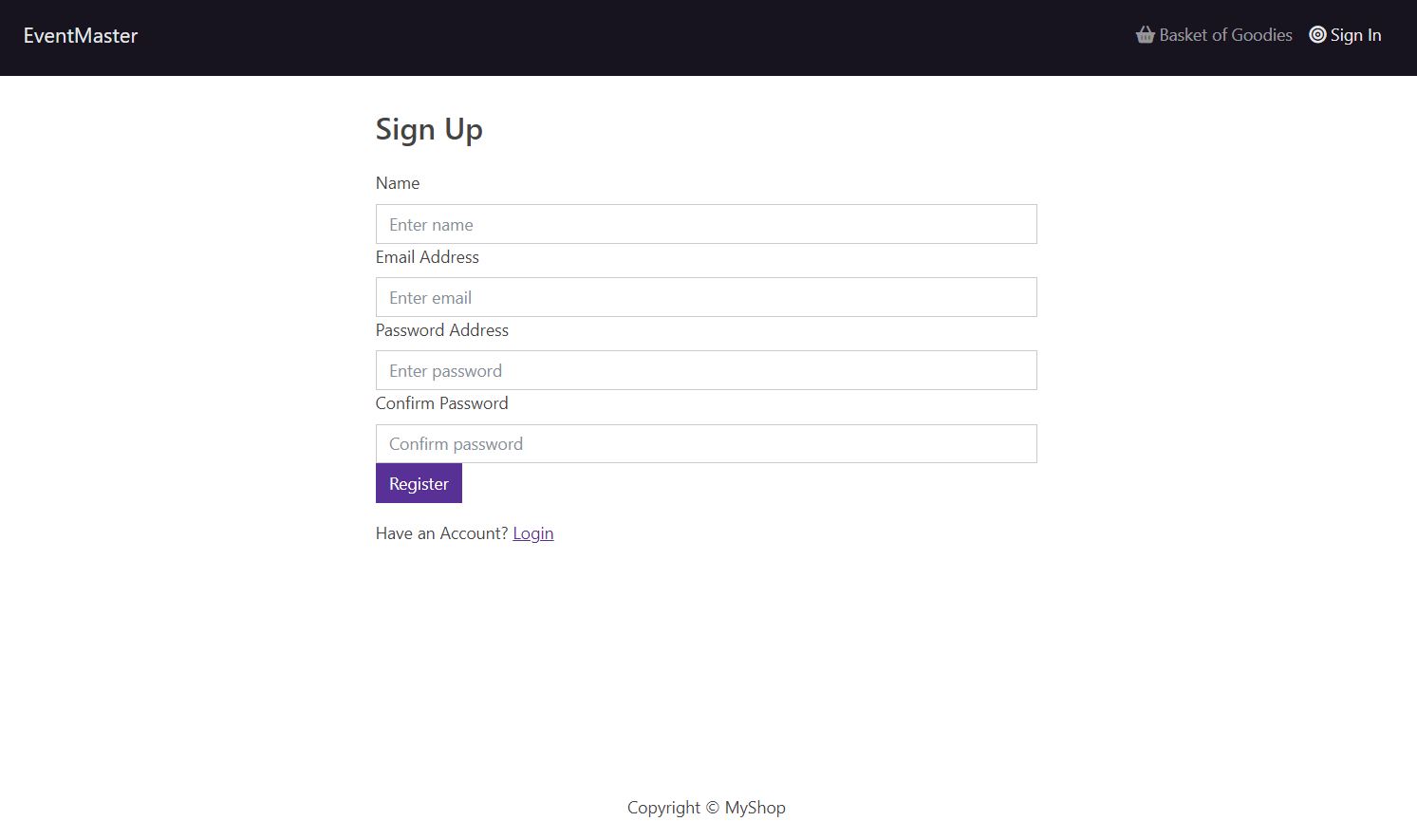
- Homepage shows a list of events
- Header contains navigation to Homepage, Cart, and Login (changed to User Profile when logged into a user account)
{userInfo ? (
  <NavDropdown title={userInfo.name} id='username'>
    <LinkContainer to='/profile'>
      <NavDropdown.Item> Portal to Account </NavDropdown.Item>
    </LinkContainer>
    <NavDropdown.Item onClick={logoutHandler}> Logout </NavDropdown.Item>
  </NavDropdown>
) : (
  <LinkContainer to='/login'>
    <Nav.Link><i className='fa-solid fa-bullseye'></i> Sign In </Nav.Link>
  </LinkContainer>
)}
- Uses Redux store to manage state
const productList = useSelector((state) => state.productList)
- Product data hosted on MongoDB and mapped to homepage on load
{products.map((product) => (
  <Col key={product._id} sm={12} md={6} lg={4} lx={3}>
    <Product product={product} />
  </Col>
))}
- Mongoose used to interface with MongoDB
import mongoose from 'mongoose'
const connectDB = async () => {
  try{
    const conn = await mongoose.connect(process.env.MONGO_URI, {
      useUnifiedTopology: true,
      useNewUrlParser: true
    })
    console.log(`MongoDB connected: ${conn.connection.host}`)
  } //... (code omitted for example) ...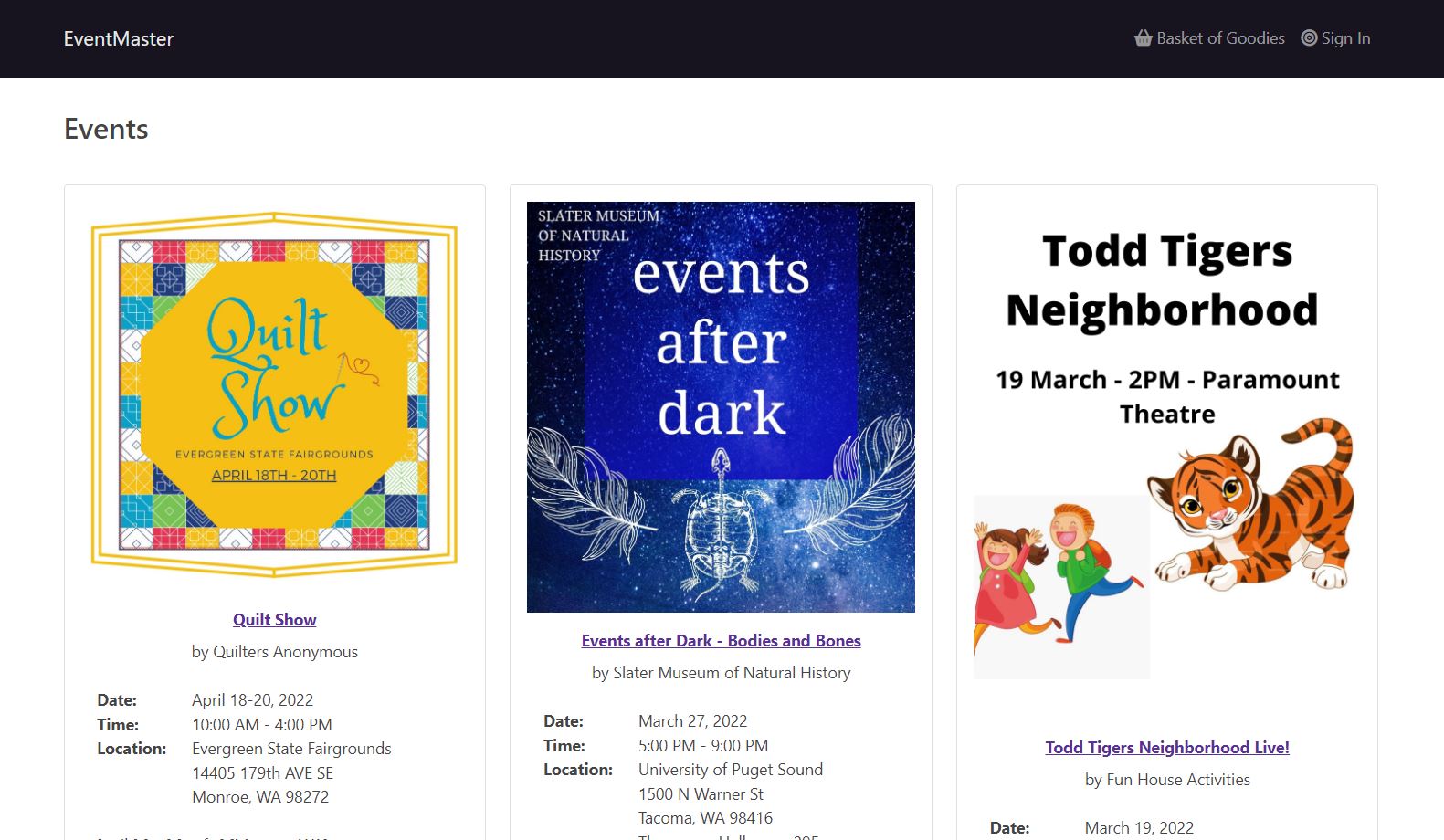
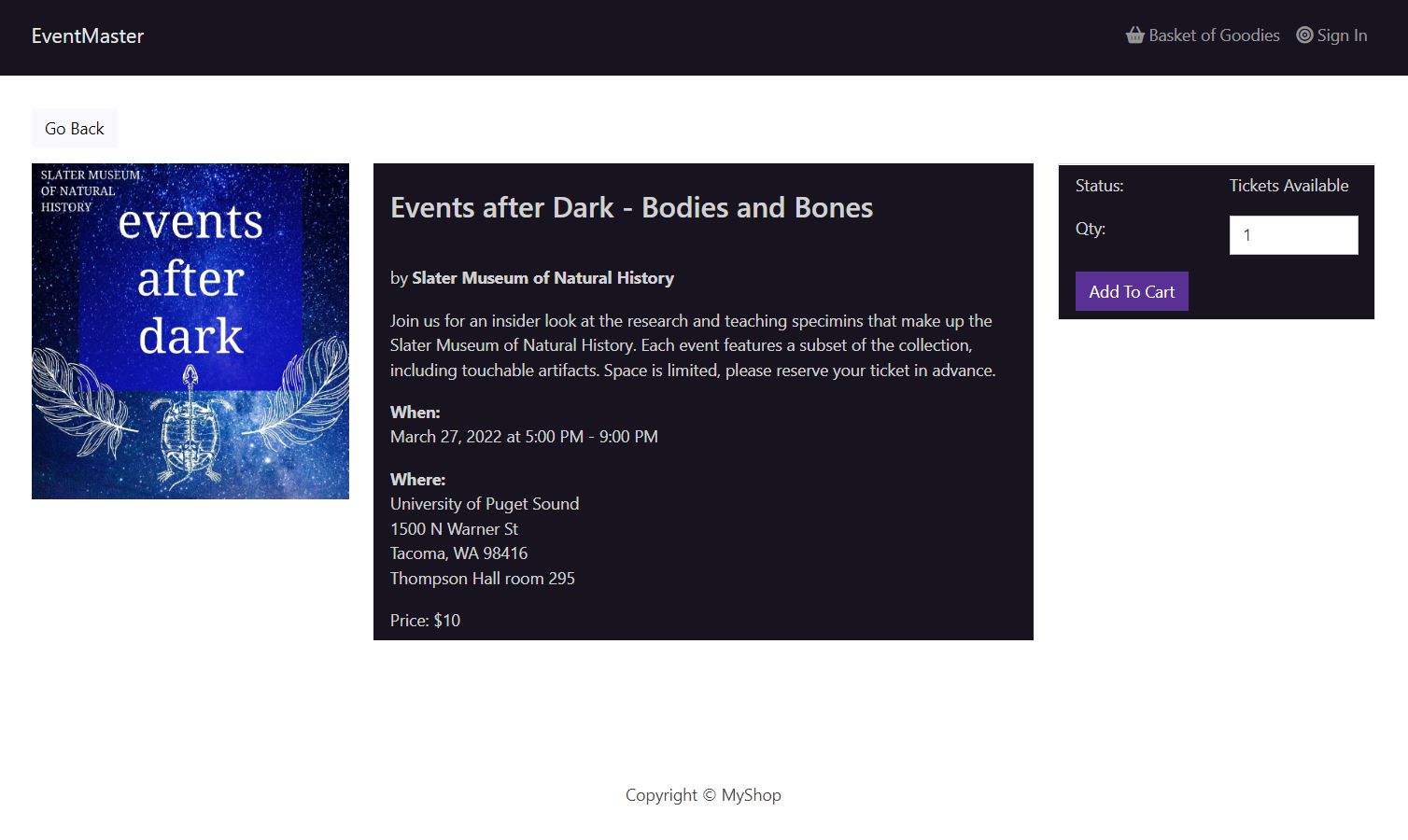
- Product details page shows the details of an event and lets you add tickets to your cart
- If no tickets are available, 'Add to Cart' button is disabled
<Button
  className='btn-block'
  type='button'
  onClick={addToCartHandler}
  disabled={product.ticketsStock === 0}
>
- Cart page shows you the products currently added to the cart and lets you proceed to checkout
- If cart is empty, message and link to product list is displayed, and checkout button is disabled
{cartItems.length === 0 ? (
  <Message>
    Your cart is empty <Link to='/'>Go Back</Link>
  </Message>
) // ... (code omitted for example) ...
- Cart summary shows total number of items as well as total cost
<h2>
  Subtotal ({cartItems.reduce((acc, item) => acc + item.qty, 0)}) items
</h2>
${cartItems
  .reduce((acc, item) => acc + item.qty * item.price, 0)
  .toFixed(2)}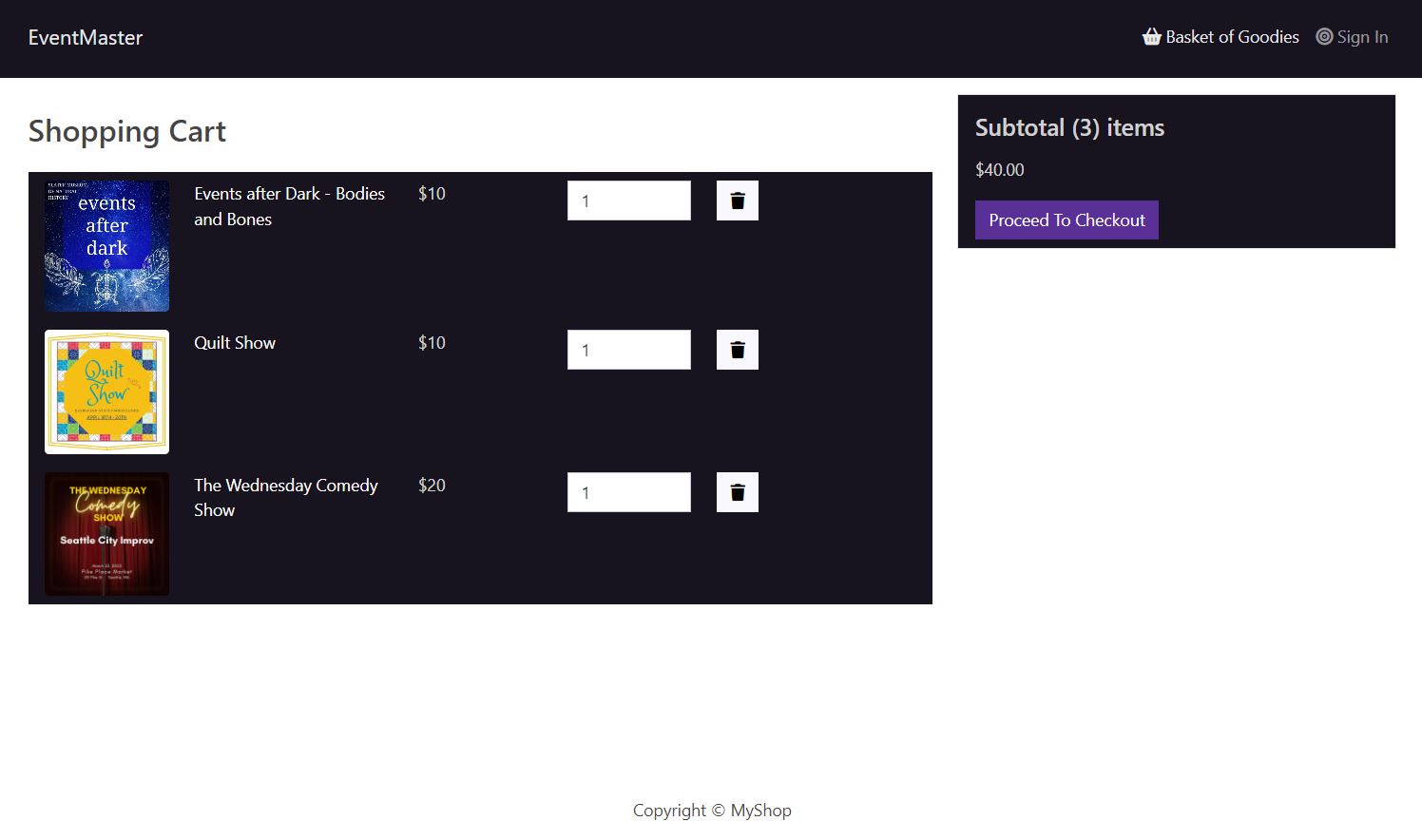
- After signing in or creating an account, you can enter your shipping address
- Bootstrap used for form controls
const submitHandler = (e) => {
  e.preventDefault()
  dispatch(saveShippingAddress({ address, city, postalCode, country }))
  navigate('/payment')
}
// ... (code omitted for example) ...
  <Form onSubmit={submitHandler}>
    <Form.Group controlId='address'>
      <Form.Label>Address</Form.Label>
      <Form.Control
        type='text'
        placeholder='Enter address'
        value={address}
        required
        onChange={(e) => setAddress(e.target.value)}
      ></Form.Control>
    </Form.Group>   // ... (etc)
- Checkout steps are defined, so you cannot progress to the next step until the current step is completed
// Step 1: Sign In,  Step 2: Shipping,  Step 3: Payment,  Step 4: Place Order
const CheckoutSteps = ({ step1, step2, step3, step4 }) => {
  return(
    <Nav className='justify-content-center mb-4'>
      <Nav.Item>
        {step1 ? (
          <LinkContainer to='/login'>
            <Nav.Link>Sign In</Nav.Link>
          </LinkContainer>
        ) : (
          <Nav.Link disabled>Sign In</Nav.Link>
        )}
      </Nav.Item>   // ... (etc)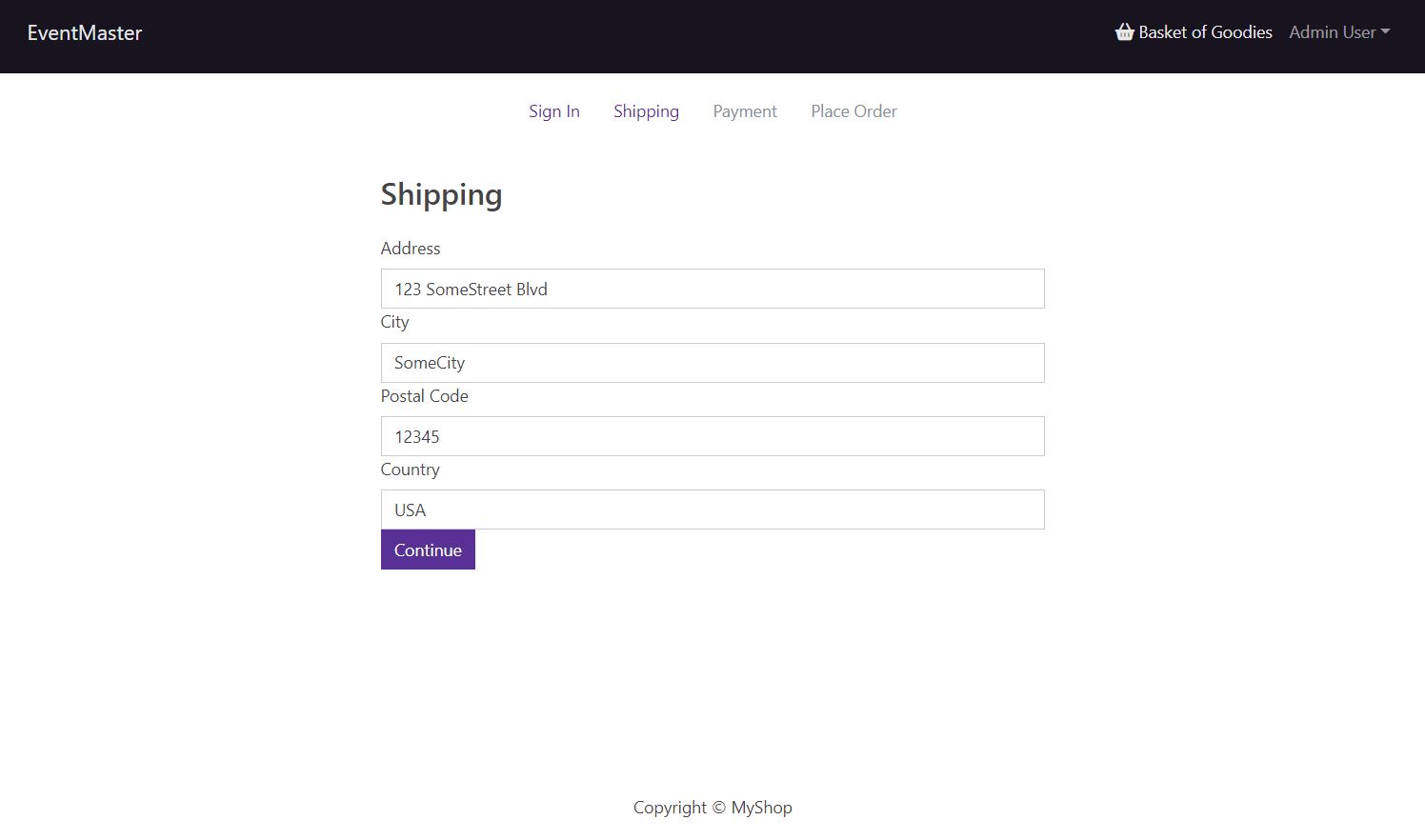
- Checkout is handled via PayPal integration, either with a PayPal account or a credit card
const [paymentMethod, setPaymentMethod] = useState('PayPal')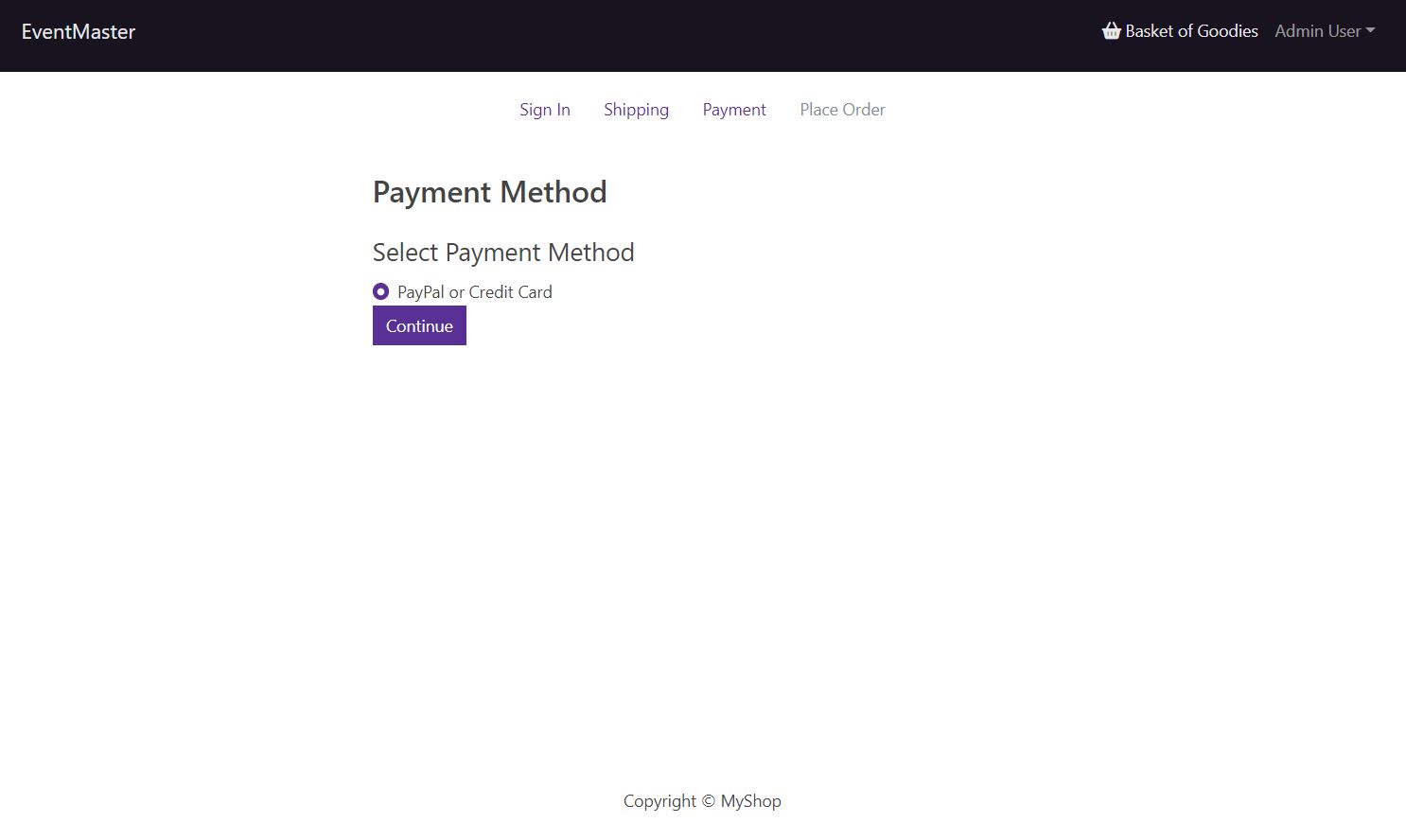
- The order page page displays the shipping address, the payment method, and the items ordered (along with the quantity and price of each item)
{cart.cartItems.map((item, index) => (
// ... (code omitted for example) ...
   <Image src={item.image} alt={item.name} fluid rounded />
   // ... (code omitted for example) ...
   <Link to={`/product/${item.product}`}> {item.name} </Link>
   // ... (code omitted for example) ...
   <>{item.qty} x ${item.price} = ${addDecimals(item.qty * item.price)}</>
   // ... (code omitted for example) ...
- The order summary includes the total cost after taxes and fees, along with a cost breakdown
const addDecimals = (num) => {
  return (Math.round(num * 100) / 100).toFixed(2)
}
cart.itemsPrice = addDecimals(
  cart.cartItems.reduce((acc, item) => acc + item.price * item.qty, 0)
)
cart.shippingPrice = addDecimals(cart.itemsPrice > 100 ? 0 : 10)
cart.taxPrice = addDecimals(Number((0.15 * cart.itemsPrice).toFixed(2)))
cart.totalPrice = (
  Number(cart.itemsPrice) +
  Number(cart.shippingPrice) +
  Number(cart.taxPrice)
).toFixed(2)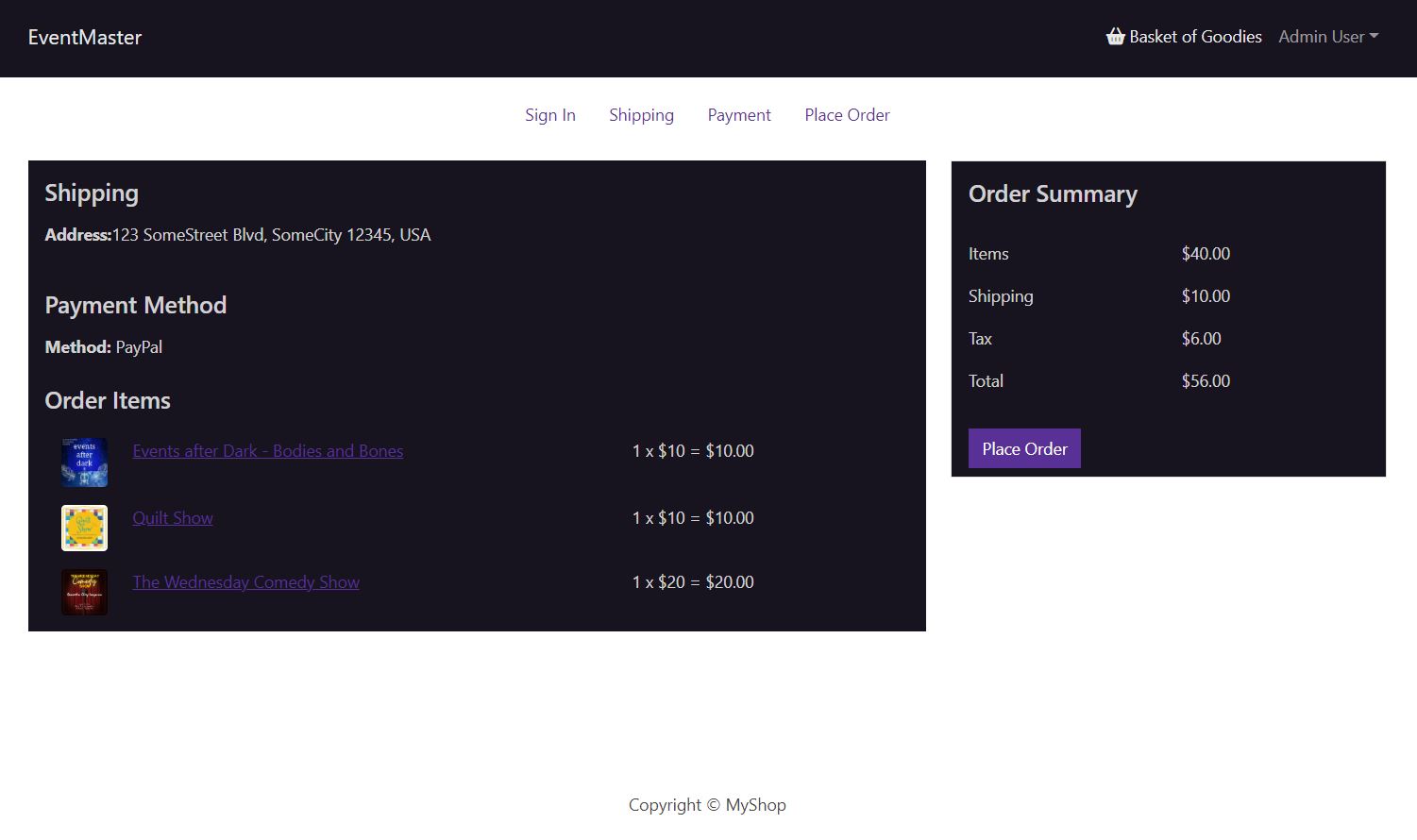
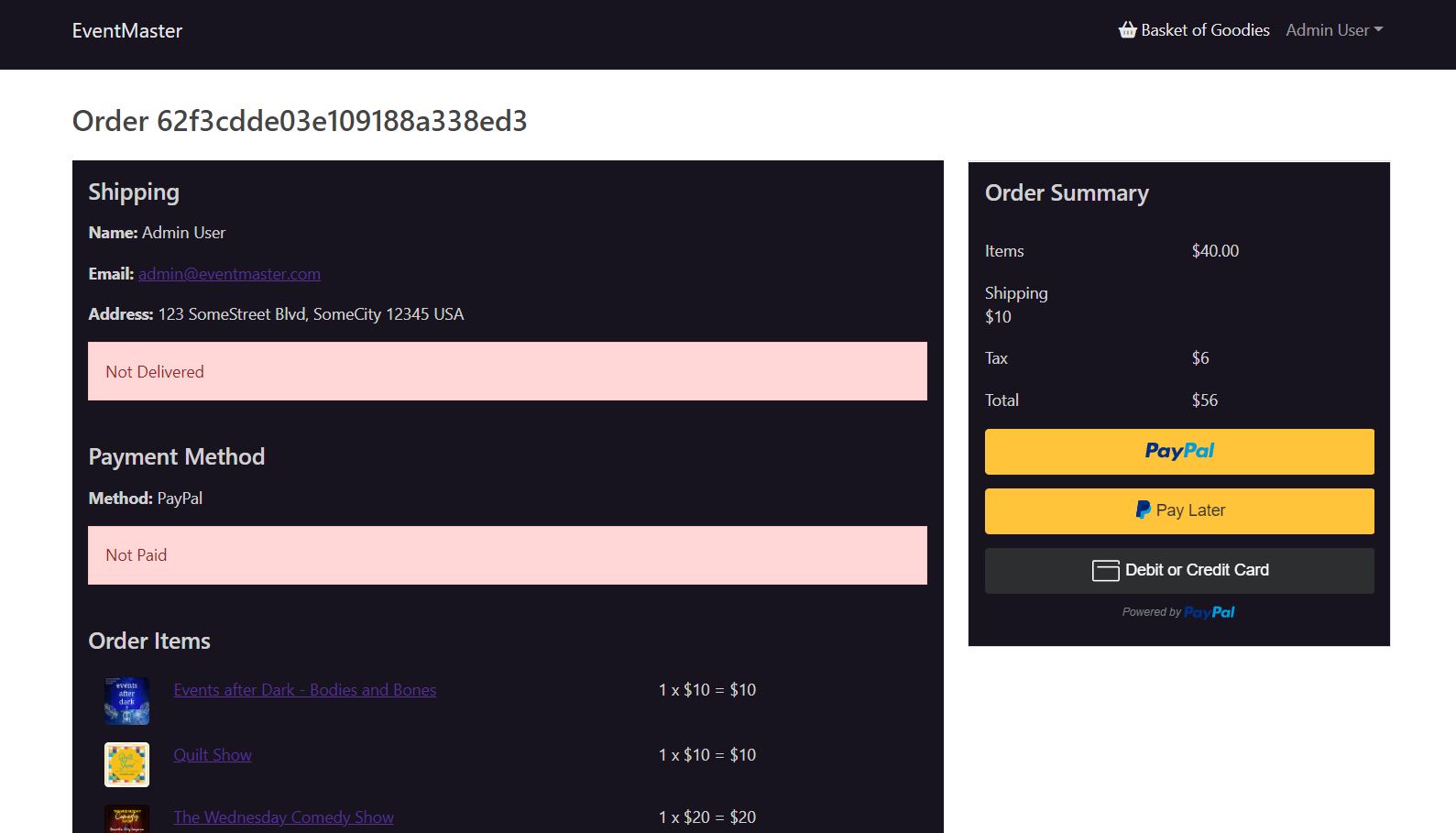
- after confirming the order, the order summary page displays the status of the order
{order.isDelivered ? (
  <Message variant='success'> Delivered on {order.deliveredAt} </Message>
) : (
  <Message variant='danger'> Not Delivered </Message>
)}
- Payment is handled via PayPal integration
const addPayPalScript = async () => {
  const { data: clientId } = await axios.get('/api/config/paypal')
  const script = document.createElement('script')
  script.type = 'text/javascript'
  script.src = `https://www.paypal.com/sdk/js?client-id=${clientId}`
  script.async = true
  script.onload = () => { setSdkReady(true) }
  document.body.appendChild(script)
}
- The PayPal button is only displayed until the order has been paid
const [sdkReady, setSdkReady] = useState(false)
const orderPay = useSelector((state) => state.orderPay)
const { loading: loadingPay, success: successPay } = orderPay
// ... (code omitted for example) ...

  if (!order || successPay) {
    dispatch({ type: ORDER_PAY_RESET })
    dispatch(getOrderDetails(orderId))
  } else if (!order.isPaid) {
    if (!window.paypal) {
      addPayPalScript()
    } else {
      setSdkReady(true)
    }
  }   // ... (code omitted for example) ...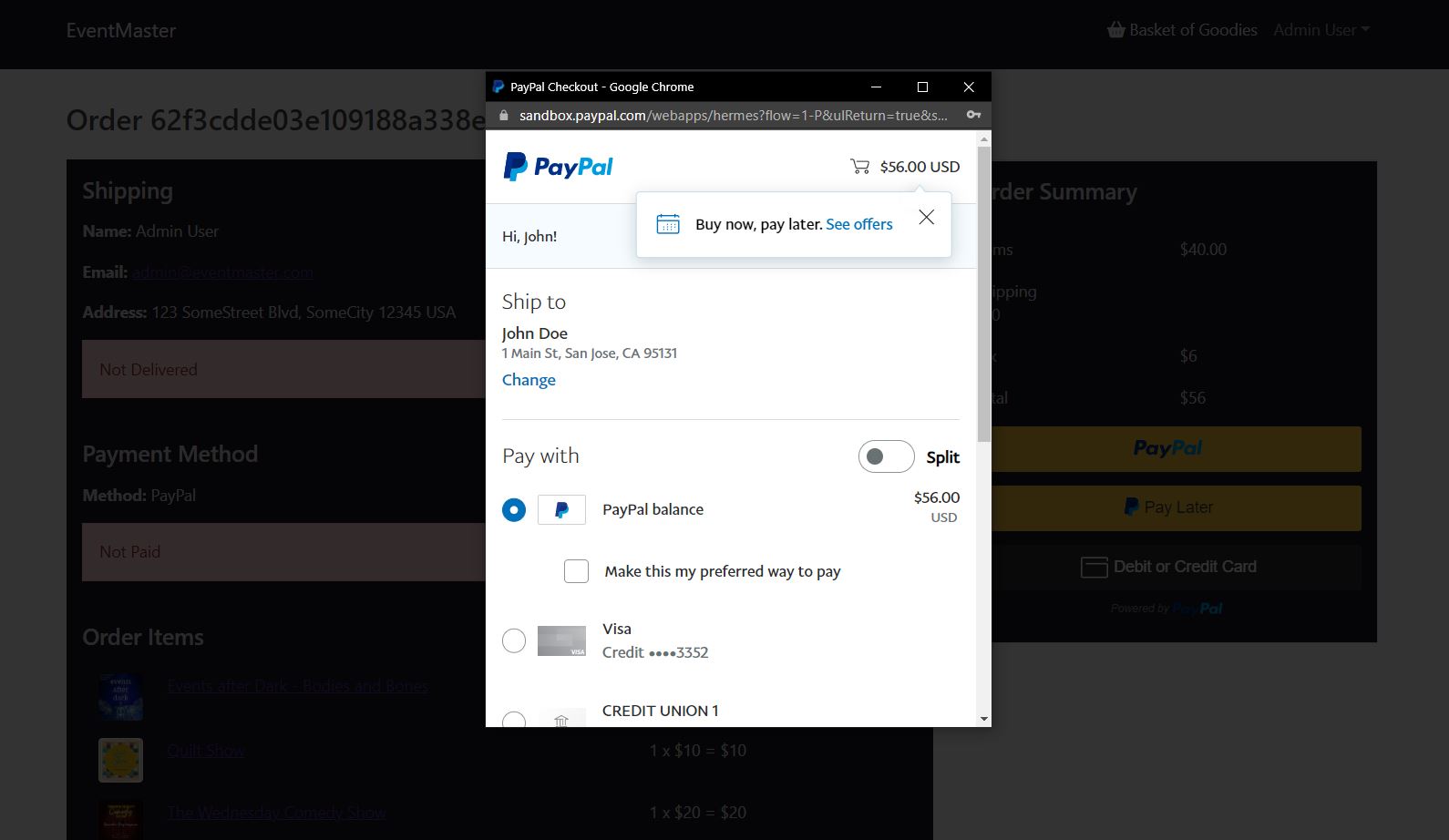
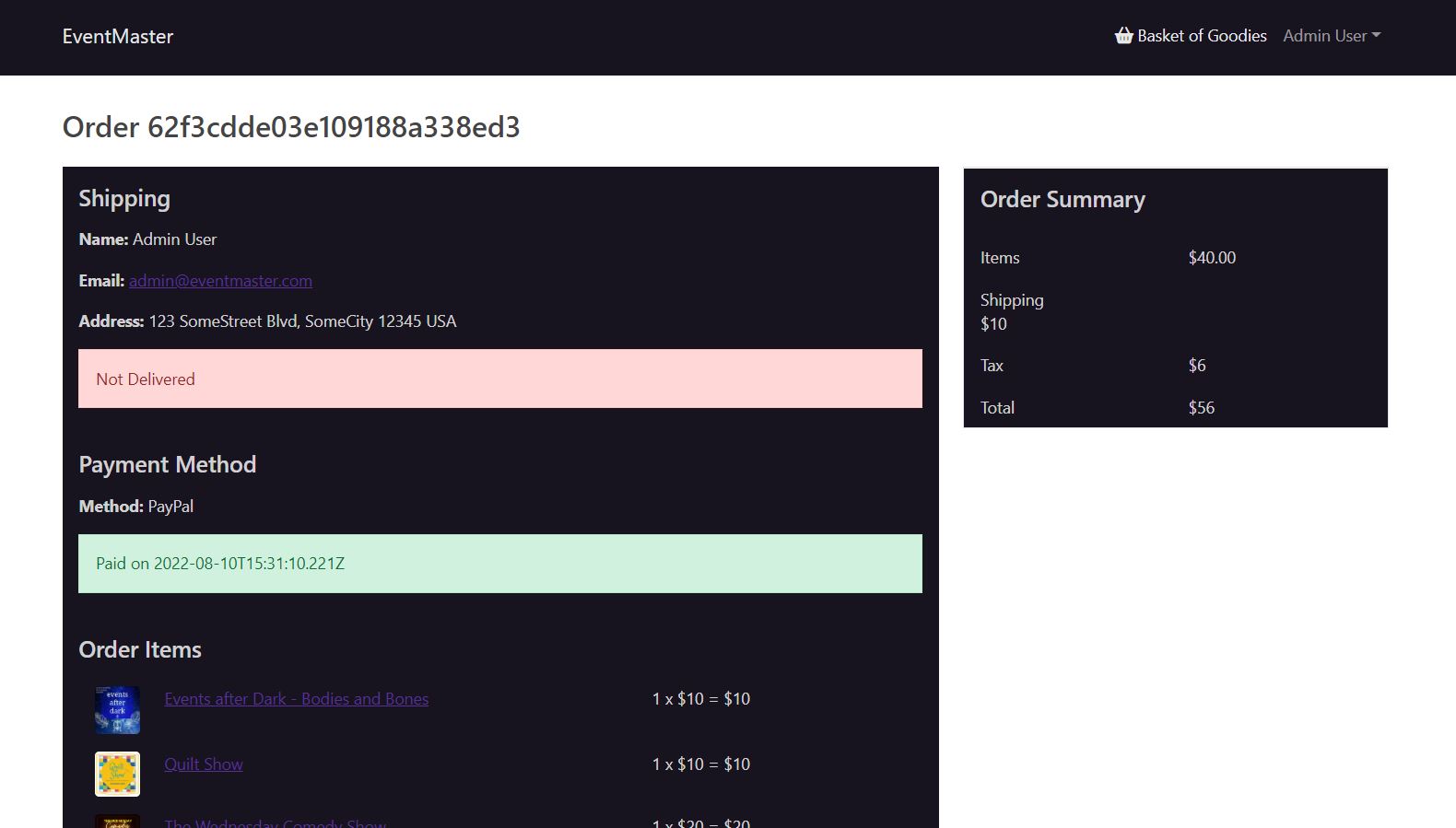
- After payment is complete, the order summary page is updated
const successPaymentHandler = (paymentResult) => {
  dispatch(payOrder(orderId, paymentResult))
}
- User accounts have the functionality to track your orders and save your shipping and payment information
- If you do not have a profile, you will be prompted to create a new account before submitting an order
if (!userInfo) {
  navigate('/login')
} else {
  if (!user.name) {
    dispatch(getUserDetails('profile'))
    dispatch(listMyOrders())
  } else {
    setName(user.name)
    setEmail(user.email)
  }
}