



About • Usage • Image Configuration • Local Demo • TODO • Issues • Credits
|
This exporter allows to retrieve the DockerHub rate limit counts as scrape target for Prometheus. The exporter obtains an auth token and then queries the Docker Hub registry with a HEAD request to parse RateLimit-Limit, RateLimit-Remaining and RateLimit-Reset into a Gauge metric. You can use your Docker Hub credentials to authenticate, otherwise an anonymous token is used.
Multi Arch docker images are available (arm/arm64/amd64) you can pull it from dockerhub and run in your environment. docker pull khaliq/drl-exporter:latest
docker run -d -p 2121:2121 khaliq/drl-exporter:latest
curl localhost:2121/metricsTo build the image in your local envorinment git clone https://github.com/m47ik/drl-exporter.git
cd drl-exporter
make docker
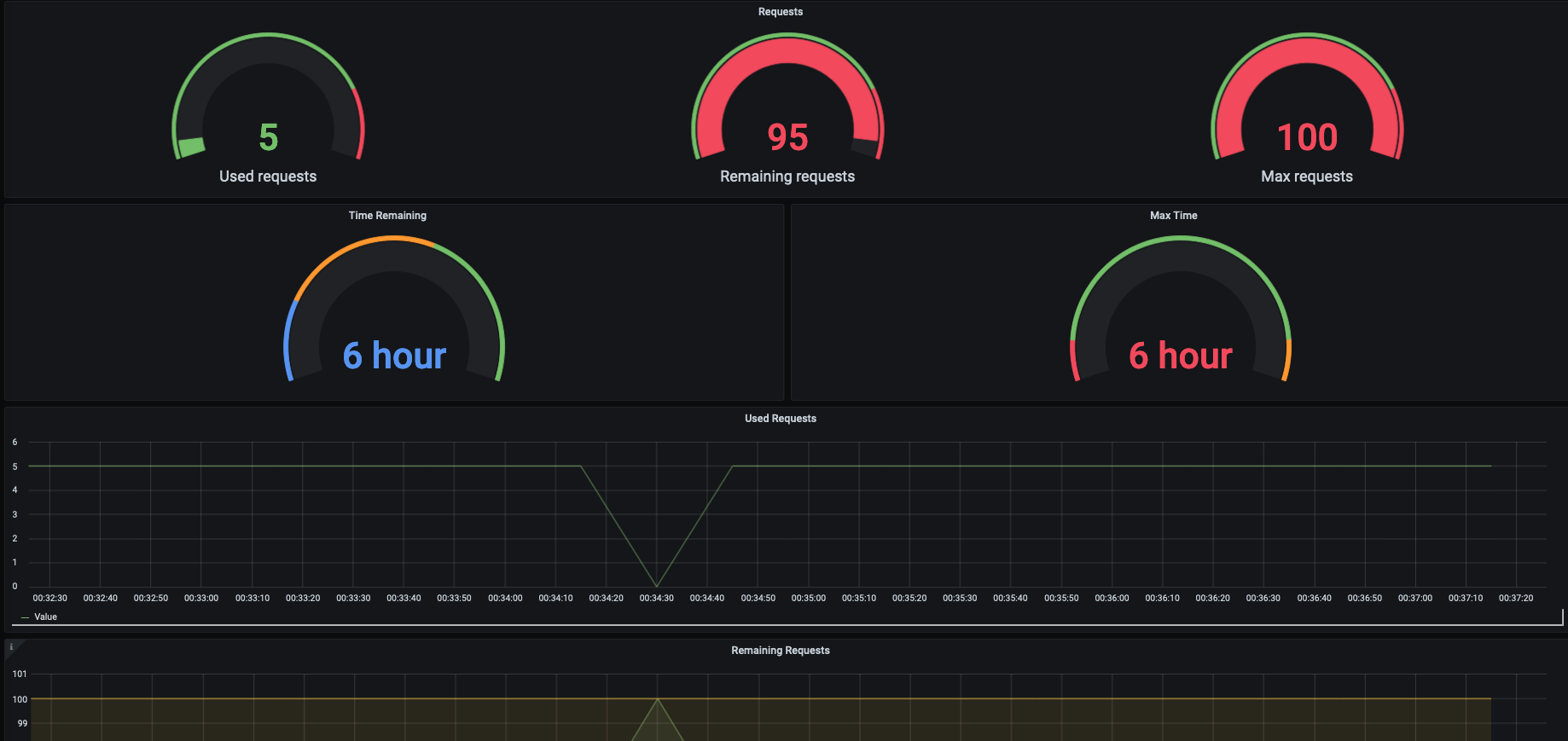
You can find the complete docker-compose file along with a dashboard under deploy folder to test it out. cd deploy/docker-compose
docker-compose up -dversion: "3.7"
services:
docker-hub-limit-exporter:
image: khaliq/drl-exporter:latest
environment:
- EXPORTER_PORT=8881
- DOCKERHUB_USER=user
- DOCKERHUB_PASSWORD=password
- ENABLE_USER_AUTH=true
ports:
- "8881"
prometheus:
image: prom/prometheus:latest
volumes:
- type: bind
source: ./etc/prometheus.yaml
target: /etc/prometheus.yaml
entrypoint:
- /bin/prometheus
- --config.file=/etc/prometheus.yaml
ports:
- "9090:9090"
grafana:
image: grafana/grafana:latest
volumes:
- ./deploy-data/datasources:/etc/grafana/provisioning/datasources
- ./deploy-data/dashboards-provisioning:/etc/grafana/provisioning/dashboards
- ./deploy-data/dashboards:/var/lib/grafana/dashboards
environment:
- GF_AUTH_ANONYMOUS_ENABLED=true
- GF_AUTH_ANONYMOUS_ORG_ROLE=Admin
- GF_AUTH_DISABLE_LOGIN_FORM=true
ports:
- "3000:3000"
Please open an issue if you are facing any problems.
This project is inspired by Michael Friedrich's amazing work. |