
A native Markdown rendering engine that produces paginated PNG/SVG documents — no browser, no Chromium, no DOM.
📖 Documentation — Guide · Showcase · API Reference
Most Markdown rendering pipelines go through a browser:
Markdown → HTML → DOM/CSS → browser layout → screenshot
marknative takes a different path. It parses Markdown directly into a typed document model, runs its own block and inline layout engine, paginates the result into fixed-size pages, and paints each page using a native 2D canvas API.
The result is deterministic, server-renderable, and completely headless.
Full syntax fixture, rendered across 10 pages with syntax-highlighted fenced code blocks:
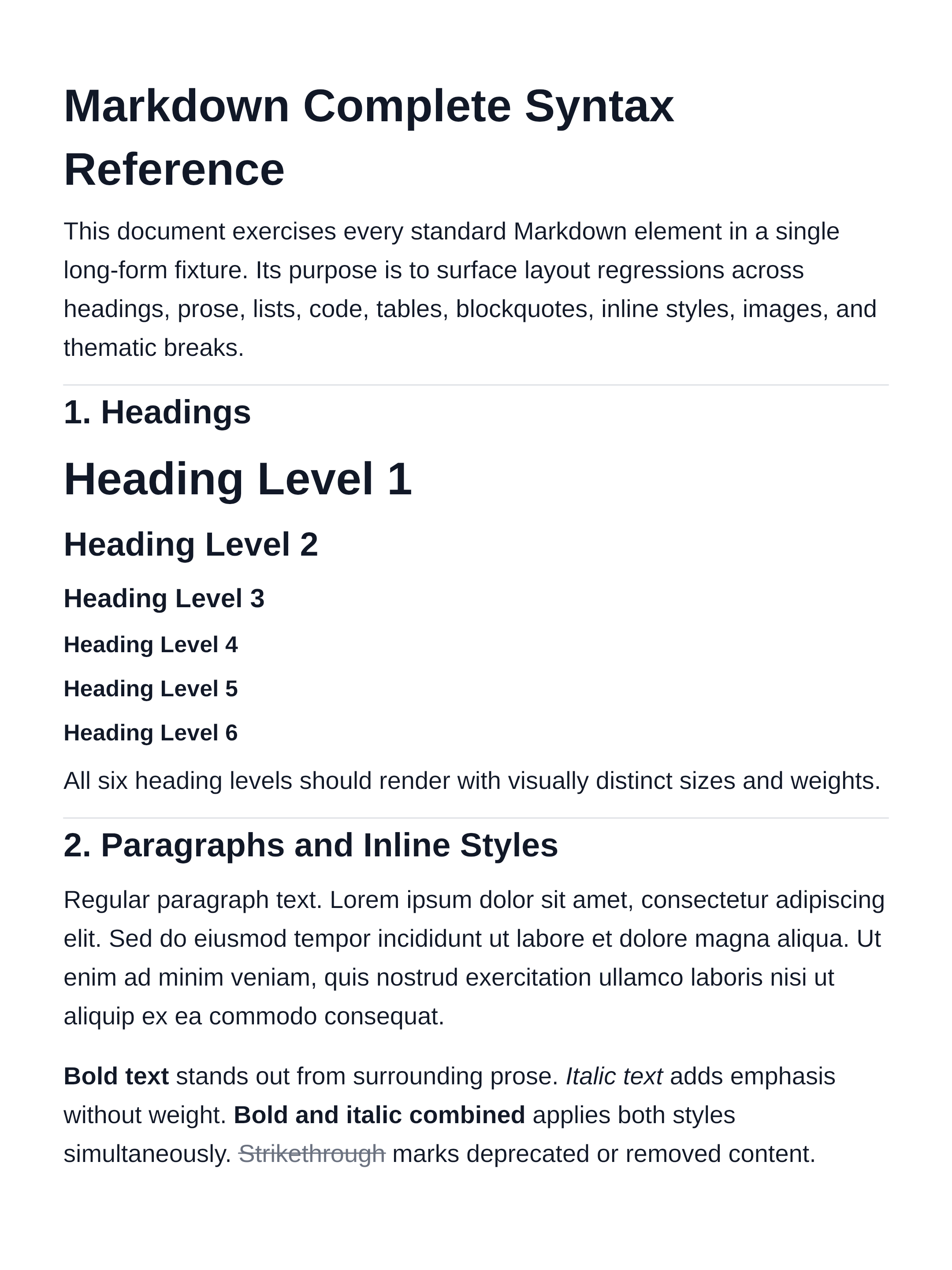 |
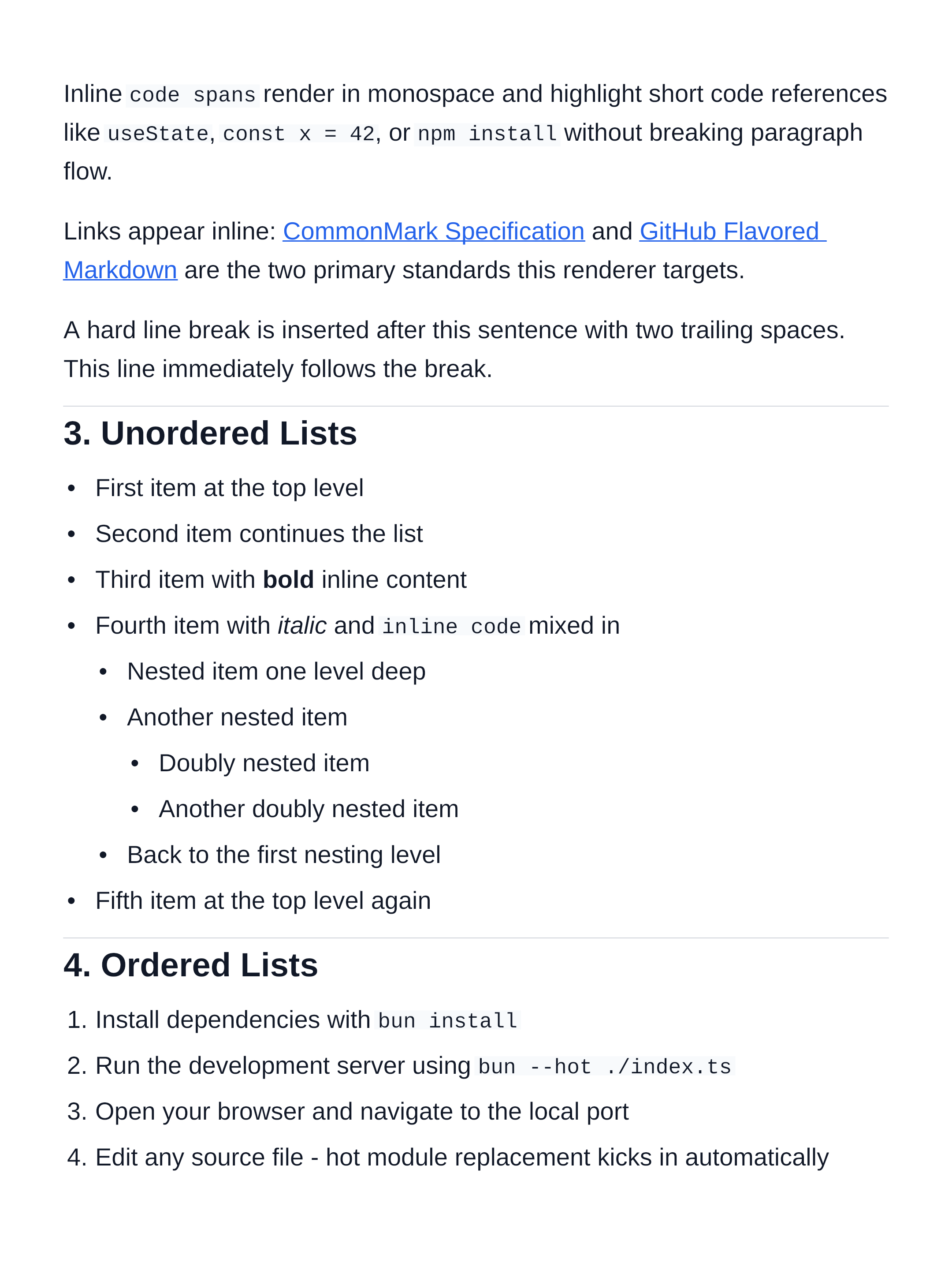 |
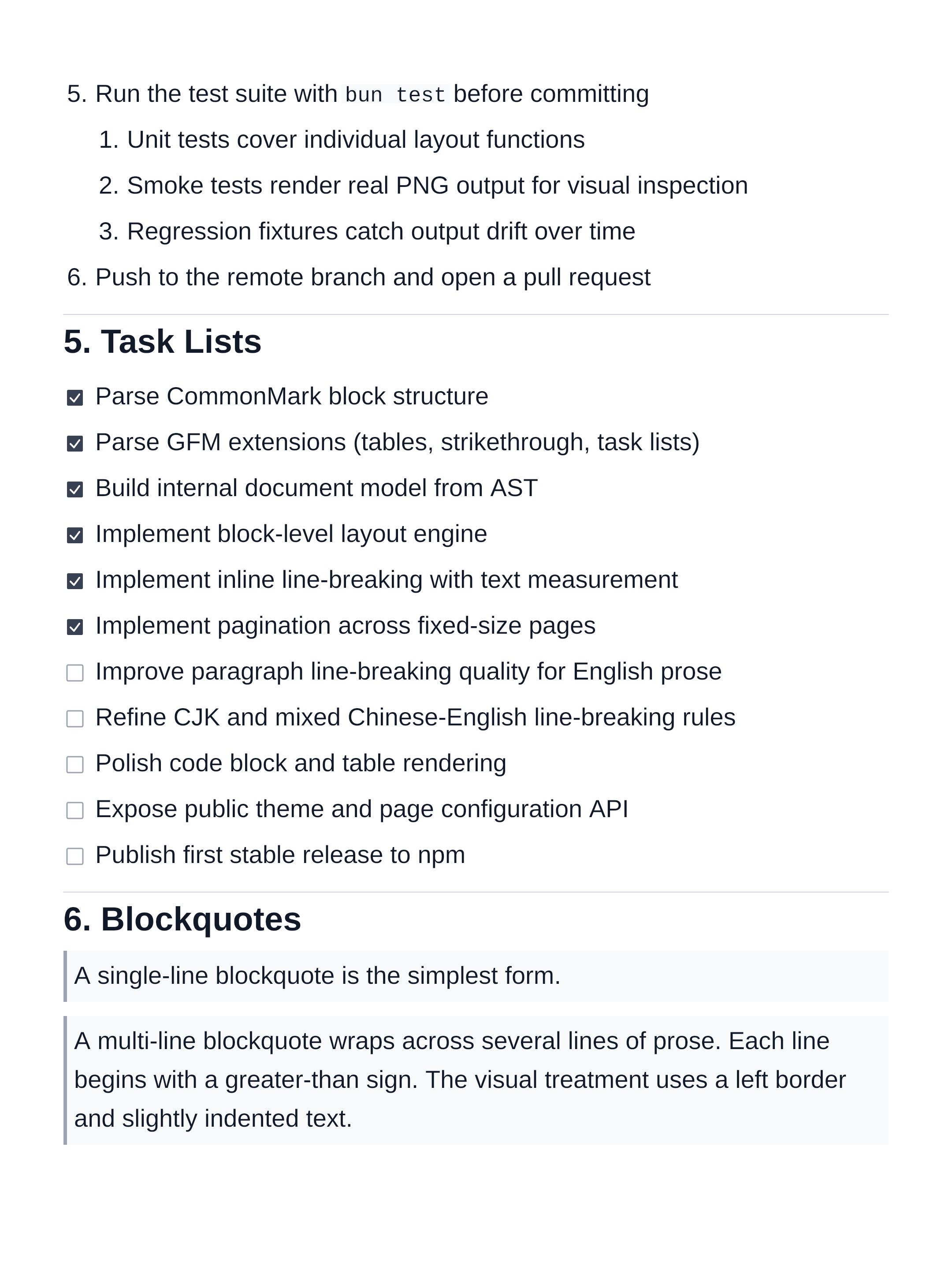 |
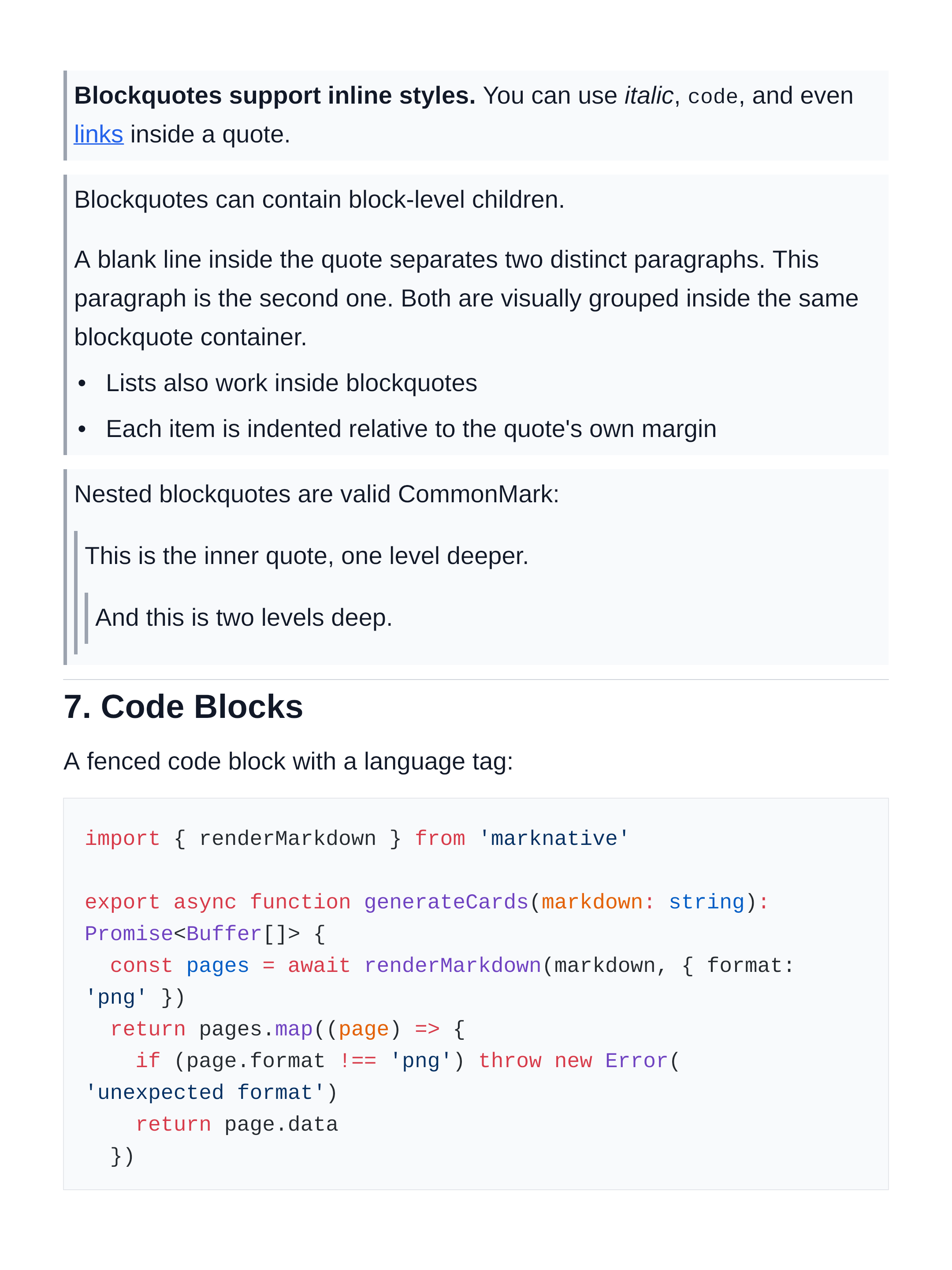 |
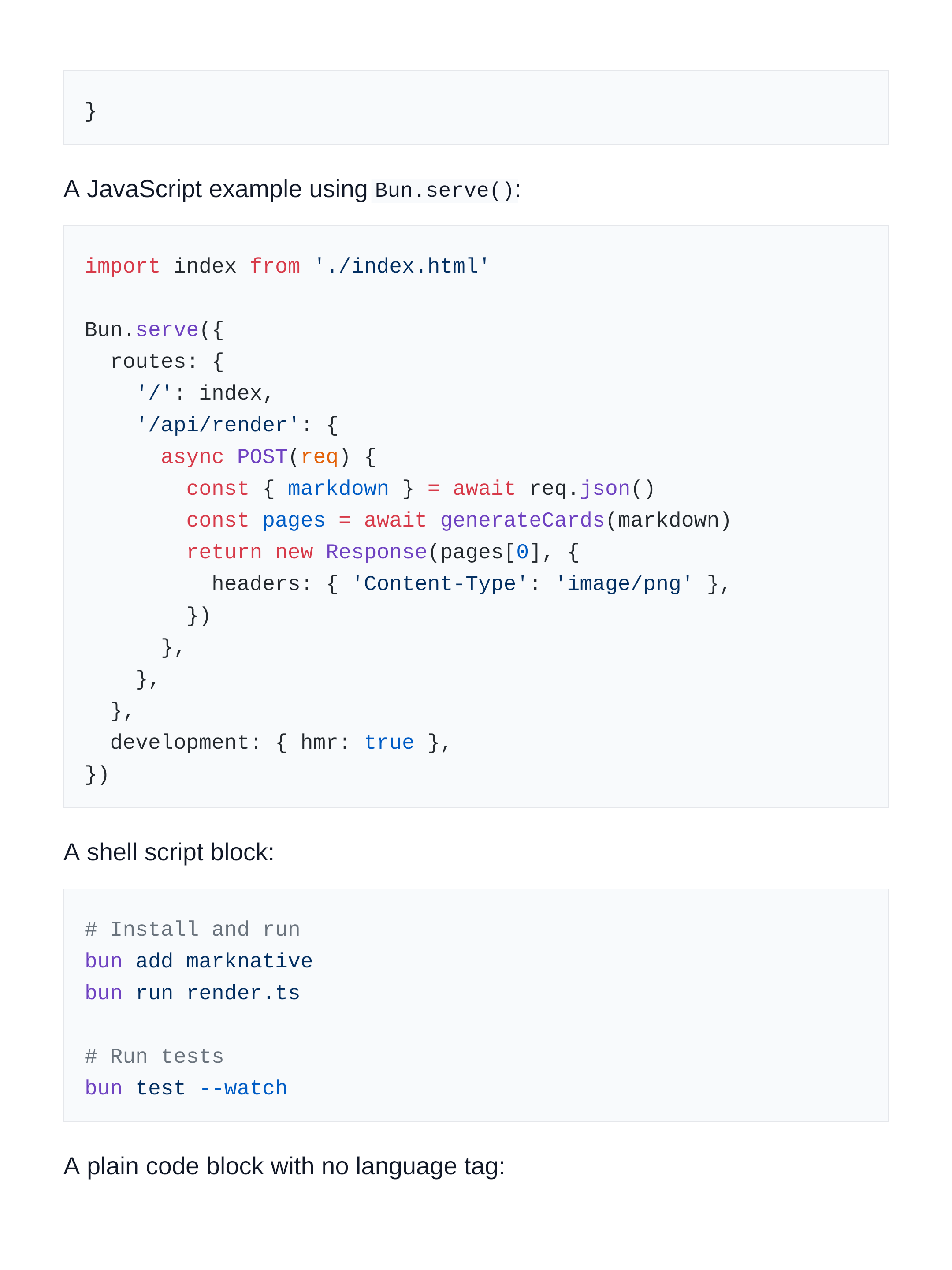 |
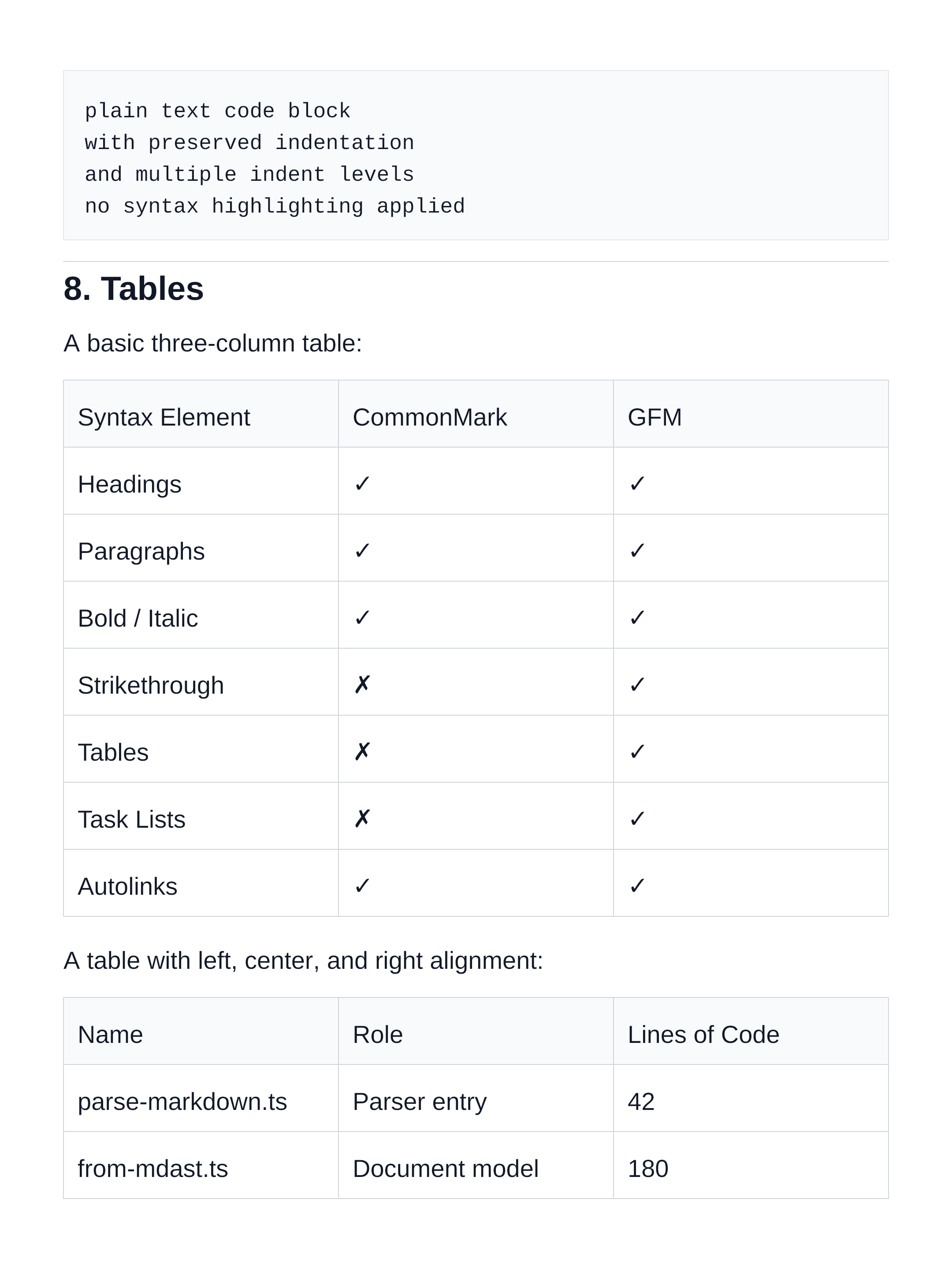 |
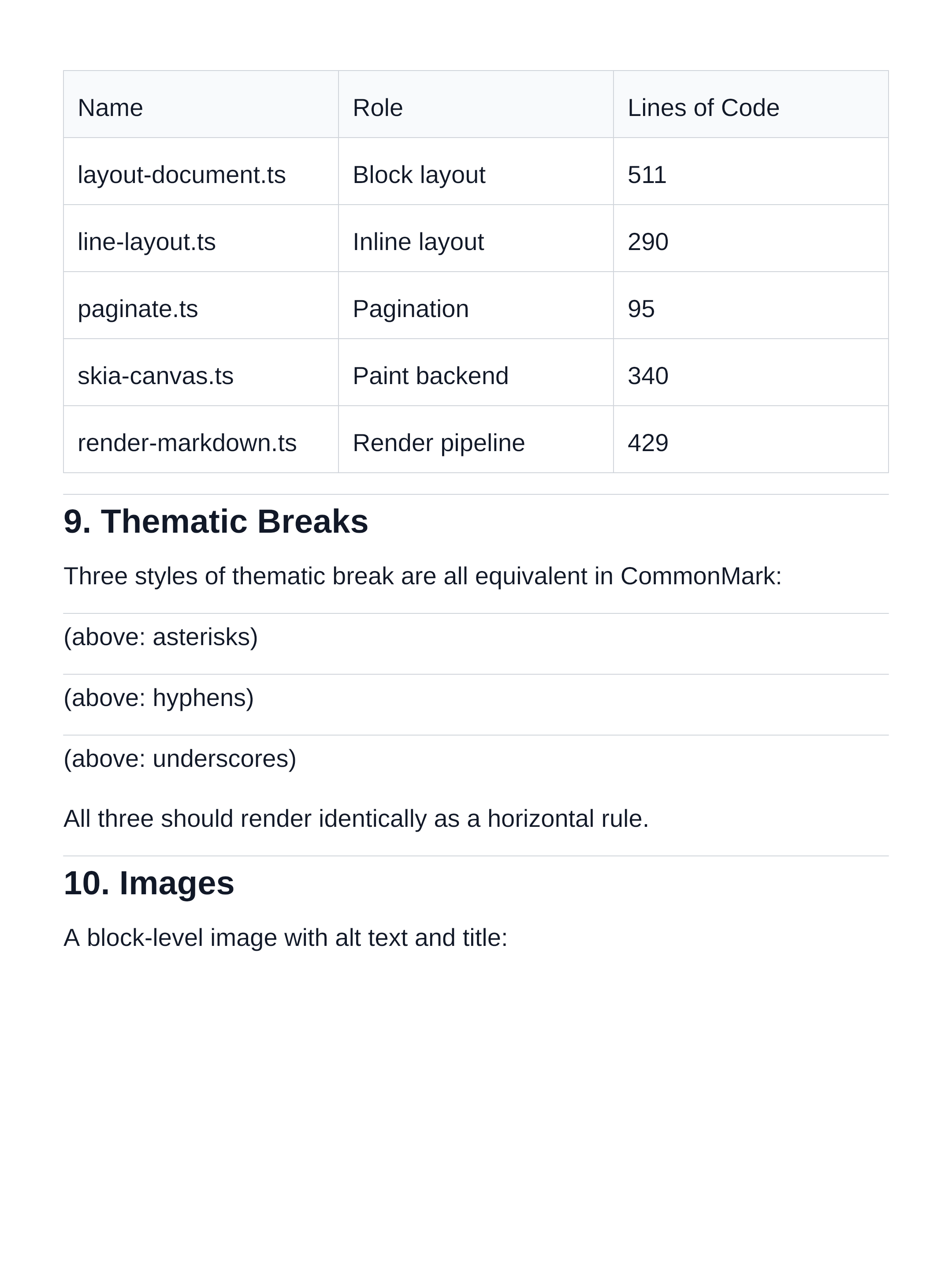 |
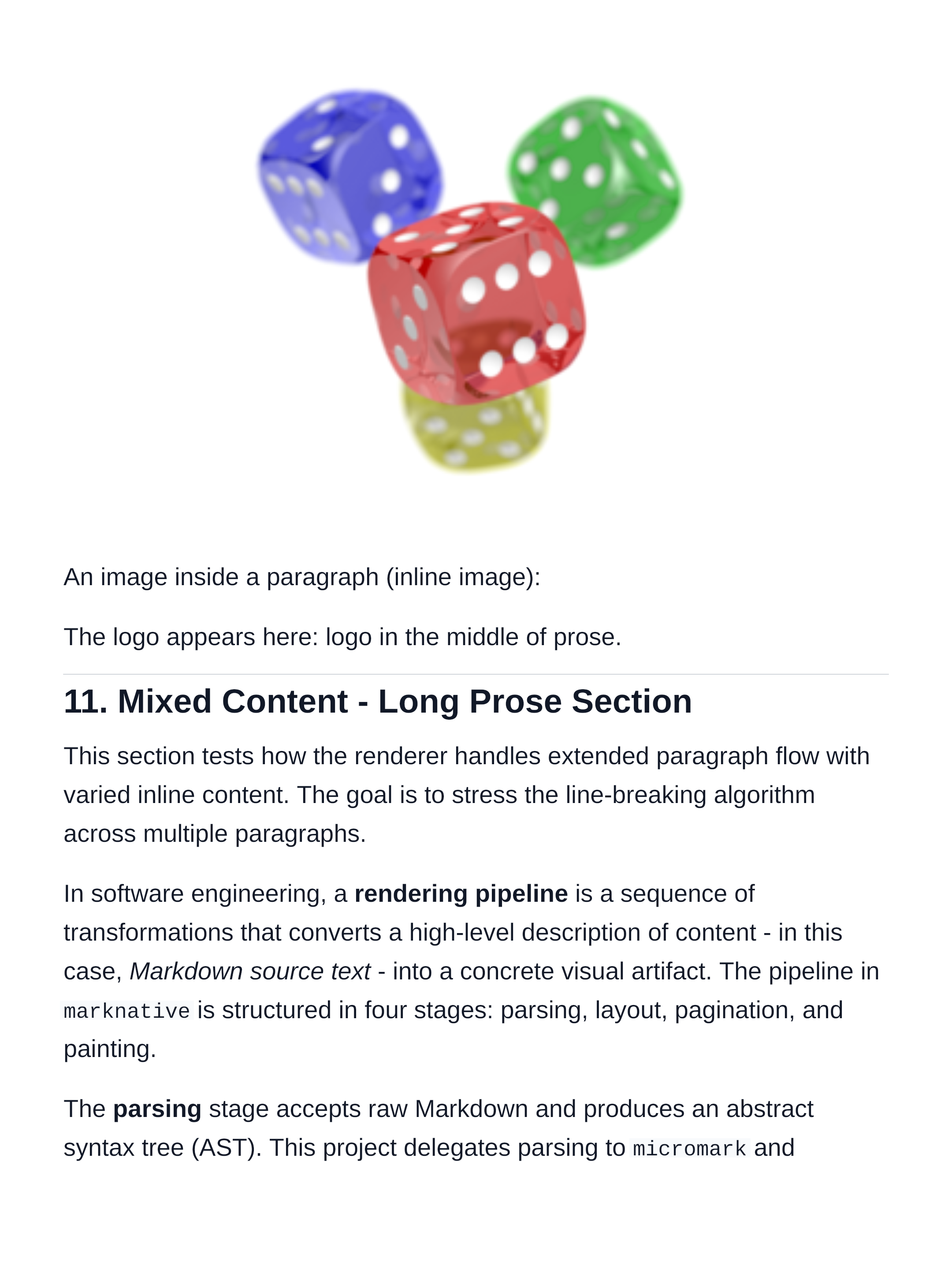 |
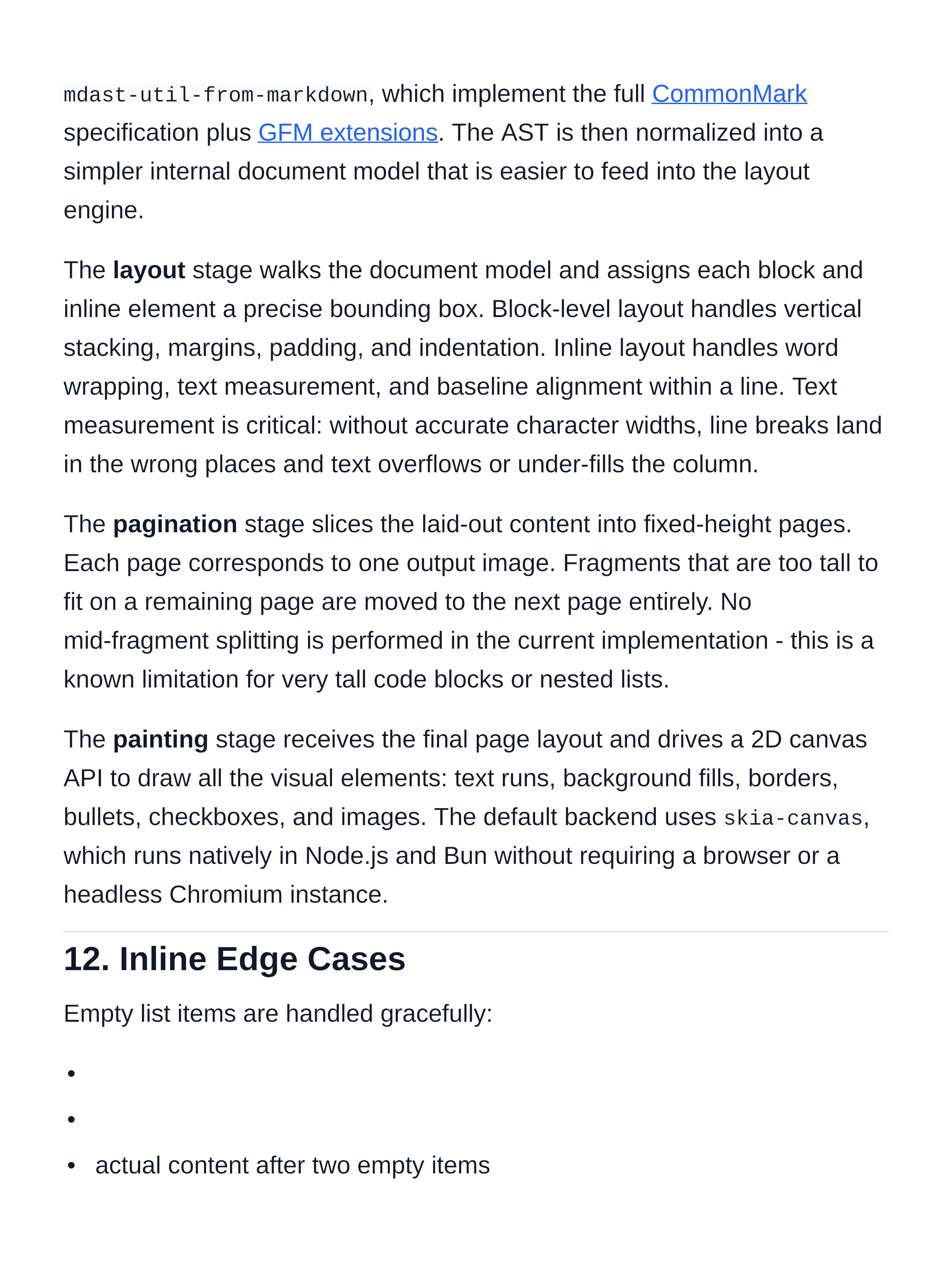 |
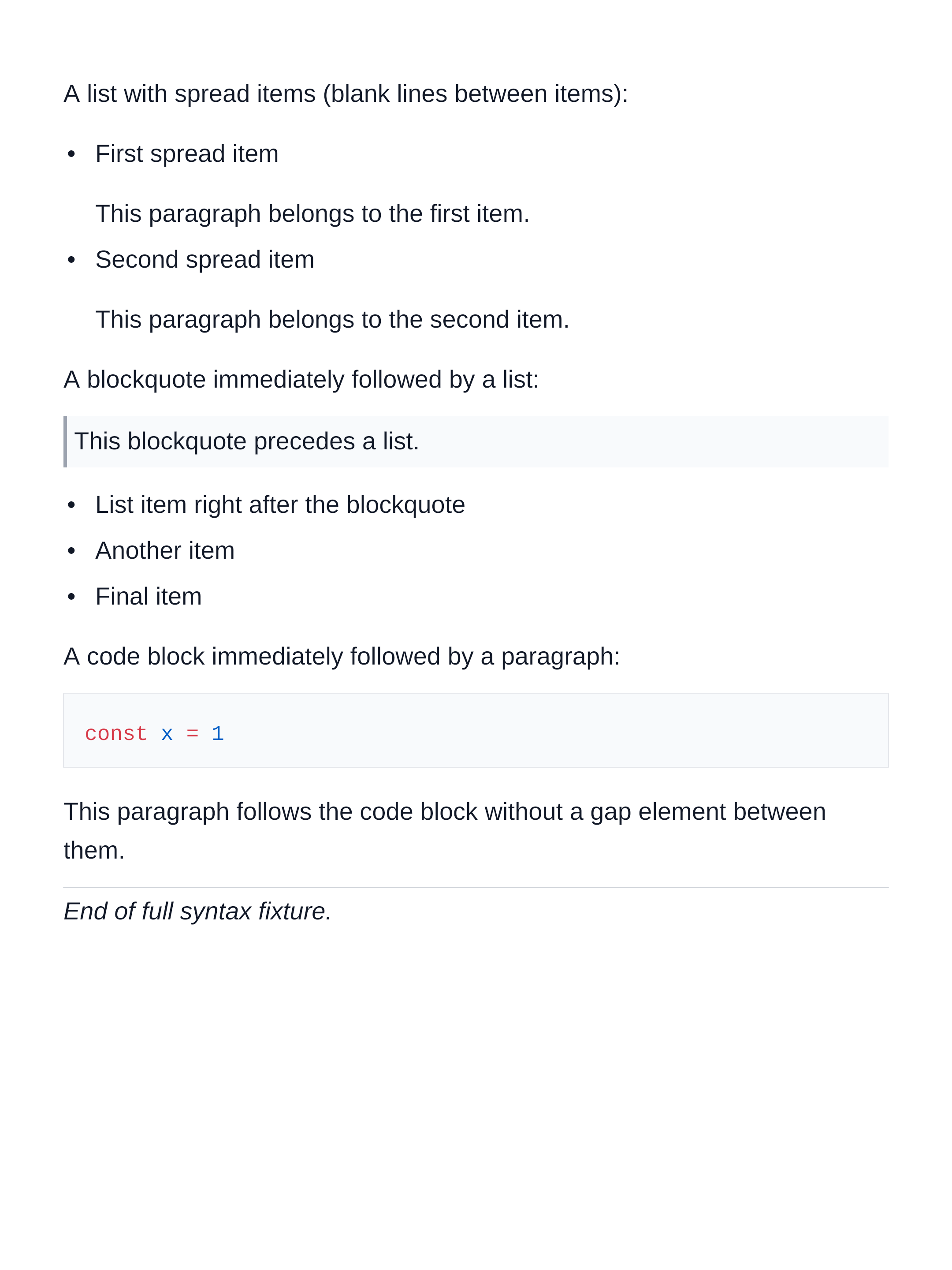 |
| Requirement | Browser-based | marknative |
|---|---|---|
| Runs on the server without a browser | ✗ | ✓ |
| Deterministic page breaks across runs | ✗ | ✓ |
| Direct PNG / SVG output | ✗ | ✓ |
| Batch rendering at scale | slow | fast |
| Embeddable as a library | heavy | lightweight |
bun add marknative
# or
npm install marknative
Peer dependency:
marknativeusesskia-canvasas its paint backend. It ships prebuilt native binaries for macOS, Linux, and Windows — no additional setup is needed in most environments.
import { renderMarkdown } from 'marknative'

const pages = await renderMarkdown(`
# Hello, marknative

A native Markdown rendering engine that produces **paginated PNG pages**
without a browser.

- CommonMark + GFM support
- Deterministic layout and pagination
- PNG and SVG output
`)

console.log(`Rendered ${pages.length} page(s)`)

for (const [i, page] of pages.entries()) {
  // page.format === 'png'
  // page.data   === Buffer
  await Bun.write(`page-${i + 1}.png`, page.data)
}Parses, lays out, paginates, and paints a Markdown document. Returns one output entry per page.
function renderMarkdown(
  markdown: string,
  options?: {
    format?: 'png' | 'svg'                      // default: 'png'
    singlePage?: boolean                         // render into one image instead of paginating
    theme?: BuiltInThemeName | ThemeOverrides    // default: defaultTheme
    painter?: Painter                            // override the paint backend
    codeHighlighting?: {
      theme?: string                             // Shiki theme — default: 'github-light'
    }
  },
): Promise<RenderPage[]>
Return type:
type RenderPage =
  | { format: 'png'; data: Buffer;  page: PaintPage }
  | { format: 'svg'; data: string;  page: PaintPage }
Each entry carries both the raw output (data) and the fully resolved page layout (page) so you can inspect fragment positions without re-rendering.
Parses Markdown source into marknative's internal document model without running layout or paint. Useful for inspecting document structure or building custom renderers.
function parseMarkdown(markdown: string): MarkdownDocumentThe built-in default theme. Page size is 1080 × 1440 px (portrait card ratio). Font sizes, line heights, margins, and block spacing are all defined here.
import { defaultTheme } from 'marknative'

console.log(defaultTheme.page)
// { width: 1080, height: 1440, margin: { top: 80, right: 72, bottom: 80, left: 72 } }marknative ships with 10 built-in themes and a full theme customization API.
Built-in themes — pass a name string as the theme option:
// 'default' | 'github' | 'solarized' | 'sepia' | 'rose'
// 'dark' | 'nord' | 'dracula' | 'ocean' | 'forest'
const pages = await renderMarkdown(markdown, { theme: 'dark' })
const pages = await renderMarkdown(markdown, { theme: 'nord' })
Partial overrides — merged onto defaultTheme:
const pages = await renderMarkdown(markdown, {
  theme: {
    colors: { background: '#1e1e2e', text: '#cdd6f4' },
    page: { width: 800 },
  },
})
Full control with mergeTheme:
import { mergeTheme, getBuiltInTheme } from 'marknative'

const myTheme = mergeTheme(getBuiltInTheme('nord'), {
  colors: { link: '#ff6b6b' },
})

const pages = await renderMarkdown(markdown, { theme: myTheme })
Gradient backgrounds:
import { mergeTheme, defaultTheme } from 'marknative'

const theme = mergeTheme(defaultTheme, {
  colors: {
    background: '#0f0c29',
    backgroundGradient: {
      type: 'linear',
      angle: 135,
      stops: [
        { offset: 0,   color: '#24243e' },
        { offset: 0.5, color: '#302b63' },
        { offset: 1,   color: '#0f0c29' },
      ],
    },
    text: '#e8e0ff',
  },
})
See the Themes guide and Themes showcase for the full reference.
Markdown source
  │
  ▼
CommonMark + GFM AST          (micromark, mdast-util-from-markdown)
  │
  ▼
MarkdownDocument               internal typed document model
  │
  ▼
BlockLayoutFragment[]          block + inline layout engine
  │
  ▼
Page[]                         paginator — slices fragments into fixed-height pages
  │
  ▼
PNG Buffer / SVG string        skia-canvas paint backend
Each stage is independently testable. The layout engine has no dependency on the paint backend, and the paint backend accepts a plain data structure — it does not re-run layout.
| Element | Support |
|---|---|
| Headings (H1–H6) | ✓ |
| Paragraphs | ✓ |
| Bold, italic, bold italic | ✓ |
Inline code |
✓ |
| Links | ✓ |
| Fenced code blocks | ✓ |
| Blockquotes (nested) | ✓ |
| Ordered lists | ✓ |
| Unordered lists (nested) | ✓ |
| Images (block + inline) | ✓ |
| Thematic breaks | ✓ |
| Hard line breaks | ✓ |
| Element | Support |
|---|---|
| Tables (with alignment) | ✓ |
| Task lists | ✓ |
| ✓ |
import { renderMarkdown } from 'marknative'
import { writeFile } from 'node:fs/promises'

const markdown = await Bun.file('article.md').text()
const pages = await renderMarkdown(markdown)

await Promise.all(
  pages.map((page, i) =>
    writeFile(`out/page-${String(i + 1).padStart(2, '0')}.png`, page.data)
  )
)import { renderMarkdown } from 'marknative'
Bun.serve({
routes: {
'/render': {
async POST(req) {
const { markdown } = await req.json()
const pages = await renderMarkdown(markdown, { format: 'png' })
const first = pages[0]
if (!first || first.format !== 'png') {
return new Response('no output', { status: 500 })
}
return new Response(first.data, {
headers: { 'Content-Type': 'image/png' },
})
},
},
},
})const pages = await renderMarkdown(markdown, { format: 'svg' })
for (const page of pages) {
if (page.format === 'svg') {
console.log(page.data) // inline SVG string
}
}// Light theme (default — github-light)
const pages = await renderMarkdown(markdown)
// Pair a dark marknative theme with a matching Shiki theme
const pages = await renderMarkdown(markdown, {
format: 'png',
theme: 'dark',
codeHighlighting: { theme: 'github-dark' },
})
// Nord palette
const pages = await renderMarkdown(markdown, {
codeHighlighting: { theme: 'nord' },
})Code blocks without a language tag fall back to plain monochrome text automatically.
| Layer | Library |
|---|---|
| Markdown parsing | micromark + mdast-util-from-markdown |
| GFM extensions | micromark-extension-gfm + mdast-util-gfm |
| Syntax highlighting | shiki |
| Text shaping | @chenglou/pretext |
| 2D rendering | skia-canvas |
| Language | TypeScript |
- Improve paragraph line-breaking quality for English prose
- Refine CJK and mixed Chinese-English line-breaking rules
- Syntax highlighting for code blocks (Shiki, all themes)
- Expose public theme and page configuration API
- Support custom fonts
- Complete GFM coverage (footnotes, autolinks)
MIT & Linux Do