2.Installation
-
Download the latest release from here.
You can also build it yourself by cloning this repository and building it in Android Studio or any of your solutions. -
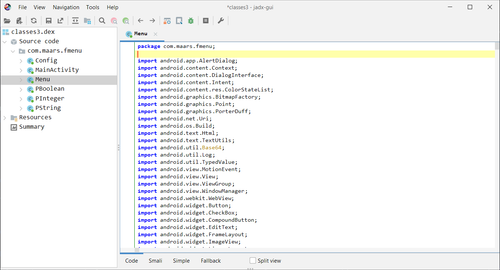
Unzip the apk and extract the classes.dex containing the source code of the mod menu, mostly it is the last classes.dex in the apk. for example
classes3.dex. you can use any dex explorer to verify that.
For example here using jadx-gui you can see that the last classes3.dex is the one containing the source code of the mod menu.
-
Copy the extracted classes.dex to your target apk external files directory. for example
/storage/emulated/0/Android/data/com.example.game/files/you can rename the dex file to anything you want or keep it as it is. the final path should look like this/storage/emulated/0/Android/data/com.example.game/files/menu.dex
Hip Hip Hooray! you are done. now you see How to use to learn how to use the mod menu inside Frida.