
ghost-nvim is an optimized Neovim configuration that places artificial intelligence at the core of the development experience. It seamlessly integrates AI assistants like GitHub Copilot and Codeium (Windsurf) via nvim-cmp, offering a fast, intelligent, and highly productive environment.
🧪 Version:
v0.0.1– Beta release – features and structure may change frequently.
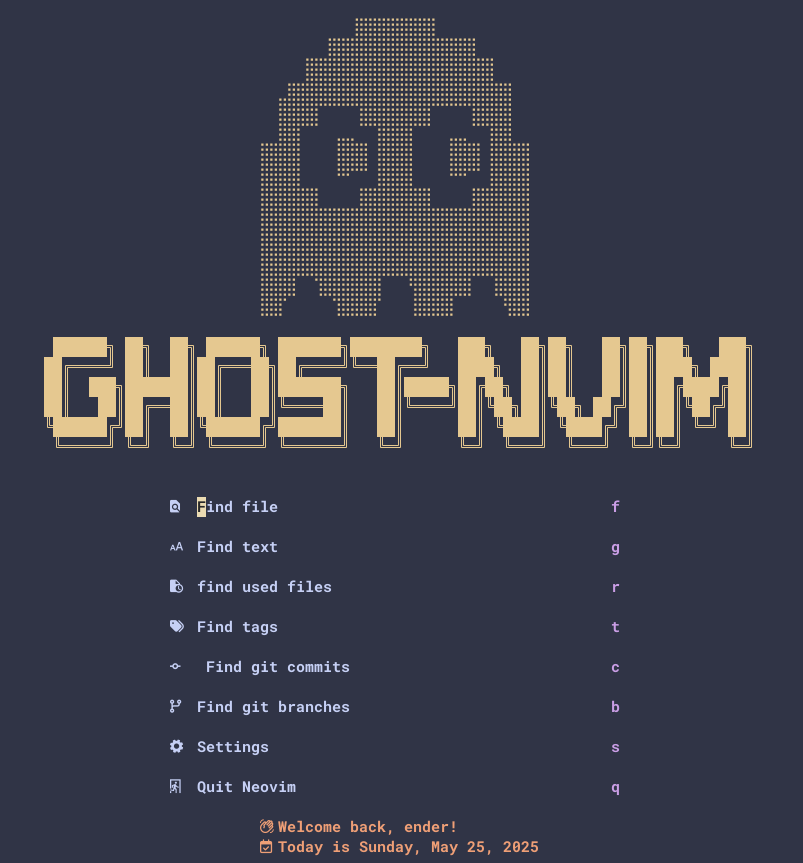
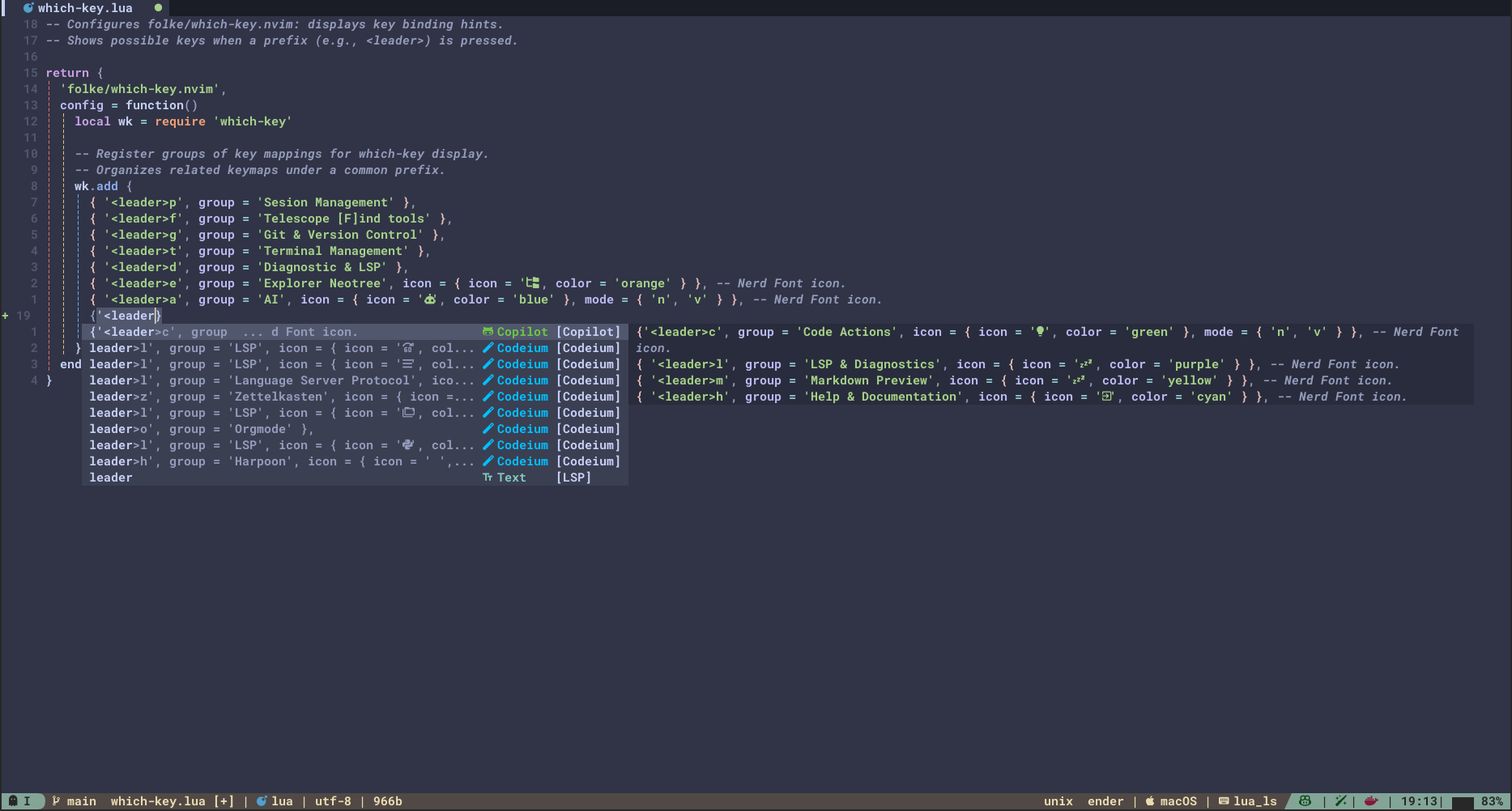
ghost-nvim delivers a high-performance, AI-powered development workflow with modern tools and seamless usability.
-
💡 Unified AI Suggestions
Copilot and Codeium are integrated into the completion menu—no ghost text, just clean and non-intrusive suggestions. -
🤖 Smart AI Commands
UseCopilotChatfor commit messages, refactoring, pseudocode, and more—context-aware and efficient. -
⚡ Ultra-fast Startup
Loads in 0.02–0.05 seconds. -
🧩 Modern Plugin Management
Powered bylazy.nvim, with efficient on-demand loading. -
🛠️ Full IDE Feature Set
Autocompletion, Git tools, debugging, LSP, snippets, and more. -
🎨 Highly Customizable
Modular and extensible by design.
Requires Neovim ≥ 0.8.0 (nightly recommended). Plugin management is handled via lazy.nvim.
Install the following dependencies:
- Neovim 0.8+
- Git
- Nerd Font (for icons)
- ripgrep (
rg) - fzf:
- macOS:
brew install fzf - Ubuntu:
sudo apt install fzf - Arch:
sudo pacman -S fzf
- macOS:
- Node.js & npm
- Python & pip
-
Backup existing config:
mv ~/.config/nvim ~/.config/nvim.bak
mv ~/.local/share/nvim ~/.local/share/nvim.bak
-
Clone the repo:
git clone https://github.com/dotfmg/ghost-nvim.git ~/.config/nvim -
Launch Neovim:
nvim
-
Let
lazy.nviminstall plugins. Use::Lazy:Lazy sync:Lazy update
-
Run
:Masonto install/manage LSPs and formatters.
✅ You're ready to use ghost-nvim!
- Plugins are auto-installed on launch.
- Use
:Lazyfor sync, updates, and status.
GitHub Copilot:
- Suggestions via
copilot.lua - Chat interface via
CopilotChat.nvim - 🛂 Authentication: Run
:Copilot setupto log in to GitHub and enable Copilot.
Codeium:
- Real-time completions with
windsurf.nvim - Unified with Copilot in the
nvim-cmpmenu - 🛂 Authentication: Run
:Codeium Authto authenticate your Codeium account.
- Unified suggestions: AI, LSP, snippets, paths
- Uses
<Tab>,<S-Tab>,<CR>for navigation - AI prioritized with custom sorting
- Fuzzy finder mapped to
<leader>fcommands
mason.nvim,nvim-lspconfig,none-ls.nvim- Autoformat on save
- Prettier, Ruff, Shellcheck, and more
- Themes: Catppuccin, Gruvbox, Nord
- Dashboard:
alpha-nvim - File tree:
neo-tree.nvim - Notifications:
noice.nvim
- Git:
gitsigns.nvim,lazygit.nvim - Terminal:
toggleterm.nvim - QoL: sessions, last-place, autopairs, todos
- Smart commit:
<leader>ac - Prompt visual code:
<leader>av - Full-buffer prompt:
<leader>ab - Ask anything:
<leader>ai
Prompt options:
- Explain
- Refactor
- Add types
- Pseudocode
- Improve names
- Logging
- Security audit
Explore lua/plugins/ai or run :Lazy.
| Keybinding | Action |
|---|---|
<leader>ao |
Open chat |
<leader>ac |
Smart commit from Git diff |
<leader>av |
AI on selection |
<leader>ab |
AI on buffer |
<leader>ai |
Ask question |
<leader>a? |
Select model |
<leader>aa |
Select agent |
<leader>al |
Reset CopilotChat buffer |
| Key | Action |
|---|---|
<Tab> |
Next suggestion |
<S-Tab> |
Previous suggestion |
<CR> |
Confirm selection |
| Keybinding | Action |
|---|---|
<leader>ff |
Find files |
<leader>fg |
Live grep |
<leader>fb |
Open buffers |
<leader>fh |
Help tags |
| Keybinding | Action |
|---|---|
gd |
Go to definition |
gr |
Find references |
K |
Hover info |
<leader>rn |
Rename symbol |
<leader>ca |
Code action |
| Keybinding | Action |
|---|---|
<leader>e |
Toggle file tree |
| Keybinding | Action |
|---|---|
<C-_> |
Toggle main terminal |
<leader>tf |
Floating terminal |
<leader>tr |
Run file in terminal |
| Keybinding | Action |
|---|---|
<leader>ps |
Restore previous session |
<leader>pl |
List saved sessions |
Help improve ghost-nvim with ideas, fixes, and features.
- Improve AI tools or UX
- Add prompts/workflows
- Support more tools or languages
- Fork the repo
- Create a branch
- Write clear, documented code
- Submit a PR with description
- Follow the folder structure (
lua/plugins/ai/, etc.) - Use lazy-loaded plugins
- Document keybindings and features
.
├── init.lua                  # Entry point
├── lua
│   ├── core                  # Options, keymaps, lazy setup
│   ├── plugins
│   │   ├── ai               # Copilot & Codeium
│   │   ├── appearance       # Themes & UI
│   │   ├── coding           # Syntax helpers
│   │   ├── git              # Git integrations
│   │   ├── lsp              # LSP, cmp, formatting
│   │   ├── search           # Telescope, ctrlsf
│   │   ├── session          # Persistence tools
│   │   ├── terminal         # Terminal helpers
│   │   └── themes           # Color schemes
└── README.md