Contract-first backend framework for Bun and Node.
Define your API once — get an HTTP API, MCP tools, AI-agent tools, a CLI and a typed client.




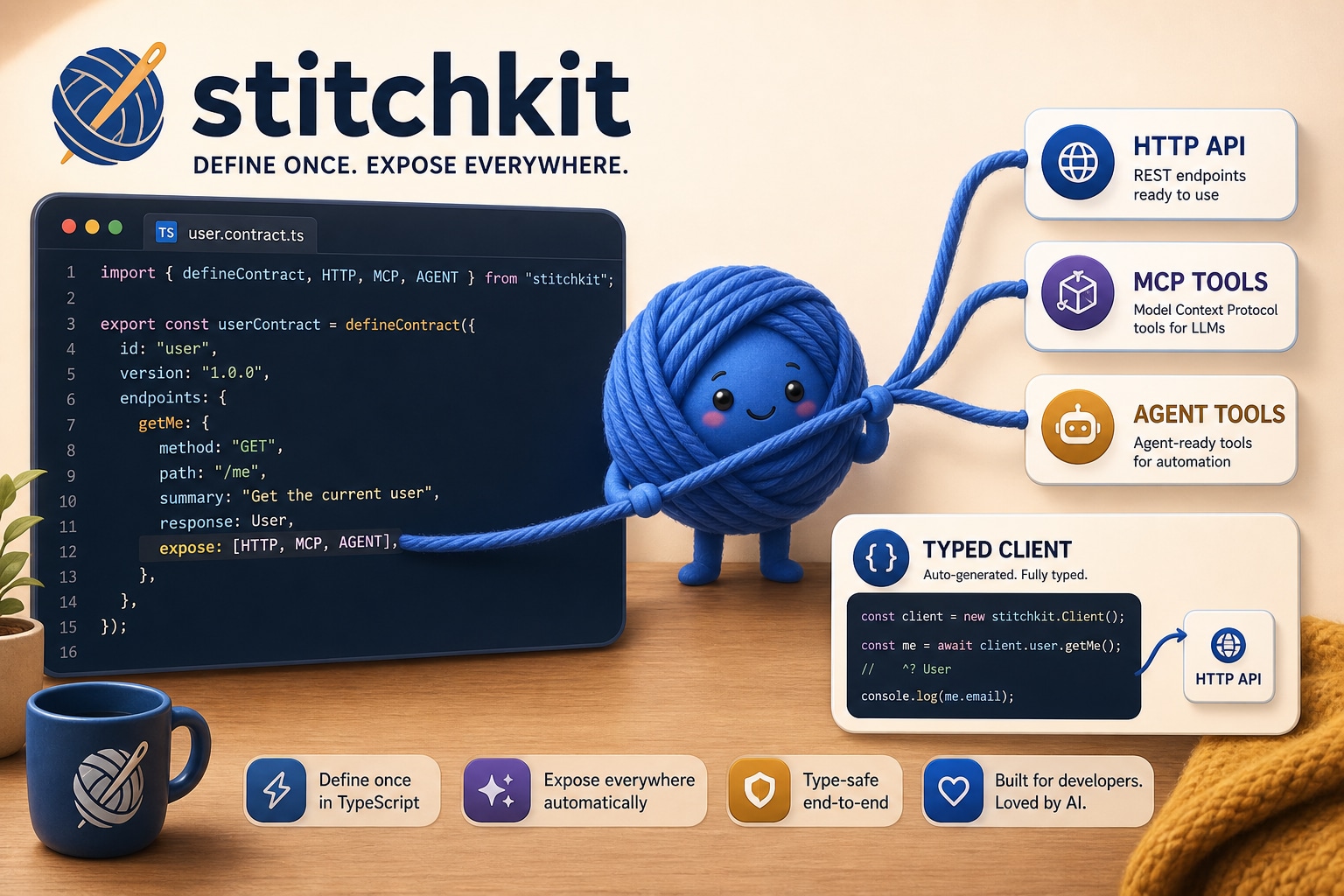
One defineContract() → an HTTP API, MCP tools, AI-agent tools and a CLI on the server — plus a fully-typed client to call them.
- One contract, five surfaces. Define your API once — get HTTP routes, MCP tools (for Claude/Cursor), AI SDK tools (for agents), a CLI (for scripts & Skills), and a typed client.
- Zero HTTP framework deps. Built on
Bun.serve()(Bun) orsrvx(Node). No Hono, no Elysia, no Express. - Fullstack type safety. Server handlers, client calls, MCP tools — all typed from the same contract.
- Inspectable. A focused core with explicit adapters. No generated application code or framework build step in your app.
- Thin over what you already use. WebSocket = Socket.IO (
createSocketIOClient/createSocketIOServer). React data layer =react-query-kit(createCursorQuery). stitchkit owns the contract and the transport — not its own competing WebSocket or hook engine.
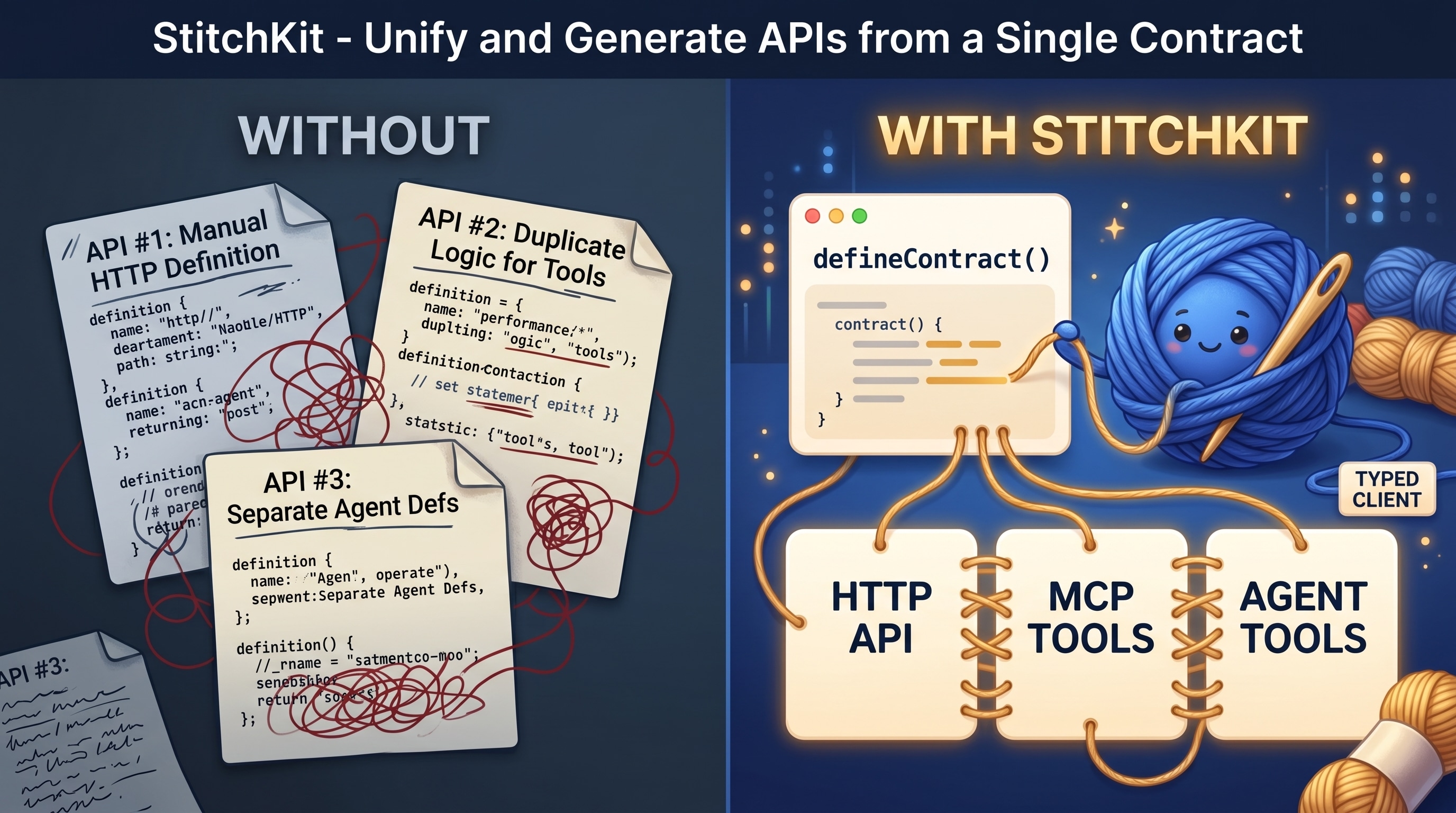
A modern backend exposes the same operations several ways — an HTTP API for the app, MCP tools for assistants like Claude and Cursor, tool definitions for AI agents, and a CLI for scripts and Skills. Written by hand, that is one surface described many times: many places to drift, many places to keep in sync. stitchkit collapses them into a single contract — change it once, every surface and the typed client move together.
Pre-1.0. The core is stable and covered by tests, but the public API may still
change between minor versions until 1.0. Bun is first-class; Node ≥ 22 is
supported via stitchkit/node.
Start a production-shaped Next.js, Stitchkit and PostgreSQL application:
bun create stitchkit my-app
cd my-app
# Point DATABASE_URL in .env at your PostgreSQL database.
bun run dev
To add Stitchkit to an existing project instead:
bun add stitchkit        # Bun
npm install stitchkit    # Node
pnpm add stitchkit # pnpmBrowser code imports browser-safe entrypoints:
import { defineContract, createClient, createHttpClient } from 'stitchkit'
import { createSocketIOClient } from 'stitchkit'
import { createCursorQuery, createCacheBridge } from 'stitchkit/react'
import { AgentRunSchema, AgentRuntimeEventSchema } from 'stitchkit/agent-runtime/browser'
import { parseSSE } from 'stitchkit'
Server code imports server entrypoints:
import { createServer, createHandler, implement } from 'stitchkit/server'
import { createSocketIOServer, createAuthHook } from 'stitchkit/server'
import { createMcpHandler, mountAgent } from 'stitchkit/tools'
import { createAgentRuntime, defineAgentProtocol } from 'stitchkit/agent-runtime'
import { createBunSqliteAgentRuntimeStore } from 'stitchkit/agent-runtime/sqlite/bun'
import { createApplication, defineManagedResource } from 'stitchkit/application'
import { implementRemote } from 'stitchkit/remote'
The root stitchkit entrypoint is browser-safe. Server, tool, optional managed
application, AI-SDK-backed agent-runtime and peer-free remote-proxy code live
behind stitchkit/server, stitchkit/tools, stitchkit/application,
stitchkit/agent-runtime and stitchkit/remote respectively. Optional provider
adapters are isolated further; importing stitchkit/application never resolves
grammY or OpenTelemetry. Browser code that shares agent records imports
stitchkit/agent-runtime/browser; it contains the canonical schemas and event
cursor but no execution, persistence or sink graph.
Durable embedded storage is isolated behind
stitchkit/agent-runtime/sqlite/bun and stitchkit/agent-runtime/sqlite/node;
neither runtime-specific built-in leaks into the neutral or browser entrypoint.
Externally supervised sessions can compose the same runtime through
stitchkit/agent-runtime/harness; optional explicit-root lazy resources, signed approval
continuations and reconnectable control compose there. Bounded direct file, search, guarded patch,
shell and opaque-artifact tools live in the peer-free
stitchkit/agent-runtime/coding-tools leaf. Neither surface owns process placement,
restart, credentials, model catalogs or OS isolation.
Credential-free replay, scripted provider failures and deterministic race
controls live in stitchkit/agent-runtime/testing for Bun and Node tests.
The separately installed stitchkit-tui package adds a maintained Bun/OpenTUI host over those
headless contracts; its stitchkit-tui/core entrypoint exposes renderer-neutral terminal state
without React, OpenTUI or agent-runtime imports. Neither enters the core dependency graph.
Use stitchkit/application when several
process-local resources must start, become ready, drain and stop as one
application:
import {
  createApplication,
  createManagedSchedule,
  managedServerResource,
} from 'stitchkit/application'
import { bindProcessSignals } from 'stitchkit/server'

const app = createApplication({
  id: 'service',
  resources: [
    managedServerResource({ id: 'http', server }),
    createManagedSchedule({
      id: 'cleanup',
      everyMs: 60_000,
      run: ({ signal }) => removeExpiredRecords(signal),
    }),
  ],
})

bindProcessSignals(app)
await app.start()
The kernel owns dependency ordering, attempted-start rollback, readiness,
process-local admission, ephemeral schedules and bounded shutdown. It does not
own durable jobs, provider policy, retries, process restart or deployment.
createApplicationOperationalHandlers projects conventional status/readiness/
liveness routes from the same snapshot. Applications that already own an
OpenTelemetry SDK may opt into stitchkit/application/opentelemetry; the
adapter registers pull-only observable gauges on an injected Meter and owns no
exporter or SDK lifecycle.
// shared/contracts.ts
import { defineContract } from 'stitchkit'
import { z } from 'zod'

const UserSchema = z.object({ id: z.string(), name: z.string() })
const CreateUserSchema = z.object({ name: z.string() })
const IdSchema = z.object({ id: z.string() })

export const users = defineContract({ prefix: 'users' }, {
  list:   { method: 'GET',    path: '/',    desc: 'List all users',  output: z.array(UserSchema) },
  create: { method: 'POST',   path: '/',    desc: 'Create a user',   input: CreateUserSchema, output: UserSchema },
  get:    { method: 'GET',    path: '/:id', desc: 'Get user by ID',  params: IdSchema, output: UserSchema },
  delete: { method: 'DELETE', path: '/:id', desc: 'Delete a user',   params: IdSchema },
})// server/index.ts
import { implement, createServer } from 'stitchkit/server'
import { users } from '../shared/contracts'
const service = implement(users, {
list: (ctx) => db.users.findMany(),
create: (ctx) => db.users.create({ name: ctx.input.name }),
get: (ctx) => db.users.findById(ctx.params.id),
delete: (ctx) => db.users.delete(ctx.params.id),
})
createServer({ services: [service], port: 3000 })// client/api.ts
import { createClient, createHttpClient } from 'stitchkit'
import { users } from '../shared/contracts'
const http = createHttpClient({ baseUrl: '/api' })
export const api = createClient(users, http)
await api.list() // GET /users → User[]
await api.create({ name: 'Max' }) // POST /users → User
await api.get({ id: '123' }) // GET /users/123 → UserFor many contracts at once, use createClients(contractRegistry, http).
stitchkit does not ship its own hook engine — pair the typed client with
react-query-kit, wrapping
the client methods directly:
import { createMutation, createQuery } from 'react-query-kit'
import { api } from './api'

export const useUsers = createQuery({ queryKey: ['users'], fetcher: () => api.list() })
export const useCreateUser = createMutation({ mutationFn: api.create })
The ordinary generated method contains only contract variables, so it remains safe to pass directly as a query or mutation callback. Imperative calls that need cancellation use the method's explicit transport-options surface:
await api.create.withOptions({ name: 'Max' }, { signal })
await api.health.withOptions({ signal }) // endpoint without contract arguments
For cursor-paginated lists, createCursorQuery is the canonical helper:
import { createCursorQuery } from 'stitchkit/react'
import { api } from './api'

export const useFeed = createCursorQuery({ queryKey: ['feed'], endpoint: api.feed.list })
It injects cursor from the page param and bakes in getNextPageParam. Page
size is the server's call — the contract's limit default — never the client's.
import { createMcpHandler, createMcpHttpRoute } from 'stitchkit/tools'

const mcp = createMcpHandler({
  serverInfo: { name: 'my-app', version: '1.0.0' },
  auth: (req) => resolveApiKey(req),     // → identity, or null for 401
  services: [service],                   // contract endpoints with expose: ['MCP']
})

createServer({
  services: [service],
  rawRoutes: [createMcpHttpRoute({ path: '/mcp', handler: mcp })],
})

// On shutdown: await mcp.close()import { mountAgent } from 'stitchkit/tools'
import { generateText } from 'ai'
const tools = mountAgent(service, { context: { userId: 'agent-1' } })
const result = await generateText({ model, tools, prompt: 'Create a user named Max' })For applications that want Stitchkit to own durable message/run transitions,
stream checkpoints, interruption and managed-tool fencing, use the optional
stitchkit/agent-runtime. mountAgent remains
the smaller application-owned-loop path.
stitchkit's WebSocket layer is Socket.IO — polling fallback, heartbeat, acks,
a mature client. The wrappers cover the boilerplate.
// Server
import { createServer, createSocketIOServer } from 'stitchkit/server'

const socket = await createSocketIOServer<ServerToClientEvents, ClientToServerEvents>({
  cors: { origin: 'https://app.example.com' },
})

socket.io.on('connection', (s) => { /* rooms — your domain logic; typed handshake auth via `handshake` */ })

createServer({
  services: [service],
  socket,                         // route + websocket + managed shutdown
})
// Client
import { createSocketIOClient } from 'stitchkit'
const socket = createSocketIOClient<ServerToClientEvents, ClientToServerEvents>({
url: 'https://api.example.com',
})
socket.connect()
socket.on('notification', (data) => console.log(data)) // typed
socket.emit('join', { room: 'r1' }) // typedSync Socket.IO events into the TanStack Query cache. Transport-agnostic — it
takes any emitter with on(event, handler) => unsubscribe (the
createSocketIOClient result qualifies).
import { createCacheBridge } from 'stitchkit/react'

const bridge = createCacheBridge({
  socket,
  queryClient,
  handlers: {
    notification: (data, ctx) => {
      if (ctx.isFresh(['notes'])) return            // skip echo of own mutation
      ctx.queryClient.setQueryData(['notes'], data)
    },
  },
})
bridge.connect()
// in a mutation: onSuccess: () => bridge.markFresh(['notes'])import { streamSSE } from 'stitchkit/server' // server: AsyncGenerator → SSE Response
import { parseSSE } from 'stitchkit' // client: Response → AsyncGenerator| Feature | API |
|---|---|
| Contract | defineContract() — single source of truth for your API |
| HTTP Server | createServer() / createHandler() — Bun.serve, validation, hooks, raw routes |
| MCP Tools | createMcpHandler() / mountMcp() — MCP tools from contracts |
| Agent Tools | mountAgent() — Vercel AI SDK tools from contracts |
| Agent Runtime | createAgentRuntime() — optional durable history, stream loop, coordination and fencing |
| Application Kernel | createApplication() plus optional bounded local diagnostics — process-local resources, readiness, schedules and bounded shutdown |
| Typed Client | createClient() / createClients() — typed fetch from contracts |
| Cursor Pagination | createCursorQuery() — react-query-kit infinite query from a contract method |
| WebSocket | createSocketIOClient() / createSocketIOServer() — typed Socket.IO wrappers |
| Cache Bridge | createCacheBridge() — socket events → TanStack Query cache |
| Auth | createAuthHook() / createBearerResolver() — scope-aware auth from contract.scope |
| SSE Streaming | streamSSE() / parseSSE() — async generator ↔ SSE |
| Events | createEventBus<EventMap>() — typed in-process pub/sub |
| Multipart | typed buffered or streaming single/multi-file uploads with limits and MIME policy |
| Rate Limiting | createRateLimiter() — token bucket, per-key |
| Cache | createCache() — in-memory with TTL + cacheHeaders() |
| Errors | AppError, notFound(), badRequest(), unauthorized() |
A modern backend exposes the same operations as an HTTP API, as MCP tools and as AI-agent tools. Most stacks make you describe each surface separately.
| Without stitchkit | With stitchkit | |
|---|---|---|
| Define an operation | once per surface — HTTP, MCP, agent (3×) | once — defineContract() |
| Keep the surfaces in sync | manual; they drift apart | cannot drift — one source |
| Typed client | hand-written, or a codegen step | inferred from the contract |
| Expose a new surface | re-describe every endpoint | flip expose — already typed |
Versus other typed-API tools:
| Capability | stitchkit | tRPC | ts-rest | Hono / Elysia |
|---|---|---|---|---|
| Contract is plain data — no decorators, no codegen | ✅ | ✅ | ❌ | |
| Inferred typed client | ✅ | ✅ | ✅ | |
| Plain HTTP REST routes | ✅ | ✅ | ✅ | |
| MCP tools from the same contract | ✅ | ❌ | ❌ | ❌ |
| AI-agent tools from the same contract | ✅ | ❌ | ❌ | ❌ |
| No HTTP-framework dependency | ✅ | ✅ | ✅ | — it is one |
The line no other tool draws: the same contract becomes MCP tools and AI-agent tools — not just an HTTP API and a client. That is what stitchkit is for.
createServer({
  services: [service],
  hooks: {
    onRequest(req) { },              // logging, rate limiting
    authorize(ctx, endpoint) { },    // auth before request-body reads
    beforeHandle(ctx, endpoint) { }, // validated-input preconditions
    afterHandle(ctx, result) { },    // transform, cache headers
    onError(ctx, error) { },         // error formatting
  },
})Contracts carry a scope; createAuthHook enforces it on every transport from
one declarative rules map:
import { createAuthHook, createBearerResolver } from 'stitchkit/server'

const authHook = createAuthHook<User>({
  resolve: (ctx) => resolveSession(ctx),
  rules: {
    public: 'public',
    user: 'authenticated',
    admin: (user) => user.isAdmin,
  },
})

createServer({ services, hooks: { authorize: authHook } })stitchkit ships with one runtime dependency. Everything else is an optional peer — an install pulls in only what the project actually uses.
| Dependency | Kind | Why this one |
|---|---|---|
ky |
bundled, runtime | The HTTP client behind the typed client — ~13 KB, fetch-based, with retry, hooks and timeouts built in. The only thing stitchkit installs for you. |
zod |
peer, required | Schemas are the single source of truth. A peer so your app and stitchkit share one zod instance — z.infer types and instanceof checks break across two copies. |
@modelcontextprotocol/server |
peer, optional | MCP server surfaces in stitchkit/tools; SDK v2, protocol 2026-07-28. |
@modelcontextprotocol/client |
development dependency, optional | Only consumers that run MCP client integration tests or build an MCP host. |
@modelcontextprotocol/ext-apps |
peer, optional | Only MCP Apps (ui:// resources and UI metadata). |
ai |
peer, optional | stitchkit/tools agent tools and the optional server-only stitchkit/agent-runtime. |
| Headless harness | optional surface | stitchkit/agent-runtime/harness; uses the same optional ai peer and canonical runtime. |
| Agent coding tools | optional surface | stitchkit/agent-runtime/coding-tools; peer-free, host-authorized direct file and shell tools. |
| Agent runtime testing | optional test surface | stitchkit/agent-runtime/testing; peer-free local fault server, replay and race fixtures. |
stitchkit-tui |
separate optional package | Renderer-neutral ./core state plus a Bun/OpenTUI terminal controller, commands, model/session pickers and authenticated local attachment over a caller-composed harness. |
@openrouter/ai-sdk-provider |
peer, optional | Only stitchkit/agent-runtime/openrouter; neutral runtime imports do not resolve it. |
| SQLite | runtime built-in, optional | bun:sqlite through stitchkit/agent-runtime/sqlite/bun, or node:sqlite on Node ≥ 22.5 through the Node leaf. |
grammy |
peer, optional | Only stitchkit/application/grammy; the neutral application kernel does not resolve it. |
@opentelemetry/api |
peer, optional | Type-only boundary for stitchkit/application/opentelemetry; the adapter has no runtime import and owns no SDK/exporter. |
@tanstack/react-query + react-query-kit |
peer, optional | Only stitchkit/react — createCursorQuery, createCacheBridge. |
socket.io / @socket.io/bun-engine / socket.io-client |
peer, optional | Only the Socket.IO wrappers. @socket.io/bun-engine is Bun-only; shipping one self-contained artifact? Hand the loaders to createSocketIOServer({ peers }). |
@socket.io/component-emitter |
peer, optional, types only | Referenced by the browser Socket.IO declarations. Arrives with socket.io-client; nothing imports it at runtime. |
srvx |
peer, optional | Only serveNode — the Node ≥ 22 HTTP adapter. Bun uses Bun.serve and needs nothing. |
Why peers, not bundled. A peer is resolved once, by your app — framework and
app code share a single instance. Bundled copies would double zod, split the
react hook runtime and break instanceof. Optional peers mean an app that
never touches MCP never installs the MCP SDK. → ADR 0011
The framework stays focused and inspectable: explicit adapters, no generated application code and no framework build step in your app.
bun create stitchkit my-app generates the canonical application: separate
Next.js and Bun API processes, Prisma/PostgreSQL, shared Zod contracts, typed
HTTP/React Query clients, Socket.IO cache updates, OpenAPI, MCP, CLI and a full
UI catalogue. Its only source is
packages/create-stitchkit/template.
The application owns its Prisma schema and migrations while PostgreSQL remains
external infrastructure configured through DATABASE_URL.
The template owns a committed Bun lockfile and an explicit Stitchkit catalog
range, so framework and scaffolder releases advance independently.
For a minimal terminal coding-agent host, choose the second explicit profile:
bun create stitchkit my-agent --template agent
cd my-agent
cp .env.example .env
# Fill OPENROUTER_API_KEY, then choose a live model in the terminal.
bun run dev
Its editable stitchkit.agent.ts composes stitchkit-tui, OpenRouter, durable SQLite history,
lazy skills and direct approval-gated coding tools over the same headless Agent harness. /model
searches the full tool-capable catalog and shows weekly popularity independently from sourced
benchmark observations. /status exposes the local session ID so another process can send or
interrupt through the terminal's existing controller. The renderer and provider dependencies do
not enter Stitchkit core or the default application. → ADR 0133
This README is the quick start. Where you go next depends on what you're doing:
The full guide and API reference, in docs/:
- Guide — getting started · contracts · HTTP server · typed client · MCP & agents · agent runtime · application kernel · application migration recipes · realtime · auth & errors · testing & deployment · multi-tenant · upgrading
- API reference — every export, by entrypoint.
- Moving to a newer version? Run
bunx stitchkit@latest upgradeinside your project. It reads the version you have fromnode_modulesand the changelog from inside the package, and prints every breaking change between the two — oldest first, each with who must act. Nothing to clone, nobody to ask. - Coding agent? The package ships
llms.txt(a curated index) andllms-full.txt(the whole guide inlined) — your agent reads them fromnode_modules/stitchkit/. For Claude Code, the repo also provides a stitchkit skill you can drop into.claude/skills/.
- AGENTS.md — the development guide (setup, rules, hooks, local-dev, breaking changes, release flow). One place for human and agent contributors; CONTRIBUTING.md points here.
- Architecture decisions — the why behind the design.
- Roadmap · Changelog · security via SECURITY.md.
MIT © Max Listov