Ameizin' is an Fullstack clone of Amazon that allows users to browse, search for, checkout and review products from a diverse range of categories. Users are also able to access their past orders through the order history functionality.
- PostgreSQL
- Ruby on Rails
- JavaScript
- React
- Redux
- HTML/CSS
- Swiper
- Amazon AWS
- NPM and Webpack
-
User Authentication:
- Users are able to create and log-in/log-out of an account
- Utilizes CSRF tokens for protection against cross-site forgery
- Demo-user account allowing user to tour the application
-
Search Functionality:
- Category Navigation Bar
- Accesible through most of the pages
- Filters products based on category and renders a category index show page
- Searching though search bar
- Filters products based on name
- Returns products show page that match the search term
- Category Navigation Bar
-
Shopping Cart
- CRUD feature that allows users to:
- Add items to their shopping cart.
- Adding more of a pre-existing item to the cart will update the cart item quanitity instead of creating duplicate cart items.
- Remove or update items in the cart.
- Users can also update the number of a particular item in the cart through that product's show page.
- Checkout items from their cart.
- Add items to their shopping cart.
- Users are able to add perform all of the cart functionalities without being logged in. However, checking out requires user to be logged in.
- CRUD feature that allows users to:
-
Order History
- A random and unique order confirmation number is generated for each checked out order.
- Users will be able to see their order history for the account under the order history section.
- Users are able to delete their past orders in the order history.
- Users are also able to leave reviews for the products they previously bought through order history.
-
Product Reviews
- Logged in users are able to:
- Write new product reviews
- There is error handling for creating reviews if a specific required portion is missing.
- Edit your existing reviews
- Delete your existing reviews
- Write new product reviews
- Every product has an average rating that dynamically changes based on the total reviews/ratings of the product.
- Users are able to see all the reviews for a product on the product show page.
- Logged in users are able to:
Users upon load-in to site are given a guest cart with a unique guest cart ID that is stored in the cookies. Each account will also have their own unique cart ID that is associated with the account. This enables users to access all the cart functionalities (aside from checkout) without being logged-in.
  # Carts controller
    def show
        if current_user&.cart
            @cart = current_user.cart
            render :show
        else
            if cookies[:cart] && cookies[:cart] != ""
                @cart = Cart.find(cookies[:cart])
                render :show
            else
                @cart = Cart.create!
                cookies[:cart] = @cart.id
                render :show
            end
        end
    end
When the user logs in, any items that the user has in their current guest cart will be persisted to their account cart. The guest cart will then be cleared and deleted.
    def persist_cart_items_through_login
        if cookies[:cart]

            if current_user.cart == nil
                user_cart = Cart.create!(user_id: current_user.id)
            else
                user_cart = current_user.cart
            end

            guest_cart = Cart.find(cookies[:cart])
            guest_cart.cart_items.each {|item| CartItem.create(
                cart_id: user_cart.id,
                product_id: item.product_id,
                quantity: item.quantity
            )}

            cart_items = CartItem.all
            cart_items.each {|item| item.delete if item.cart.user_id == nil}
            guest_cart.destroy
            cookies[:cart] = nil
        end
    end
Users can add items to their cart. When the add to cart button is clicked, a check is done to see if the item already exists in the cart by filtering through the cart items and seeing if there is a match. If there isn't, then an action is dispatched to create the cart item. If there is, another check is performed to ensure there is enough inventory left. If there isn't, the user will receive are warnng and will be unable to add that amount to their cart. If there is enough inventory, an action will be dispatched to update the item already in the cart to reflect the new total quanity.
    const handleUpdateCart = e => {
      e.preventDefault();
      const matchingCartItem = cartItems.find(item => item.productId === product.id);

      const cart_item = {
          id: matchingCartItem?.id,
          productId: product.id,
          cartId: cart.id,
          quantity: selectedQuantity + (matchingCartItem ? matchingCartItem.quantity : 0),
      };

      const createNewCartItem = {
          productId: product.id,
          cartId: cart.id,
          quantity: selectedQuantity
      }

      if (matchingCartItem) {
          if ((selectedQuantity + matchingCartItem.quantity) > product.inventory) {
              alert("Not enough inventory!");
          } else {
              dispatch(updateCartItem(cart_item));
              history.push("/cart")}
      } else {
          dispatch(createCartItem(createNewCartItem)).then(res => {
              history.push("/cart");
          });
      }
};The products review feature has full CRUD functionality. There is also error handling in place, in the event that a required field was not filled out when creating a review. The error message are then displayed on the form with a ternary operation.
   const headlineError = errors.find(error => error.toLowerCase().includes('headline'));
   const ratingError = errors.find(error => error.toLowerCase().includes('rating'))

   useEffect(() => {
       dispatch(fetchProduct(productId))
   }, [productId]);

   const handleCreateReview = async (e) => {
       e.preventDefault();
       setErrors([]);
       try {
           await dispatch(createReview({
               userId: currrentUser.id,
               productId: productId,
               headline: headline,
               comment: comment,
               rating: rating
           }));
           history.push(`/review-confirmation?productId=${productId}`);
       } catch (err) {
           let data;
           try {
               data = await err.clone().json();
           } catch {
               data = await err.text();
           }
           if (data?.errors) setErrors(data.errors);
           else if (data) setErrors([data]);
           else setErrors([err.statusText]);
       }
   }
{/* html portion for the error handling */}
{ratingError ? <div id="error-review"><i id='exclamation-review' className="fa-solid fa-circle-exclamation" />Please select a star rating</div> : <i id='errors-reviews' className="fa-solid fa-circle-exclamation" />}
{headlineError ? <div id="error-review"><i id='exclamation-review' className="fa-solid fa-circle-exclamation" />Please enter your headline.</div> : <i id='errors-review' className="fa-solid fa-exclamation" />}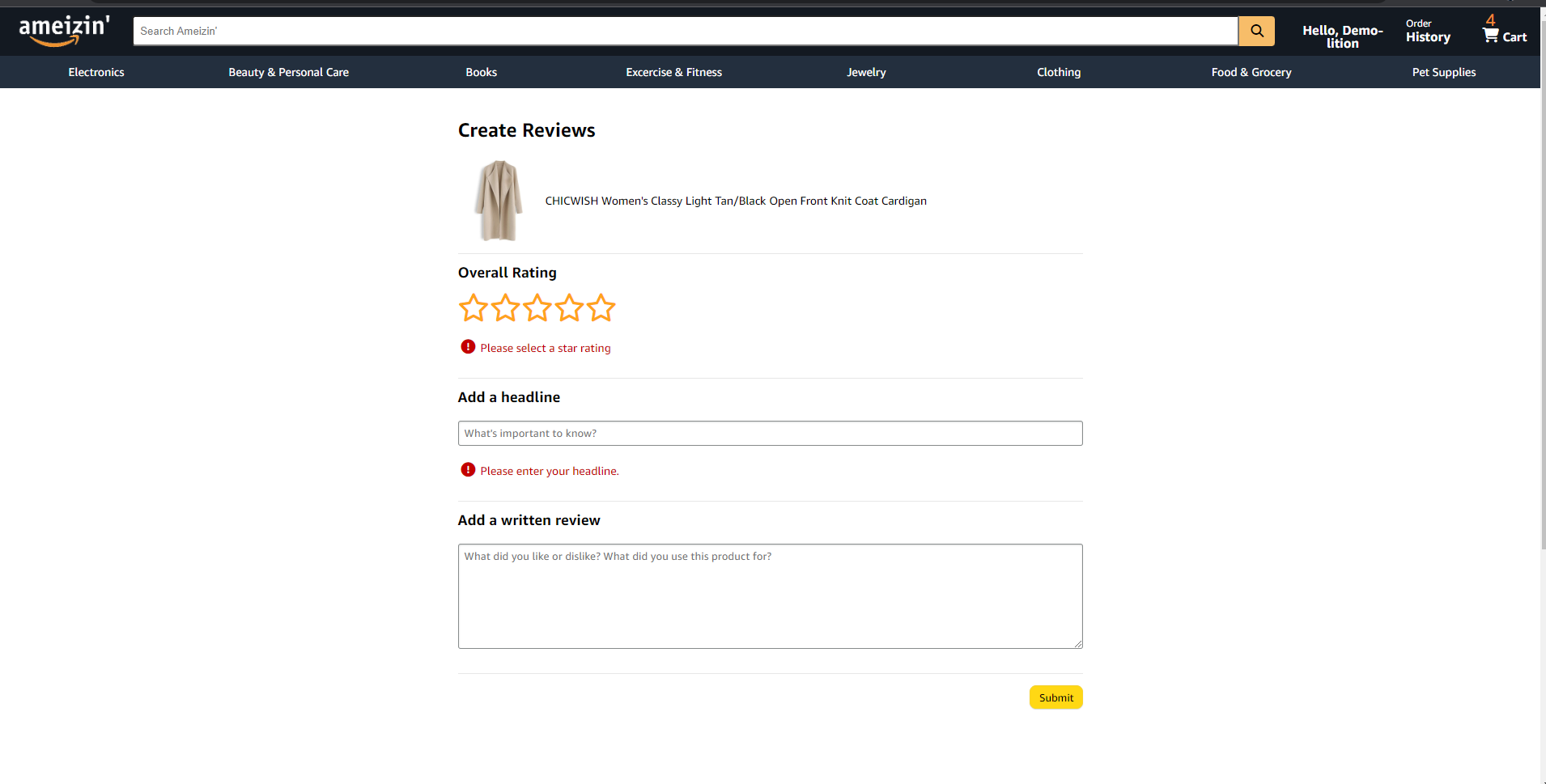
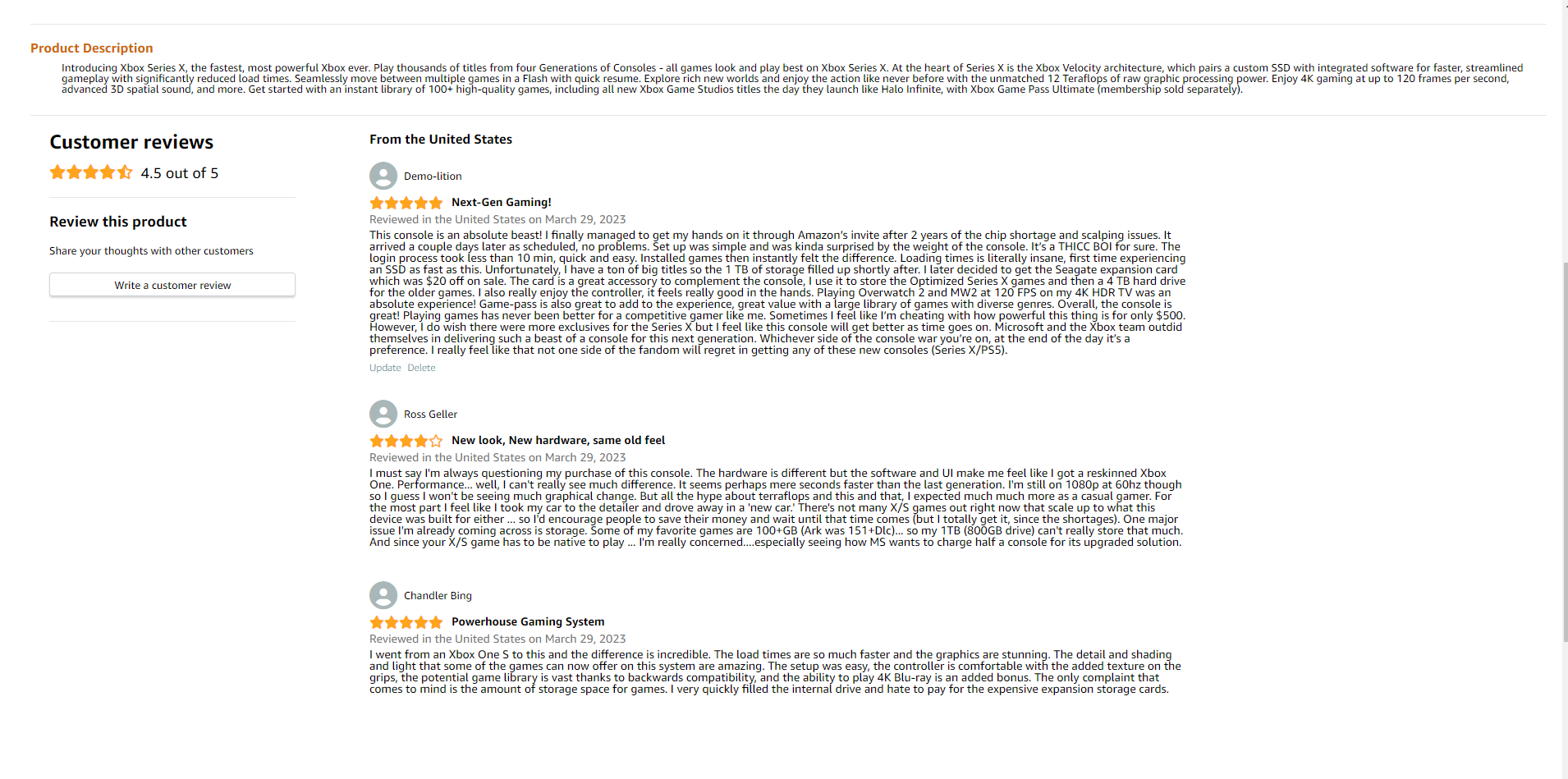
Each product show page has their review index on the bottom of the page. The products have an average rating that updates dynamically based on the product's reviews.
useEffect(() => {
        if (!filteredReviews || filteredReviews.length === 0) {
            setAverageRating(0);
            setRoundedRating(0);
            setHasHalfStar(false);
            return;
        }

        const totalNumberReviews = filteredReviews?.length;

        const ratingTotal = filteredReviews.reduce((total, review) => {
        return total + review.rating;
        }, 0);

        const averageTotalRating = ratingTotal / totalNumberReviews;
        const roundedRating = Math.round(averageTotalRating * 2) / 2;
        const hasHalfStar = roundedRating % 1 !== 0;

        setAverageRating(averageTotalRating);
        setRoundedRating(roundedRating);
        setHasHalfStar(hasHalfStar);
    }, [filteredReviews]);
If logged in, the user is able to see the update/delete option underneath the reviews they wrote.
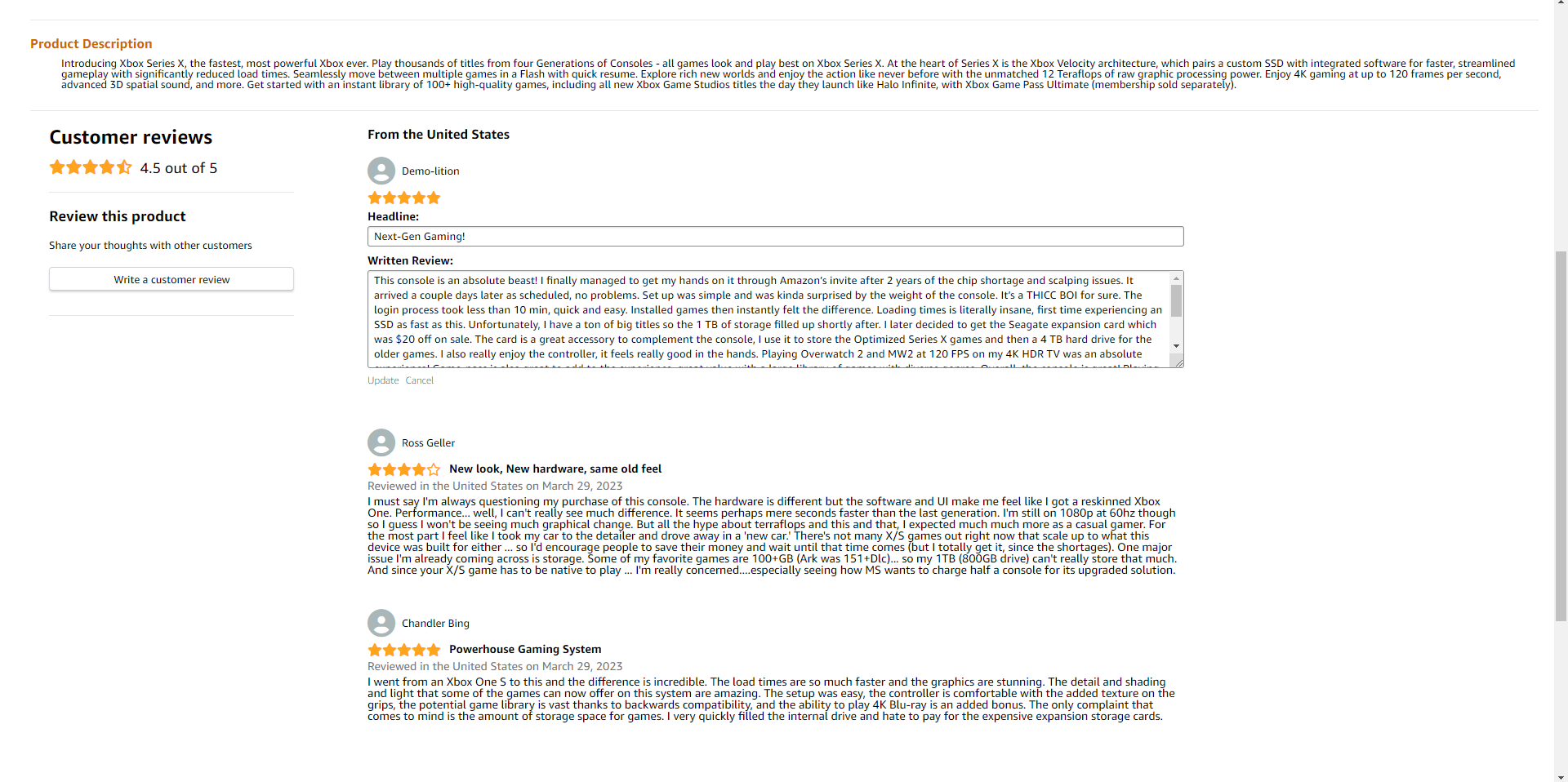
If the user selects the update function on the review, the review will turn into a form that the user can submit to update their review.
- Ability to upload pictures and videos to a review
- Add the option to view different photos from a listing
- Adding the graph that shows percentage of each rating to reviews section